Az Jan Portaels Automation Server User Manual
Context
The Power Partners Automation Server was configured by Power Partners to automate AZ Jan Portaels report generation. The process is triggered manually, typically monthly, by the data manager of AZ Jan Portaels. This document shows you how to configure the exports, and how to trigger the export process.
Configuration
Excel Configuration File
The configuration is done in an Excel file. Specifically:
-
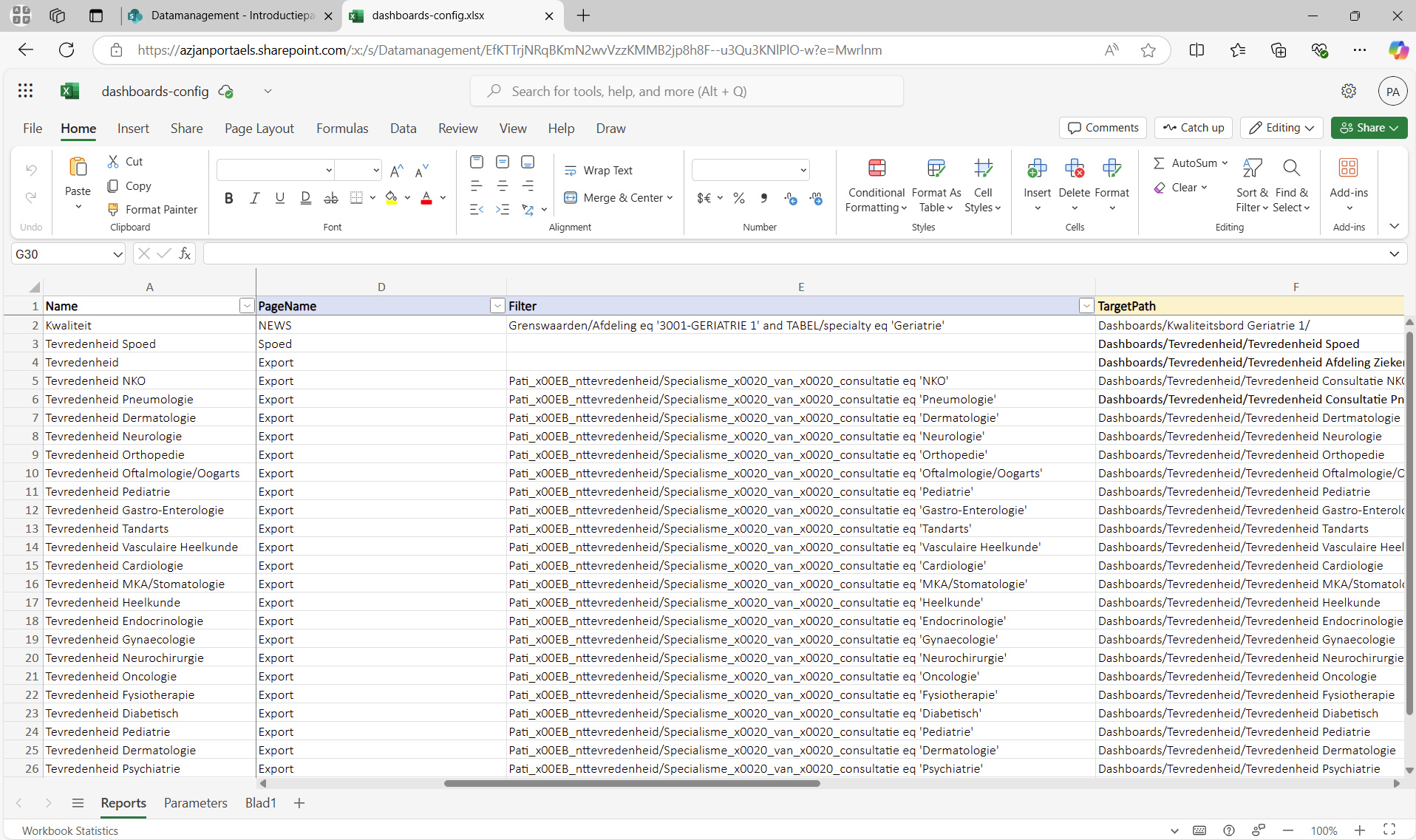
There is an Excel file that contains the reports to be exported, and allows configuring filters for each export.
-
To get to this Excel file: https://azjanportaels.sharepoint.com/sites/Datamanagement/Gedeelde%20documenten/Config/dashboards-config.xlsx
-
The column
Filterallows setting a filter as defined in Power BI. For more details, see here: https://learn.microsoft.com/en-us/power-bi/collaborate-share/service-url-filters. Note, however, that the filtering functionality by Power BI is not a very convenient format. For example, it defines special characters such as 00x20 for space. If you know of a way to build the URL parameters quickly, then let us know! -
The column
TargetPathrepresents a relative path within the sharepoint library, relative tohttps://azjanportaels.sharepoint.com/sites/Datamanagement. It represents the location where the exported report will be stored. -
The column
TargetNamerepresents the name under which the report will be saved
Adding New Export
You can add a new export by adding a new row to the excel file, filling the values into the columns as shown above
Run the Export
-
To run the function, first you need to open your browser and paste this link into the search bar: https://azj-af.azurewebsites.net/api/monthly_reporting_http?code=FRyVGjQnvpXBRQwxs3EeCC550wZHvWx2TjQRCD99JMlkAzFuSapBUA%3D%3D
-
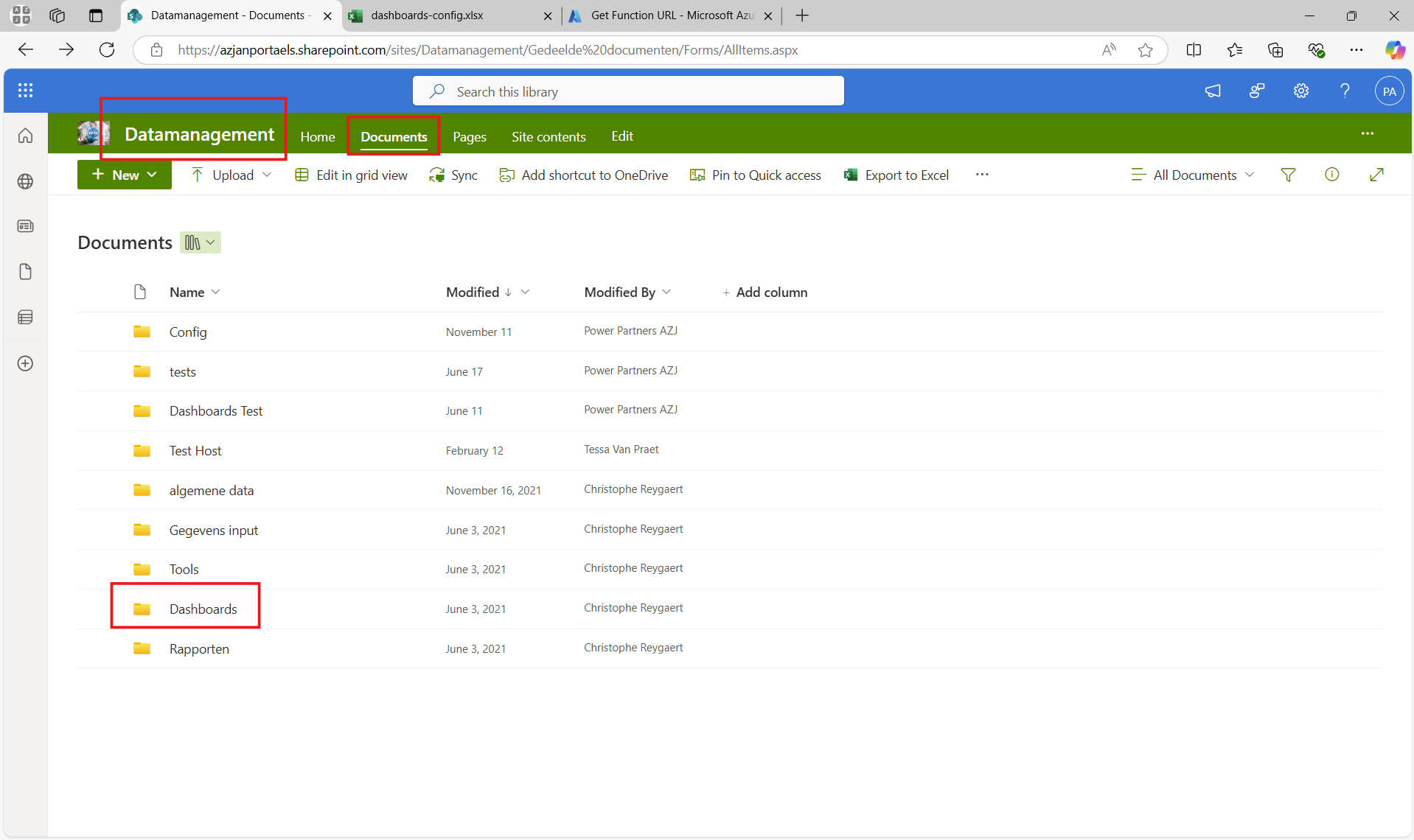
After running the function, the exports will be stored in the sharepoint library:
Important
Only share the link to the function with authorised personel. It allows anyone to trigger the export without additional credentials. However, it does not provide access to the data in any way.