DAX Showing Dimensions for Empty Facts
This example is coming from Phara #par, ticket #13469 .
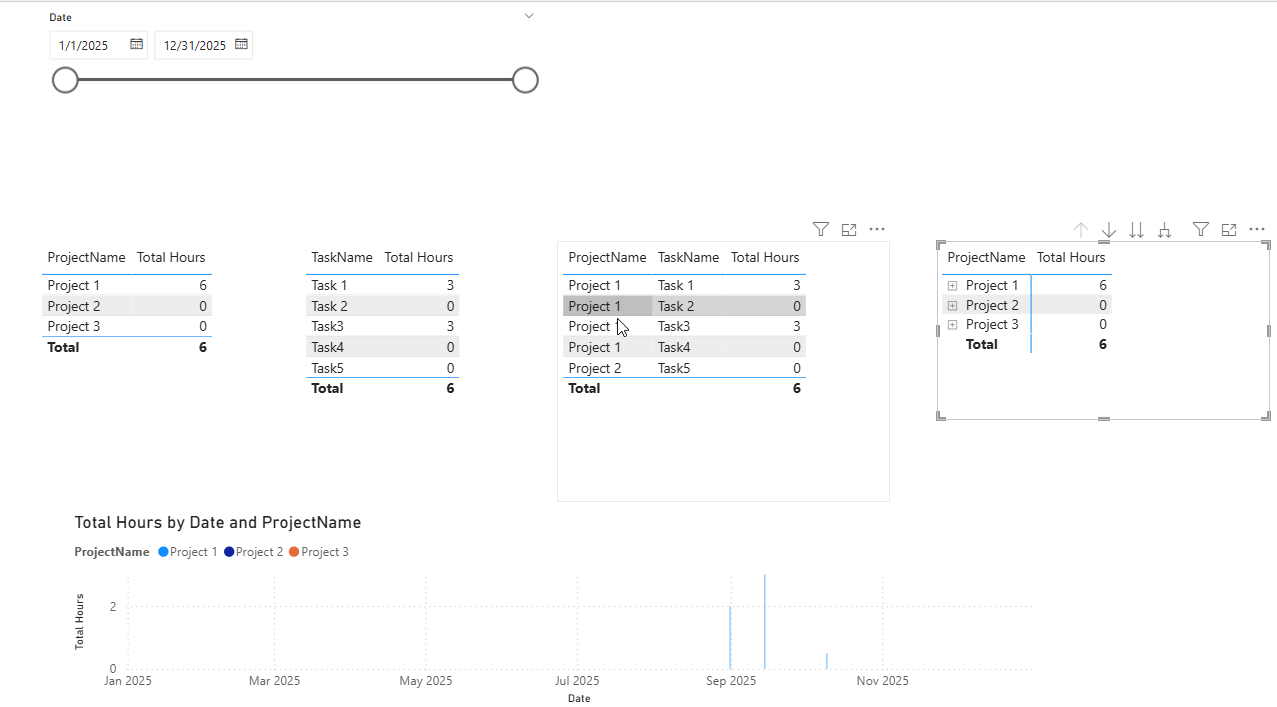
You will find the corresponding stylized pbix in the code folder of the git repository, file name: 13469_show_projects.pbix.
Situation
This is a slightly simplified, stylized version of the actual problem.
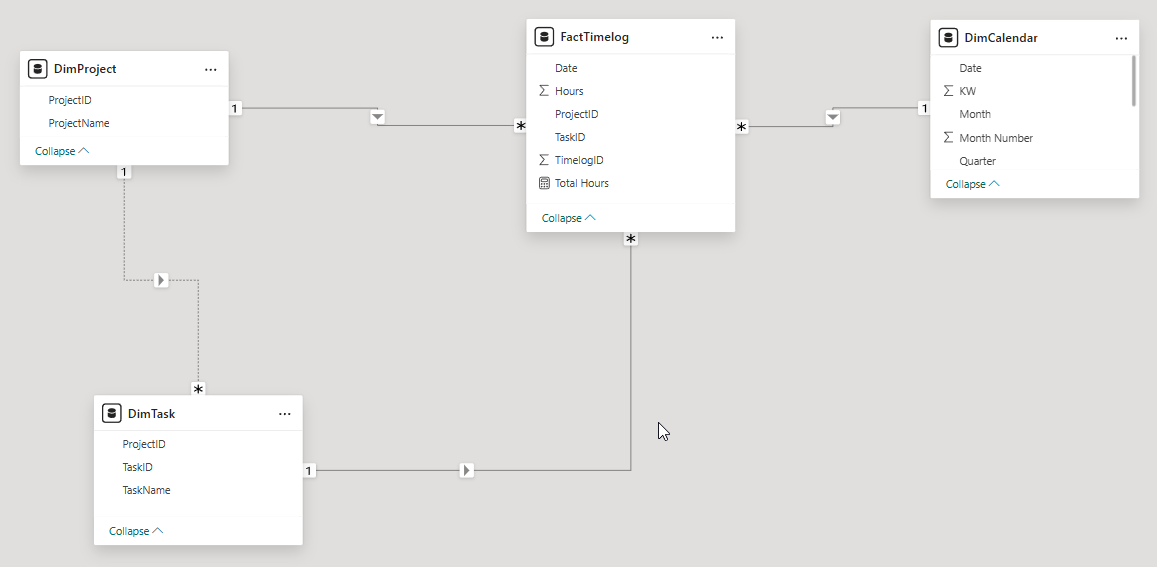
We have a star schema with
-
FactTimelogs
-
DimTask
-
DimProject
(The original problem has also ParentTasks and Clients).
erDiagram

    FactTimelog {

        int FactTimelogId PK

        int ProjectId FK

        int TaskId FK

        int Date FK

        float Hours

    }

    DimProject {

        int ProjectId PK

        string ProjectName

    }

    DimTask {

        int TaskId PK

        string TaskName

    }

    DimCalendar {

        datetime Date PK

    }


    FactTimelog }|--|| DimProject : "belongs to"

    FactTimelog }|--|| DimTask : "on"

    FactTimelog }|--|| DimCalendar : "for date"
Requirement
-
We want to show time spent on projects and tasks.
-
We want to show tasks that have no time spent yet. They should show 0 hours.
-
We also want to see projects that do not have any tasks. They should show 0 hours.
-
We want to be able to filter on a date range. If a task has no time logged in the filtered date range, we still want to display the project and task, with 0 hours.
Problem
The problem is that Tasks and Projects are only linked implicitly, via the fact. As long as a fact is present, it is logically defined what is the relationship between Projects and Tasks. But if there is no time logged against a task, the relationship cannot be derived from the model.
Solution
The solution consists of the following parts:
-
Make the relationship between Tasks and Projects explicit, by adding field ProjectID to the Task.
-
Add a filter to the TotalHours measure, so that only valid Project-Task combinations are shown.
-
Create a Disconnected Date table. This allows returning 0 instead of BLANK() for inexistent facts.
Details
1. Add Field ProjectID to Task
erDiagram

    FactTimelog {

        int FactTimelogId PK

        int ProjectId FK

        int TaskId FK

        int Date FK

        float Hours

    }

    DimProject {

        int ProjectId PK

        string ProjectName

    }

    DimTask {

        int TaskId PK

        int ProjectId FK "Project reference"

        string TaskName

    }

    DimCalendar {

        datetime Date PK

    }


    FactTimelog }|--|| DimProject : "belongs to"

    FactTimelog }|--|| DimTask : "on"

    FactTimelog }|--|| DimCalendar : "for date"

    DimTask }|..|| DimProject : "for project"
Note the following:
-
The new field DimDask.ProjectId is somewhat redundant, at least for cases where there are facts. You will need to add the ProjectId in PowerQuery, and you will need to make sure that it is correct and consistent.
-
The relationship between DimTask and TimProject is inactive, as we need to avoid circularity.
2. Add Filter
To avoid Caresian Products between Projects and Tasks (i.e. all possible combinations), we add a filter to the measure:
Total Hours =

VAR TaskProjectID    = SELECTEDVALUE(DimTask[ProjectID])
VAR CurrentProjectID = SELECTEDVALUE(DimProject[ProjectID])

VAR IsInvalidCombo =
    NOT ISBLANK(TaskProjectID) &&
    NOT ISBLANK(CurrentProjectID) &&
    TaskProjectID <> CurrentProjectID


RETURN
IF(
    IsInvalidCombo,
    BLANK(),      -- hide invalid Project–Task combo
    COALESCE(SUM(FactTimelog[Hours]), 0)  -- show sum, or 0 for valid combos with no facts
)
Example
Check out the example file in the phara code folder. It demonstrates how this works interactively.