Access
Goals
Get a BC user with sufficient privileges.
Cloud
Steps
-
write a mail to the contact at the client, see template below
-
once license is assigned, check login
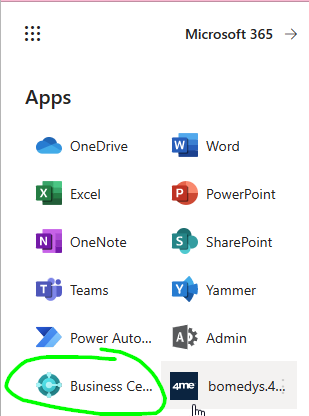
-
In BC, go to
Users, check your permissions
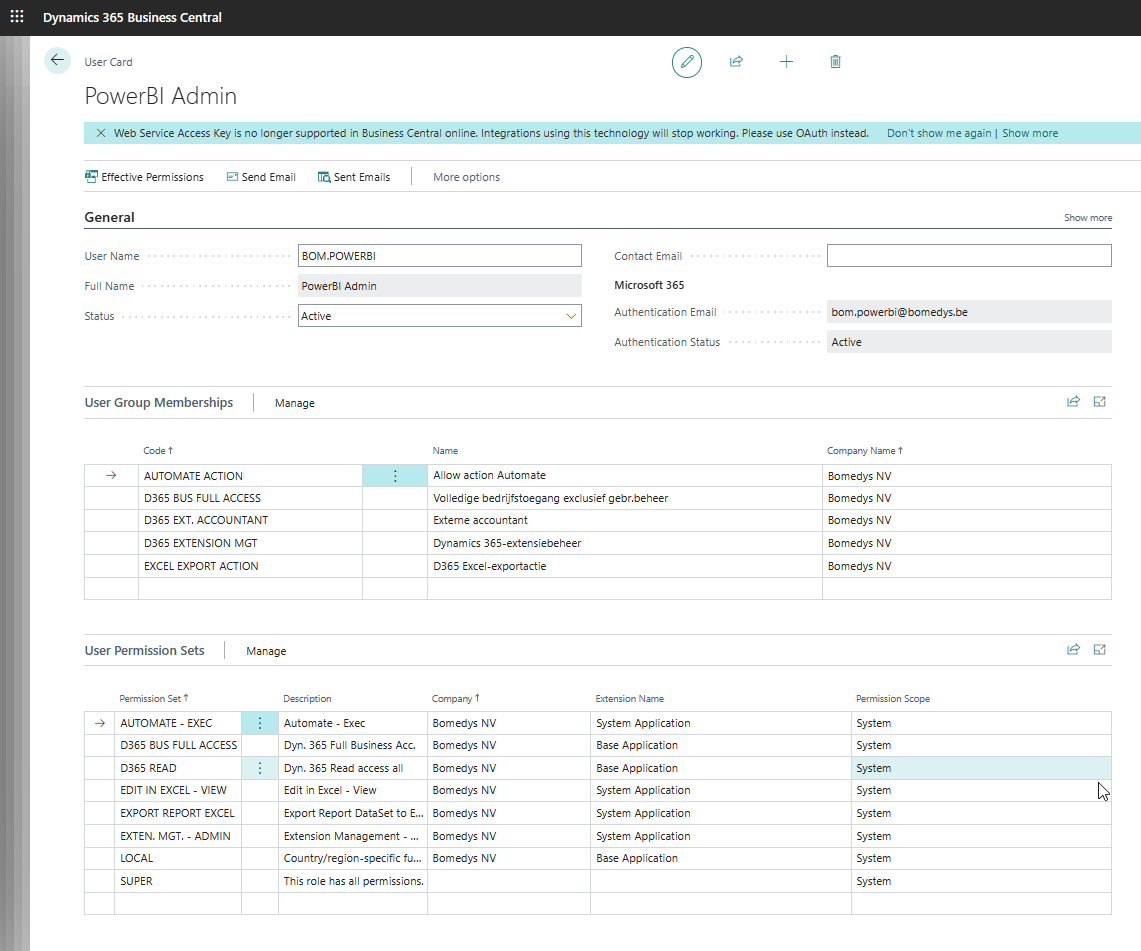
-
In BC, go to
Web Service, check if you could add a web service
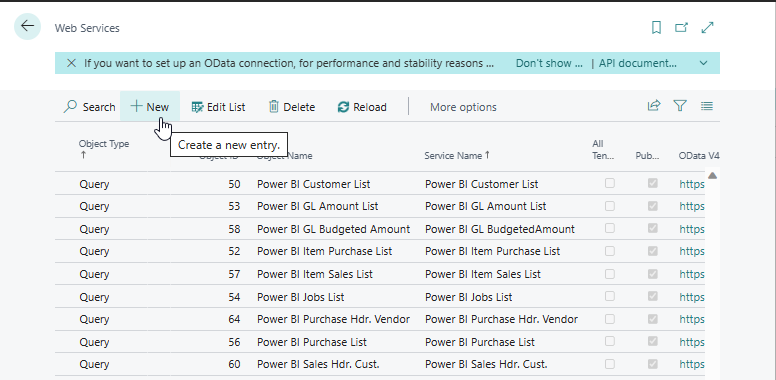
-
In BC, go to Extensions, check if you could add an extensions
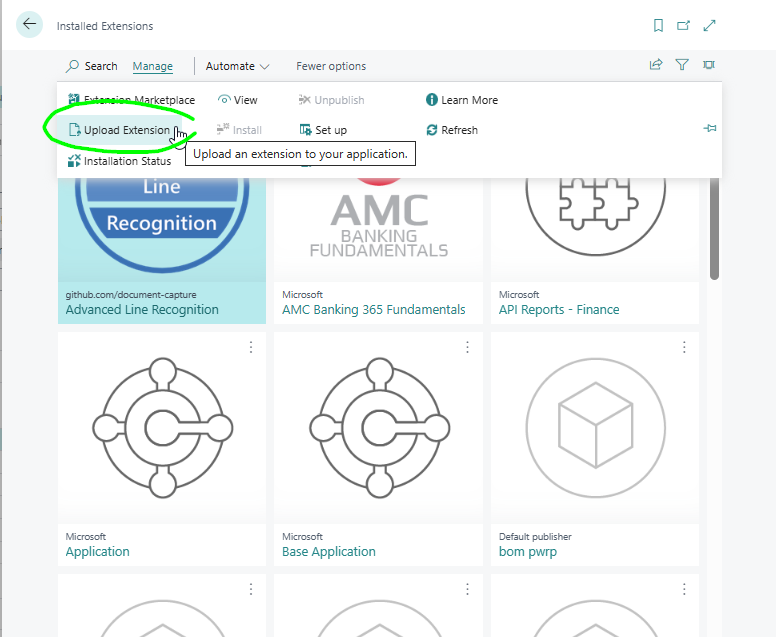
On Prem
On-prem, the requirements are the same as for cloud. The main differences are:
- Accessing BC client might only be possible through a VPN. Sometimes, we have a client VPN we can use. Sometimes, they only restrict geographical access. In that case, we can use our own VPN (hide.me).
- Accessing the API might also be restricted
- API access is usually done with basic authentication
- With on-prem installation, we usually don't have the possibility to install extensions. This is usually done via the BC partner. We can, however, sometimes install extensions to Dev scope.
Email Template
Email Template EN
Dear Customer,
As you know, we are currently setting up your Data Warehouse (DWH) and filling it with data from Business Central.
In order to do so, two fundamental steps are necessary:
A. Getting access to the Microsoft Tenant and Azure
B. Getting access to Business Central
Step A has been completed. This email contains instructions for Step B.
In order to get access to Business Central, we need:
- a license
- the right privileges in BC
Please proceed as follows:
- Create a user in BC for our tech user: xyz.powerbi@tenant.onmicrosoft.com
- Make sure the user has a license. The minimum license is: "Team Member"
- Make sure the user is member of at least these groups:
- AUTOMATE ACTION
- D365 EXT. ACCOUNTANT
- D365 EXTENSION MGT
- EXCEL EXPORT ACTION
The easiest is if the user is a SUPER user being in the SUPER permission set.
Either way, we will need access to all data, but only read access.
Do not hesitate to get back to me should you have any questions!
Thank you so much in advance.
Best Regards,
Name
Email Template NL
Geachte klant,
Zoals u weet, zijn we momenteel uw Data Warehouse (DWH) aan het opzetten en vullen met gegevens van Business Central.
Hiervoor zijn twee fundamentele stappen nodig:
A. Toegang krijgen tot de Microsoft Tenant en Azure B. Toegang krijgen tot Business Central
Stap A is voltooid. Deze e-mail bevat instructies voor stap B.
Om toegang te krijgen tot Business Central, hebben we nodig:
- een licentie
- de juiste rechten in BC
Ga als volgt te werk:
- Maak een gebruiker aan in BC voor onze tech gebruiker: xyz.powerbi@tenant.onmicrosoft.com
- Zorg ervoor dat de gebruiker een licentie heeft. De minimale licentie is: "Team Member".
- Zorg ervoor dat de gebruiker lid is van minimaal deze groepen:
- AUTOMATE ACTION
- D365 EXT. ACCOUNTANT
- D365 EXTENSION MGT
- EXCEL EXPORT ACTION
Het eenvoudigste is als de gebruiker een SUPER-gebruiker is met de machtigingsset SUPER. Hoe dan ook, we hebben toegang nodig tot alle gegevens, maar alleen leestoegang.
Aarzel niet om contact met me op te nemen als je vragen hebt!
Alvast heel erg bedankt.
Met vriendelijke groet,
Naam
Checklist
- We have a user for BC
- We can log into BC
- We can install extensions
- We can configure web service