Overview
This page describes the git repo pwrp/doc. It explains
- how the documentation available from various sources ends up on https://doc.pwrp.pro
- how https://doc.pwrp.pro is protected from public access
- how new repos are included
Introduction
In a nutshell, we use the following components:
- documentation is written in Markdown (*.md extension)
- the markdown files are converted to a static website with mkdocs and the material theme
- python code is documented using mkdocstrings
- multiple projects are combined into a single repo using git submodules
- each page then has an edit button which brings the user to GitHub. This is achieved with the
edit_uriin the mkdocs.yml - multiple projects are then combined into a single static website using the monorepo extension
- the entire process is built on GitHub actions
- the static website is uploaded to an Azure Static Web Site (SWA)
- the access to the website is restricted to Power Partners employees using a custom routing config in
azure/staticwebapp.config.json
Markdown
See also:
Markdown is a widely used format to write content. It is for example a first-class citizen on GitHub. Read here about details: https://www.markdownguide.org/
We typically use VSC to write Markdown. Smaller changes can be done directly on GitHub. We use the following bells and whistles:
- mermaid for diagrams (e.g. ADM, process, components): mermaid
- Latex for maths formulas: latex
- A few material features:
- tables
- tasklists: tasklists
- icons: icons, including fontawesome and material icon set
- admonitions: admonitions, namely
- note
- abstract
- info
- tip
- success
- question
- warning
- failure
- danger
- bug
- example
- quote
- search
Mkdocs
Mkdocs is a python package that converts a set of markdown files into a static web page (i.e. a bunch of HTML files).
Mkdocs consists of the following components:
- a file
mkdocs.ymlin the root folder - a
docsfolder containing the markdown files and the resources (such as images)
The mkdocs.yml contains the structure of the website (nav) and configurations. The md files contain the content.
Material for Mkdocs
Material for mkdocs is a theme. It defines some visual aspects of the website we are creating, as well as some additional features such as e.g. admonitions.
Mkdocstrings
Mkdocstrings is a plugin for mkdocs that allows creating documentation from code. For example, go to ExactConnector.
This entire page lists the code of the py-exact python package.
Git Submodules
Git Submodules is a feature that allows to combine multiple git repos into a single folder.
In a nutshell, a sub-repo is a link to a specific commit of another repo.
Warning
Do not add files to git lfs that you want to be served on the static website. The build does not
currently pull the lfs files, so picuters stored in lfs will not appear on the website.
The disadvantage of git submodules is that the master repo (pwrp/doc in this case) is still detached from the submodules. This has a few implications:
- A commit to a submodule will not have any implication on the master
- A pull on the master will not pull the submodules automatically
Edit Button (edit_uri)
We want our documentation to be a living document, and we want all team members to actively contribute to the improvement of our documentation. For this reason, we made it very easy to make small changes to a Markdown document.
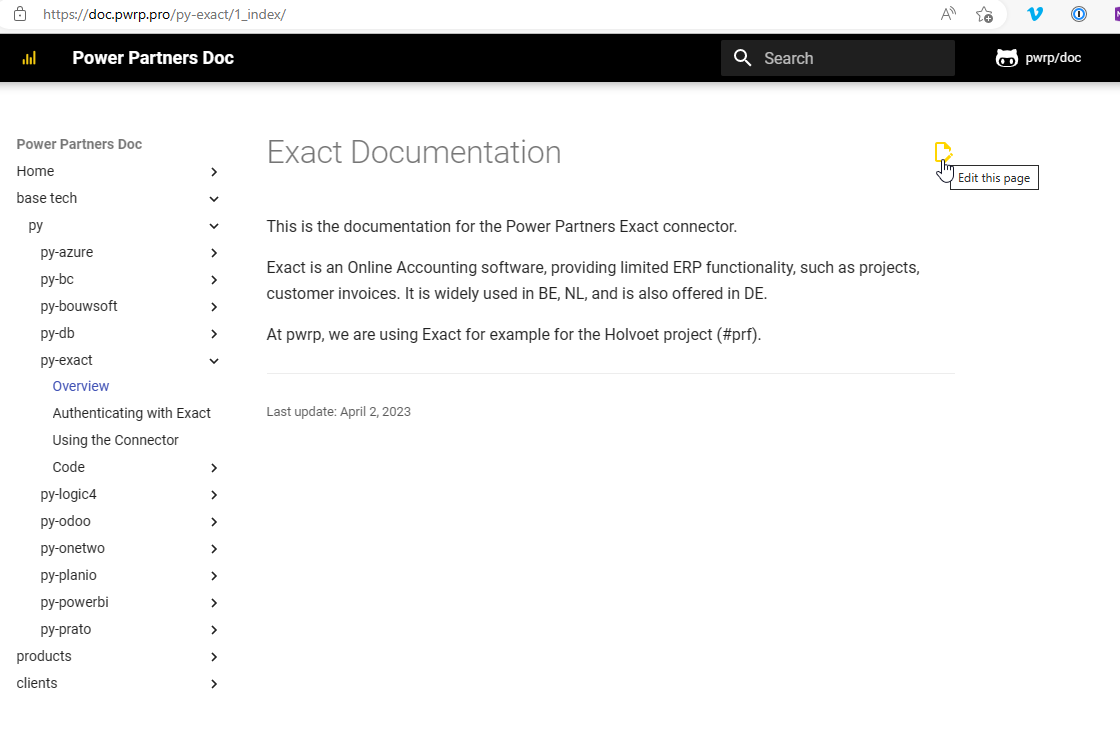
This will bring you to GitHub, where you can add changes and commit them. Note, however, that the changes will not be visible right away, but only once the doc project has been rebuilt and deployed (see below on GitHub Actions).
Monorepo
Monorepo is a python package that was written by Spotify. It allows combining multiple mkdocs projects into a single website. This is the workhorse of our doc page.
GitHub Actions
GitHub Actions is a build server that allows to perform tasks on certain triggers.
You can find the GitHub Actions script for our doc project here: .github\workflows\
You can find the build jobs on the GitHub website:
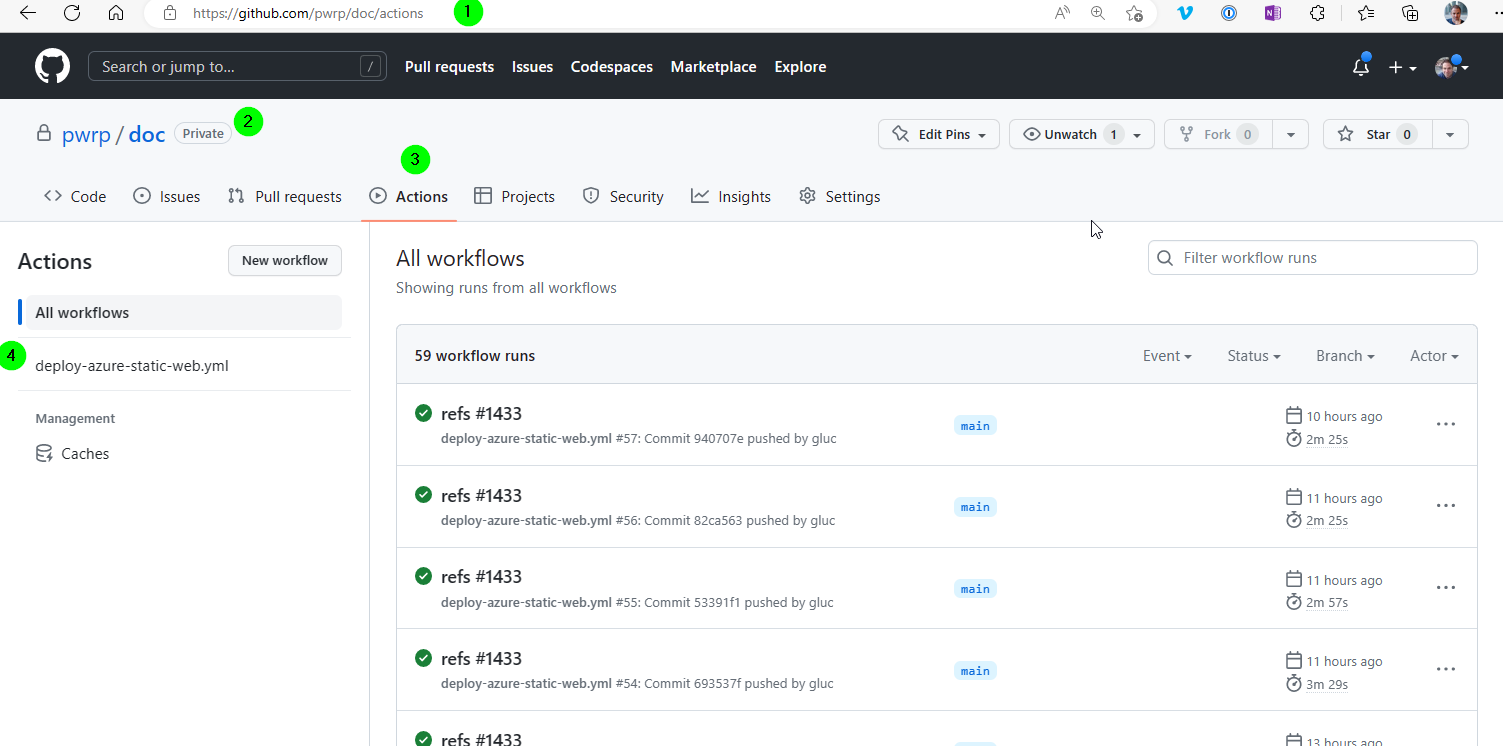
There are currently two actions:
pull-latest-changes-in-submodules.yml: This updates git/doc submodules with the last commit to the main (or master) branch. The action is triggered as follows:- nightly by schedule
- manually, from the GitHub page
deploy-azure-static-web.yml: This builds the static website. The action is currently configured to be triggered as follows:- when pwrp/doc is committed to the main branch (which, e.g., happens when pull-latest-changes-in-submodules.yml runs and found some updated submodules.)
Security
In order to build the project, one needs access to
-
our PiPy repository, containing the pwrp libraries that are used as a dependency
-
access to the GitHub git submodules
-
access to the Azure static website
All these secrets are configured in the security section of pwrp/doc in GitHub:
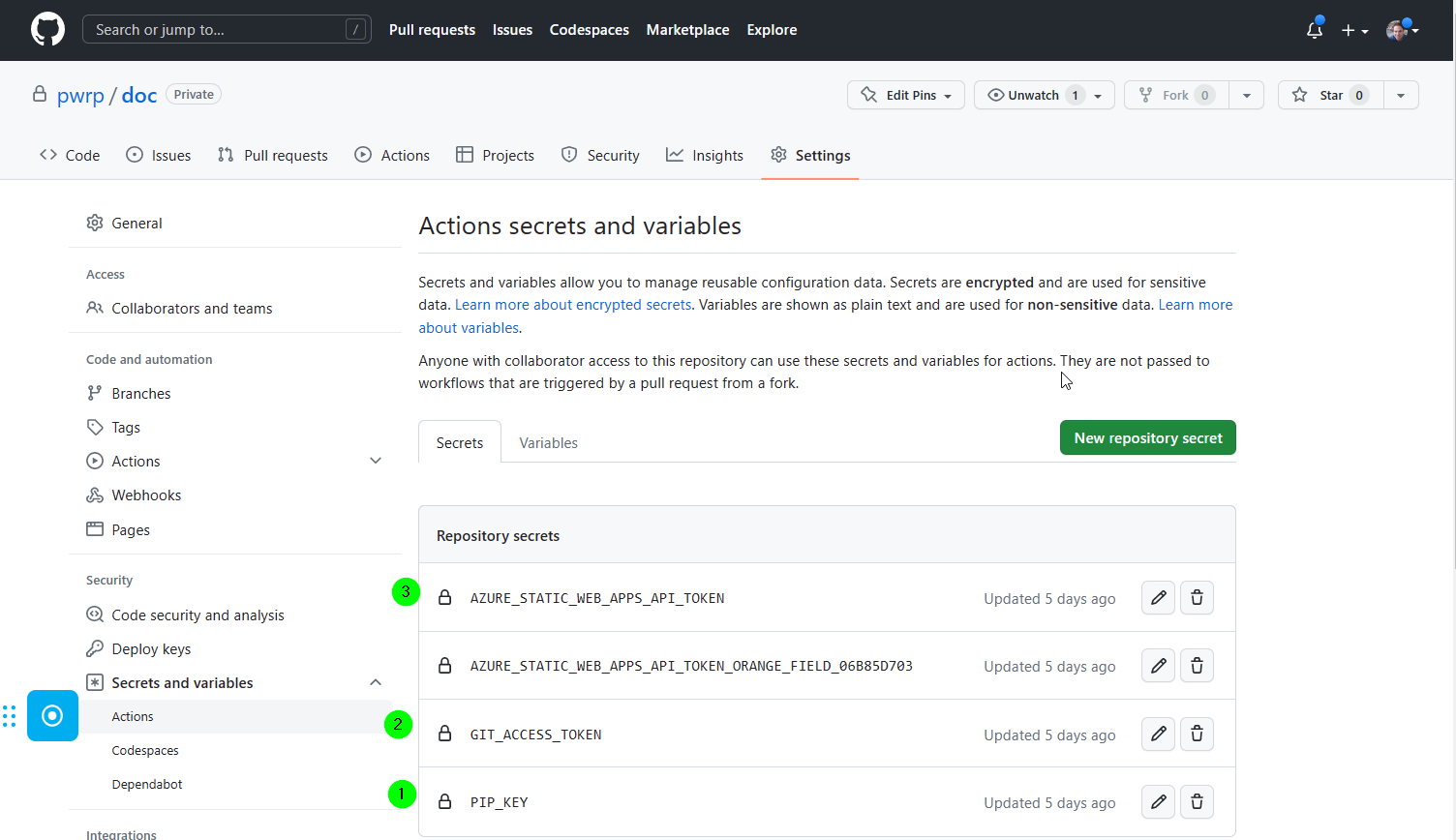
The PIP_KEY key is coming from Azure DevOps.
The GIT_ACCESS_TOKEN is a personal access token from GitHub.
The AZURE_STATIC_WEB_APPS_API_TOKEN is from the Azure application we configured for the static website.
Azure Static Website
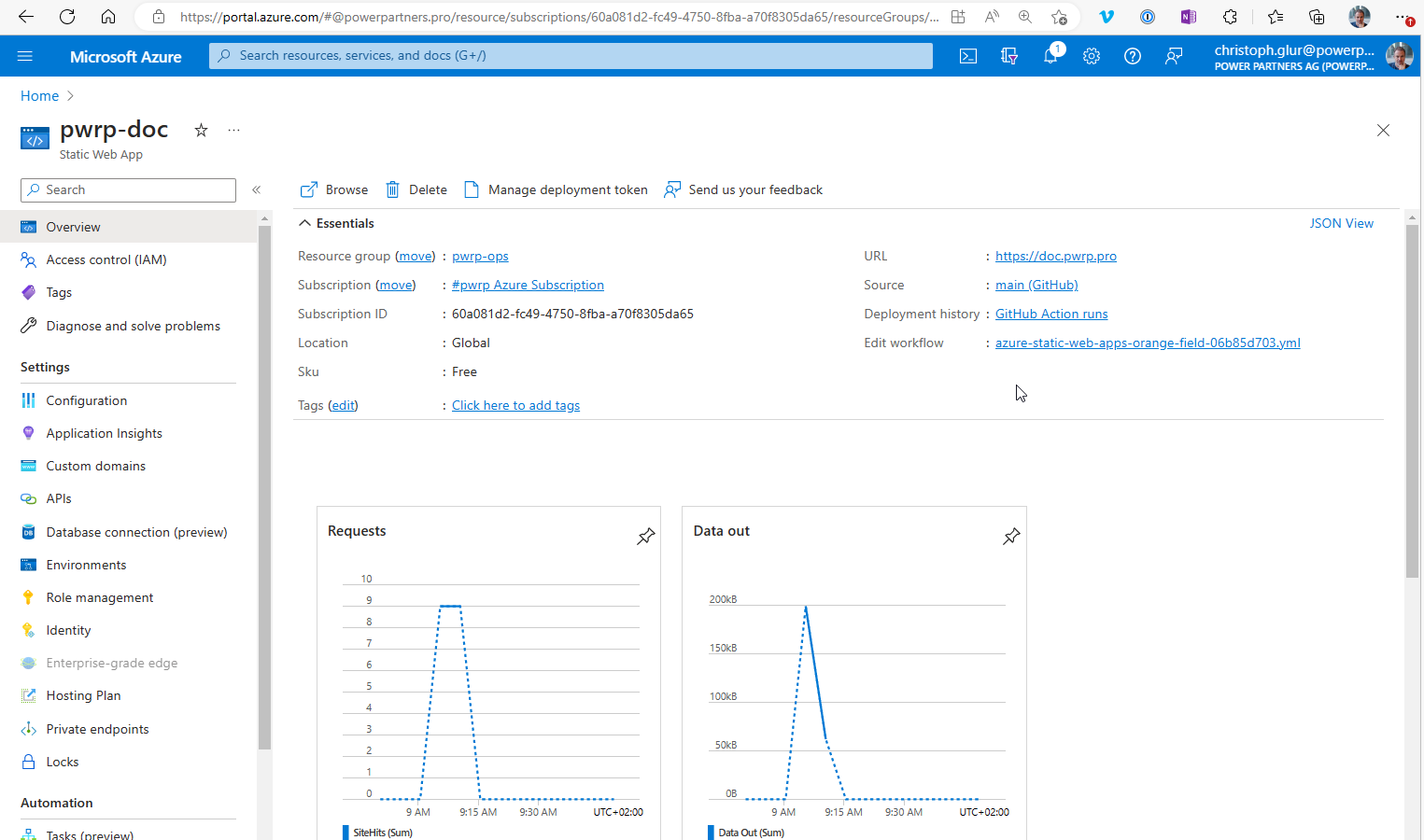
Azure has a feature to host static websites for free.
Deployment
We use the GitHub action to achieve the deployment.
Authentication and Security
We use the staticwebapp.config.json to protect the doc page from public access. With the configured routes, only users that are logged in on the powerpartners.pro tenant are able to access the site. Within the site, we don't have any fine granular access policy.