Azure Subscription Setup for Power BI Proxy
Tip
As an owner of the Azure subscription, we don't need to do anything, as the resource will be registered once we create a resource of a new type.
Typically, when we create a subscription on pax8, then we are the owner.
See
Tldr
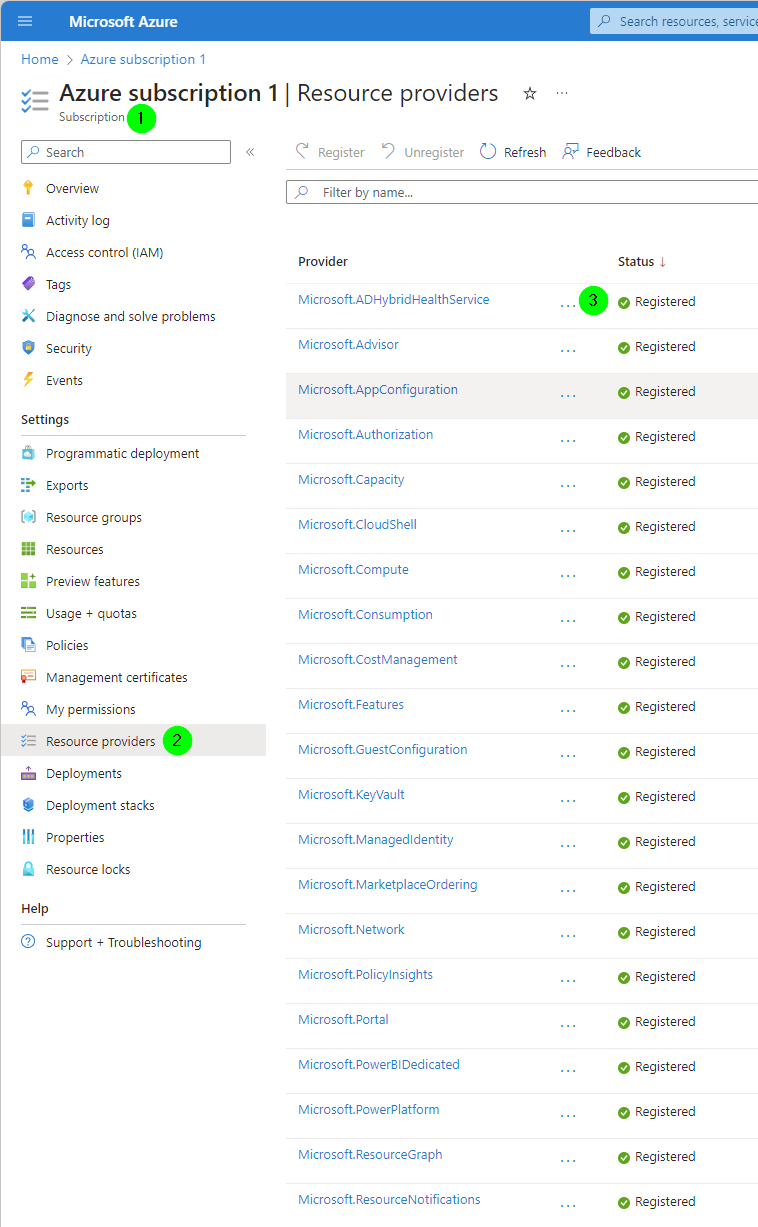
You need the following Resource providers registered on the Azure subscription:
- Microsoft.Web
- Microsoft.KeyVault
- Microsoft.Network
- Microsoft.Security
- Microsoft.Compute
- Microsoft.CloudShell
- Microsoft.Capacity
- Microsoft.PowerBIDedicated
- Microsoft.PowerPlatform
- Microsoft.Storage
- Microsoft.AppConfiguration
- microsoft.insights
- Microsoft.OperationalInsights
Resource Group: xxx-pwrp-proxy
Having the resource providers registered allows us as a contributor on the Subscription to create new resources of these types.
For details, as well as the email template, see departments/delivery/knowledge-base/azure/subscription/azure-subscription