Cannot Debug Python in VSC: User/settings.json
If you cannot debug python in VSC, you can try any of the following:
-
use VSC insider
-
Set python.useisoltaion to false in the user settings
To adjust the user settings (method 2), do the following:
-
Ctrl + Shift + P
-
Open Preferences: User Settings (JSON)

-
add:
python.useIsolation: false -
save
-
restart VSC
The settings file should now look something like this:
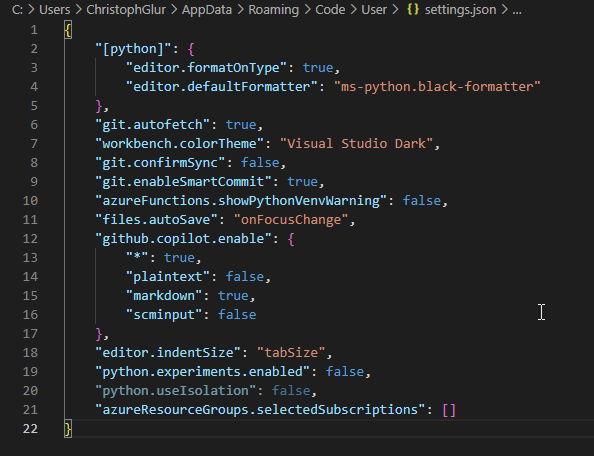
Or, for copy-paste:
{

    "[python]": {

        "editor.formatOnType": true,

        "editor.defaultFormatter": "ms-python.black-formatter"

    },

    "git.autofetch": true,

    "workbench.colorTheme": "Visual Studio Dark",

    "git.confirmSync": false,

    "git.enableSmartCommit": true,

    "azureFunctions.showPythonVenvWarning": false,

    "files.autoSave": "onFocusChange",

    "github.copilot.enable": {

        "*": true,

        "plaintext": false,

        "markdown": true,

        "scminput": false

    },

    "editor.indentSize": "tabSize",

    "python.experiments.enabled": false,

    "python.useIsolation": false,

    "azureResourceGroups.selectedSubscriptions": []

}