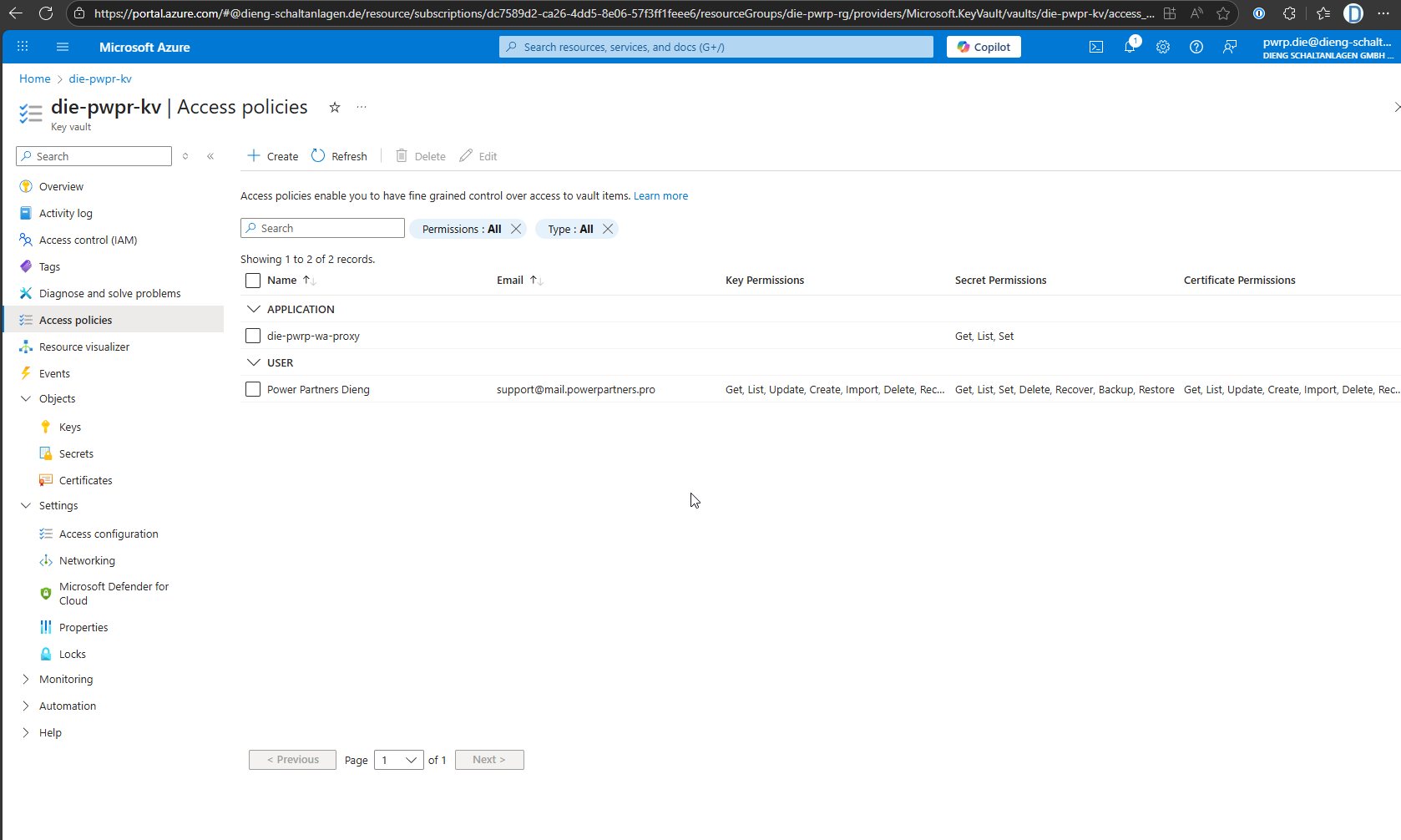
Web App
Tldr
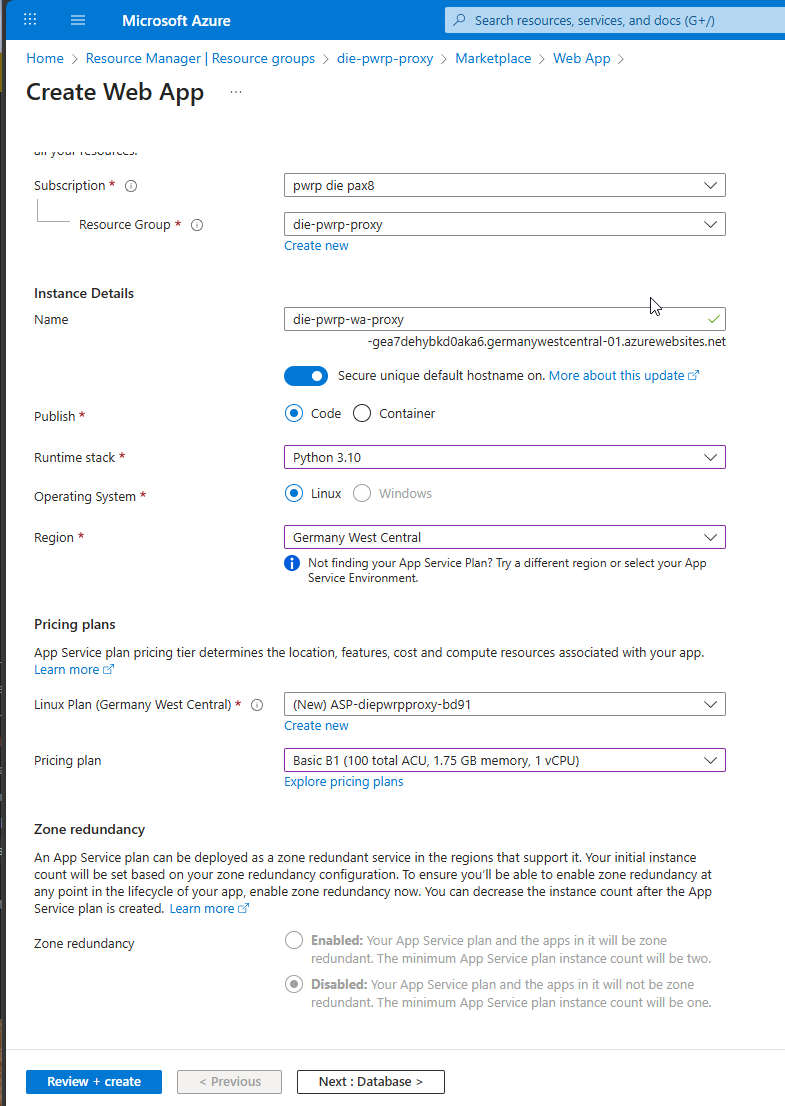
- Name: xxx-pwrp-proxy-wa
- Publish: Code
- Runtime Stack: Python 3.10
- SKU (Pricing Plan): B1
- Continuous Deployment: Disable (will be nice to try this out, though!)
- Enable public access: On
- Required Resource provider: Microsoft.Web
Create Web App
Configure Web App
You will need the following Environment Variables:
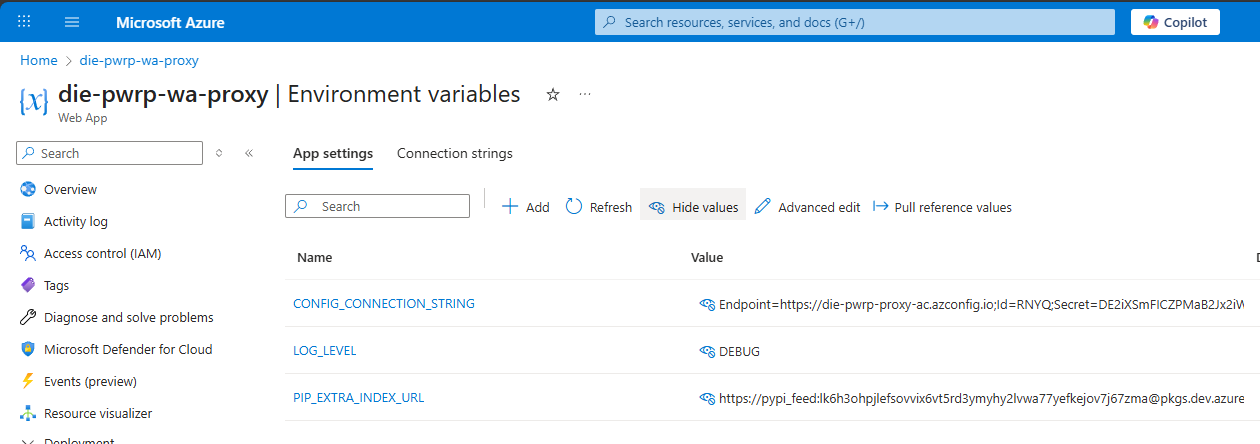
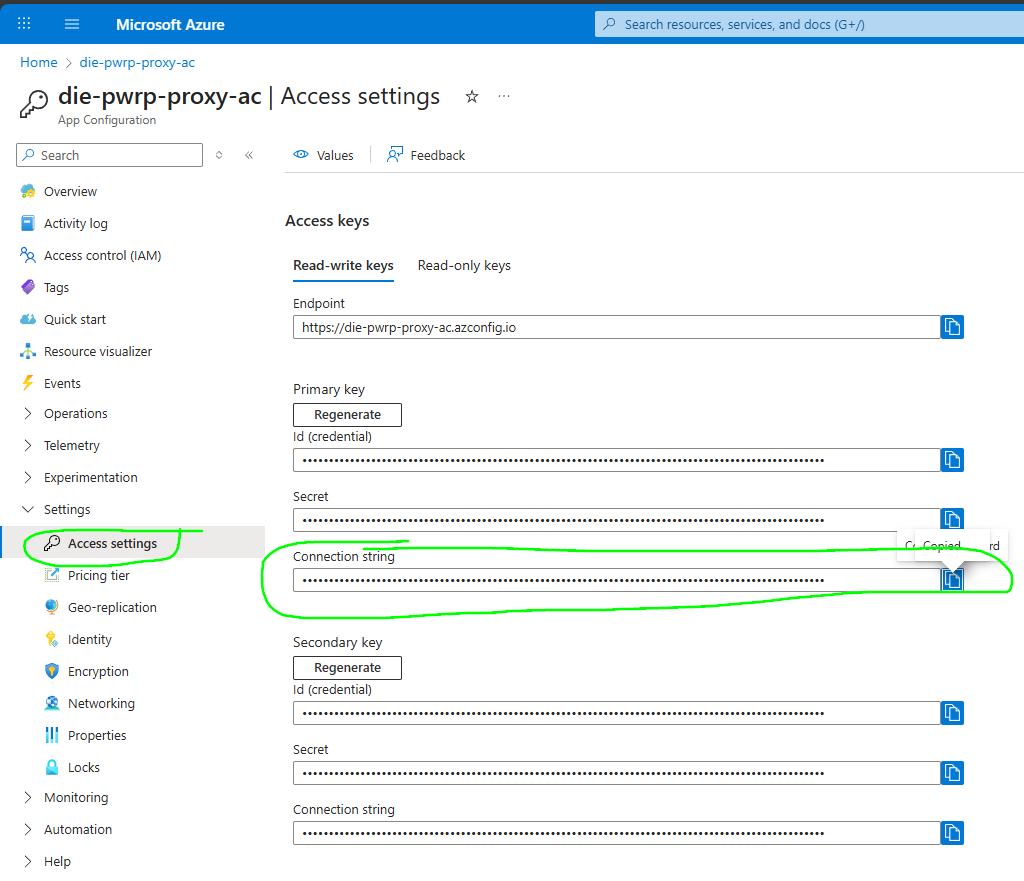
You will get the CONFIG_CONNECTION_STRING from the configuration:
Deploy the Web App
Prerequisite: You will need the Azure Tool Pack extension "ms-vscode.vscode-node-azure-pack".
-
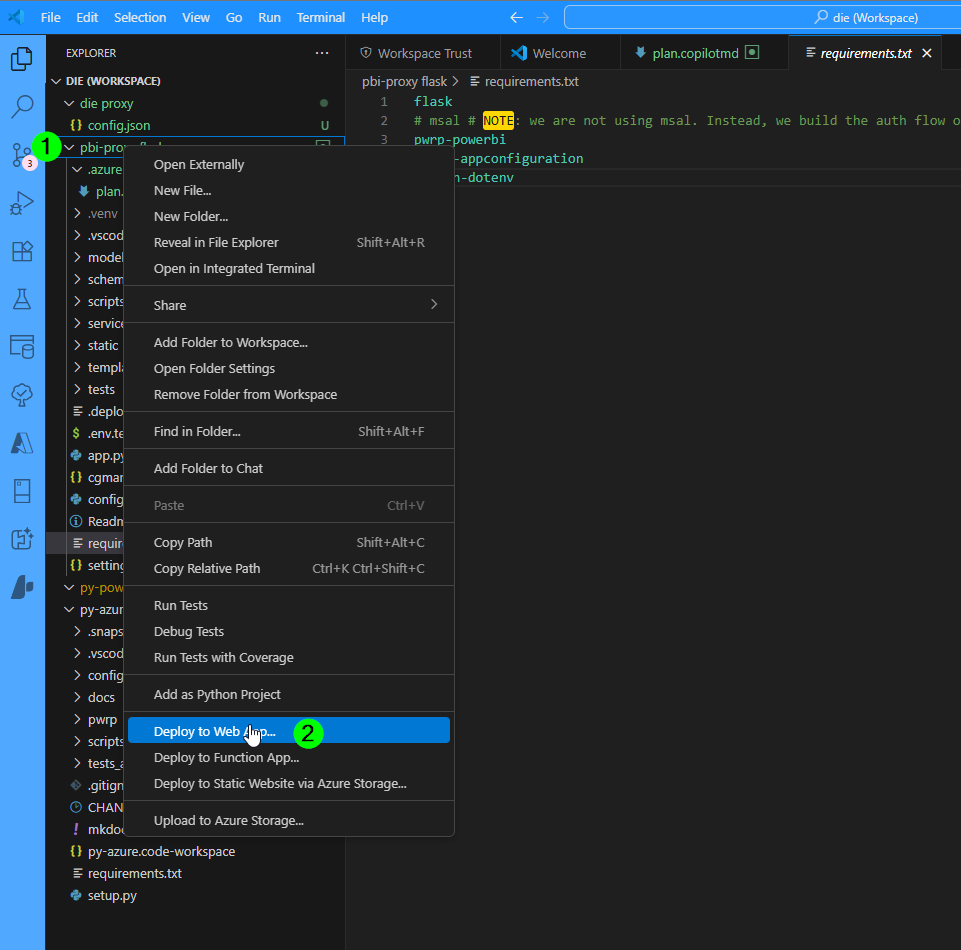
in your flask folder, right-click
-
select "Deploy to Web App"
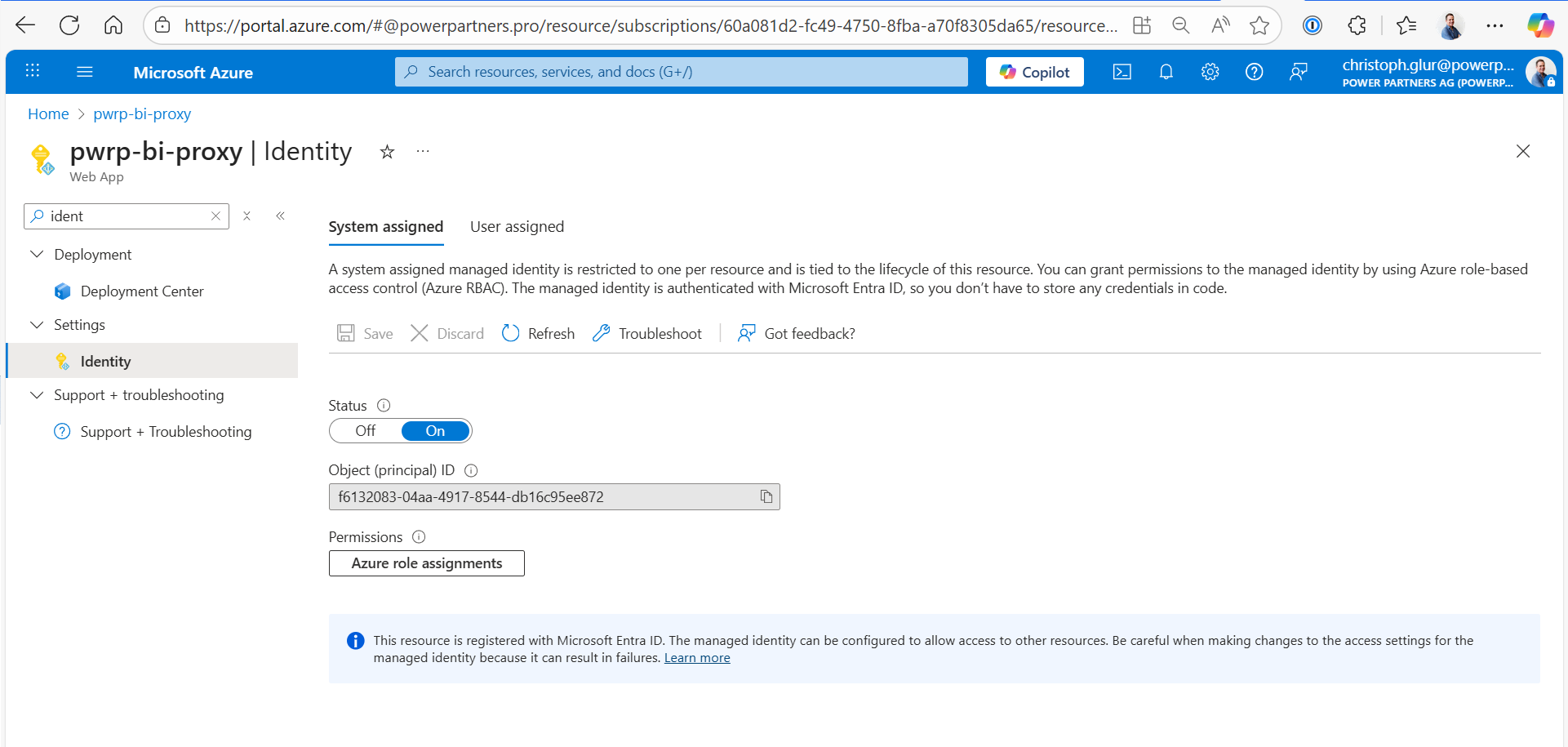
Create Identity
Create an Identity:
Add it to the Access Policies of the KeyVault: