Azure Data Factory (ADF)
Create Azure Data Factory
In case you need an ADF, create it as described here: adf-installation
Configure Azure Data Factory
-
Create Linked service pointing to the SQL database
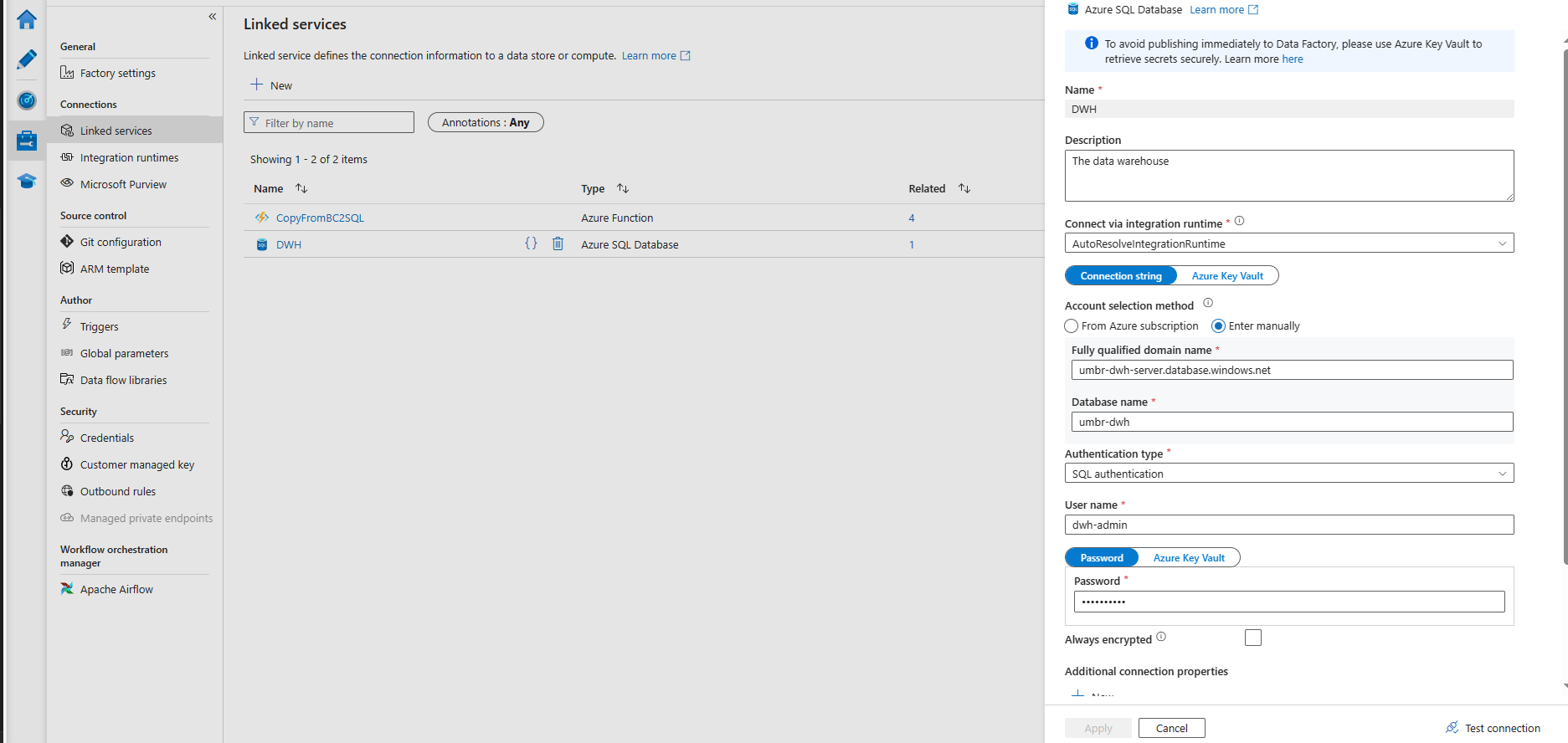
-
Create Linked service pointing to the Azure Function. Authenticate with the AF default key
-
Import template from
product-dwh-bc\code\adf\BC2DWH_single_table_v.v.v.zip
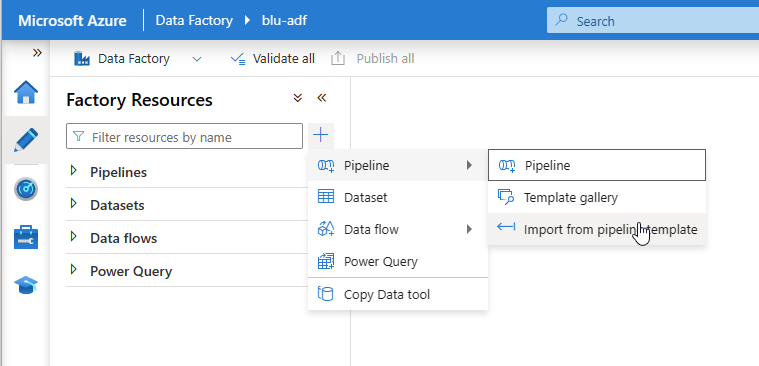
-
Set the linked service
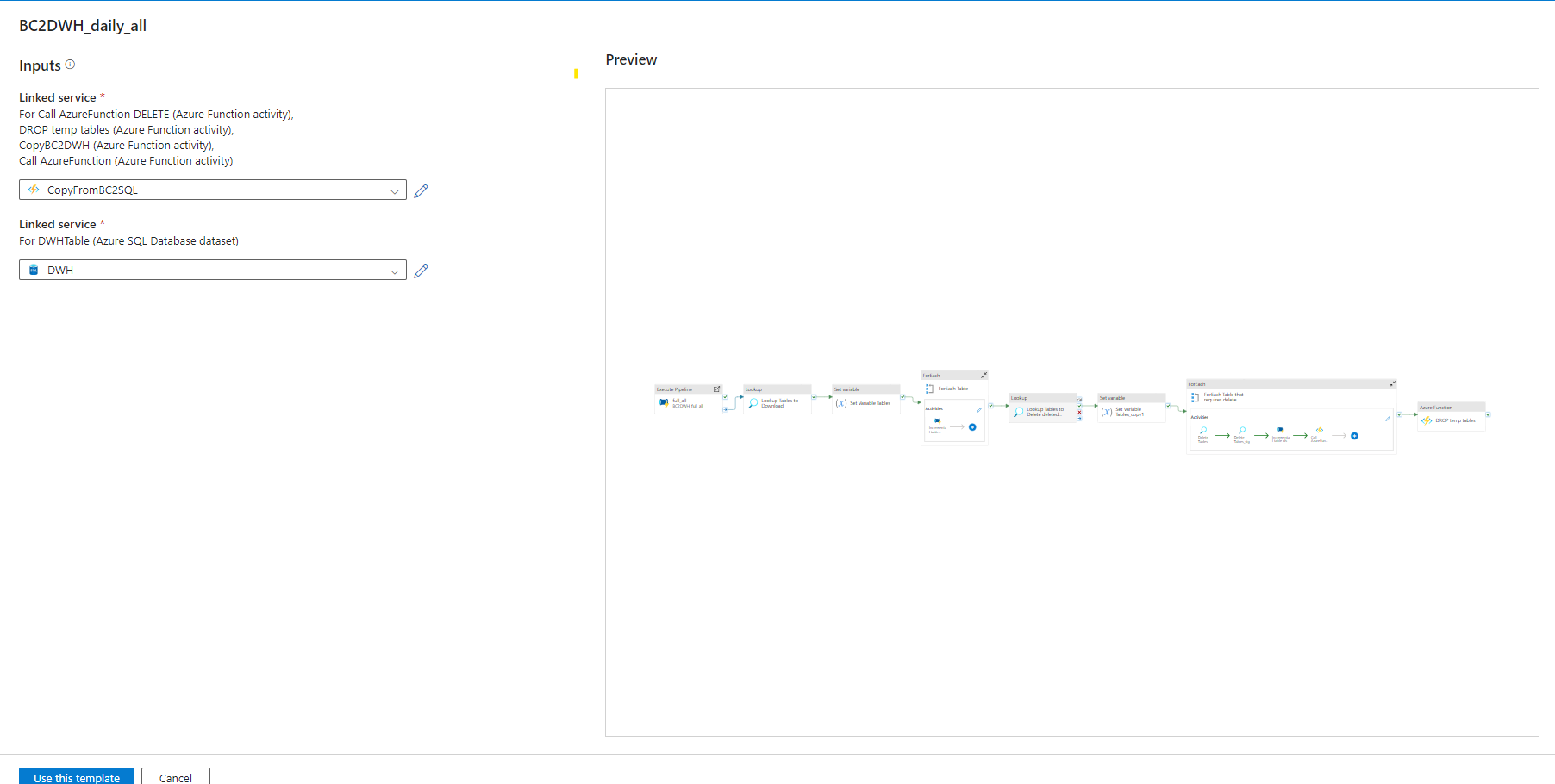
-
Configure global parameters
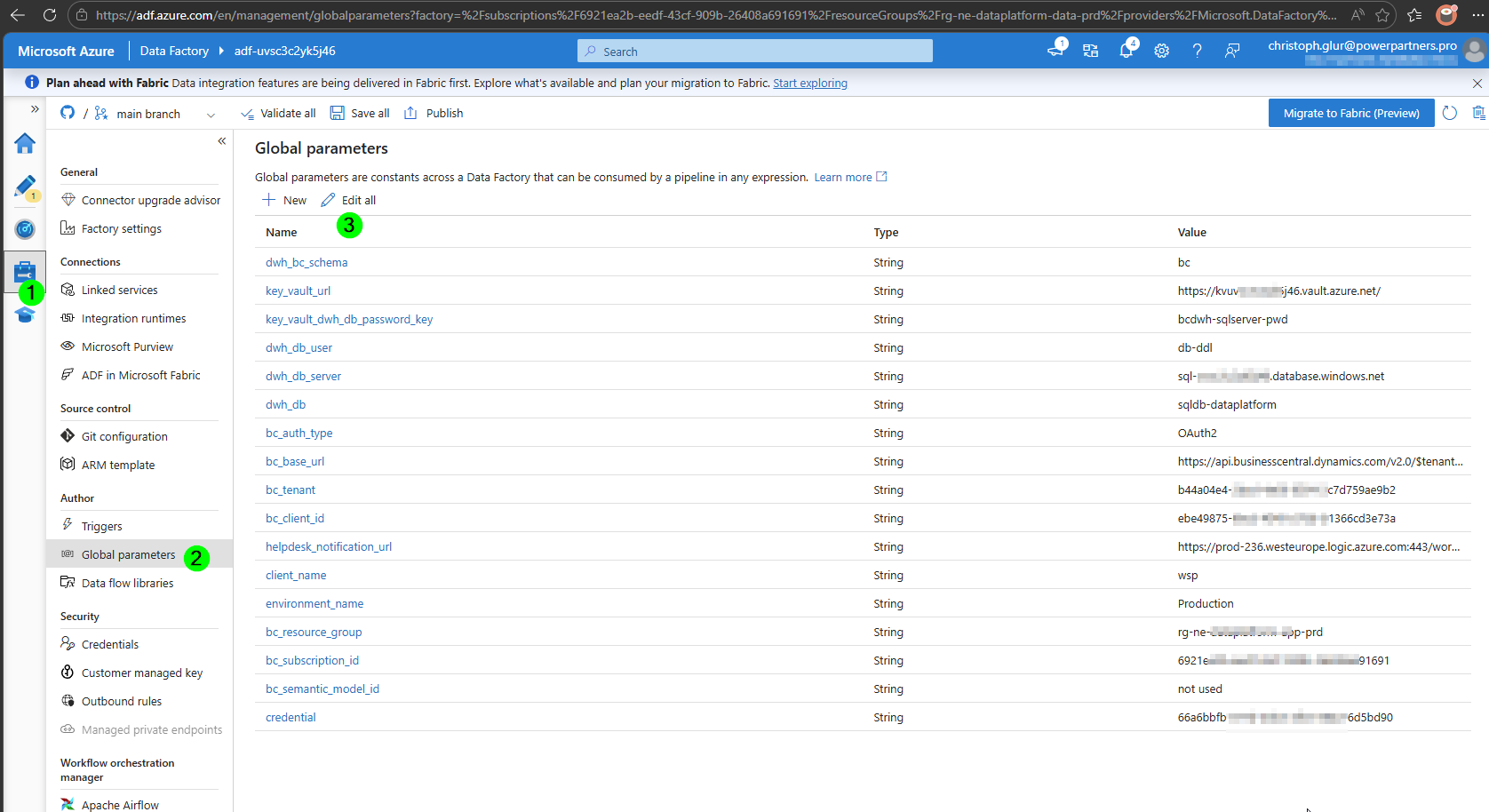
- bc_base_url for on-prem installation is the url including port and instance, for example:
https://xyz.4pscloud.com:7048/BCS180Prod/ - bc_base_url for cloud is set to None and it defaults to
https://api.businesscentral.dynamics.com/v2.0/$tenant$/$environment$using the Tenant and Environment of BC