Web Configuration
Tldr
- Name: xxx-pwrp-proxy-wc
This is the place where we configure the proxy, i.e. we tell the web app which secret keys we have, and what report pages they link to.
Step By Step
-
Look up all the report ids and pageNames that you want to configure
-
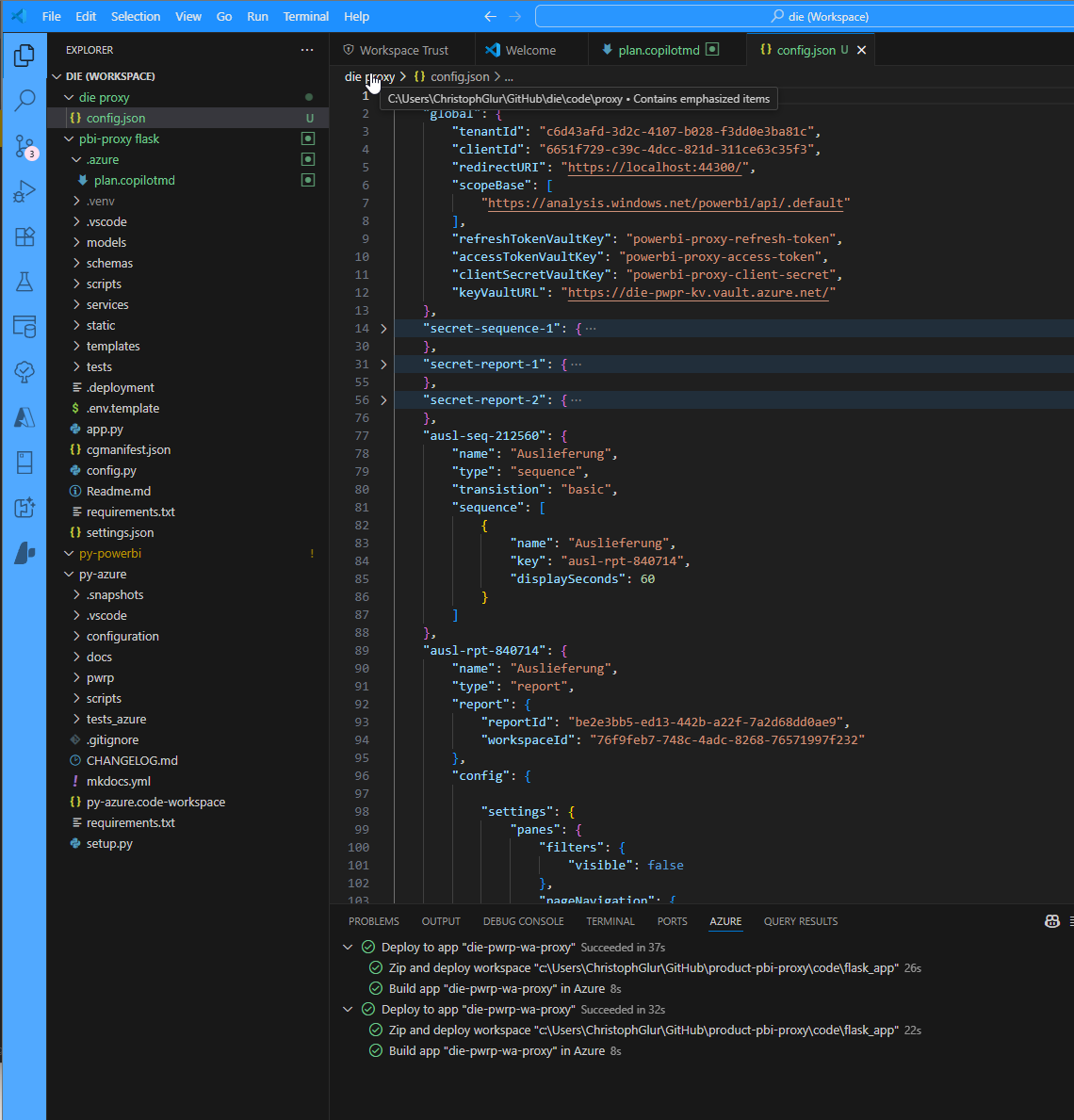
Create a config.json and store it in
code\proxy\config.jsonin the client's git repository.
-
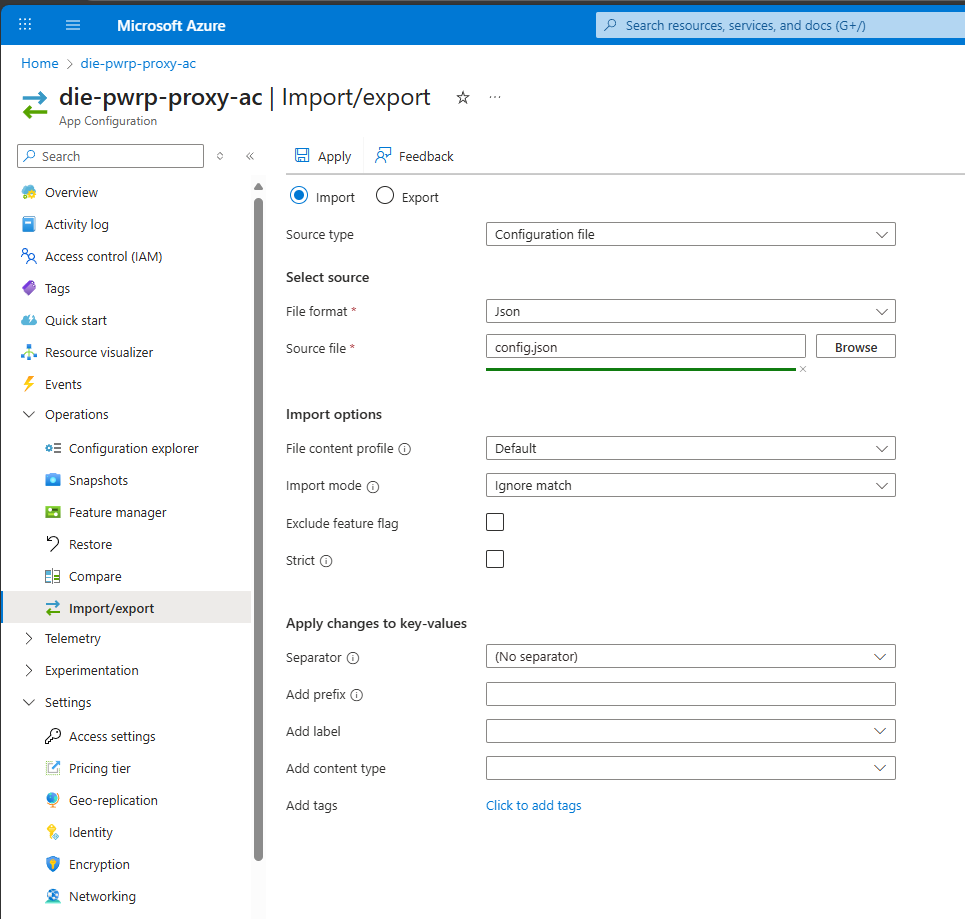
import the json into the App Config
-
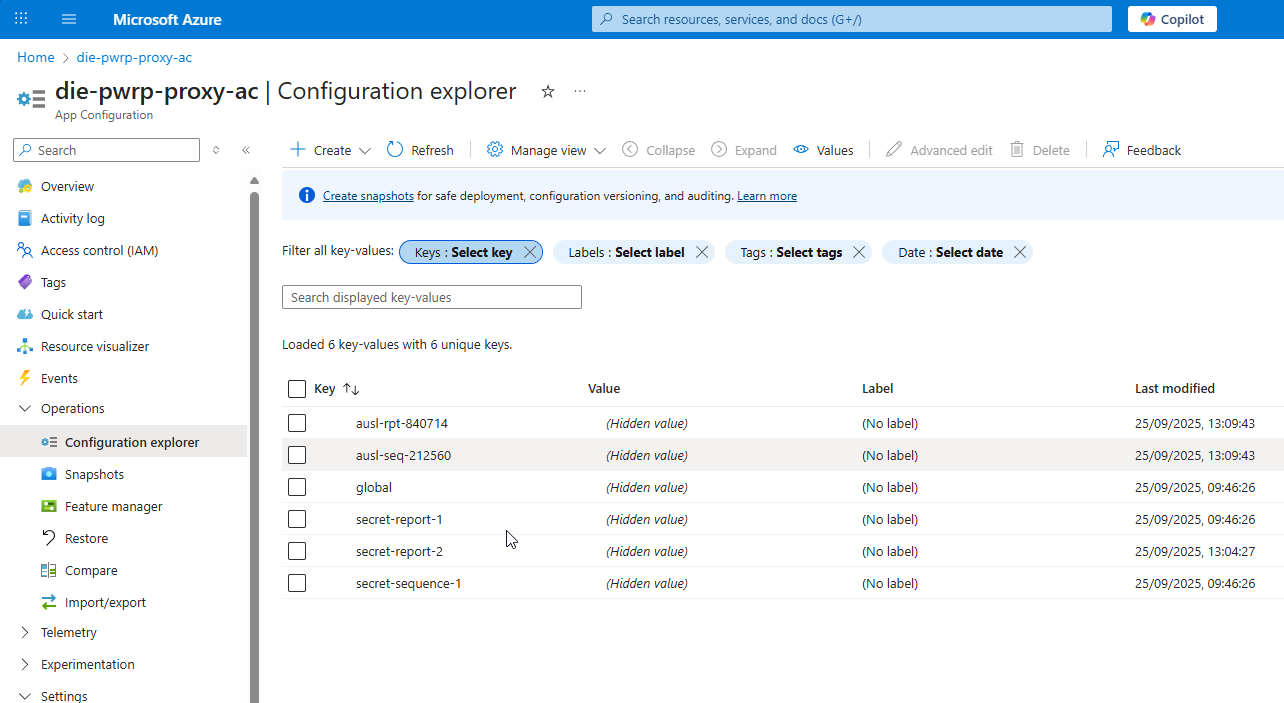
verify the configuration
Background Info
Create Configuration File
In this step, you will create a configuration file that you will then later upload it to the App Configuration.
Example
{
    "global": {
        "tenantId": "3abada8d-f5fe-4ed5-a03e-e8df672e9472",
        "clientId": "d9bab03c-de9c-4248-99d9-bb813faad8f8",
        "redirectURI": "https://localhost:5000/signin-oidc",
        "scopeBase": [
            "https://analysis.windows.net/powerbi/api/.default"
        ],
        "refreshTokenVaultKey": "powerbi-proxy-refresh-token",
        "accessTokenVaultKey": "powerbi-proxy-access-token",
        "clientSecretVaultKey": "powerbi-proxy-client-secret",
        "keyVaultURL": "https://pwrp-ops-key-vault.vault.azure.net/"
    },
    "secret-sequence-1": {
        "name": "Standard Sequence",
        "type": "sequence",
        "transistion": "basic",
        "sequence": [
            {
                "name": "Marketing",
                "key": "secret-report-1",
                "displaySeconds": 12
            },
            {
                "name": "Destinair",
                "key": "secret-report-2",
                "displaySeconds": 20
            }
        ]
    },
    "secret-report-1": {
        "name": "Inter Company Hours",
        "type": "report",
        "report": {
            "reportId": "be901d1d-3111-4f7b-a192-9094db1c2a39",
            "workspaceId": "398574a7-7872-4f56-9e1d-d6b95db42832"
        },
        "config": {
            "pageName": "ReportSection4095562c02b30ae9a0d6",
            "contrastMode": 0,
            "settings": {
                "localeSettings": {
                    "language": "de-DE"
                },
                "panes": {
                    "filters": {
                        "visible": false
                    },
                    "pageNavigation": {
                        "visible": false
                    }
                }
            },
            "filters": [
                {
                    "target": {
                        "table": "FactTimeEntry",
                        "column": "ReportingMonth"
                    },
                    "operator": "In",
                    "values": [
                        "2023-12",
                        "2024-01"
                    ]
                }
            ]
        }
    },
    "secret-report-2": {
        "name": "Pax8",
        "type": "report",
        "report": {
            "reportId": "2c847d1c-bf41-4823-9cd5-8fbade8794c0",
            "workspaceId": "398574a7-7872-4f56-9e1d-d6b95db42832"
        },
        "config": {

            "settings": {
                "panes": {
                    "filters": {
                        "visible": false
                    },
                    "pageNavigation": {
                        "visible": false
                    }
                }
            }
        }
    }

}
Get Tabs
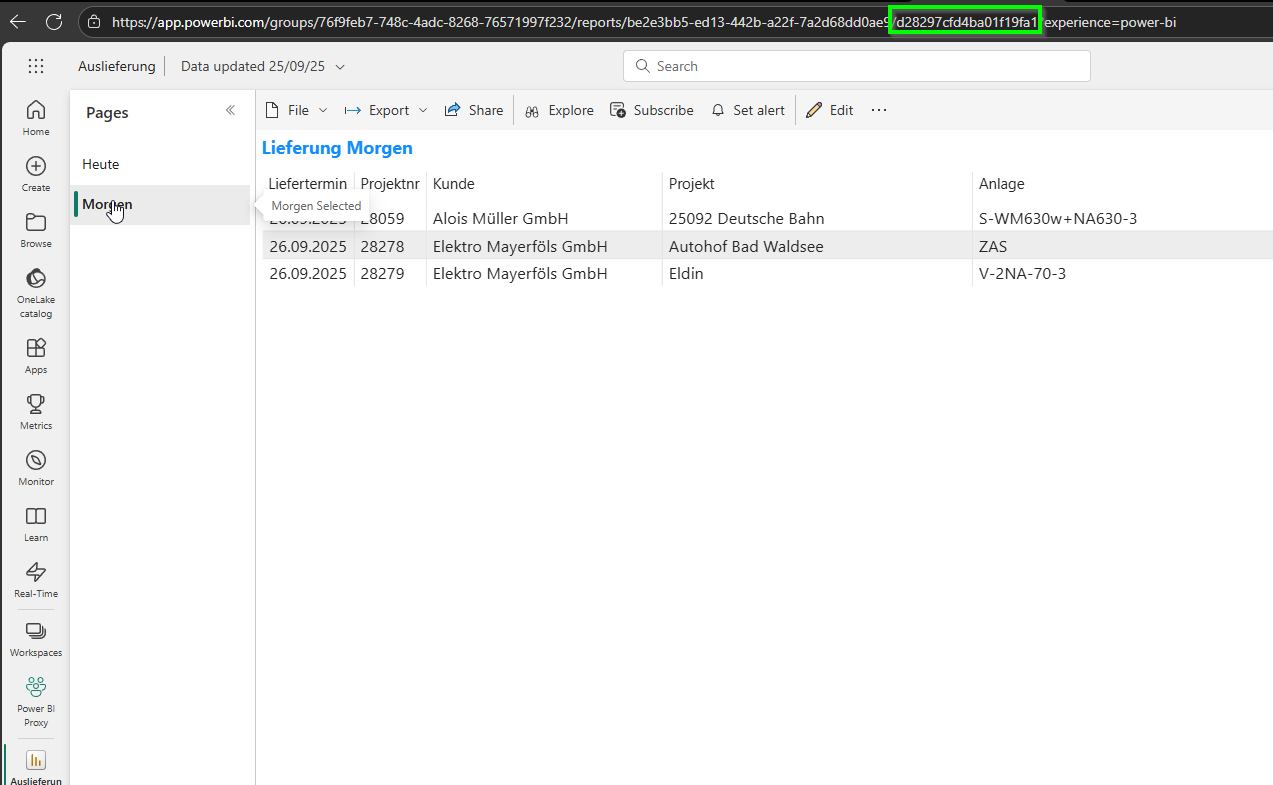
You can get the pageName either from the address in Power BI Service:
...or through the REST API:
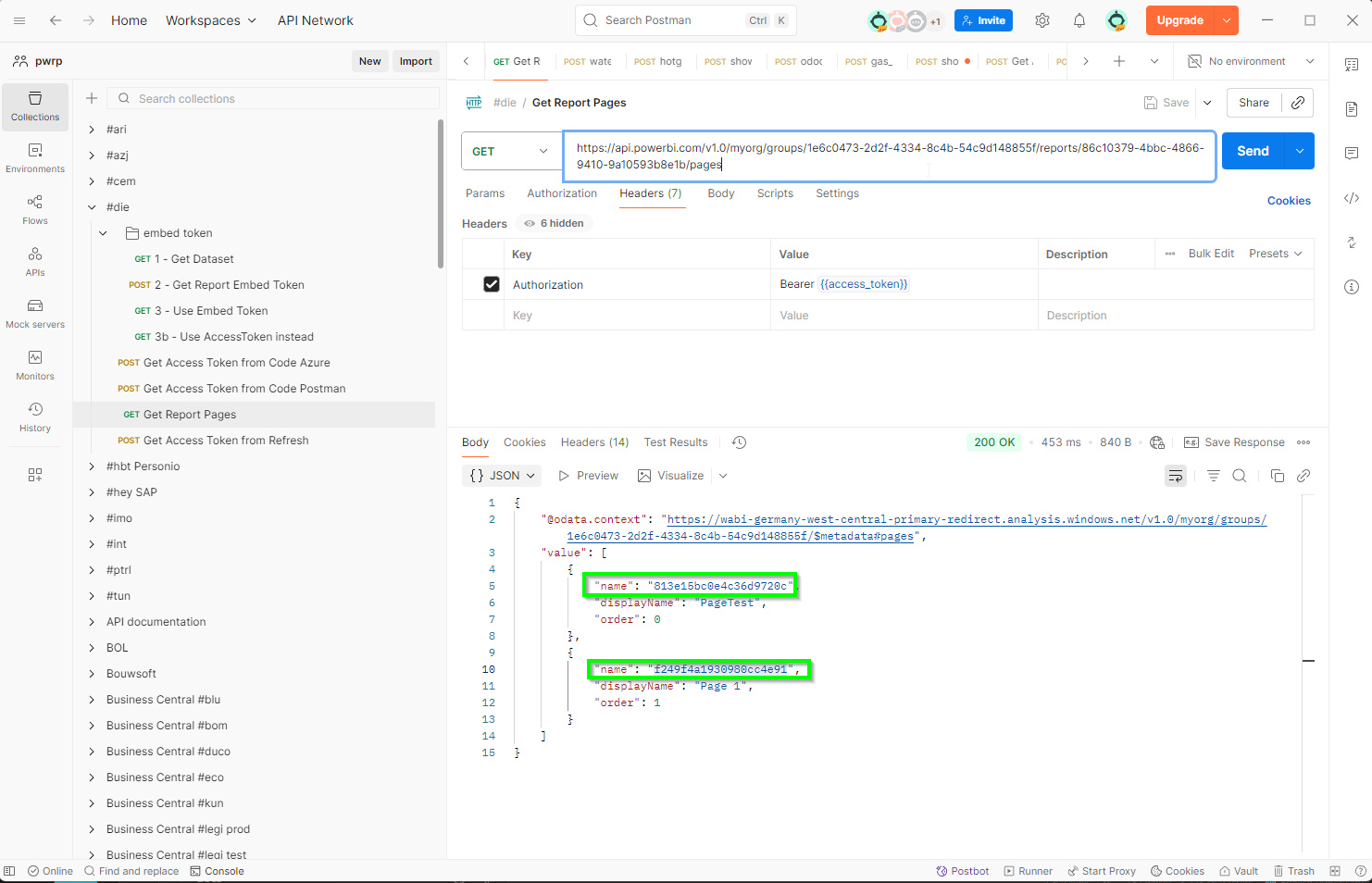
Important
In earlier versions, the name was prefixed with ReportSection, as in the above configuration script example. Recently, the ReportSection disappeared, as in the above screenshots.