Components
Files
Separation of Semantic Model and Reports
We maintain a clear separation between the semantic model (dataset) and the report layer (thin report).
How We Implement This
- Use the pbip format
- Build the dataset/model in its own report (e.g.,
#mob_dataset). - Publish this model to the dataset workspace.
- Create thin reports (the visual layer) in a separate power bi report file, using a live connection to the published semantic model.
- Avoid embedding a model inside a report unless absolutely necessary.
Thin Report Layer - Development in Practice
Background
Often, you will want to work in parallel on the dataset and on the report. Especially for refactorings (renaming a measure), or for Drill Through, working in two different pbix files at the same time is not practicable.
To work locally on your report, proceed as follows:
Prerequisite
- turn on on pbip preview feature in Power BI Desktop options
- store your files in pbip format (use save as).
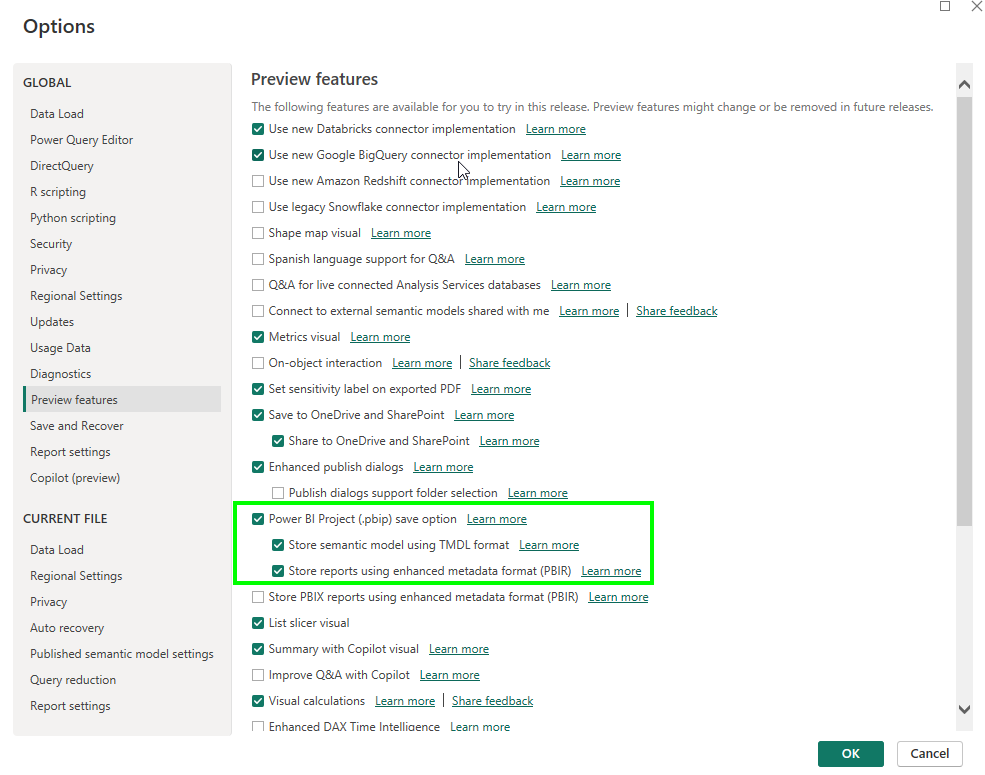
Step-by-step procedure
Each time you want to work on your report in Power BI Desktop, proceed as follows:
- in your thin visual report, in the
*.Reportfolder, opendefinition.pbir -
find the
byConnectionelement:
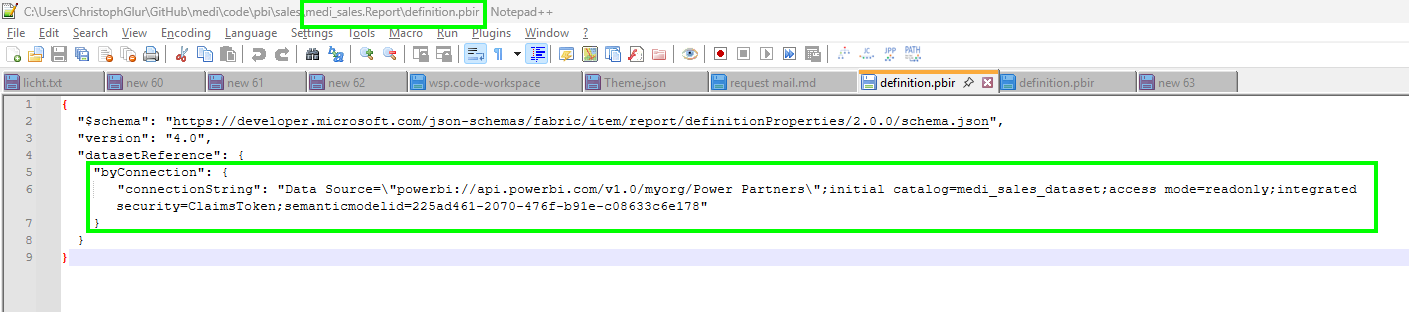
-
replace it by a
byPathelement, pointing to the dataset relatively, e.g.- if the dataset is in a different foler called Power Partners:
../../Power Partners/medi_sales_dataset.SemanticModel - if the dataset is in the same folder:
../medi_sales_dataset.SemanticModel

- if the dataset is in a different foler called Power Partners:
-
open the thin visual report in Power BI Desktop. You can now work at the same time in the visuals and the DAX layer, debug measures, etc.
- close Power BI Desktop
-
change the
byPathback tobyConnection(do this using a service and local version of your definition.pbir file. You can then easily copy the right version.)
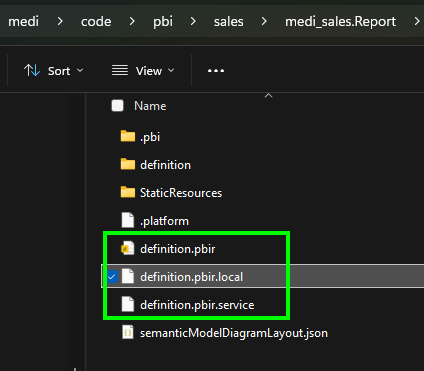
-
open the dataset in Power BI Desktop and publish to Power BI Service
- open the visual report in Power BI Desktop. Check and publish to Power BI Service
- commit everything to git
Why This Matters
- Consistency: Shared KPI logic is used across all reports.
- Maintainability: Fixes applied once update all connected reports.
- Separation of Ownership: Power Partners is responsible for the semantic model, while the client is responsible for the report.
- Safety: Avoids accidental overwrites when publishing.
- Collaboration: Report builders do not need to modify the core model.
- Performance: Only the dataset refreshes; reports stay lightweight and file sizes remain small.
Storage
-
Store your files in the client's git folder, in
git/clnt/code/pbi -
Store them in the same sub-folder as in the workspace (e.g.
git/clnt/code/pbi/Purchase) -
Store them in pbip format
Lineage
flowchart LR

    DWH["DWH"] --> CLN["cln_dataset"]

    CLN --> PURCHASE["Purchase"] & SALES["Sales"]

    PURCHASE --> n1["App"]

    n3["Excel"] --> n2["cln_dataflow"]

    n2 --> CLN


    n1@{ shape: rect}

    n3@{ shape: rect}

    n2@{ shape: rect}

    style n1 fill:#E1BEE7

    style n3 fill:#E1BEE7

    style n2 fill:#E1BEE7
Typically the cln_dataset is in Import mode.
Datasets vs. Dataflows
We prefer dataflows Gen 1 to datasets in these situations:
-
when we have many Excels
-
when the load takes very long
-
when there is an on-prem database (with a Gateway, but without a VPN)
Workspace Structure
Every project should use separate workspaces for semantic models and reporting.
Standard Structure
- Power Partners
- Semantic models
- Dataflows
- Perspective 1
- Reports
- Perspective 2
- Reports
For example, there could be a Sales perspective and a Production perspective. Perspectives typically have different user bases and use cases, which justifies the separation.
For the management team there is often a separate workspace created to bundle the reports from the different perspectives.
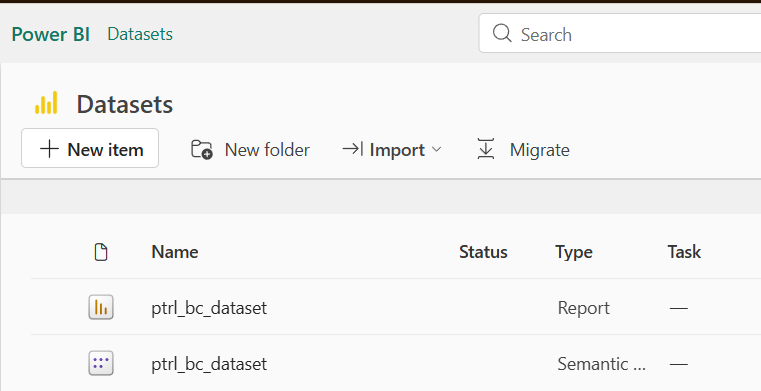
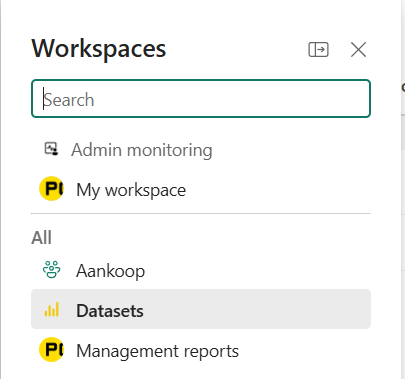
Why This Matters
- The client code in the dataset name is needed to identify the source of errors in Planio.
- Provides a clean, understandable workspace layout.
- Avoids mixing report files with dataset files.
- Simplifies refresh management.
- Clients interact only with the reporting layer.
- Clarifies ownership boundaries.
Security
Correct access management ensures safe and stable client environments.
Rules
- Provide clients with minimum necessary access (usually Viewer).
- In order for user to see data in the reports you have to add them to the dataset workspace.
- Make sure that the reports in the dataset file are blank.
- Avoid granting Member or Admin rights externally unless justified.
- Limit workspace users and remove outdated memberships.
Why This Matters
- Prevents accidental edits or deletions.
- Simplifies offboarding and maintains control.
- Maintains a clear permission structure.
Power BI Service Configuration and Refresh
TLDR
Whenever possible, trigger the Semantic Model refresh from ADF of Fabric, and not through a schedule in Power BI Service.
There are two typical approaches to configure dataset refresh:
-
Refresh by schedule in Power BI
-
Refresh from Azure Data Factory (ADF)
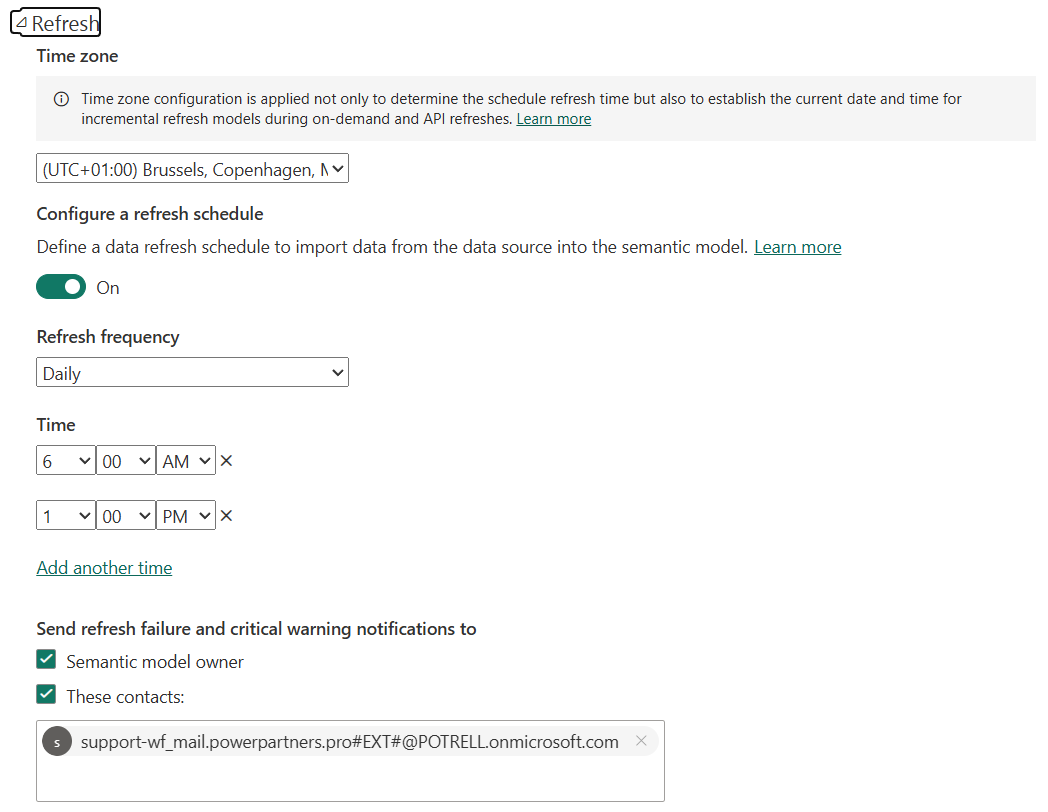
Refresh by Schedule
This approach is suitable for smaller projects.
Always add our user as a guest user to the warning notifications:
Refresh by ADF or Fabric
If supported, this approach is preferable for these reasons:
-
Better control of the pipeline
-
Ability to refresh the dataset while the database is in performance mode