Import Multiple Excel Workbooks Using PowerQuery M In Gen1 Dataflows
Why we use dataflows
In our setup, we use Power BI Dataflows Gen1 specifically to load and prepare data from Excel files.
This means:
- All dataflows are Gen1 dataflows
- All sources are Excel files
- We clean, reshape, and standardize the Excel data in the dataflow
- The prepared data is stored in the Power BI Service
- Datasets only consume already-prepared data
This allows us to handle Excel-related changes (file structure, column names, fixes) once in the dataflow instead of duplicating logic in multiple files.
Steps to take
In summary, you need to:
-
define a main query -> filter for the Excel sheets you want
-
expand the Excel sheets
-
Power BI will create all the necessary elements for you.
-
clean up and do consistent renaming
-
do NOT touch the function. It is wired to your function query.
-
apply your custom logic in the function query. Test it out with different parameters (= different Excel workbooks) if necessary. Make sure that types are consistent, column headers are correct, etc.
-
in your main query, replace the expansion. Instead of the column from the sample file, use the actual headers from you function query
Elements
The elements at the end of the process will be:
-
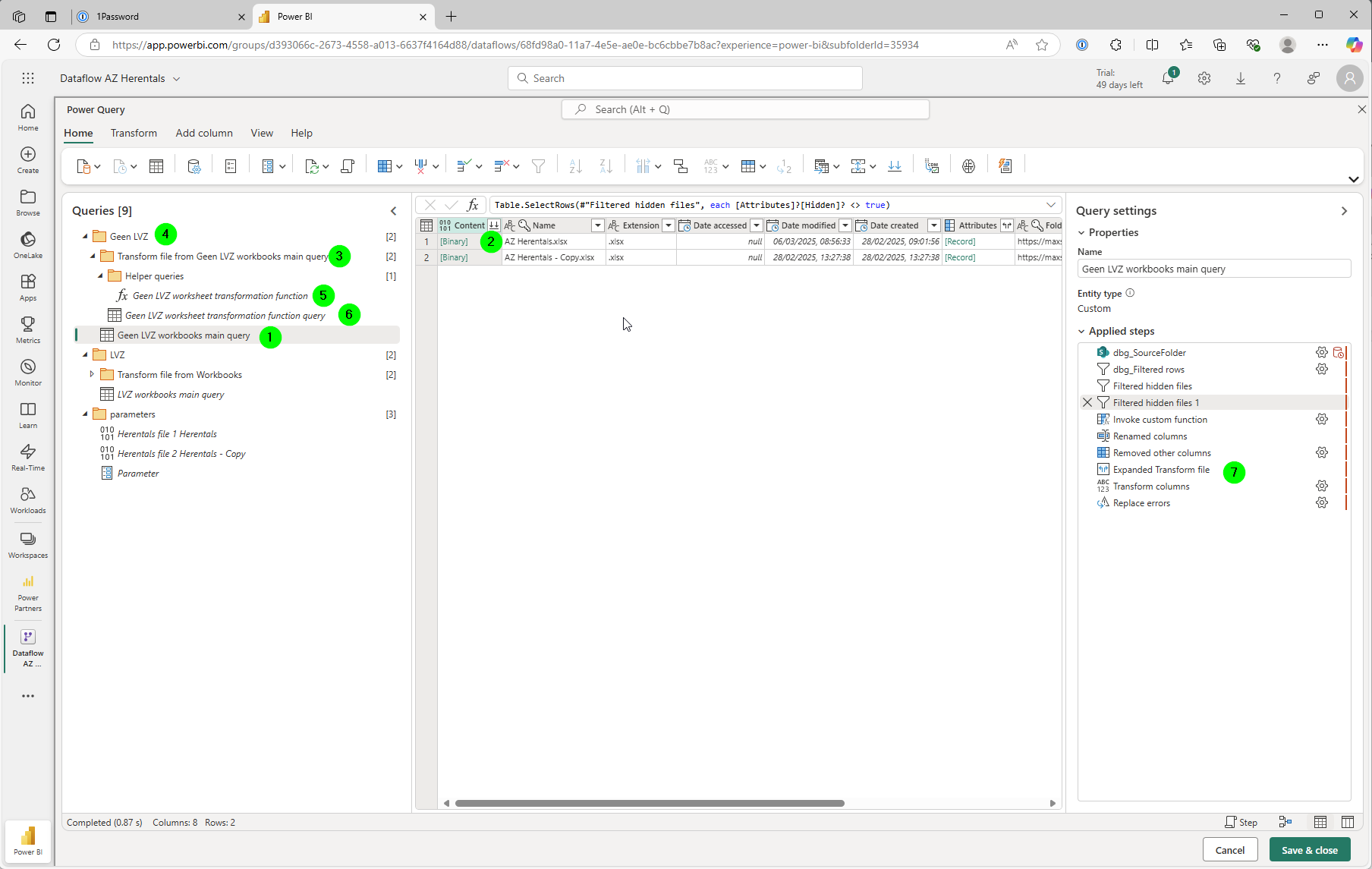
a main query, e.g.
Geen LVZ workbooks main query -
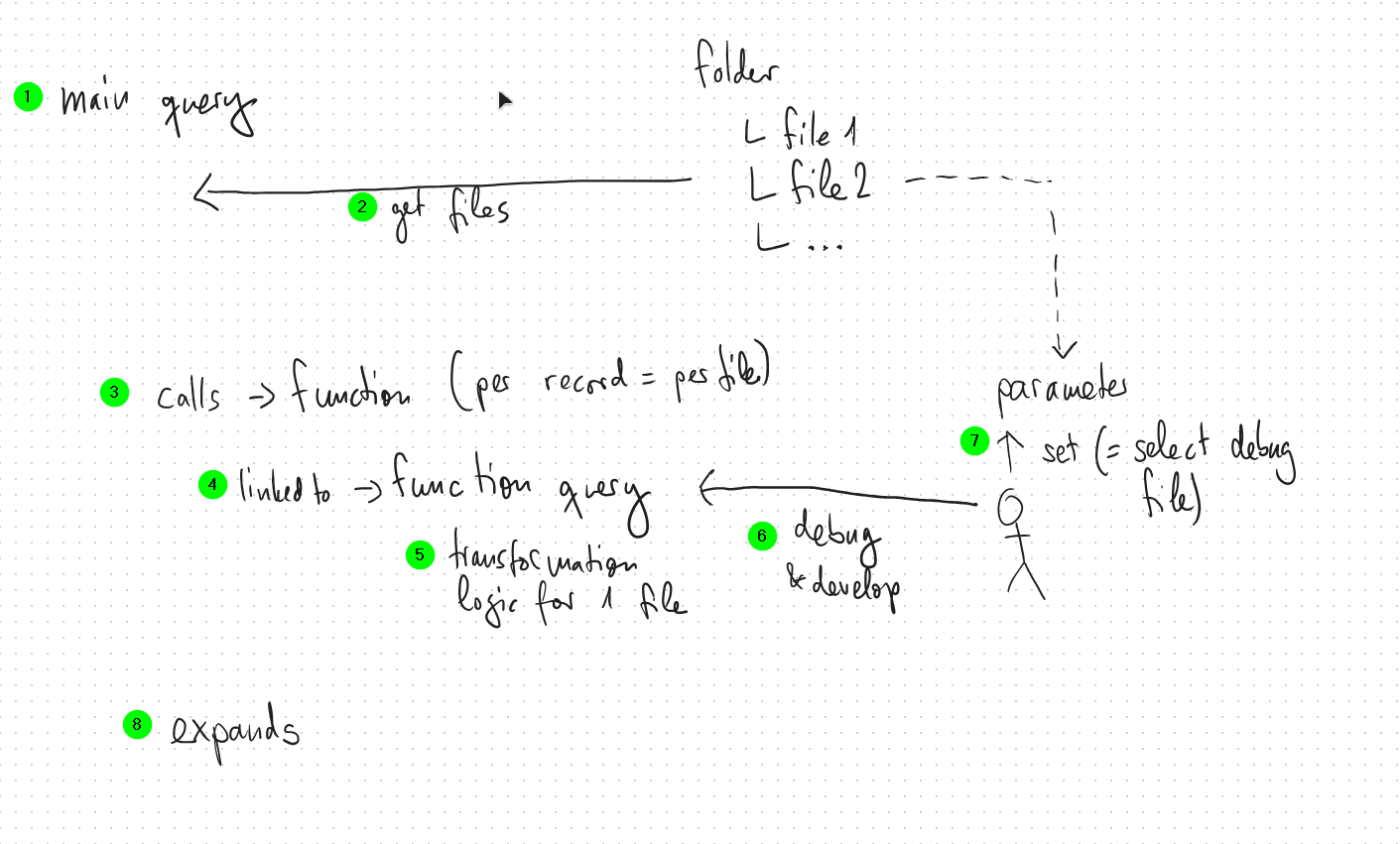
the main query will get all the files to process
-
for each file, it will call a power query function (fx), e.g. 'Geen LVZ worksheet transformation function'. Do not touch this.
-
under the hood, the function is linked to a function query, e.g. 'Geen LVZ worksheet transformation function query'
-
the function query contains all the transformation logic of a single file
-
you can change the transformation logic by adding steps to the function query. You can also debug a single file using this query.
-
to select a specific file, e.g. to debug a specific problem, set the parameter accordingly
-
make sure you remove the reference to the parameter (sample file) added by Power BI, and re-add the expansion steps again manually