Azure Function Installation
Info
- Naming Convention:
- App
- Client-specific function apps:
xxx-pwrp-af - Product function apps: as suggested by the product, e.g.
xxx-pwrp-bc-af
- Client-specific function apps:
- Function
- Description of the workload, plus trigger, e.g.
copy_bc_to_sql_http
- Description of the workload, plus trigger, e.g.
- App
- Deployment granularity:
- we typically have a single Function App per client, except if the client uses ready-made products which come with a function (e.g. AutomationServer, DWH (BC edition))
- we typically put all the different functions into the single function app
- Service Plan:
- if no on-prem resources and low call-frequency: consumption, basic
- in the following cases, we require a consumption plan, at least B1:
- if on-prem resources (HCM needed)
- high call-frequency
- long run-time (> 10min)
- NOTE: whenever possible, select B1. B1 costs about 12 EUR per month.
Background
Azure function is a serverless computing platform. We can deploy python code and have it execute some unit of work when ever triggered.
There are different service plans:
-
consumption: we only pay when the function is triggered
-
instance: there is a VM running in the background
There are multiple different types of triggers:
-
timer trigger
-
http trigger
There are a few limitations:
-
when triggered with http, then there is a technical limitation of 240 seconds maximum run time (coming from http). For example, a typical pattern is to trigger the azure function from an Azure Data Factory, via http. Here, we need to build robust functions that make sure they don't time out and pick up the work from where they left.
-
for consumption functions, there is a max timeout of 10 min. We can use capacity instances (ca 15 USD per month) to overcome this.
-
an azure function is built on the server. As a result, it needs access to private repositories. We achieve this by using the PIP_EXTRA_INDEX_URL system variable
-
with linux, the timer trigger is always in UTC. This can lead to problems with summer time / daylight savings. For this reason, we prefer to trigger functions from ADF, where we do not have such a limitation.
-
an azure function cannot access data on an on-prem server directly. We overcome this by using a hybrid-connection-manager.
Installation
-
Open the vsc project at
product-dwh-bc\code\dwh_bc_af -
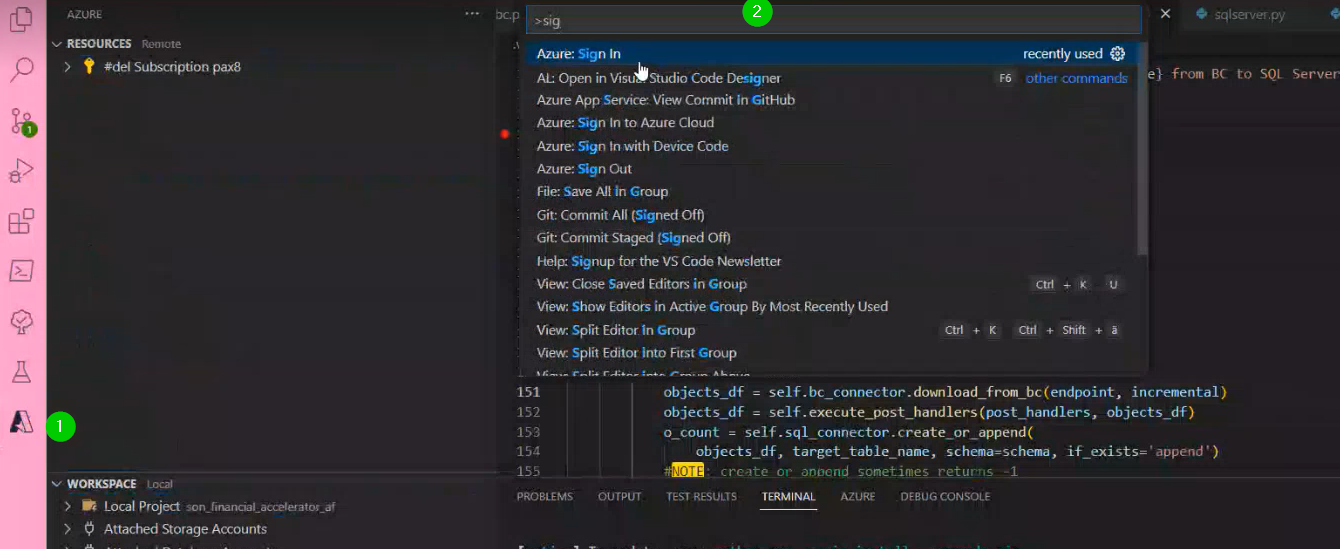
In vsc, sign in to the client's azure subscription, using
Ctrl+Shift+P(We need to have the client browser open l)
-
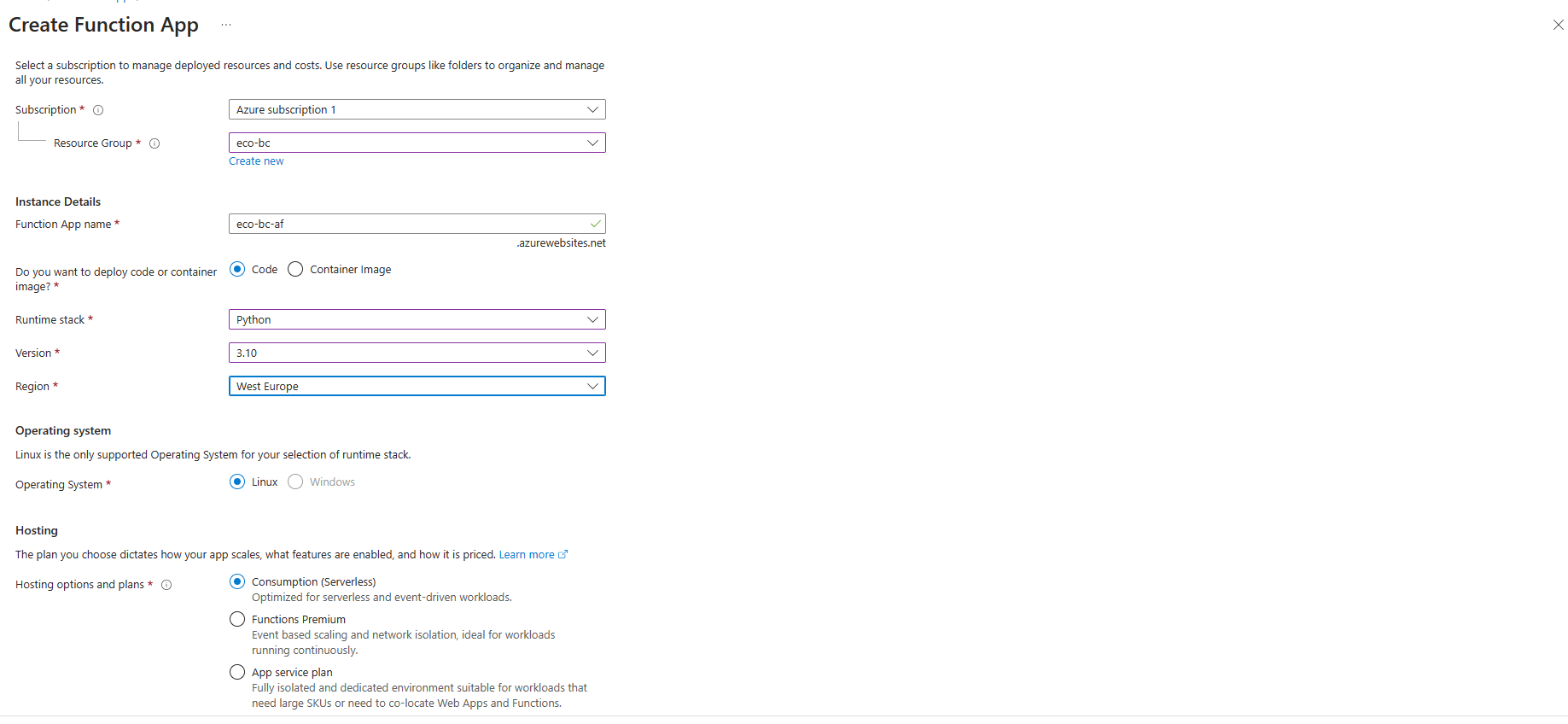
Create a function app.
- The best is to do it from Azure portal: Function App
- if HCM is needed select App service plan, but usually we use App Service plan, since Consumption(serverless) has been removed by Microsoft, with the smaller datasets
- Python, currently 3.10 (3.11 doesn't have the SQL Server driver, 3.9 doesn't support all Types)
-
Select or create new storage account,
- name it
xxxpwrpsa, - set standard details (subscription, resource group, region: West Europe)
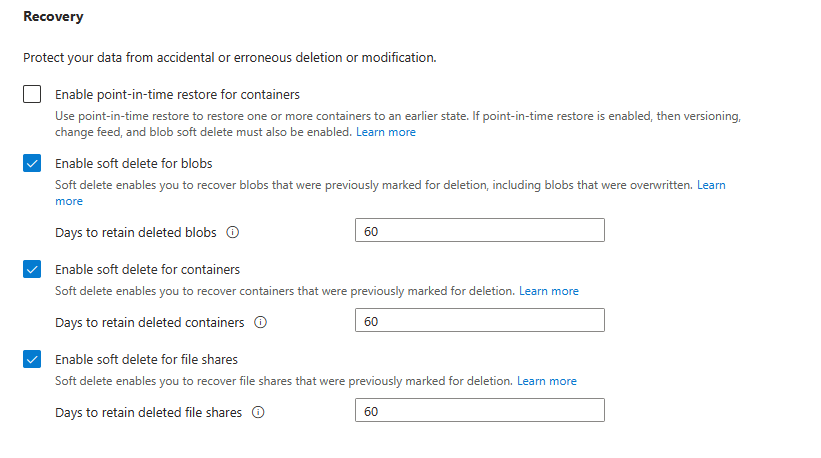
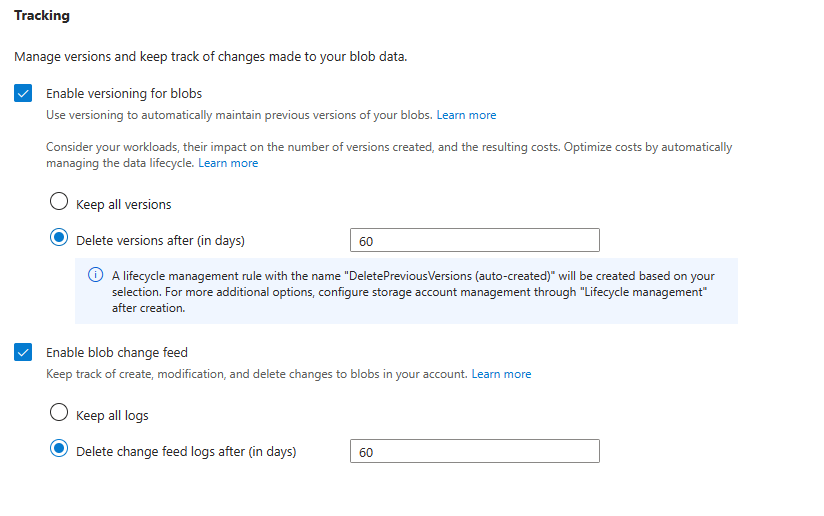
- in the Data protection tab, set the following
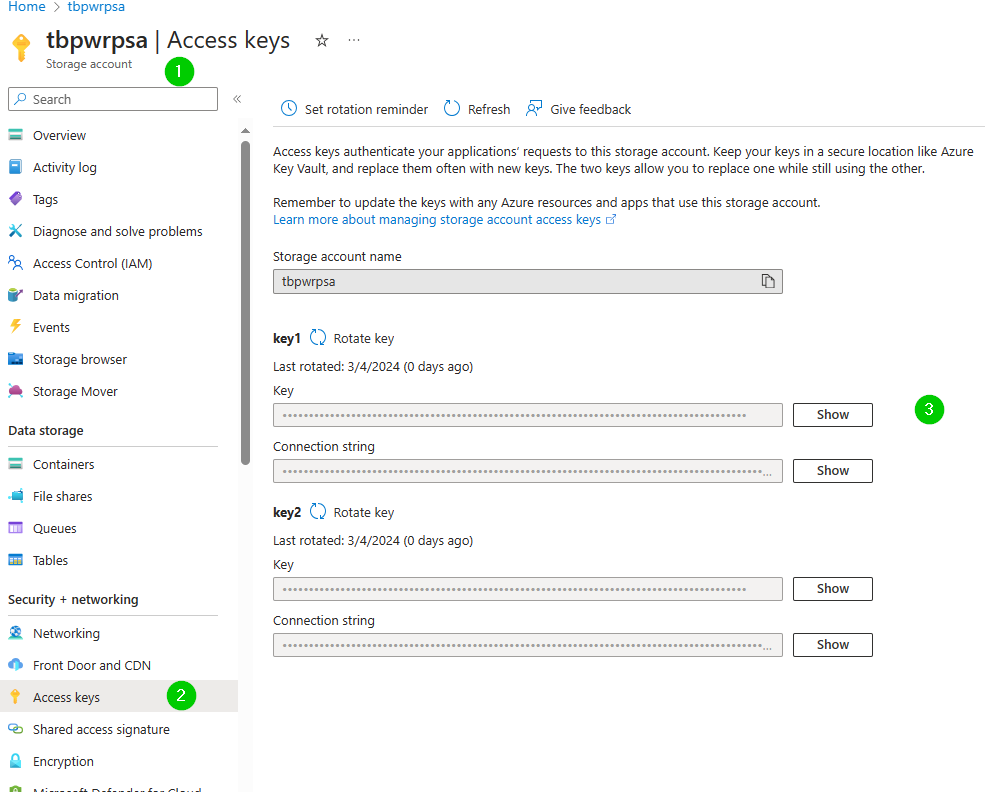
For the data source credential, you can find the key in:
- name it
-
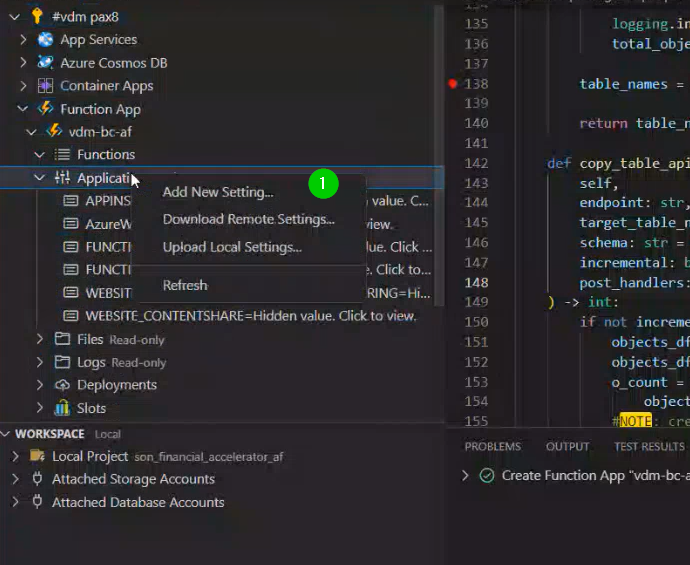
In the Azure Function, create an application setting
PIP_EXTRA_INDEX_URL
- Value:
https://pypi_feed:lk6h3ohpjlefsovvix6vt5rd3ymyhy2lvwa77yefkejov7j67zma@pkgs.dev.azure.com/pwrp/_packaging/pypi_feed/pypi/simple/
- Value:
-
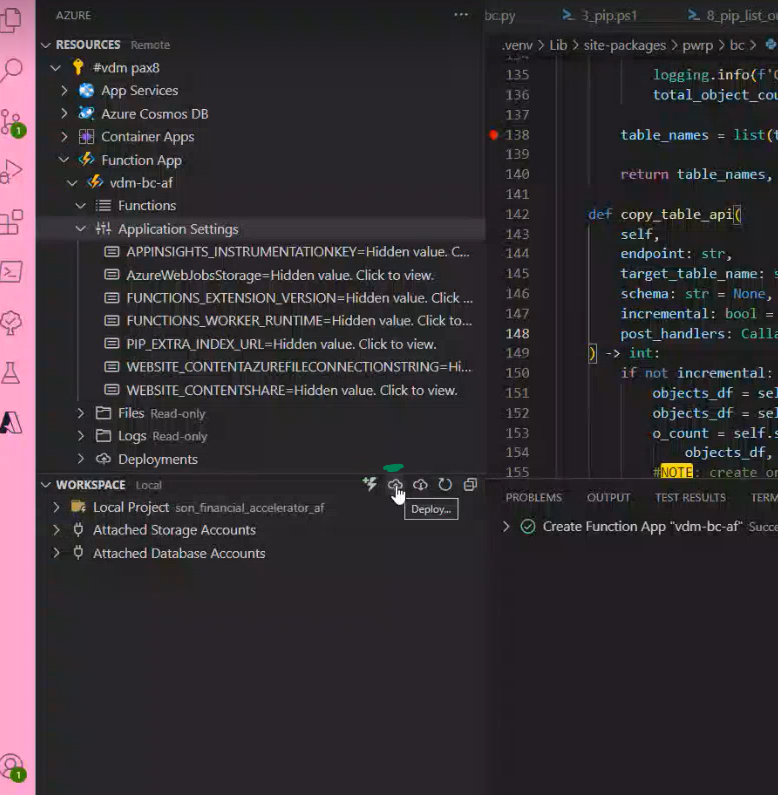
Deploy function to the function app from vsc
-
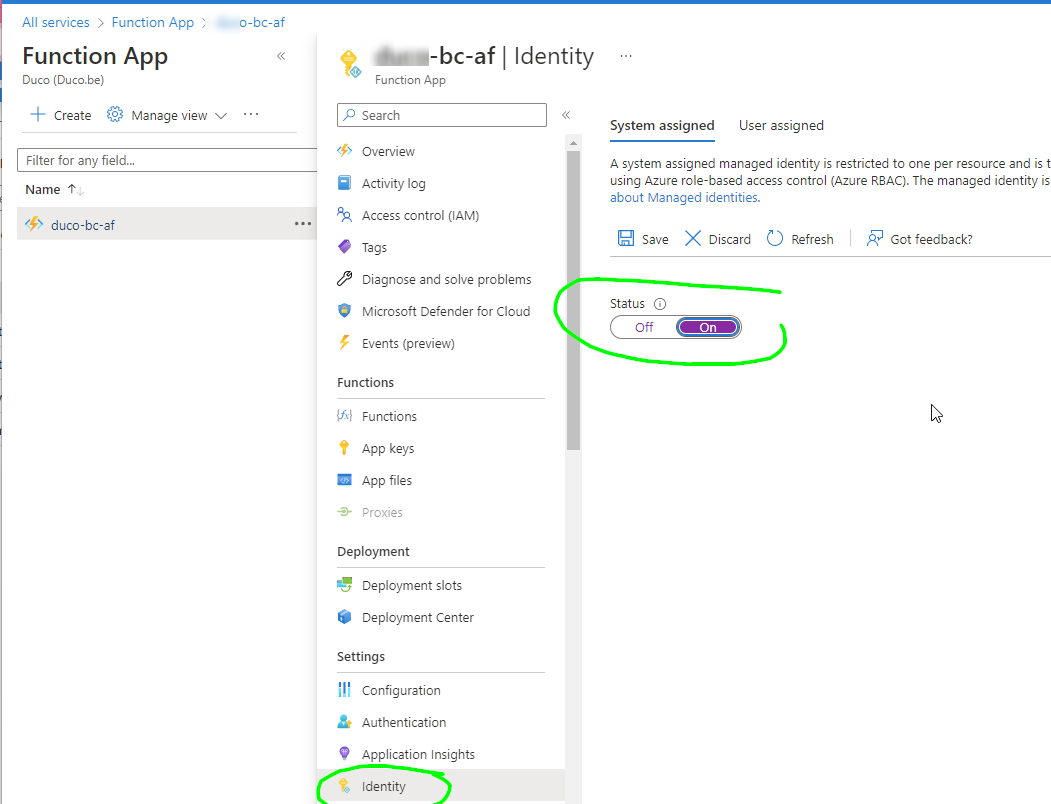
Turn the system assigned identity on and copy the ID of the identity for later use
-
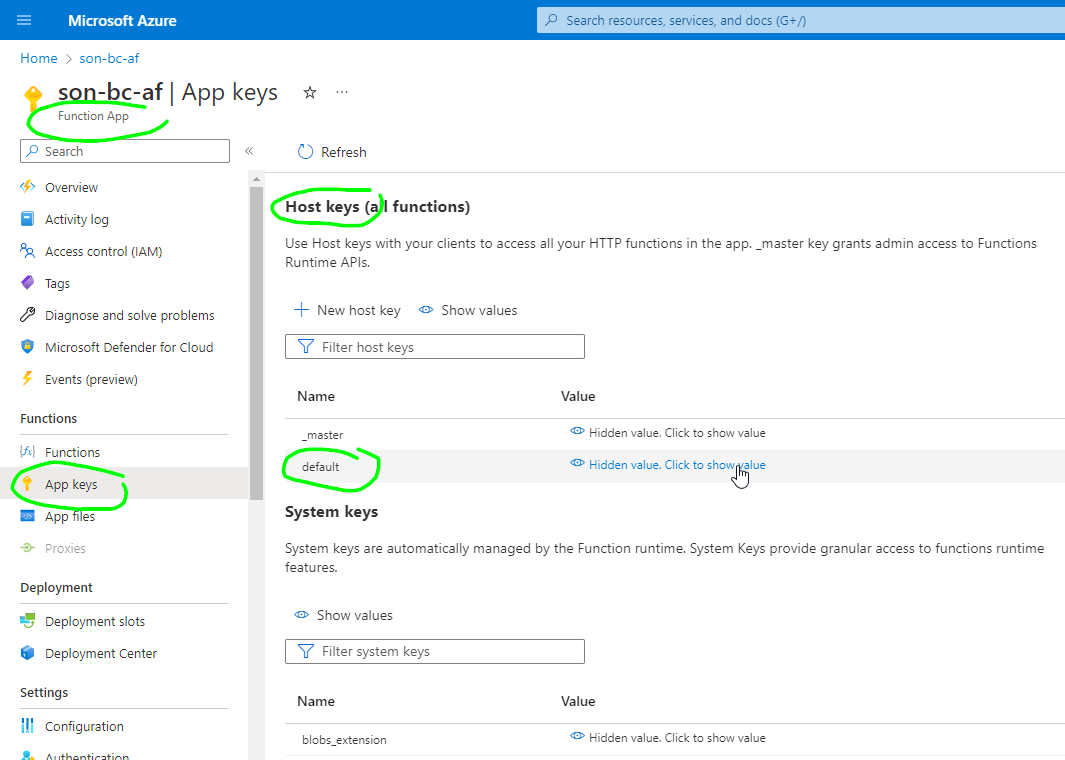
If you want to call the function with an http URL, you need to get the function key. You will want the default host key
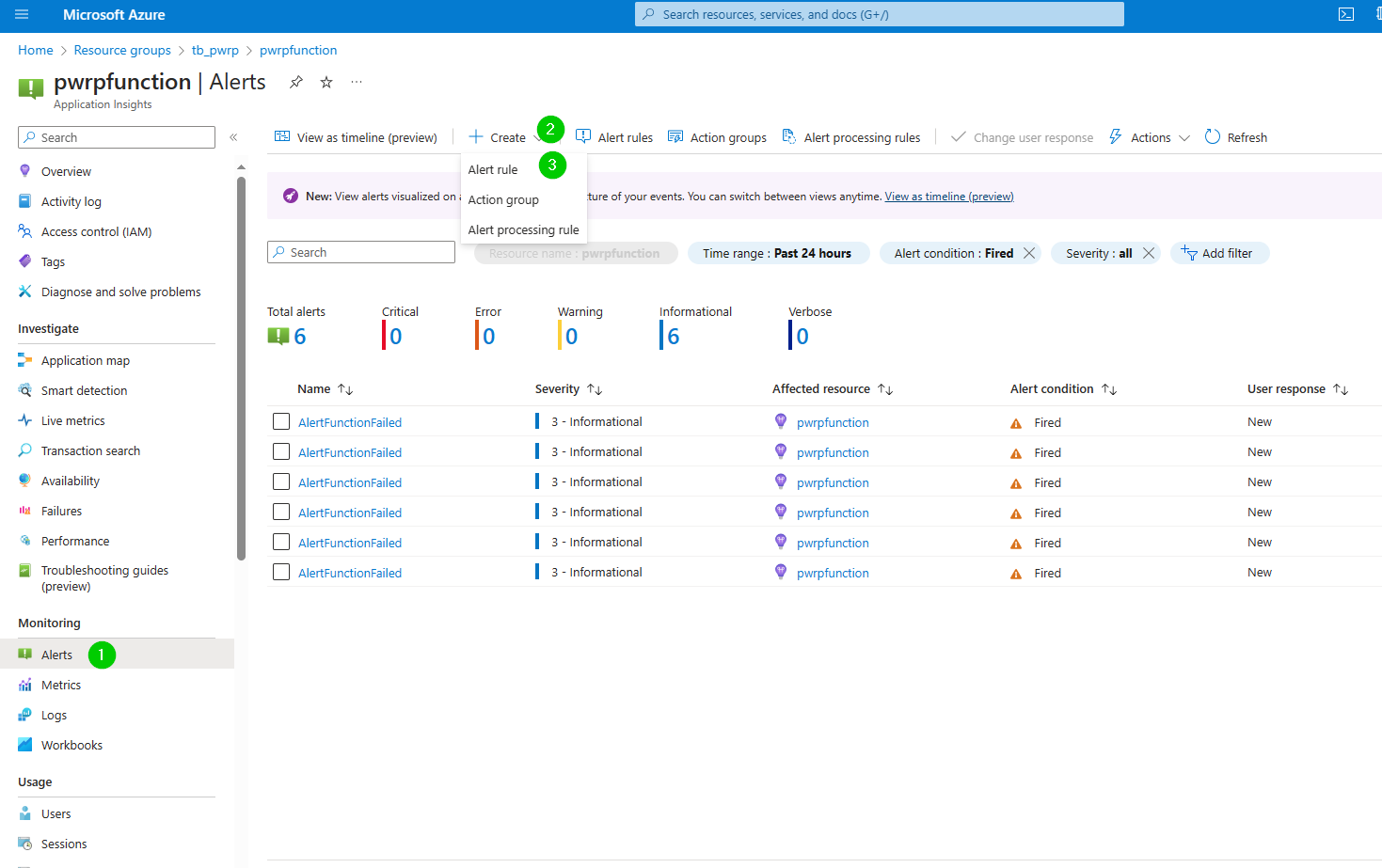
- Create an alert for a function fail:
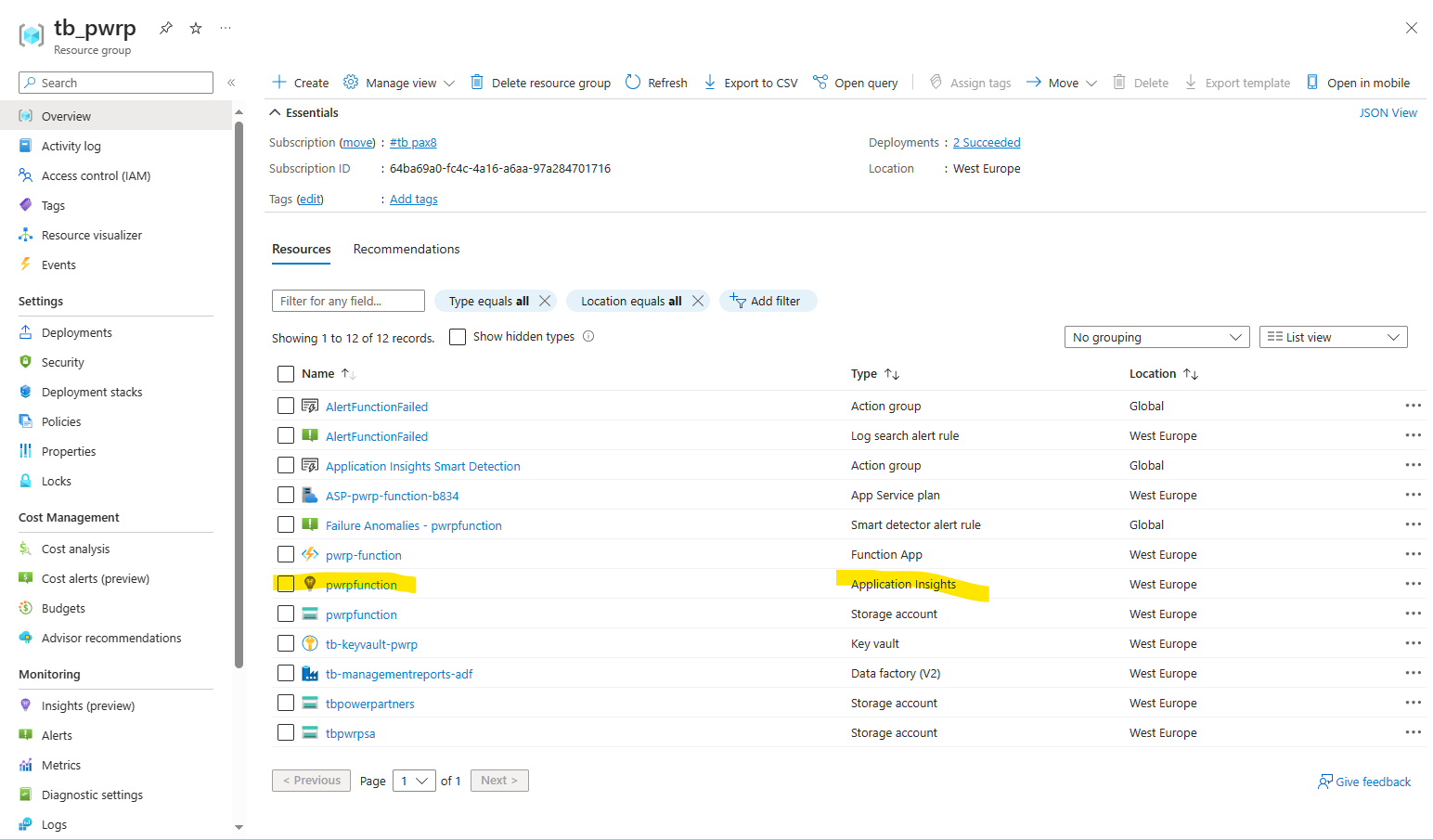
- In your resource group, go to application insights
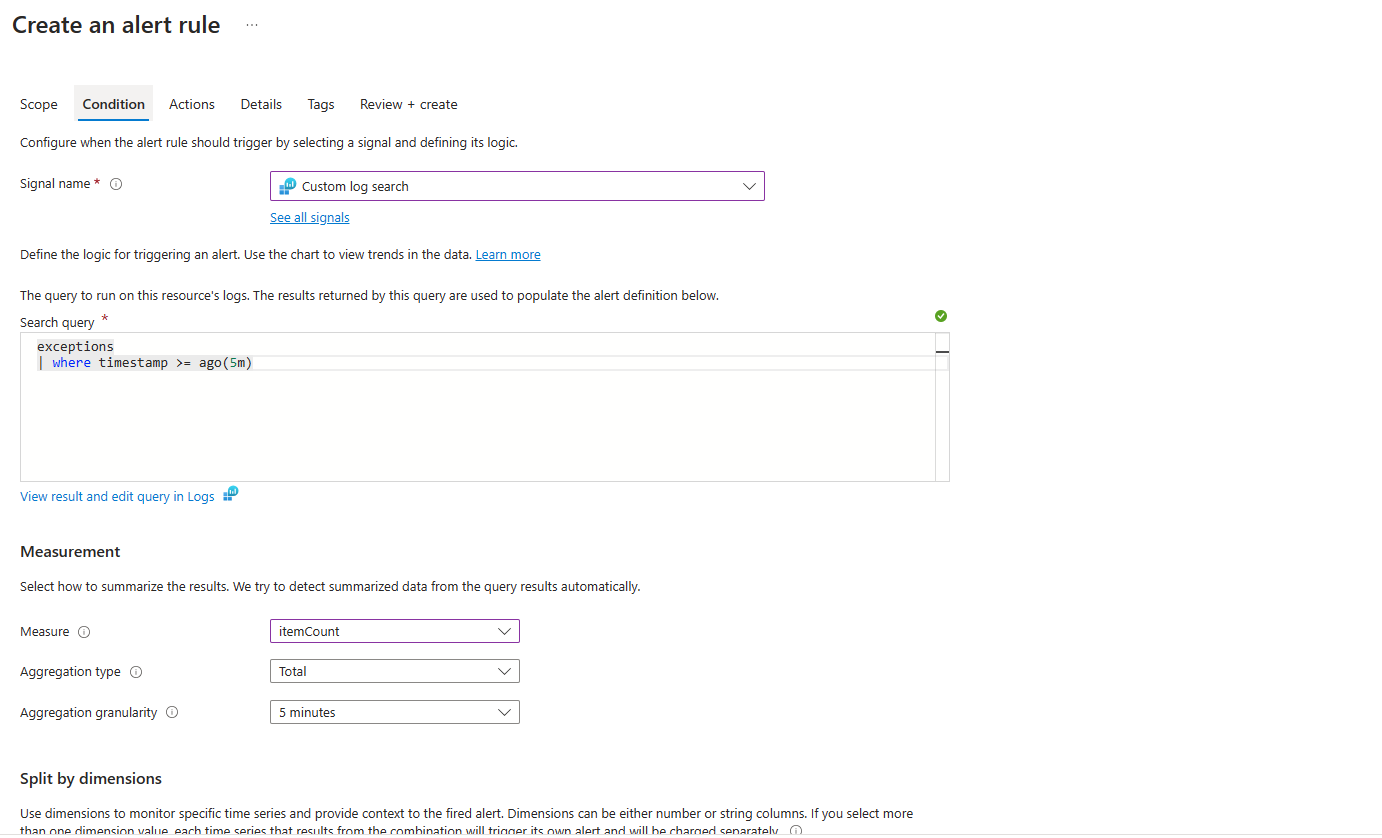
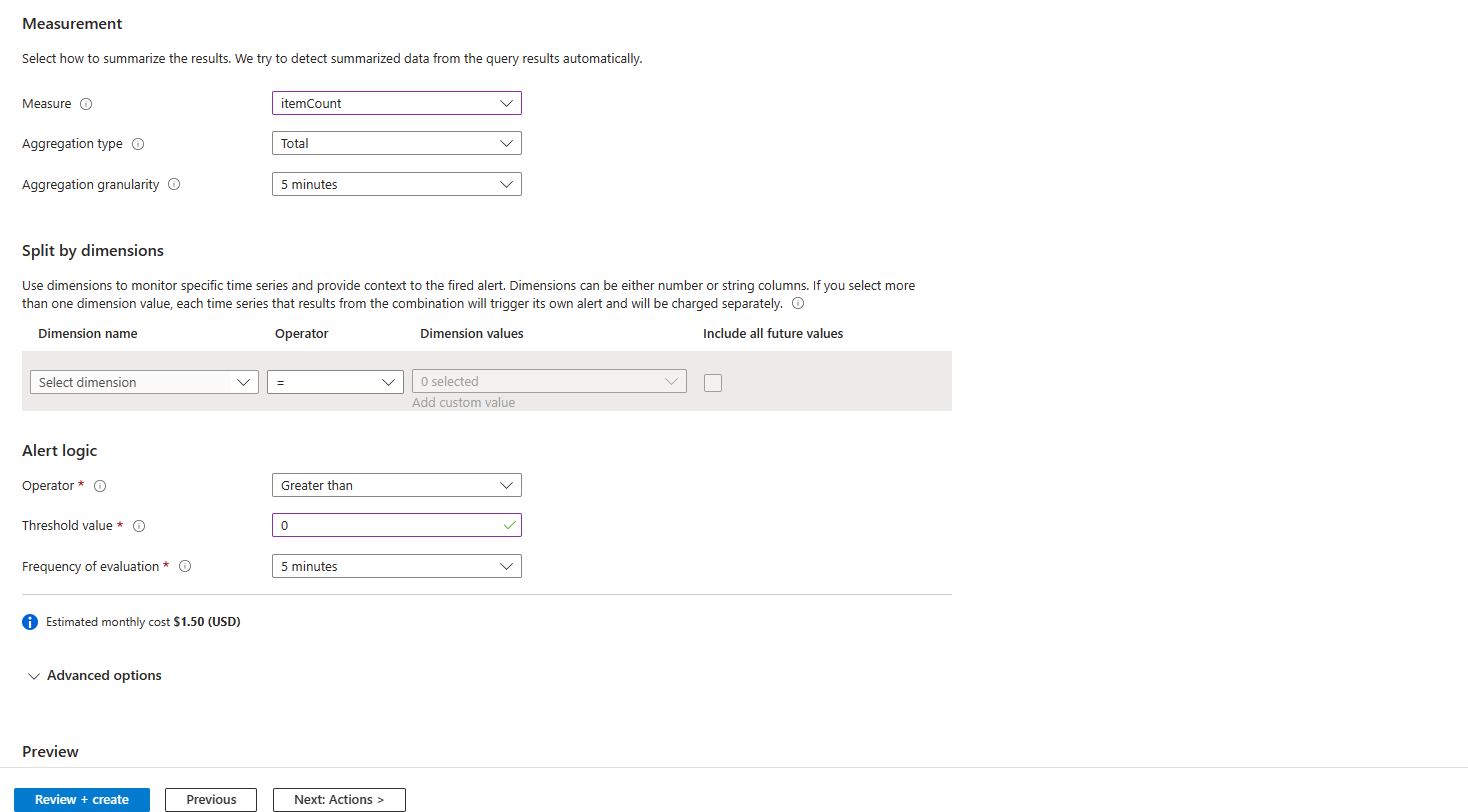
- In the Actions tab, set our support email to receive notifications of the failure
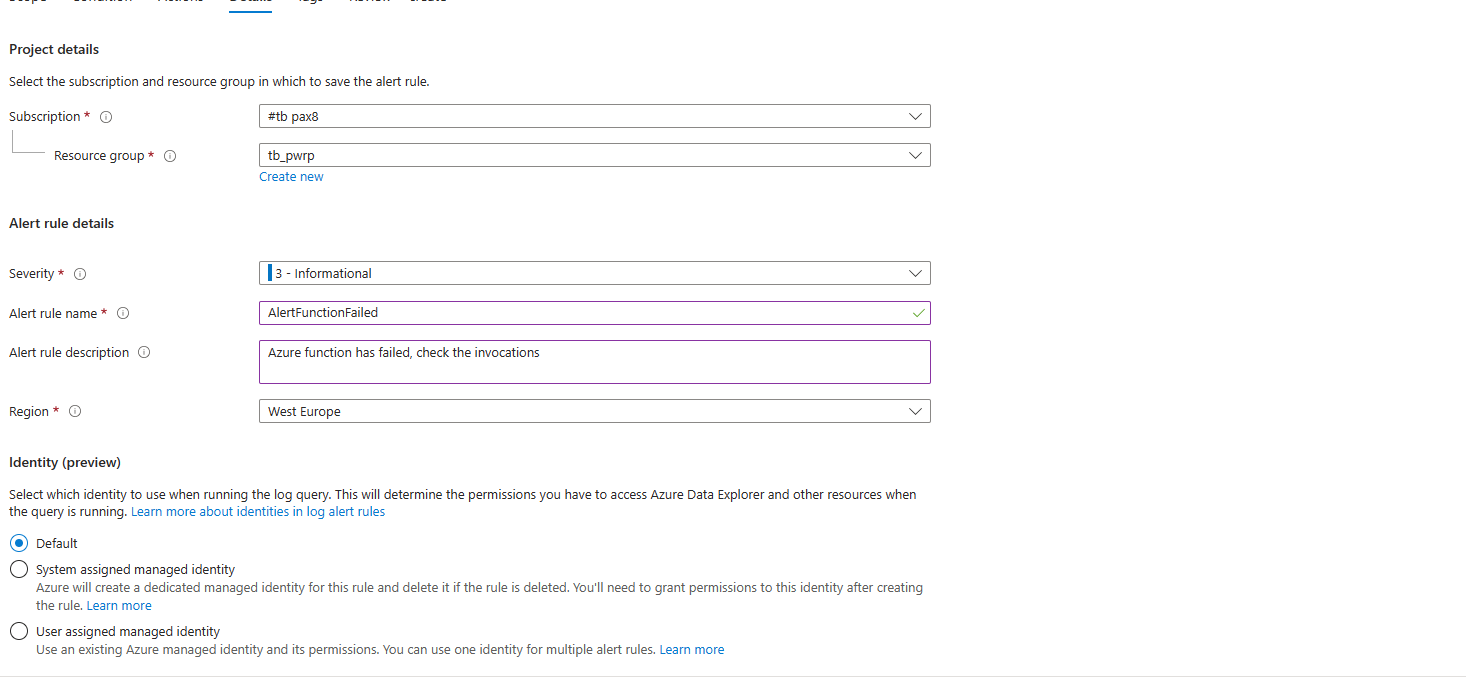
- In your resource group, go to application insights