WP Landing Pages Google Ads
We are using an account per language (with some legacy accounts).
All of them are accessible via powerpartnersswiss@gmail.com .
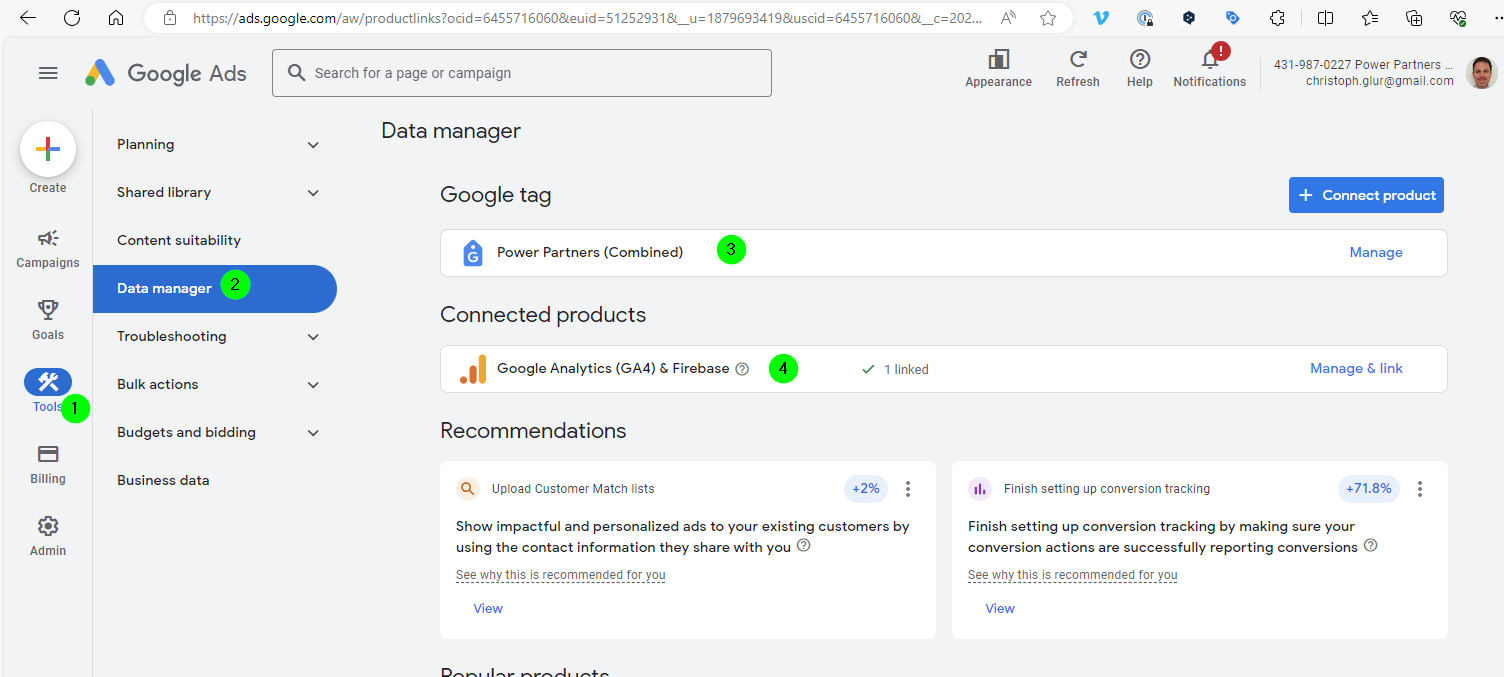
They are connected to GA4 (Google Analytics) and Google Tag Manager.
We are experimenting with different forms of campaigns (Smart, Search, PerformanceMax).
Tag Registration on the Web Site
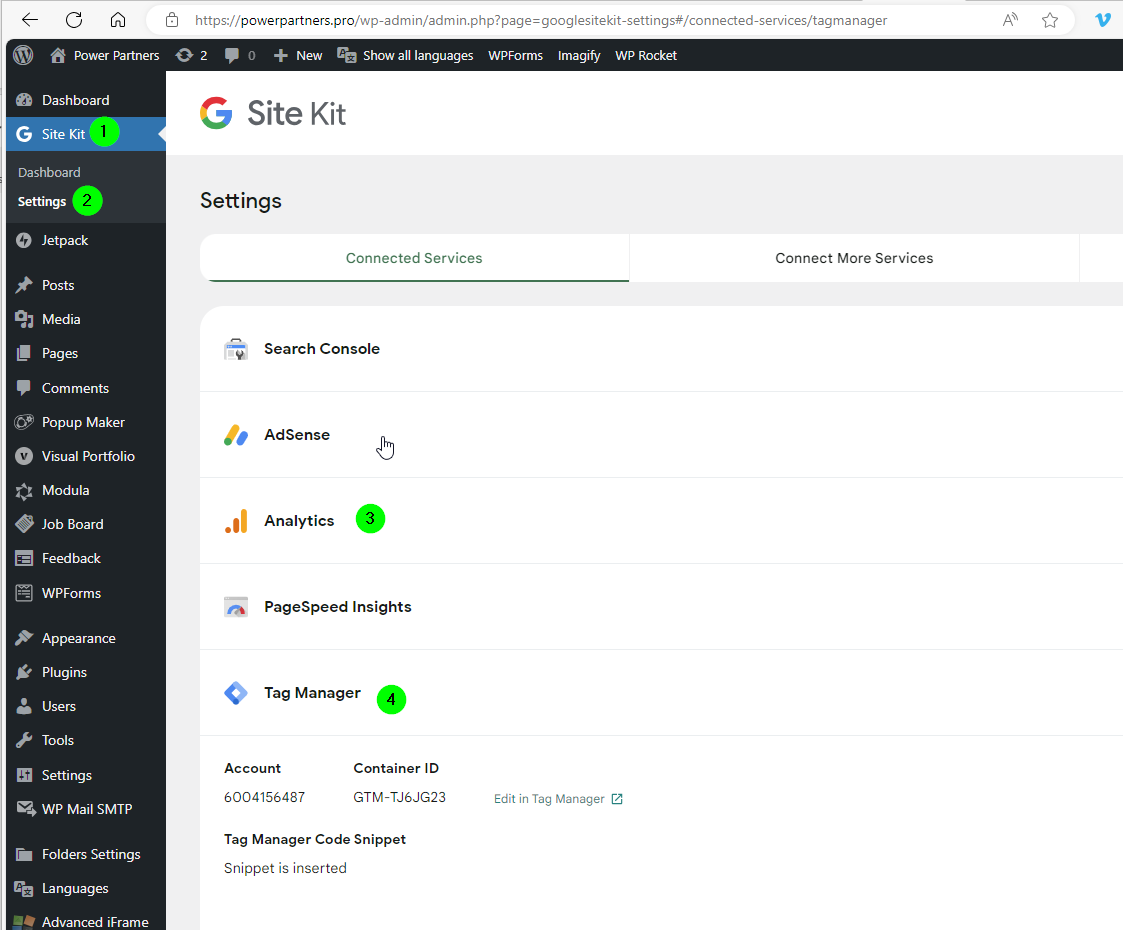
The tag is registered via the Google Sitekit Plugin
Tags
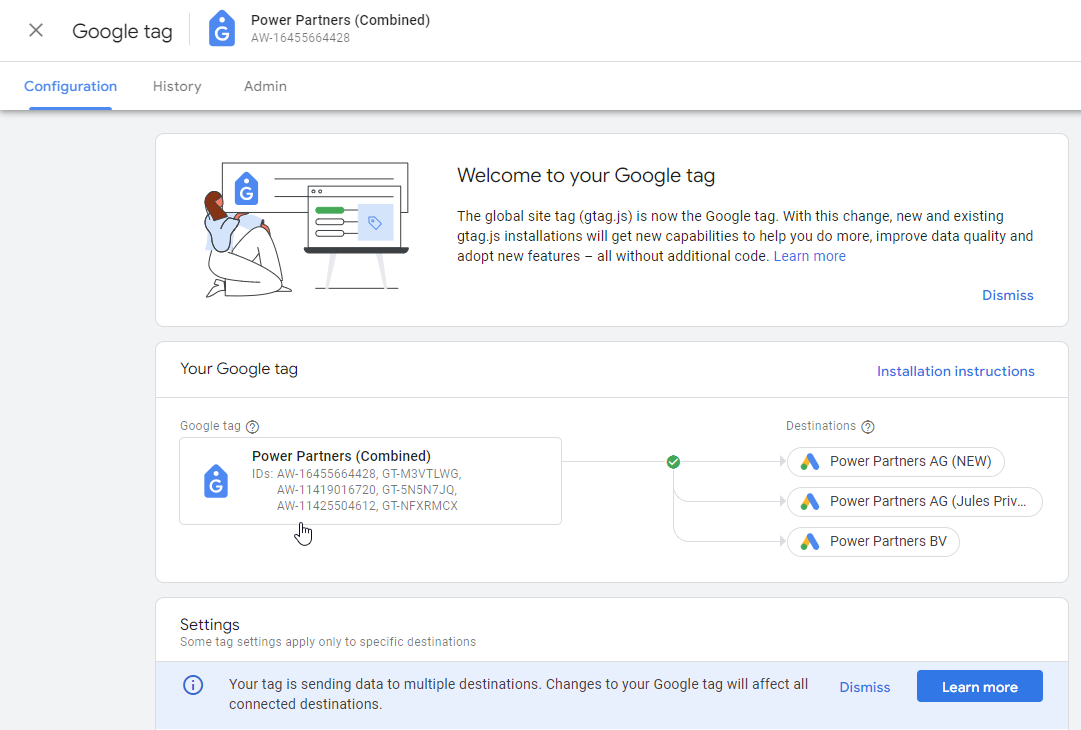
We have combined the tags from the different google ads accounts:
Conversion Tracking
The hardest part to set up conversion tracking.
Google is optimising the campaigns (especially the Max Performance campaigns) according to a Conversion. So measuring the conversion is important.
Goal
In Google ads, you need to set up a goal:
-
Go to Goals
-
Click 'New conversion action'
-
Select 'Website'
-
Scan
-
Click 'Add a conversion action manually'
- Goal Category = 'Submit lead form'
- Count = 'One'
- Done
-
Save and continue
Your conversion then shows the ConversionID and the Label that you'll need to create a tag in the Tag Manager:
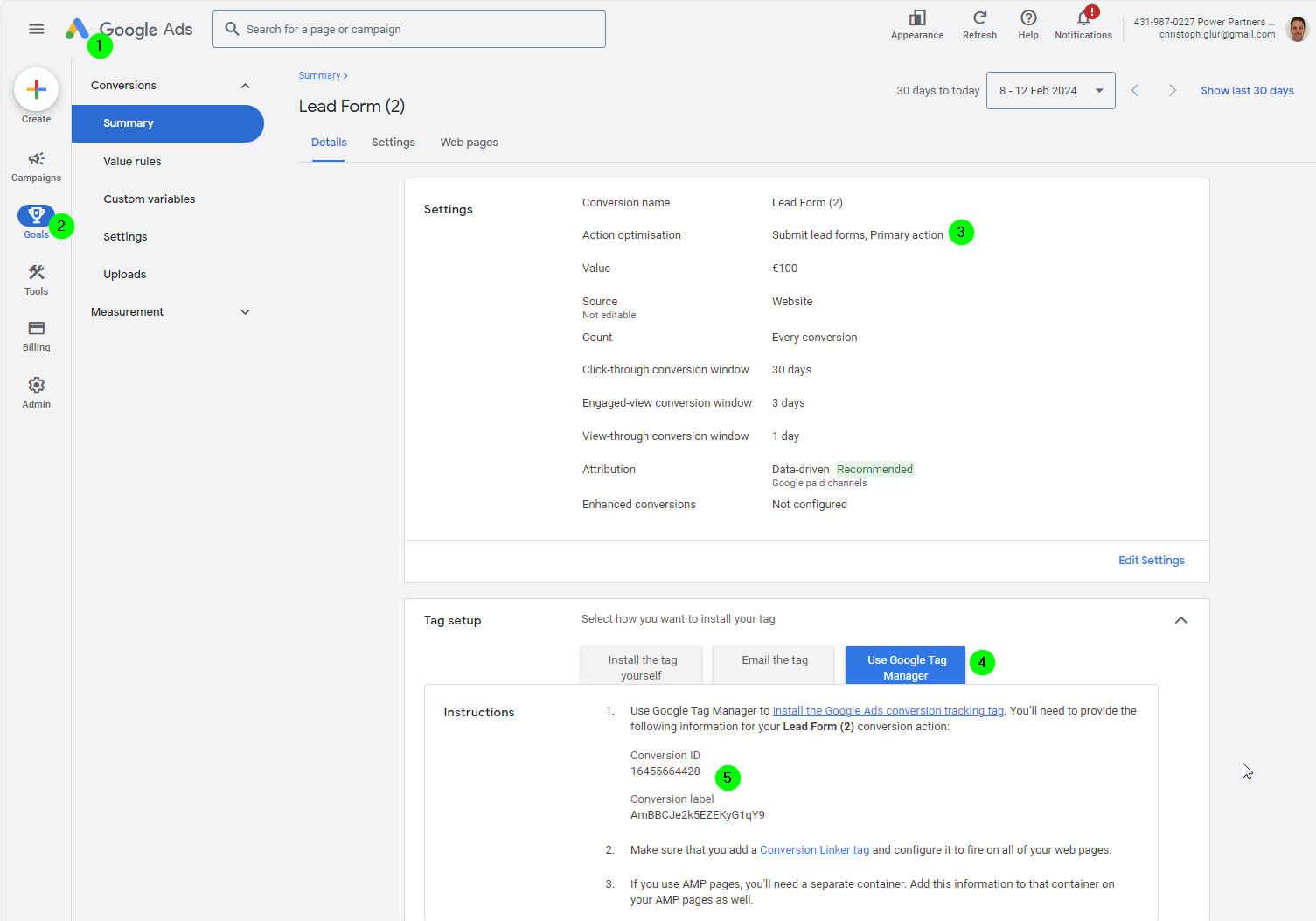
The goal
Tag Manager
We are using the Google Tag Manager for conversion tracking. Google Tag manager is a platform that allows managing JS scripts centrally (on the Tag Manager platform) and execute them according to configuration.
As we are talking about code (JS scripts) Tag Manager is storing Versions. If you don't publish a version, a tag is not visible!
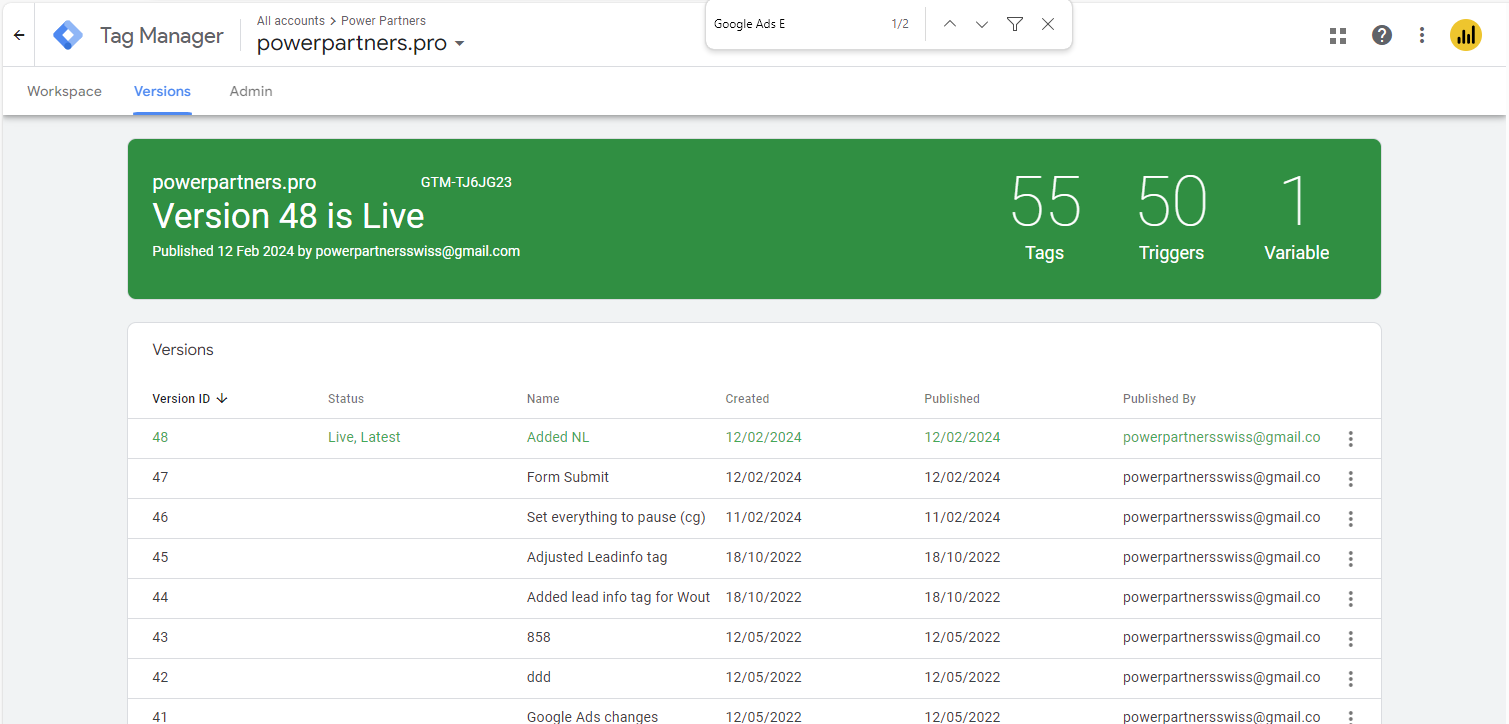
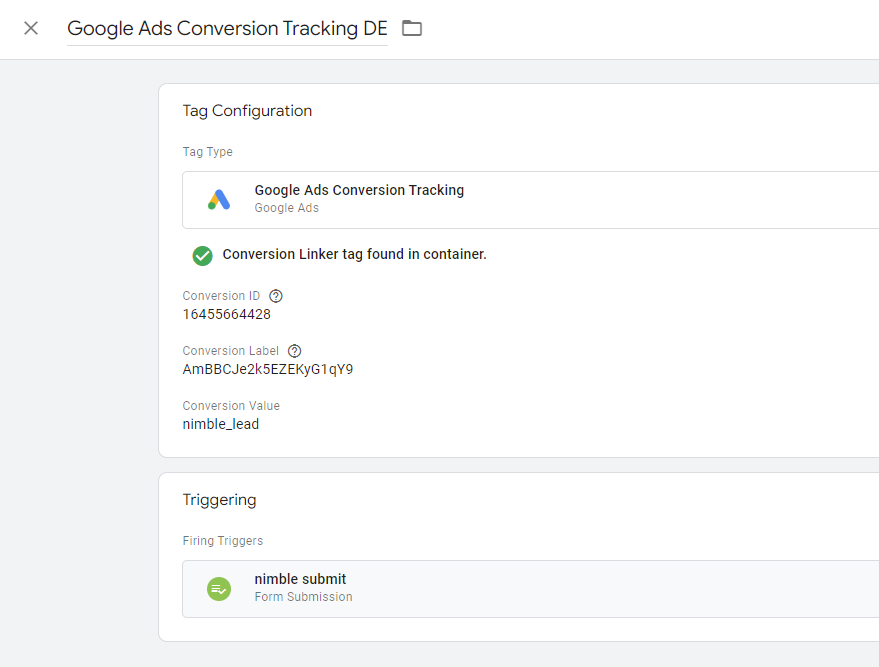
In order to measure the conversion of lead pages, we need two tags:
-
a conversion linker: This is a tag (=script) that is available on all pages, and links powerpartners.pro to our workspace. Basically, thanks to this tag, google knows what tag manager account and workspace events need to be sent to.
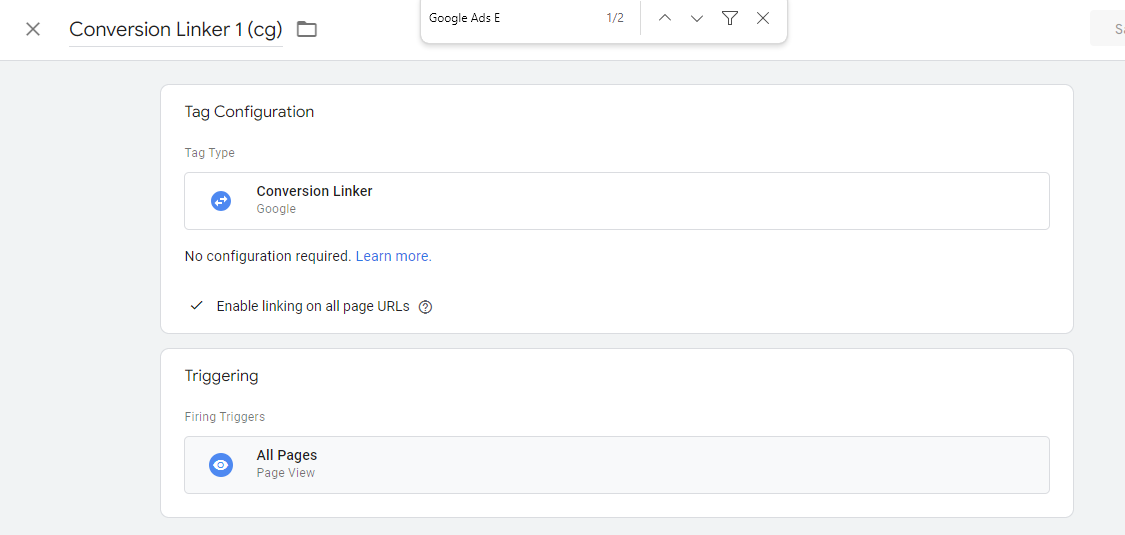
-
a form submission tag: This is a tag that links the goal in Google Ads to a trigger in the tag manager. Basically, thanks to the trigger the tag manager then triggers an event when a user submits a form. And thanks to the Google Ads Conversion Tracking tag, Google Ads knows what goal this event needs to be attributed to.