Project Offer
Owner
- Account Manager
Prerequisites
- Client is onboarded: New Client Onboarding
Quote and Order
-
create "Quote" in bexio
-
send to client → Quote is set from
DrafttoPending -
either
- client accepts in bexio → Quote is automatically set to
Acceptedin bexio (preferred) - client accepts per email → you manually set the status in bexio to
Accepted
- client accepts in bexio → Quote is automatically set to
-
create "Order" in bexio (use command in Quote) and send to Client. (We do not require signature, but sometimes they do it)
Order only (no Quote)
If agreement by phone or by email.
-
create "Order" in bexio
-
send to client from bexio
-
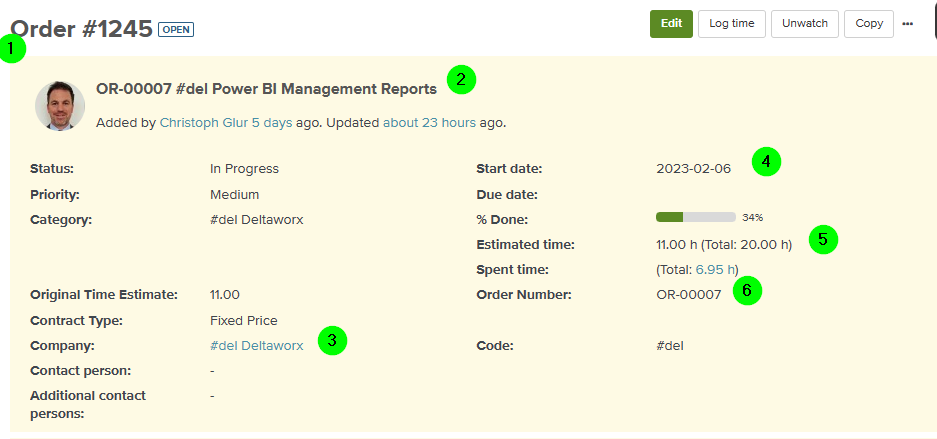
create Order in planio, in the right project/channel (sonical, pwrp wf, pwrp zh)
- Ticker: Order
- Name: \(Order-Number\) \(company-code\) \(title\)
- Company
- Start date: as agreed with the client
Estimated timeandOriginal time estimate: as agreed with the client, and as in bexio order- Order Number: as in bexio