EEG SSIS Getting Started
Access the Dev Environment
For details, see 1pw. In a nutshell, we need to connect to Citrix, and from there via RDP to the database server GRPTVS01.
Access the code base
The code base is here: eeg/code/ssis at main · pwrp/eeg (github.com)
We are using the git client included in VS2019.
Solution
The SSIS packages are maintained in VS2019. It is installed on GRPTVS01, and currently logged in with Christoph's Microsoft Developer account.
The right solution is: OdooTOSQL
C:\Users\arcade\source\repos\pwrp\eeg\code\ssis\ETL\OdooTOSQL_LIVE\OdooTOSQL.sln
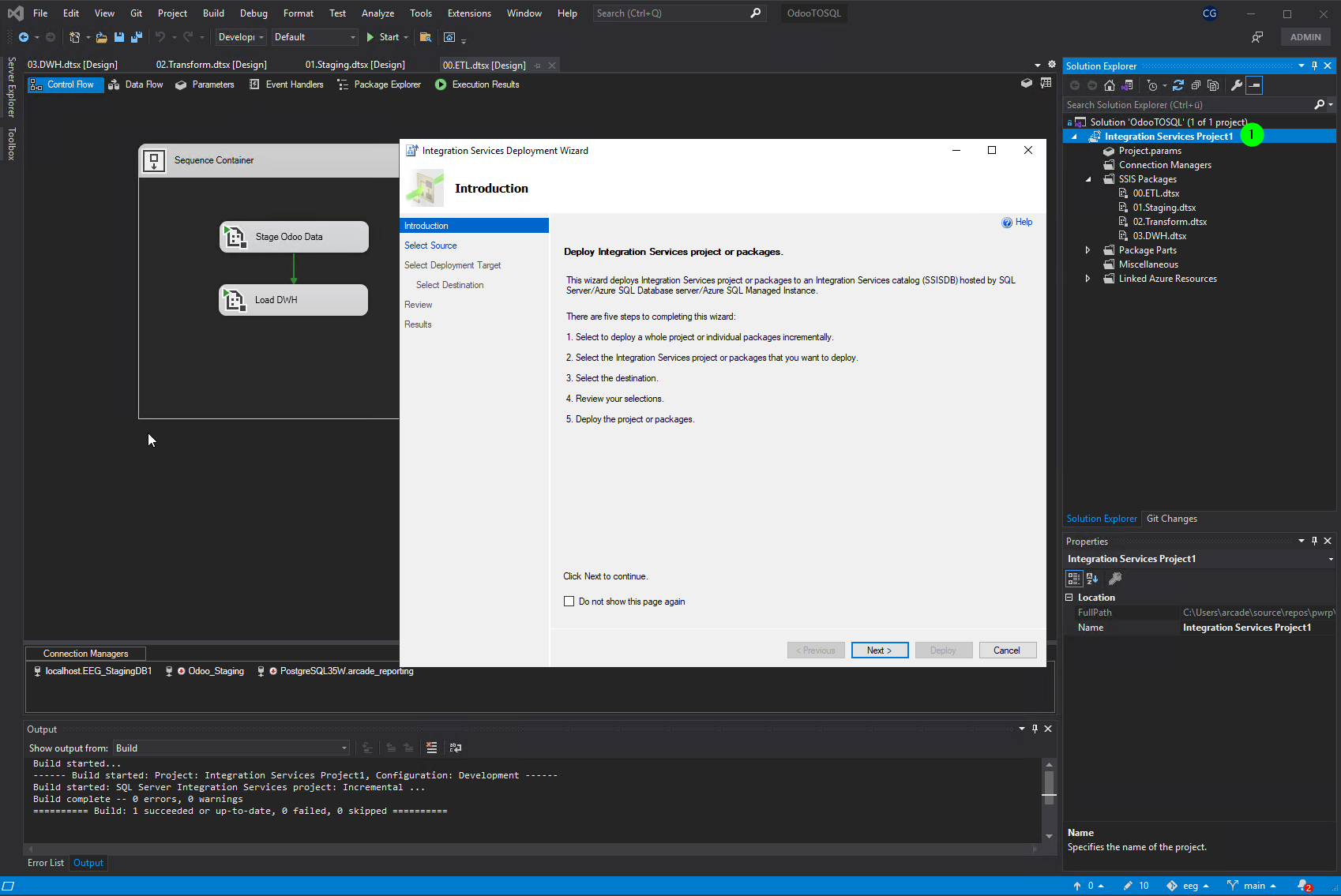
Deploy STG2DWH
-
in VS, right-click project
-
select deploy
-
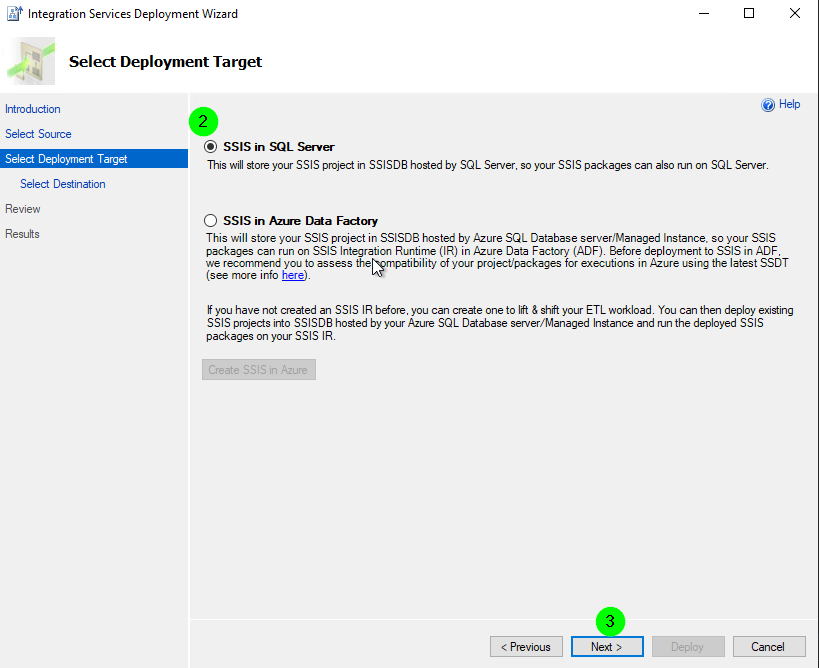
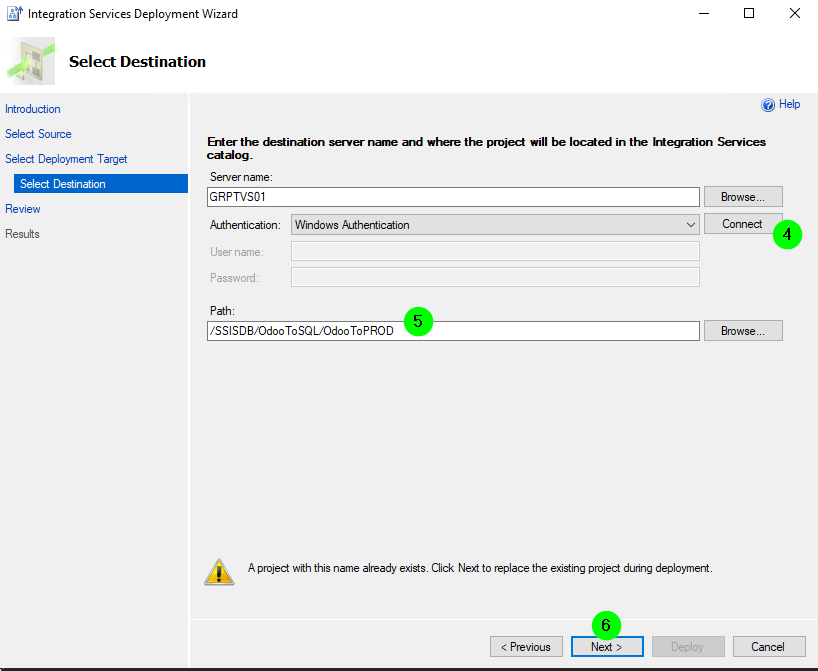
follow wizard
see here https://docs.microsoft.com/en-us/sql/integration-services/packages/deploy-integration-services-ssis-projects-and-packages?view=sql-server-ver16
Run a package
-
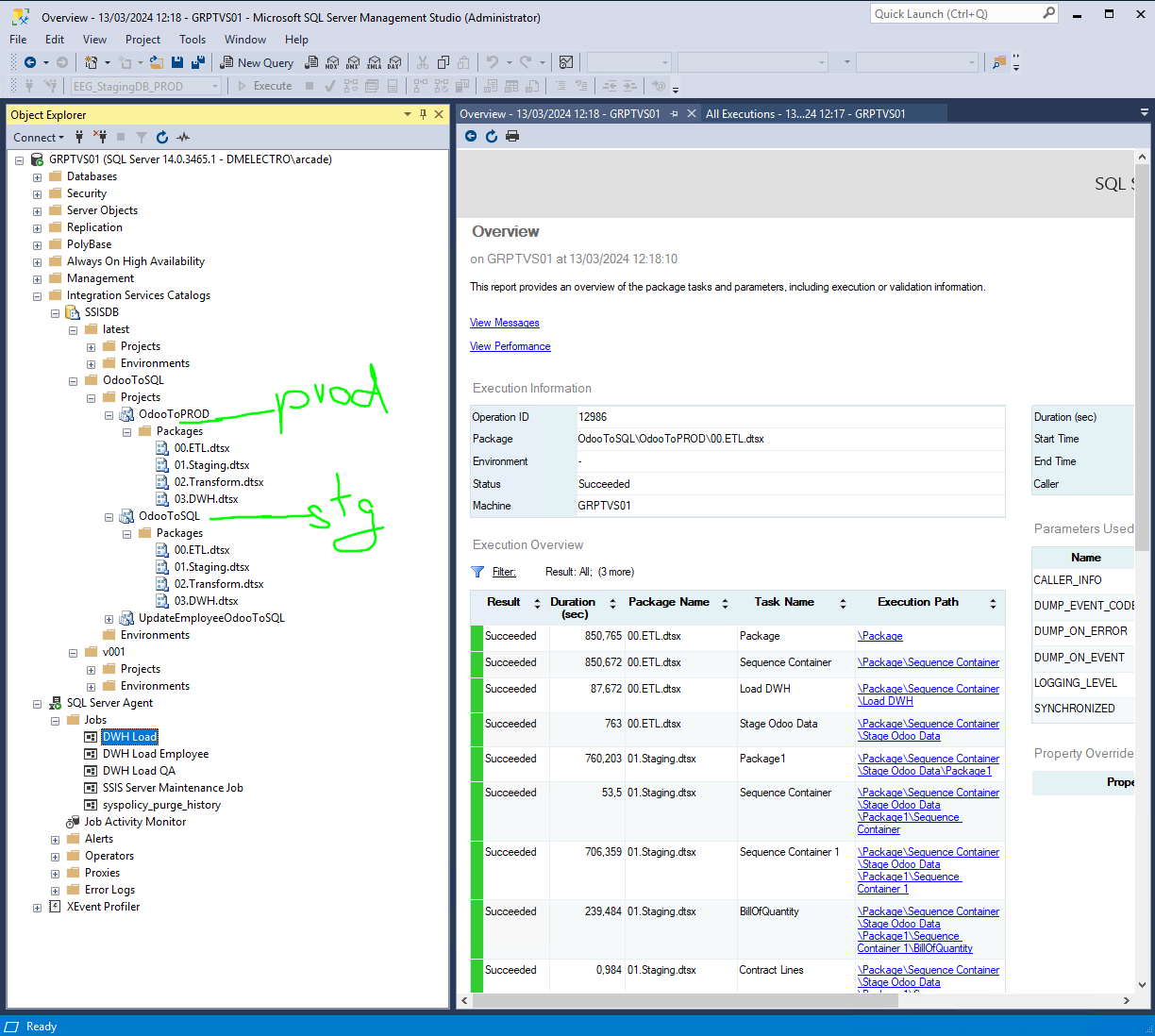
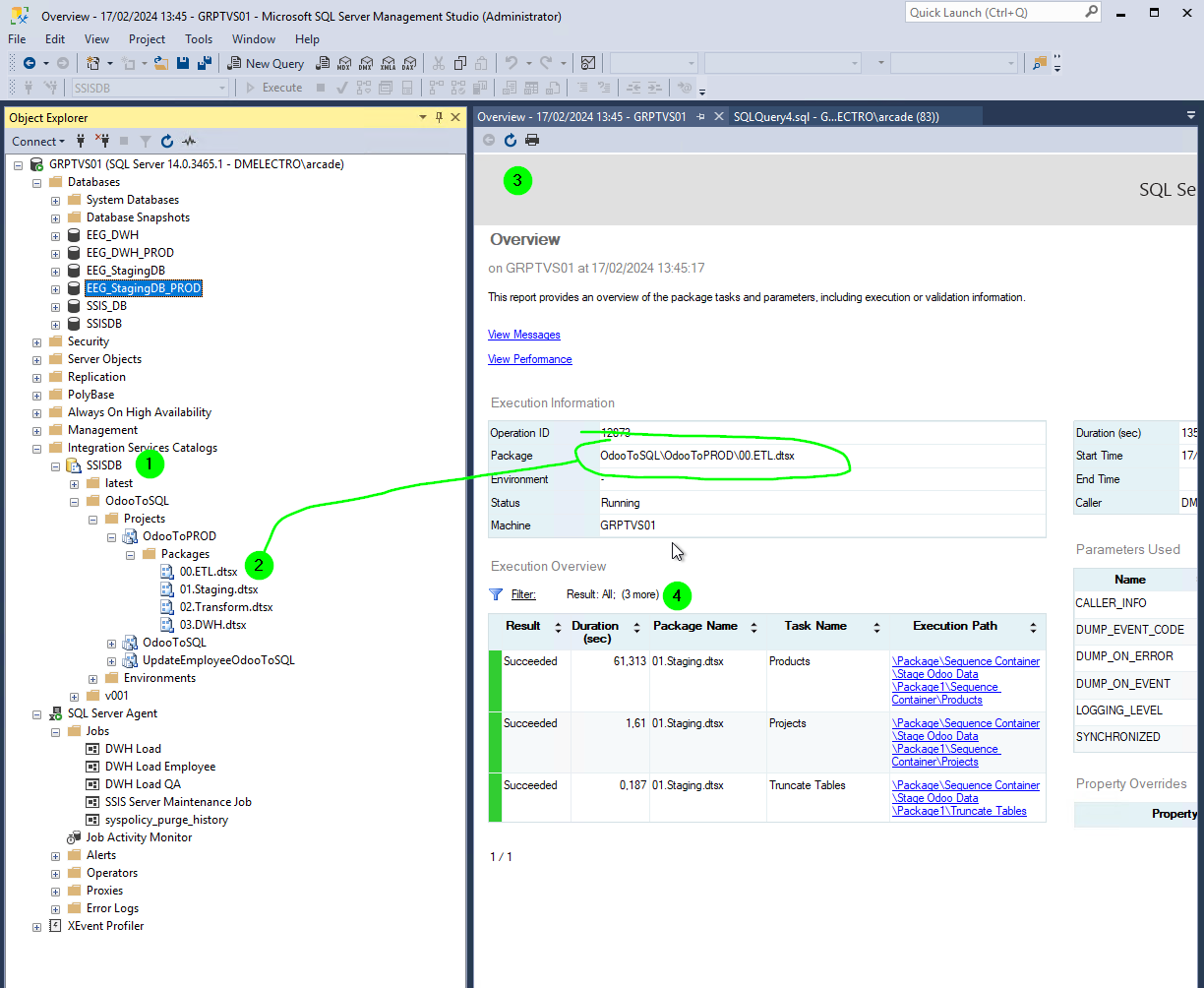
in SSMS, go to "Integration Services Catalogs"
-
navigate to the package, e.g.
SSISDB > OdooToSQL > Projects > OdooToPROD > 00.ETL.dtsx. Right click an run. Accept to open the overview report. -
refresh to see the results
-
verify the results
Verify the schedules
-
in SSMS, go to SQL Server Agent
-
open Jobs
-
check the properties of a job
-
Select the step and click Edit
-
at the bottom, you'll see the package