Arendar / CongaConnect
Background
CongaConnect is a device developed by RTS (Real Time Systems,
One of the requirements of production companies is safety. If someone hacks the production machines, huge damage can be done.
The CongaConnect device is installed on the shop floor (production floor), and collects data from PLCs (Progammable Logic Controller) and assembly line data. It serves two purposes:
-
store the data in an InfluxDB timeseries database
-
make the data accessible in a secure way, without compromising the production floor network safety
Access
To access CongaConnect for #cem, you need a VPN from SoftEther. See the password manager for details.
You then connect to https://arendar-200129-0002.arendar.io/ using the credentials made available in the #cem vault.
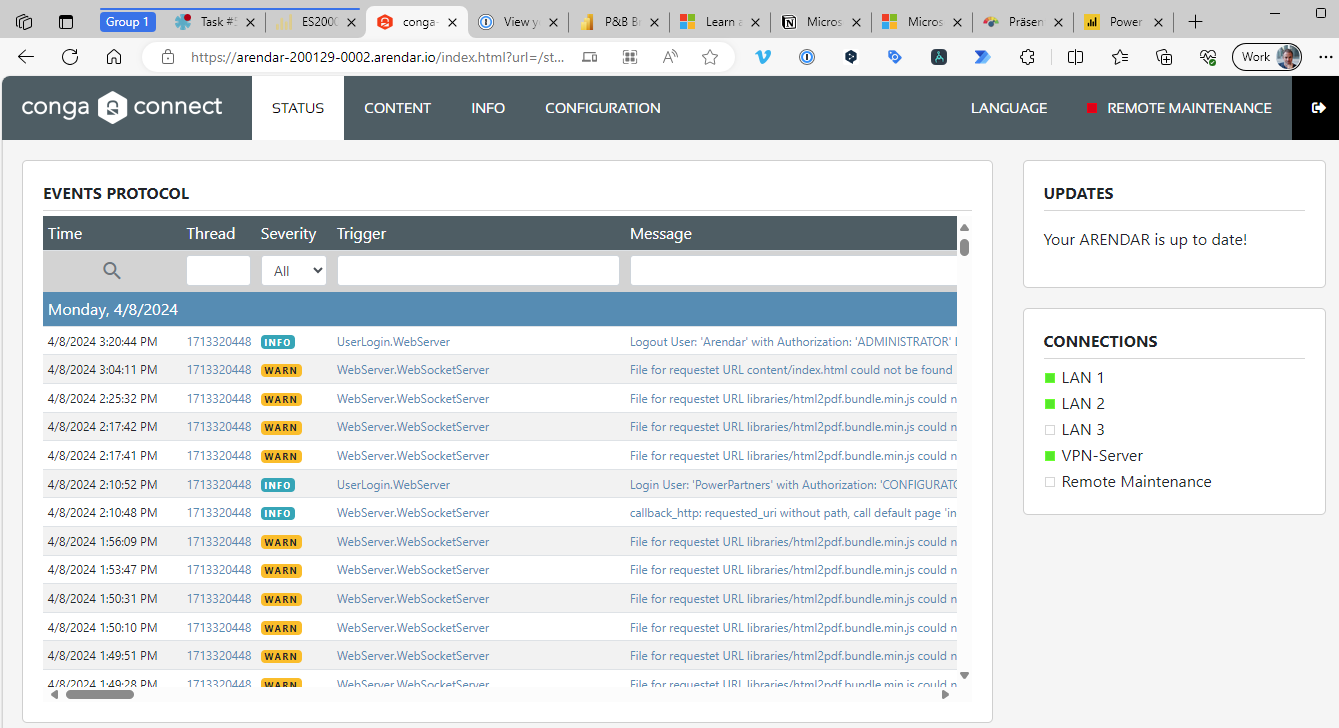
Accessing the InfluxDB
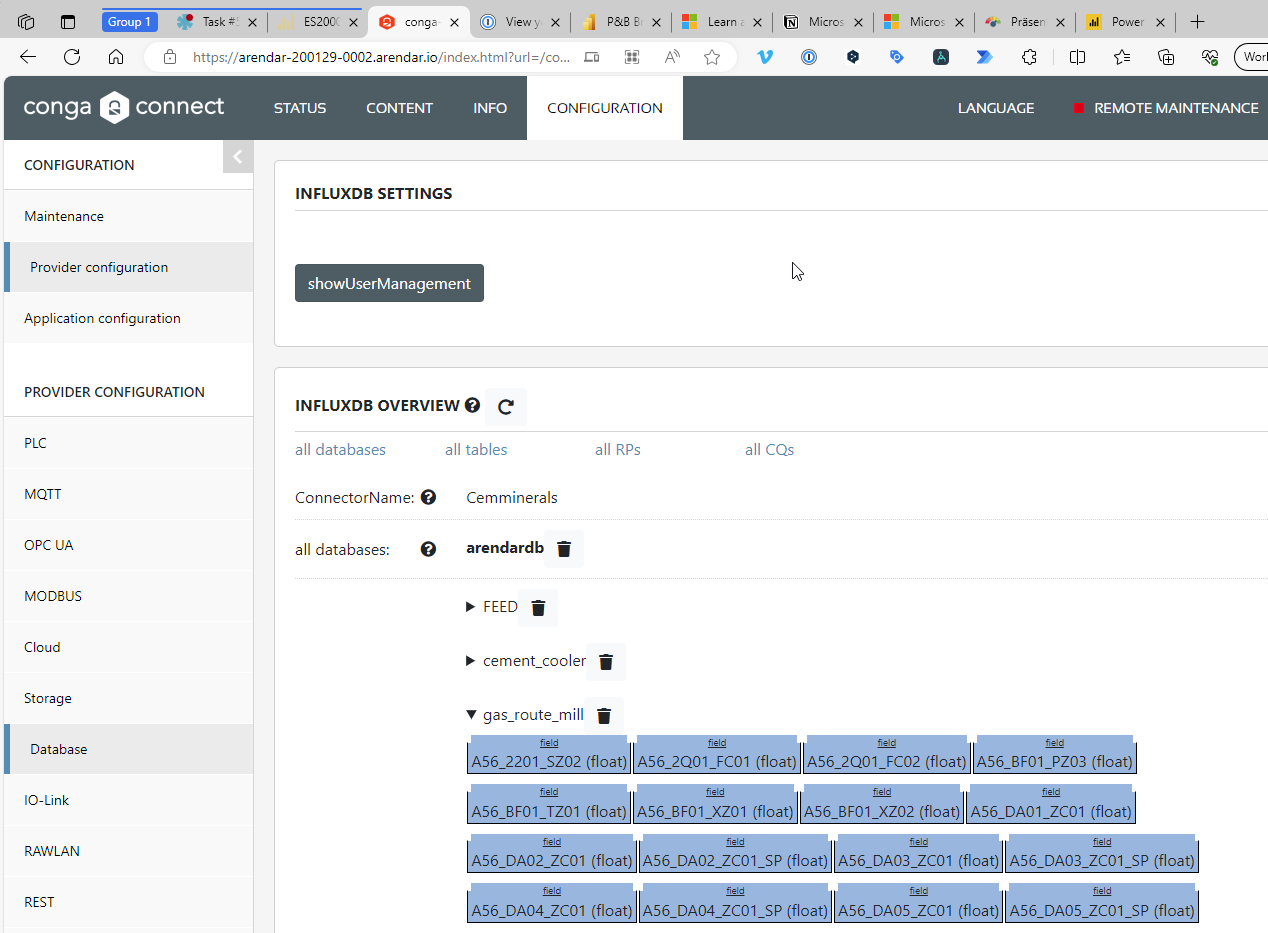
Once connected, you can go to
Configuration > Provider Configuration > Database Provider > Cemminerals > Edit > Settings
The Settings is the wrench on the top right.
You will see a list of all the tables, with the respective fields:
We are using the ReportingUser.
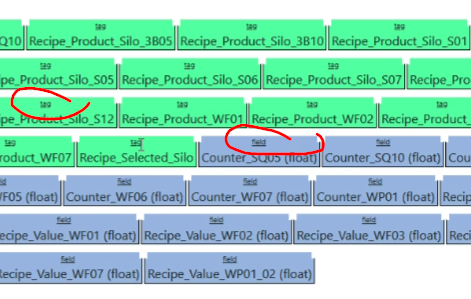
There are two different types of columns used:
- tag: these are indexed floats
- field float: these are just floats
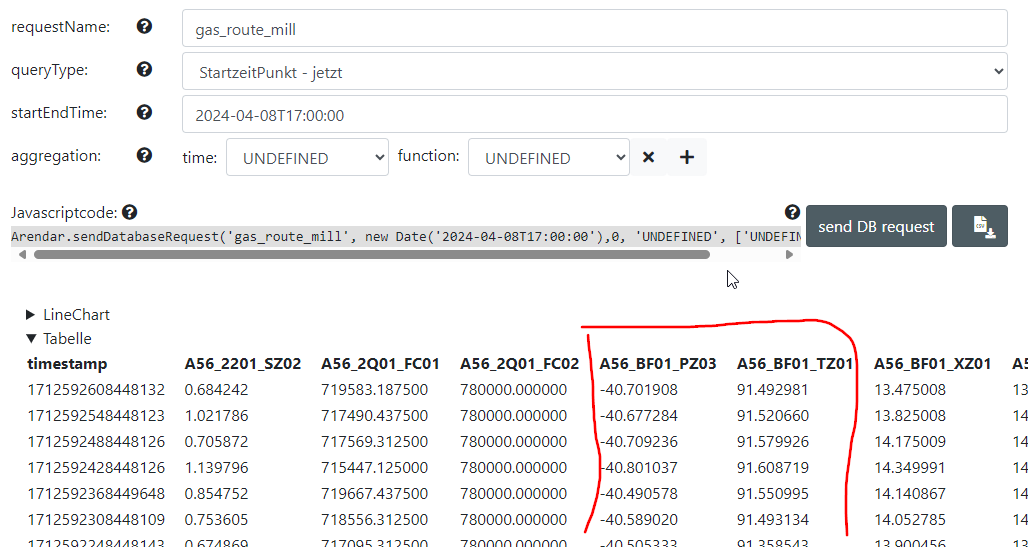
View Data
To view the data, go to:
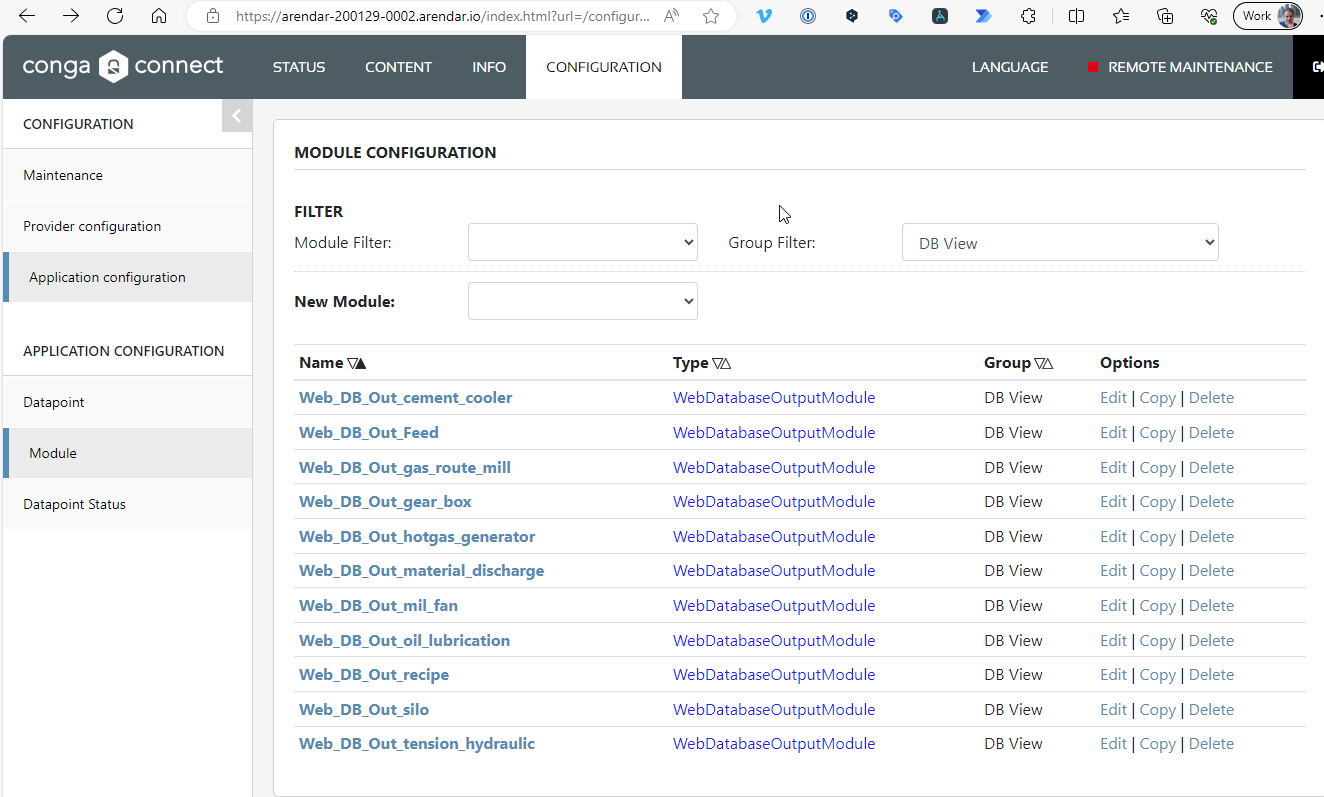
Configuration > Application Configuration > Modules > Group Filter = DB View
-
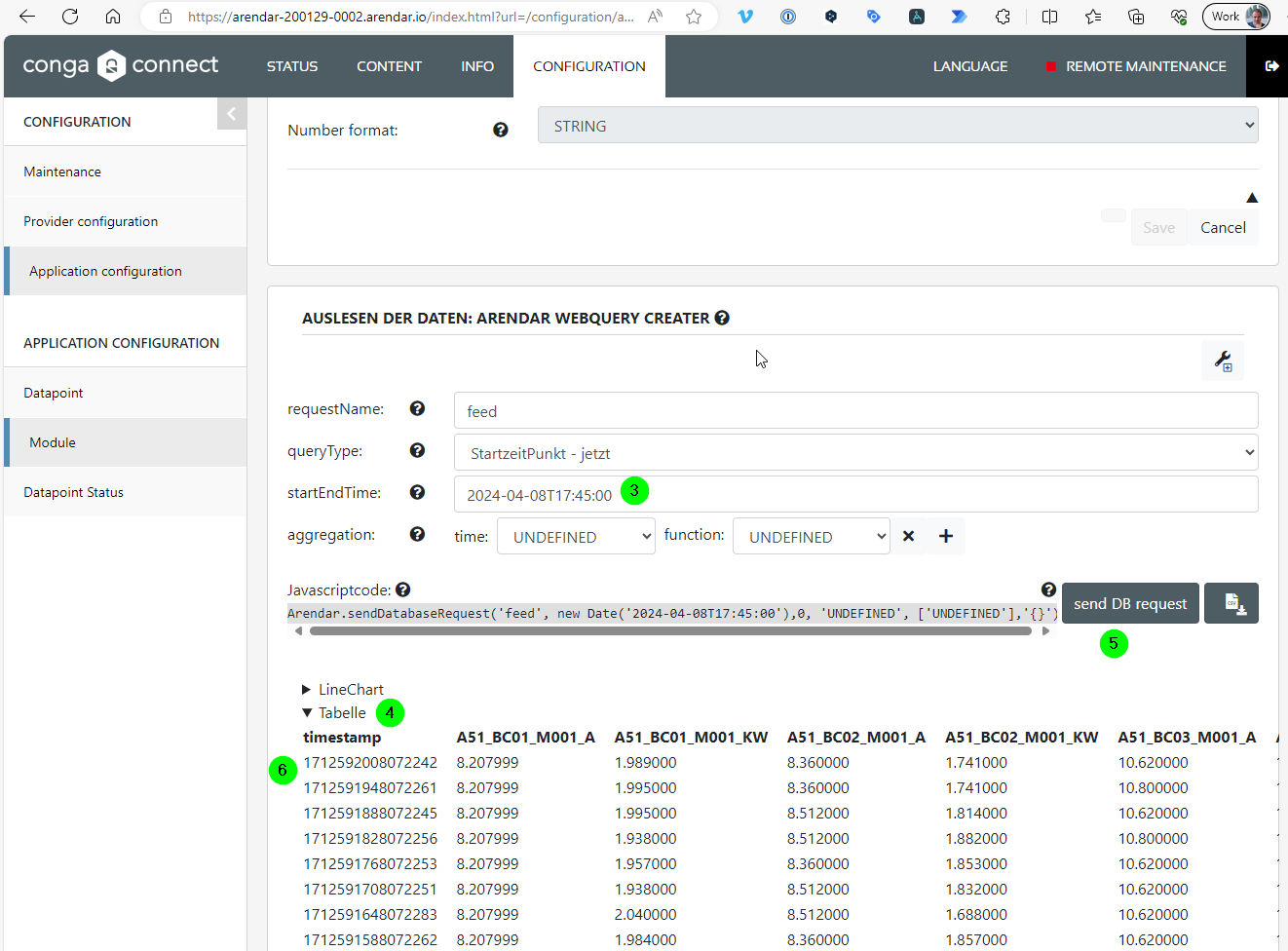
click on the table
-
select
Daten Auslesen -
set the
startEndTime -
open the the
Tablesection -
click on
send DB request -
the system will show you the data
Naming Conventions
Each column shows the timeseries value of some measure.
-
The first three letters (e.g. A51) is the AKZ (Anlagenkennzeichnung).
-
The second and third define the measures.
-
The third defines the unit, namely:
- KW: Kilowatt
- A: Ampère
- P: Pressure
- T: Temperature
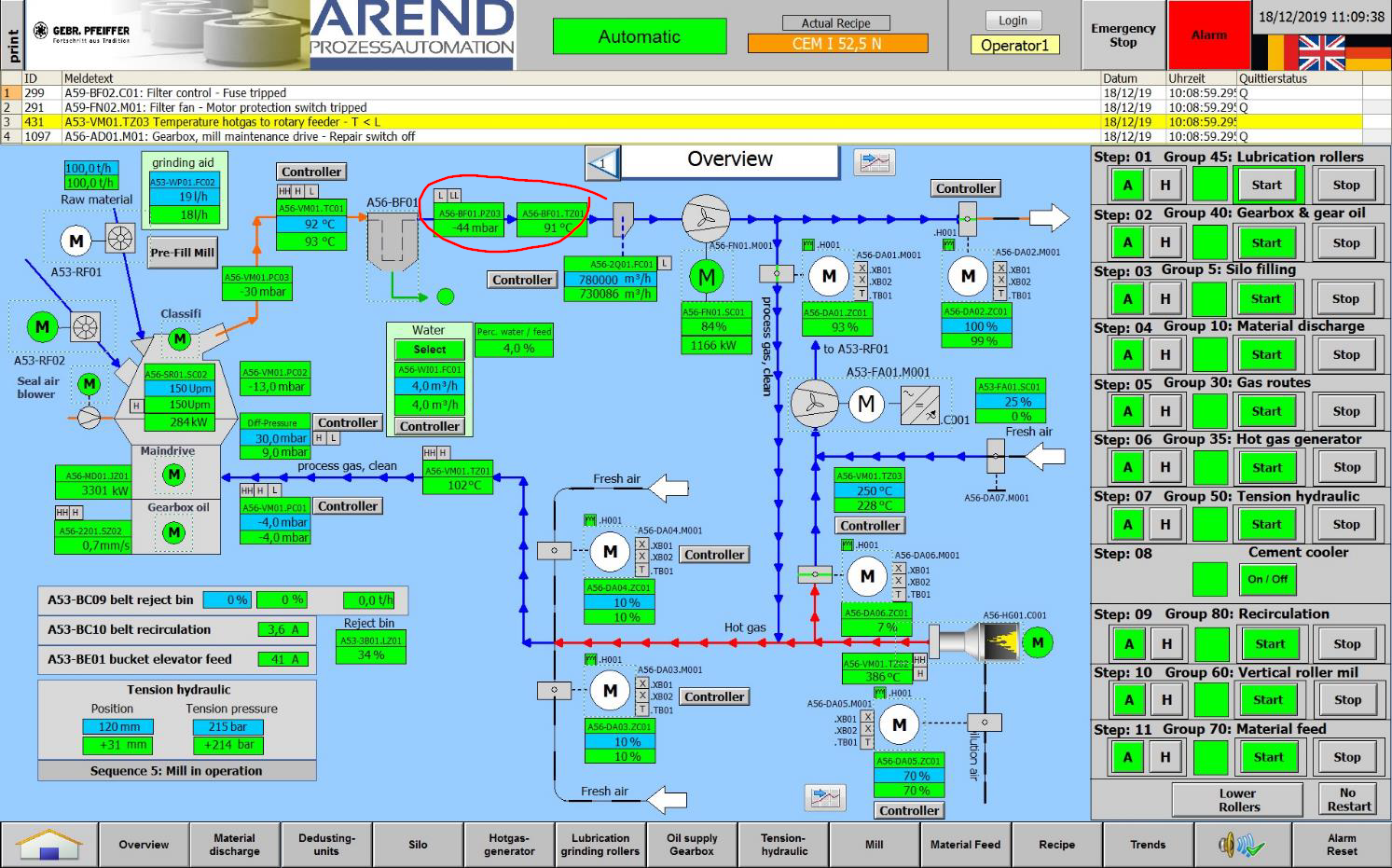
For example, the temperature and pressure of A54-BF01 is: