Dispo Screen
Leisibach has a Dispo team that plans and assigns the trips of the drivers.
The Dispo Screen shows the status of current orders, so that the dispo team and the management have an impression of what is going on today.
We have three screens:
-
Dispo Status: Shows the status of orders from the perspective of the dispo team
-
Invoicing Status: Shows the status of orders from the perspective of the invoicing team
-
Detail Screen: Allows searching specific orders and understanding the numbers in the previous two screens
The Dispo Status Screen and the Invoicing Status Screen are intended as overviews on a TV screen in the dispo room. The Detail Screen is intended for use in a browser on a computer.
Dispo Status
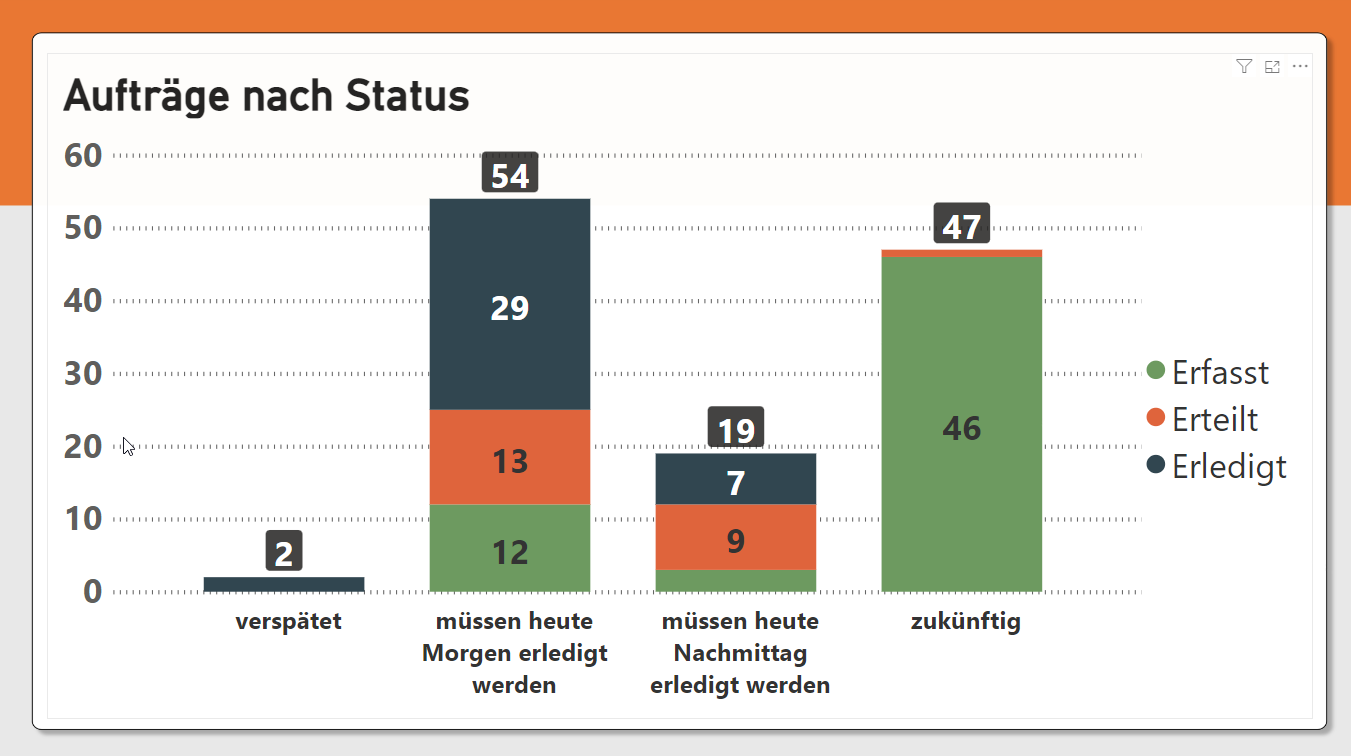
The screen shows dispo orders only, i.e.:
-
Dispo Fakturieren = True
-
no series (Sammelaufträge)
-
no Tourendispo (Source = D14)
-
no Lieferscheine (Source = L1)
This screen shows dispo orders only if either:
-
they have an end_date today or in the next 7 days, or have status other than 'Erfasst' (NOTE: for orders without an end_date, we take the start_date)
-
they have the dispo flag not set
-
they have the invoice flag not set
It then splits the orders into one of five categories:
-
PAST: end date in the past (or start date in the past if end date empty)
-
MORNING-END: end date < noon today
-
AFTERNOON-END: end date between noon and midnight today
-
FUTURE: start date tomorrow or later
-
TODAY-START: all remaining orders (i.e. effectively the ones where we don't have enough info to classify otherwise)
How to read the dashboard
At noon, the situation might look like this:
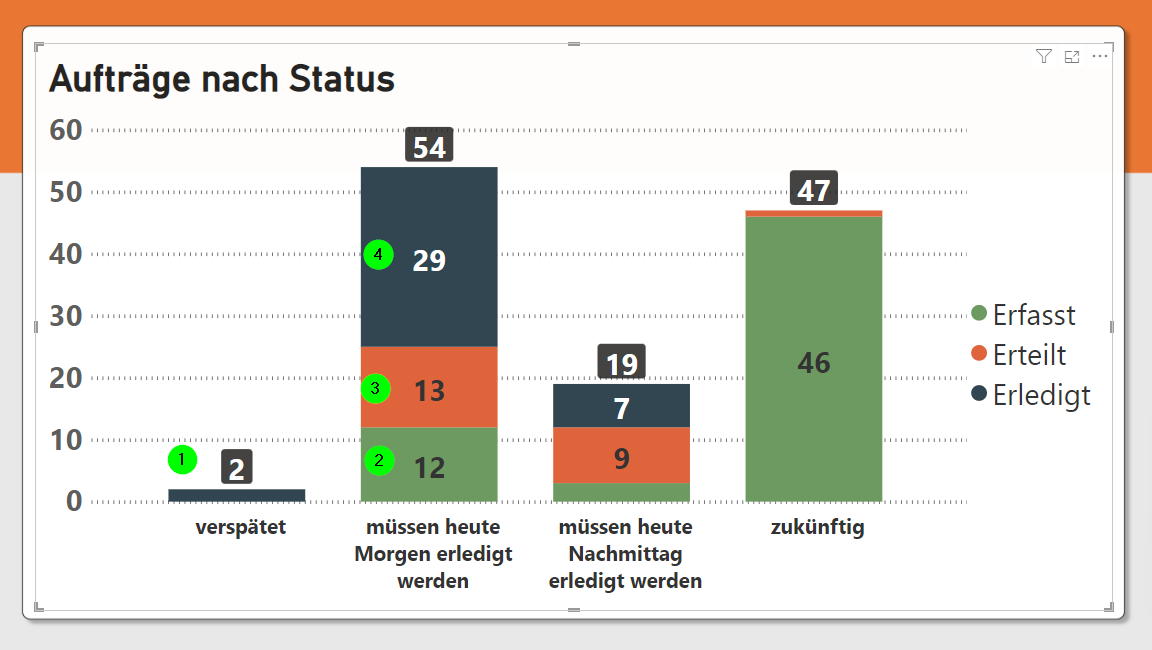
-
PAST: orders that areERLEDIGTneed to be checked immediately by the dispo team -
MORNING-END: orders that areERFASSTare bad. Dispo should have assigned them to drivers. The orders will be fulfilled too late. -
MORNING-END: orders that areERTEILTare also bad, though here it's on the drivers, they should have done the job already! -
MORNING-END: orders that areERLEDIGTare good. Though dispo should check them before CoB tonight!
Now, let's assume we are at 5 p.m. The situation then looks like this:
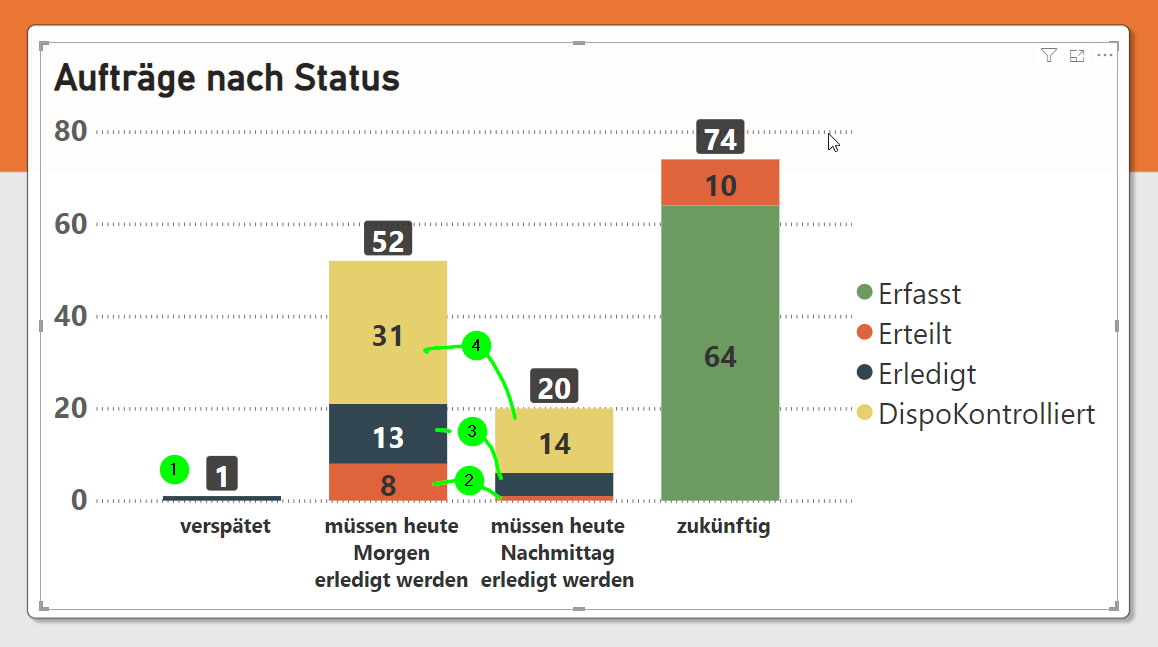
-
PAST: orders that areERLEDIGTneed to be checked immediately by the dispo team -
ERTEILTdrivers have still not done their job -
ERLEDIGTdispo should have checked! -
DISPO-KONTROLLIERTNice job!
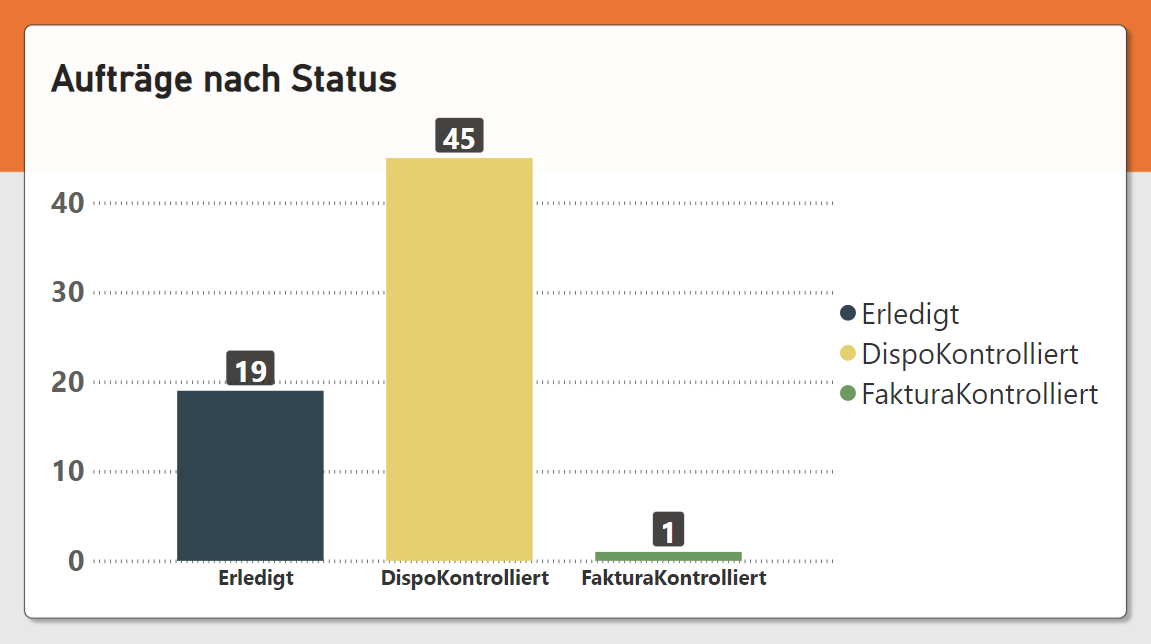
Invoicing Status
Again, this screen shows dispo orders only.
It shows dispo orders only if their status is:
-
ERLEDIGT(l) show all -
DISPO-KONTROLLIERT(kd) if end_date today or in the future (or, start_date if end_date not available) -
FAKTURA-KONTROLLIERT(kf) ifKontrolliertDatum>= today
NOTE: the problem is that DISPO-KONTROLLIERT has only a flag, but no DispoKontrolliertDatum
Detail Screen
In the detail screen, you can search for any order and check its status.