Git LFS
Initialise LFS for a new repository
On a new repository / new client, you will want to run these commands to make sure the right files are added to git lfs:
git lfs track "*.pbix"
git lfs track "*.xlsx"
git lfs track "*.csv"
git lfs track "*.mov"
git lfs track "*.pdf"
git lfs track "cache.abf"
NOTE: the cache.abf file is the file storing the data for pbip project storage.
Background
Git LFS (Large File Storage) allows storing binary files outside the git repository. This keeps the repo lean and fast.
Git LFS is especially useful for binary files (e.g. Excel, pbix). But we also use it for CSV files, as these can get very big, and even though they are text-based, different version (if they exist at all) are notoriously hard to compare.
General documentations: https://docs.github.com/en/repositories/working-with-files/managing-large-files/configuring-git-large-file-storage
Files added to Git LFS
We typically add the following files to git lfs:
-
Excel
-
pbix
-
csv
-
mov
-
pdf
-
jpg
-
png
-
abf
Installing and initializing Git LFS
If you are using GitHub Desktop, you don't need any extra steps.
Add a file to Git LFS
To add a new file or file type to Git LFS, proceed as follows:
-
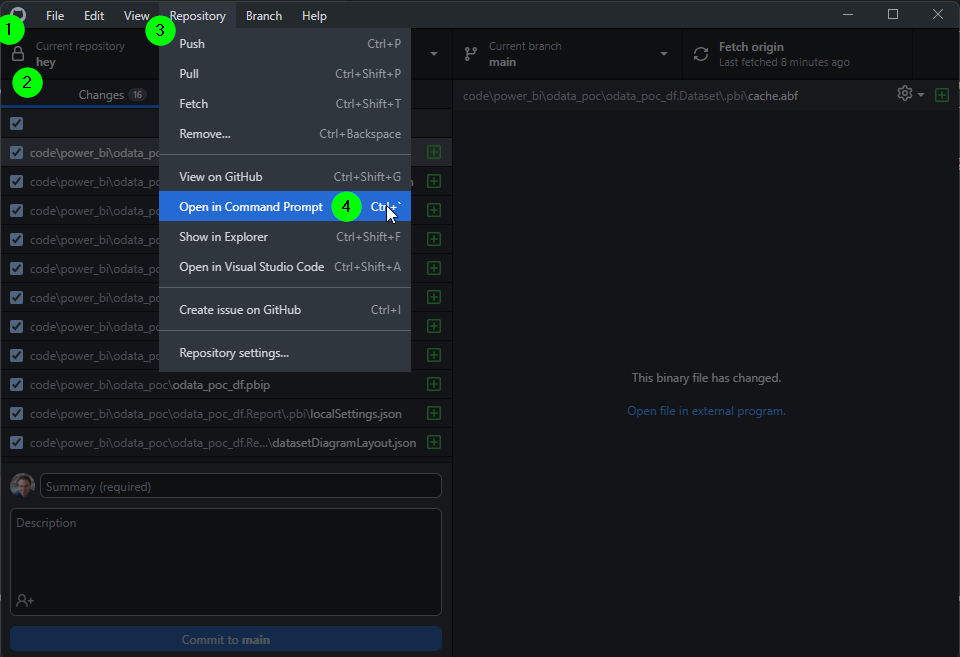
open a command line and point to the root folder of the git repository. The easiest way to achieve this is to
- Open GitHub Desktop
- Select the project at hand
- Menu Repository
- Open in Command Prompt
-
run the following command:
git lfs track "*.psd"whereby you replace "*.psd" with the desired file or file type
Check which files are added to Git LFS
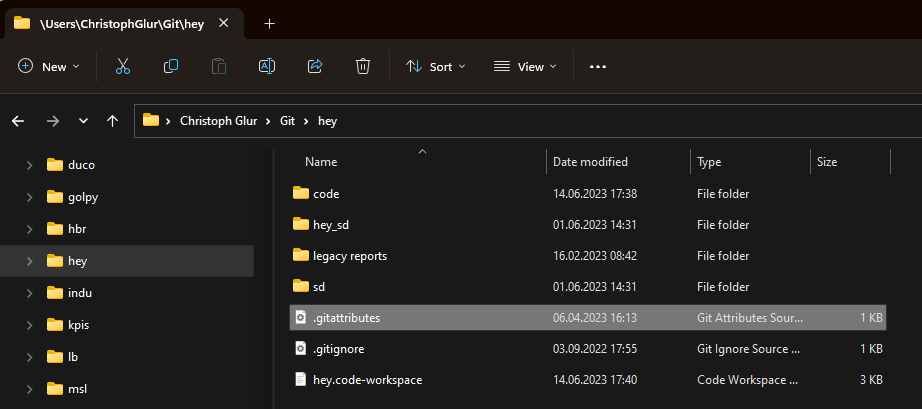
To check which files are added to git LFS, find the filie .gitattributes in the git root folder:
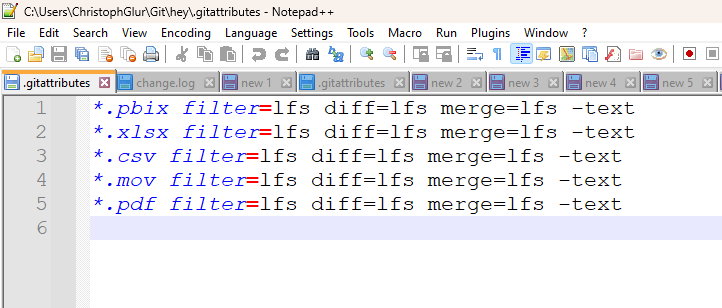
Its content will tell you which files have been added:
Remove a file
It's a bit harder then one would wish. Read the official documentation if required.
If it's good enough to just stop adding a certain file type to git LFS, then simply remove the respective line from .gitattributes.