Azure Data Factory (ADF)
Info
- Naming Convention:
xxx-pwrp-adf - Deployment granularity:
- we typically have a single ADF per client
- GitIntegration: via GitHub
Prerequisites
- a github or devops git repository
Create Azure Data Factory
-
Create a new azure data factory, called
xxx-pwrp-adf -
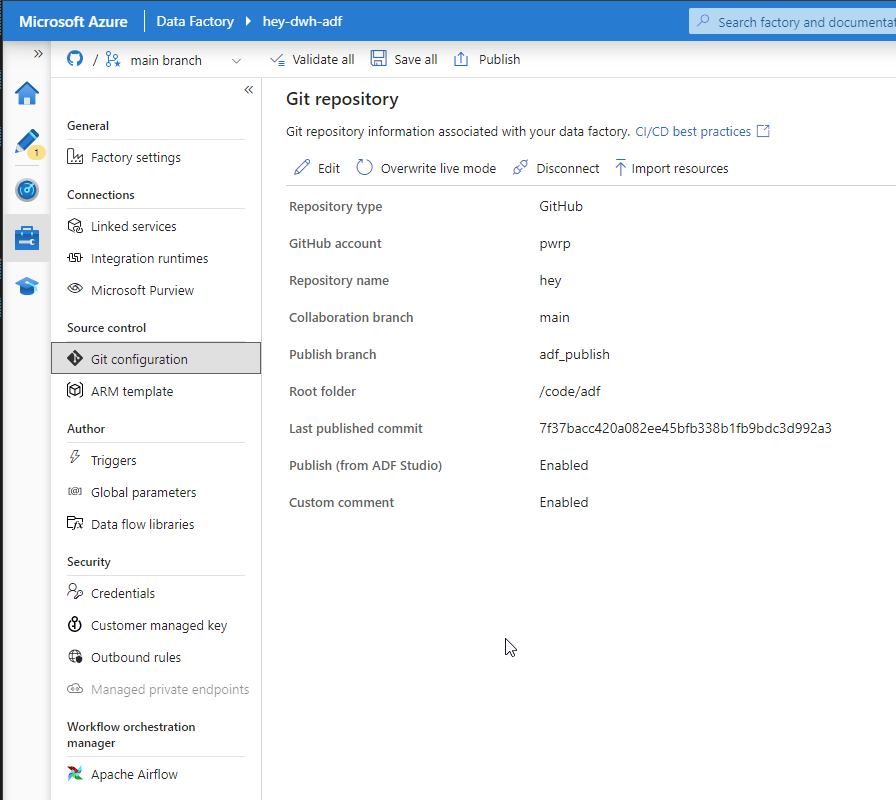
Set up code repository, and point to the GitHub repository
-
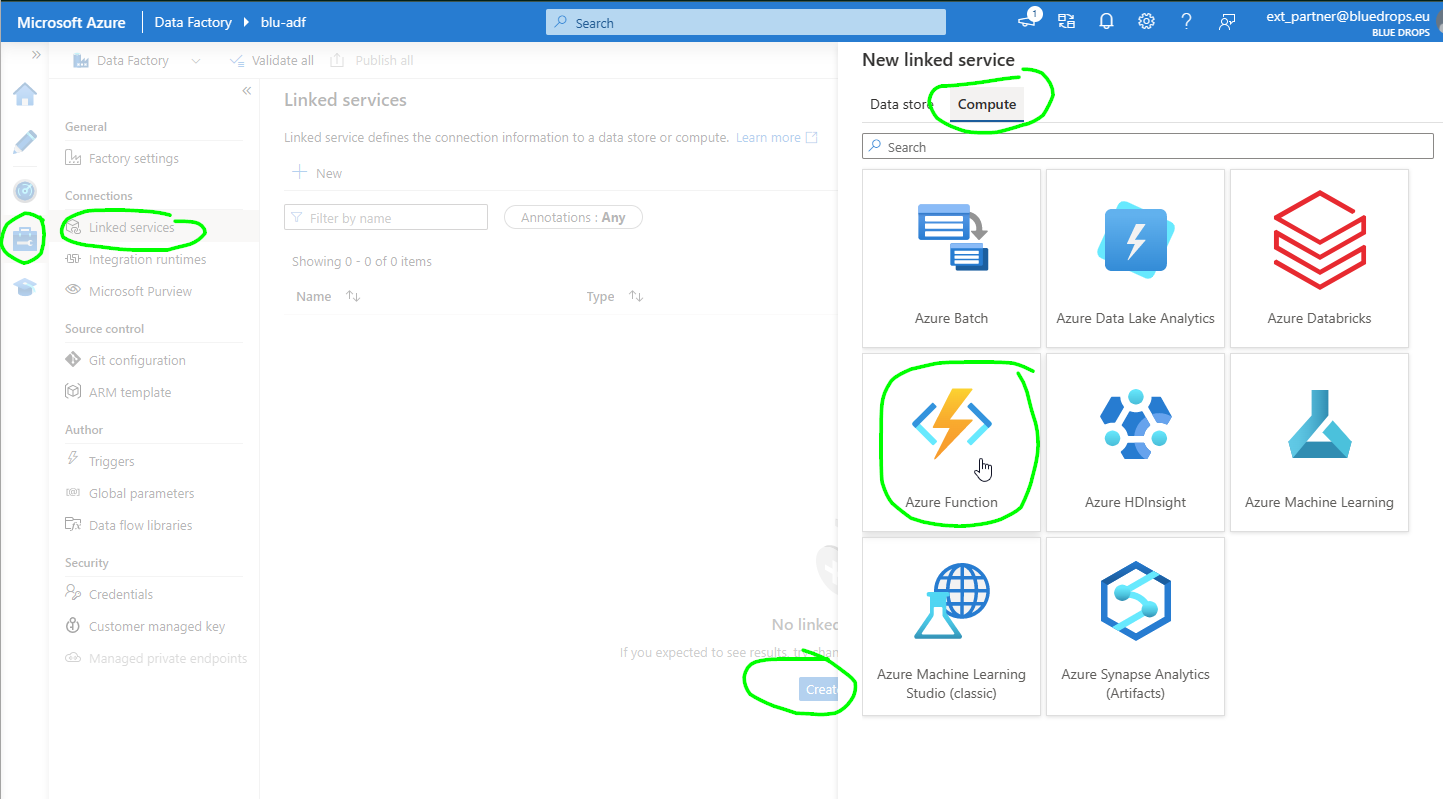
In Azure Data Factory, create Linked service pointing to the above Azure Function.
- Name: CopyFromBC2SQL
- Subscription and URL: If you did everything right so far, you can select them.
- Function Key: the App Key from the Function App you stored from the Azure Function (Function App> App keys> default). If there are more functions that need to be call, instead of default, we can use master key (e.g. if we're using durable functions)