New Employee IT Onboarding
Owner: it-onboarding-executor
- Create User in Microsoft
- Double-Check that MFA is enforced (in Entra)
- Assign Licenses in M365. Typically, it is at least:
- Microsoft 365 Business Premium (this will give the user a mailbox, One Drive, and more)
- Microsoft Defender for Endpoint
- Microsoft Entra
- Microsoft Teams
- Power BI Premium Per User
- Add to the
EmployeesM365 group
- Invite User in 1password
- Create User in Planio
- Add User to Exlaimer
- Send invite from Fathom
- Team: Delivery
- User: Limited
- Add User to 3cx
- create user
- Call Handling: add to respective team
- Add user to Clockodo
- assign manager
- set team
- set hours
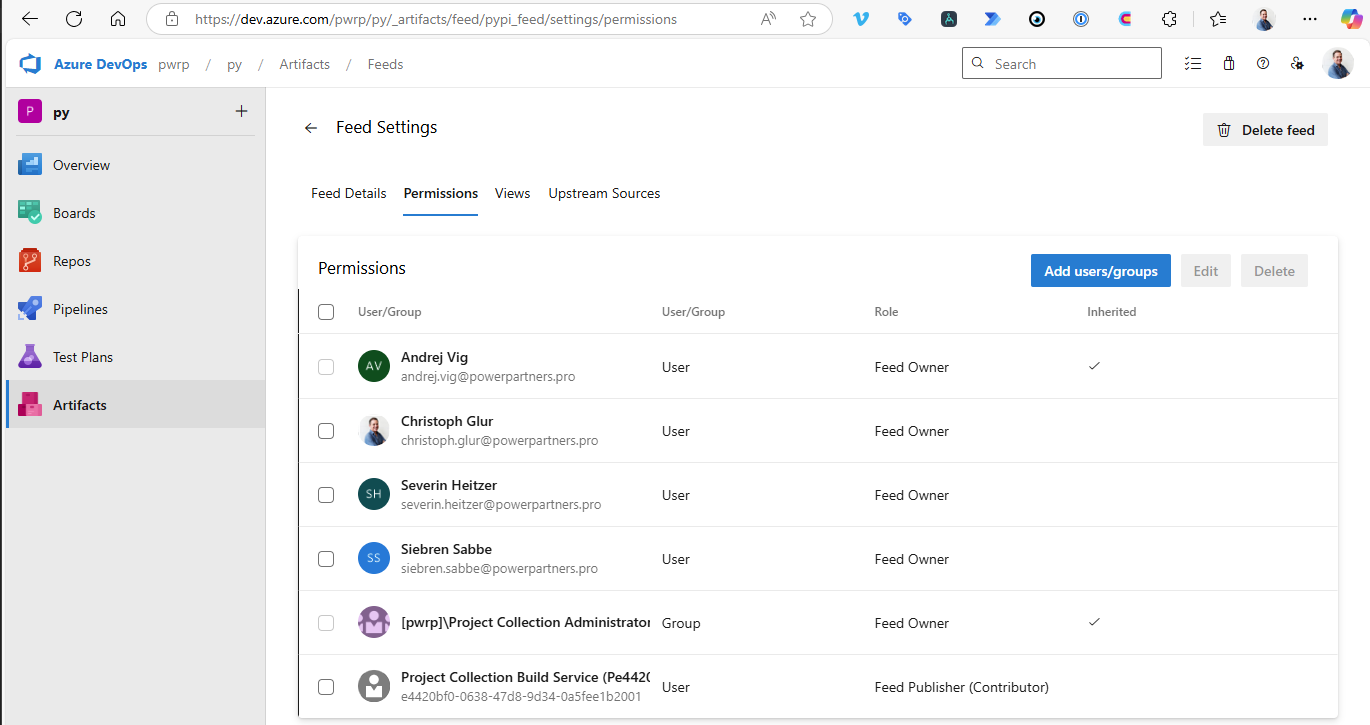
- For technical users that will write py code: Add user to dev.azure.com
- in https://dev.azure.com/pwrp/_settings/users add him with Basic Access Level (IMPORTANT)
- in https://dev.azure.com/pwrp/py/_settings/permissions add him to the py Team
- in https://dev.azure.com/pwrp/py/_artifacts/feed/pypi_feed/settings/permissions add him as an Owner