Month-End Closing
This process describes the monthly account reconciliation process.
Background Info
Monthly, we reconcile our accounting with the bank and credit card accounts. This makes sure that we have booked everything correctly.
Checklist
- each account balance is equal to the balance in the bank statement
- all added bookings have a receipt
- all bookings are correctly classified
Process AG
High Level Process
-
In bexio
- in banking, reconcile bank transactions by fetching in the Banking module
-
In Revolut
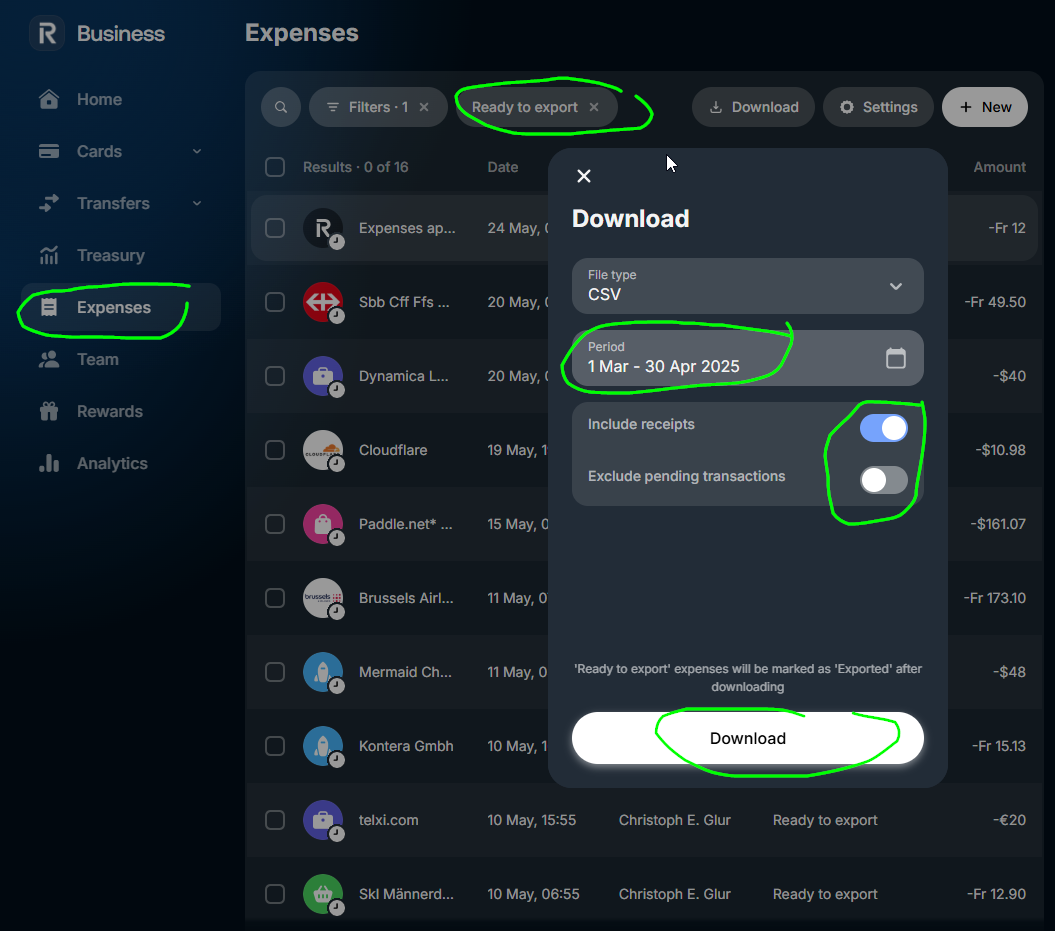
- make sure all expenses are entered for the previous month
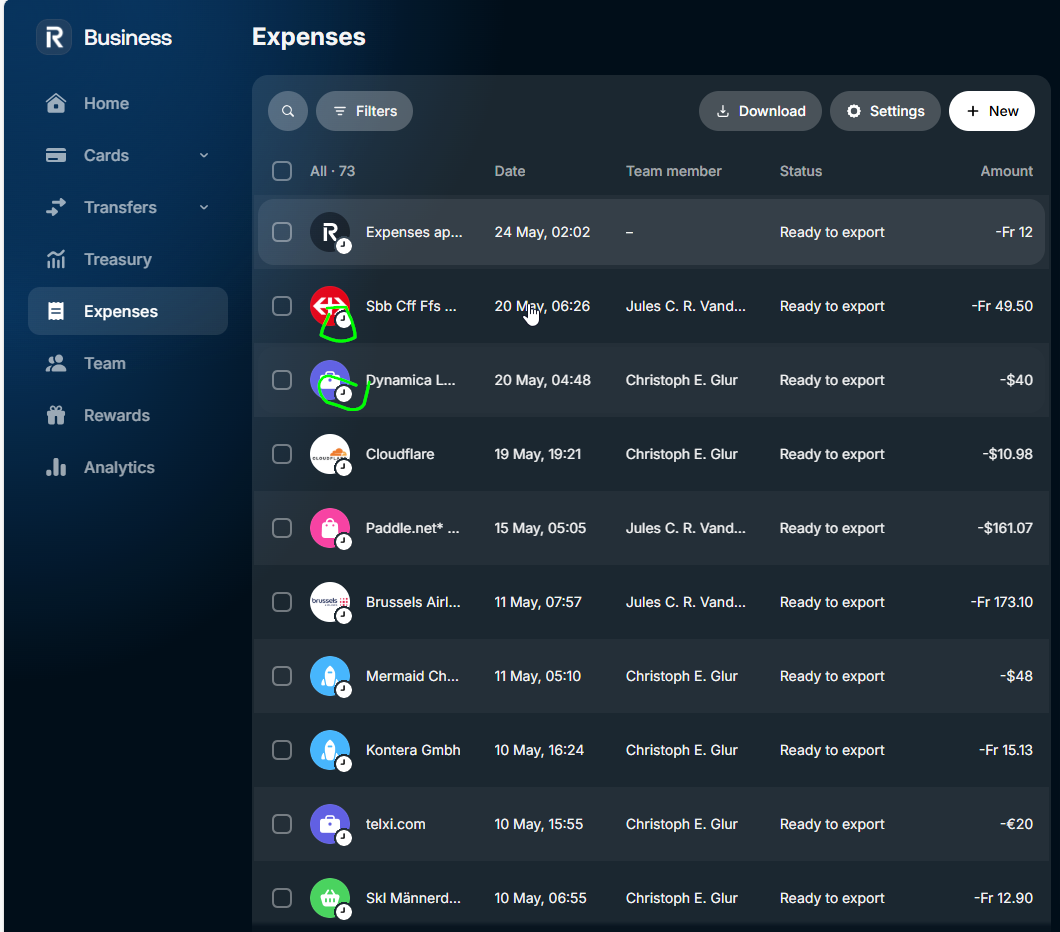
- export expenses
- select
Ready to export - select time range
- click on
Download
- select
-
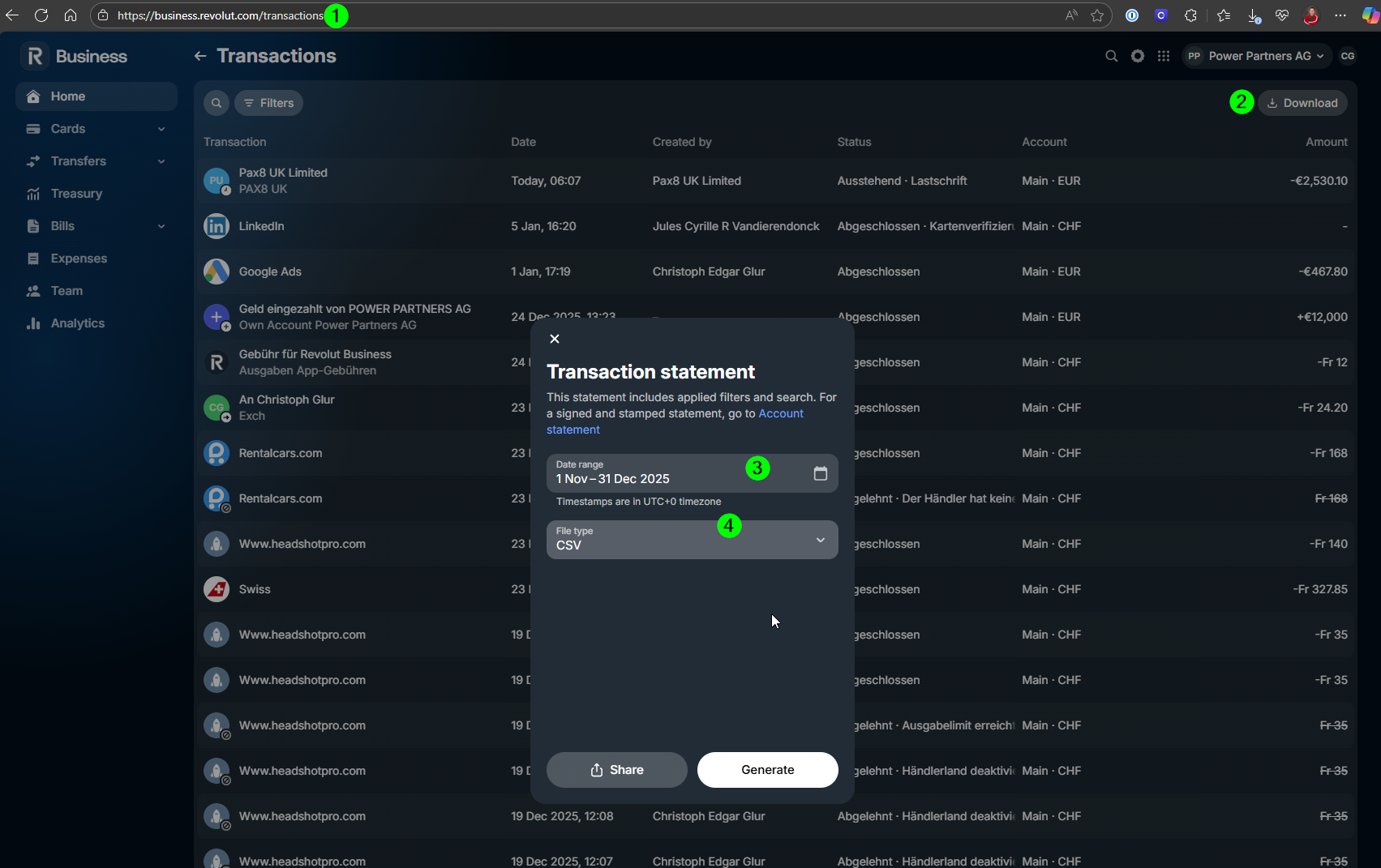
get Transactions by going to https://business.revolut.com/transactions (NOTE: there will be duplicates with the expenses, but they will be ignored by Kontera)
-
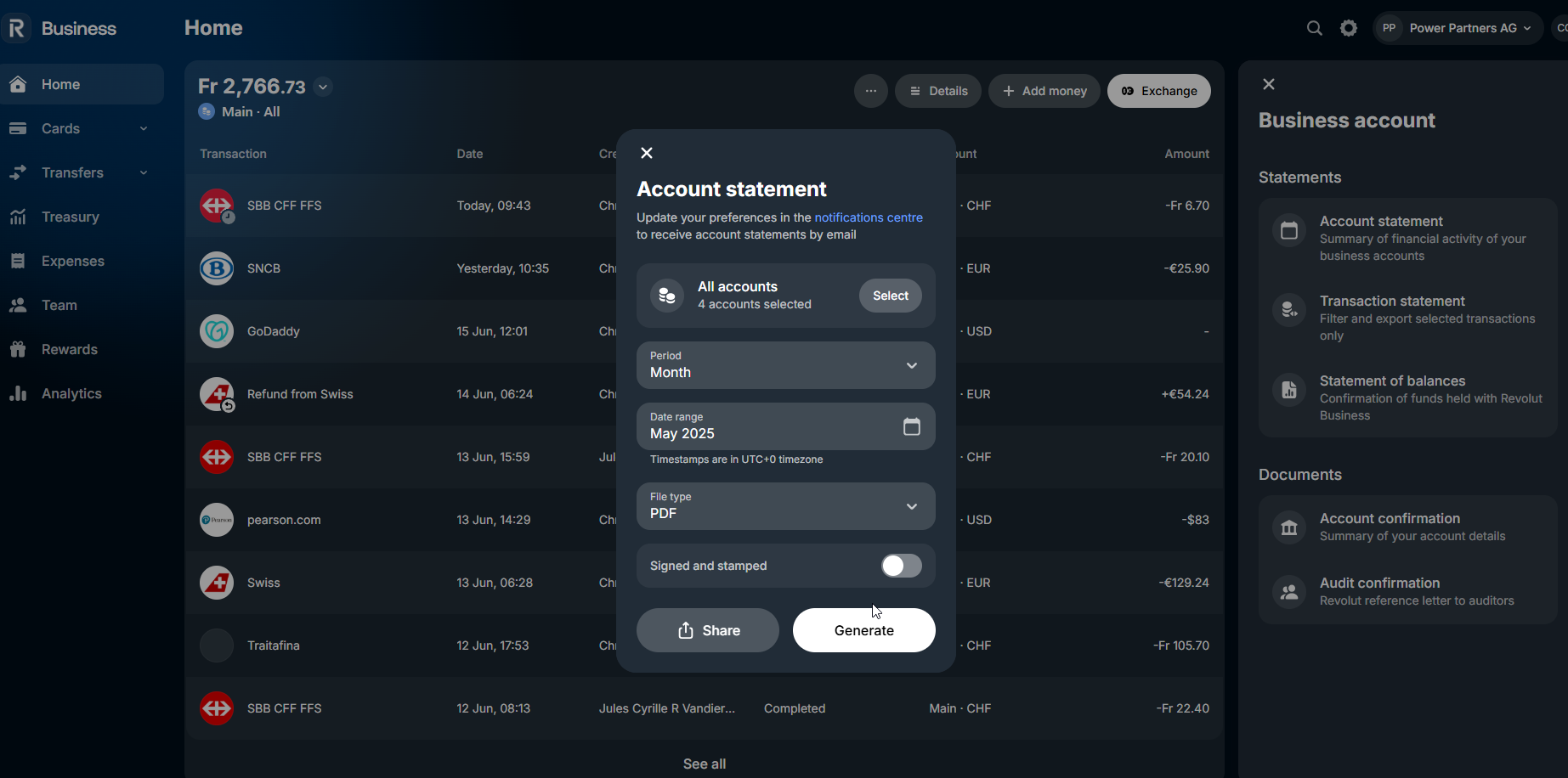
export the statements by going to https://business.revolut.com/overview?type=statements&accountType=all-main.
- make sure all expenses are entered for the previous month
-
in Kontera
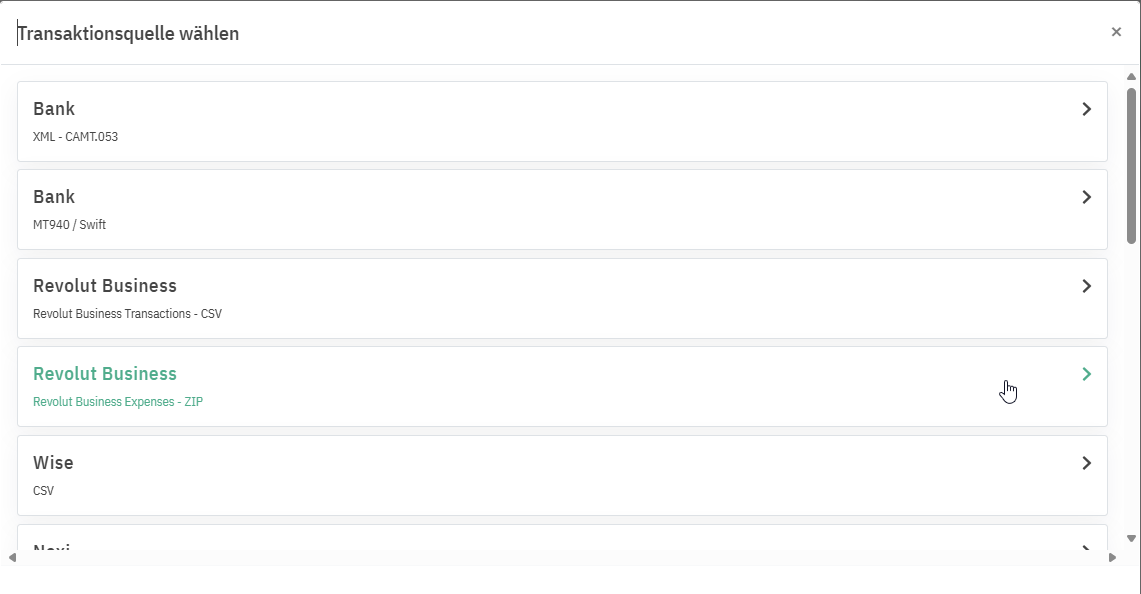
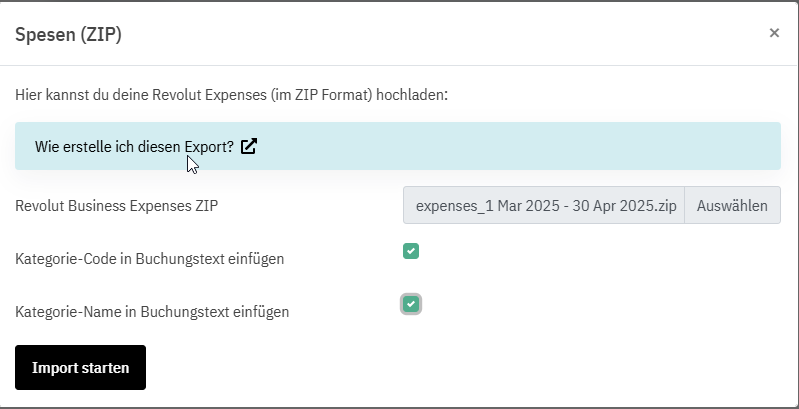
- import expenses from Revolut
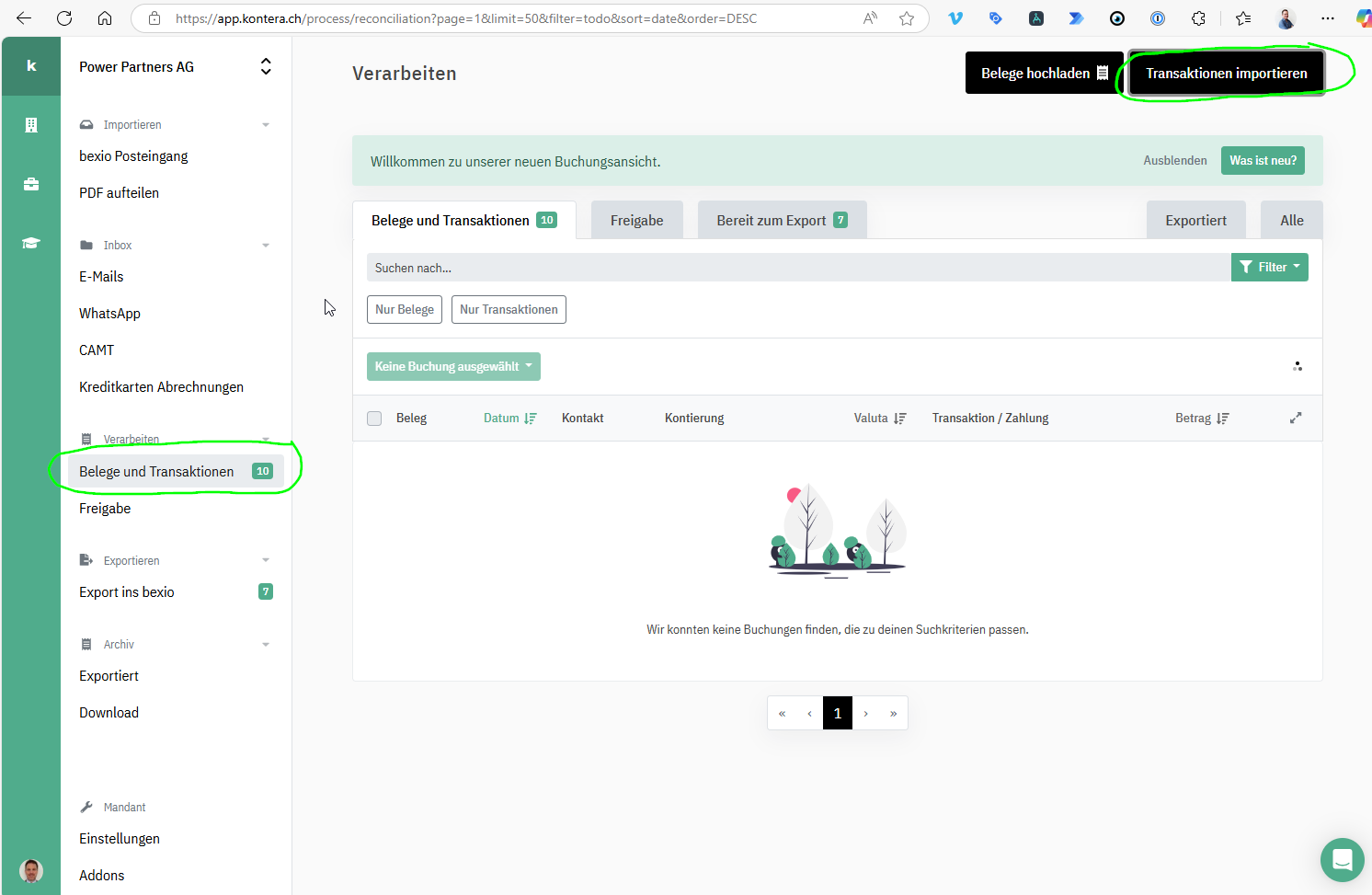
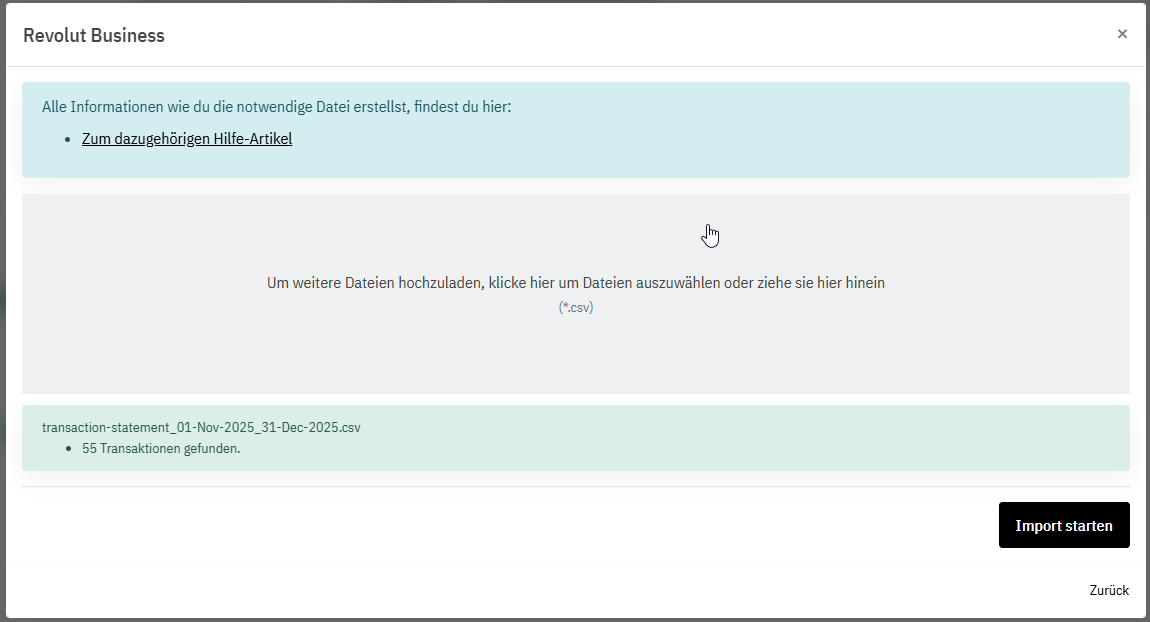
- import transactions from Revolut
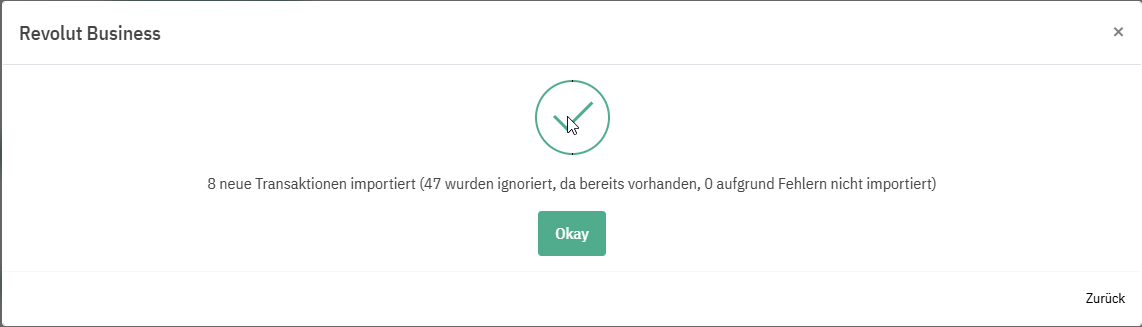
The duplicates will be ignored:
- book unmatched transactions
- transfers:
- Ohne Kontakt
- 1090
- No VAT
- Bankkurs nicht übernehmen
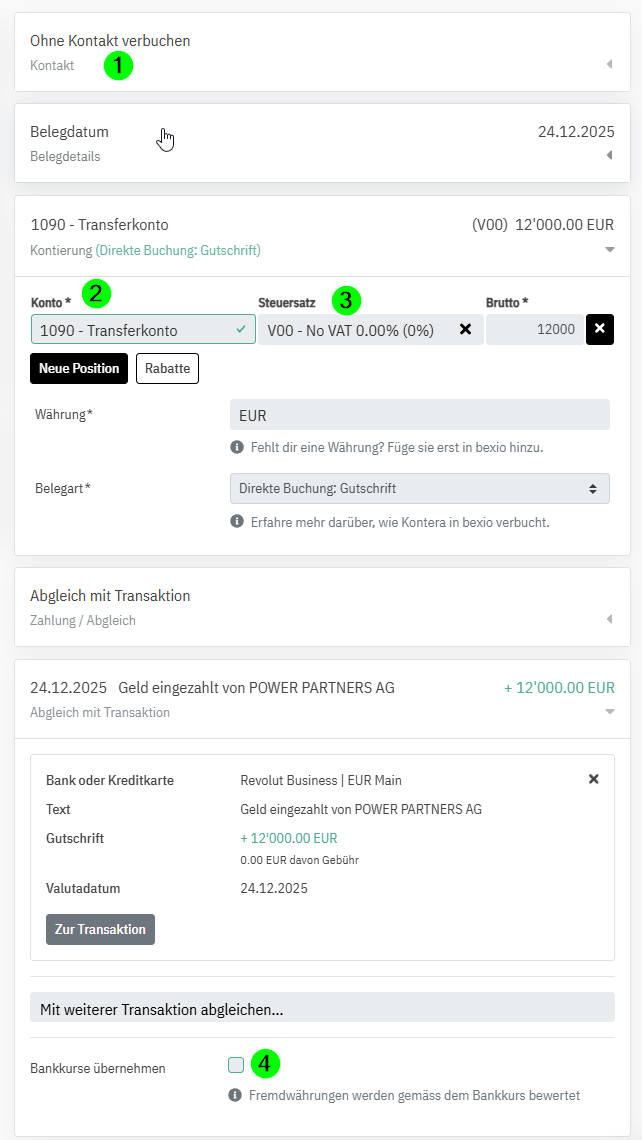
- transfers:
- verify automatically matched transactions, specifically MwSt:
- if MwSt on receipt, V-code (Vorsteuer -> zurückfordern)
- VM: 4000er Konten (V-Marge) CoS)
- VB: alle anderen (V-Betrieb): Personal 5, betrieblicher Aufwand 6)
- Dienstleistungen aus dem Ausland: Bezugssteuer
- BZM: 4000er Konten
- BZB: alle anderen
- if MwSt on receipt, V-code (Vorsteuer -> zurückfordern)
- import expenses from Revolut
-
in Amnis
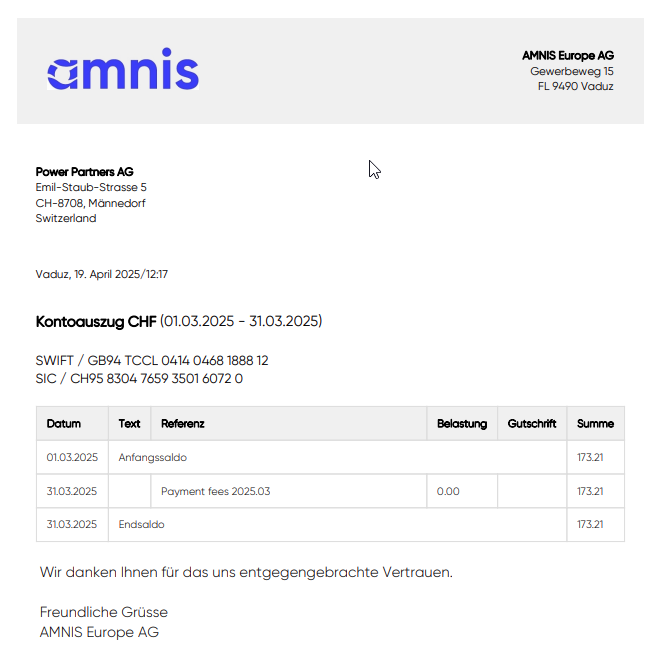
- for each account, download the statement as a PDF
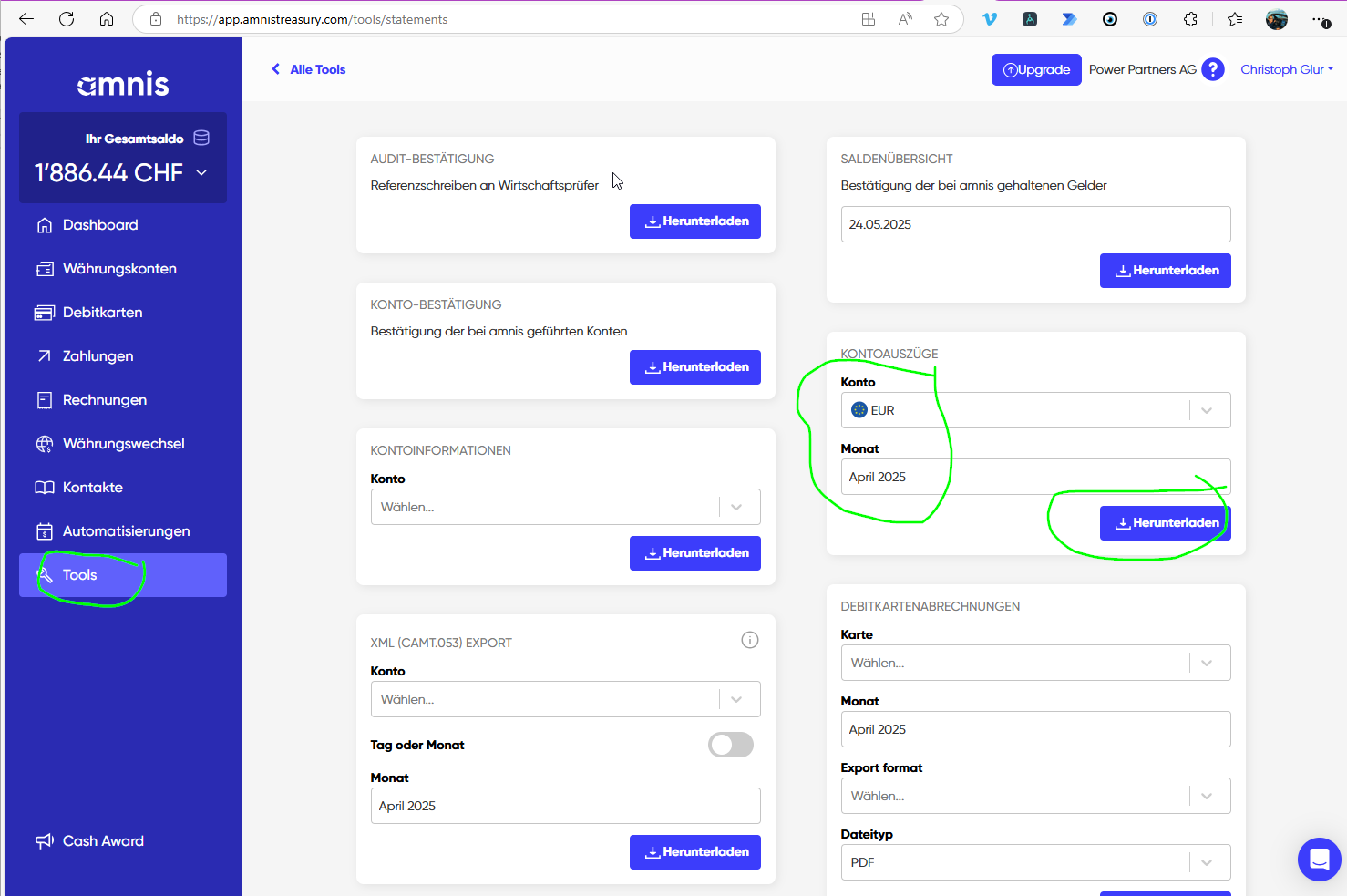
- Enter the transactions, as manual bookings
- the transfer from ZKB own account: book against 1090. Look up the FX of the ZKB transaction to make sure the 1090 balances out.
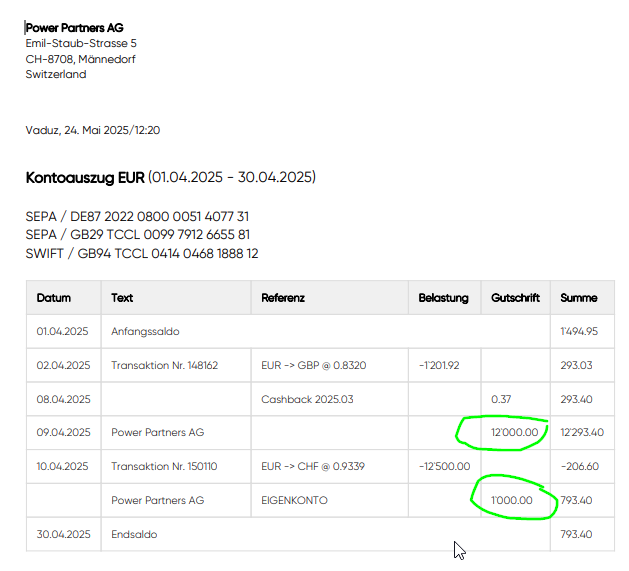
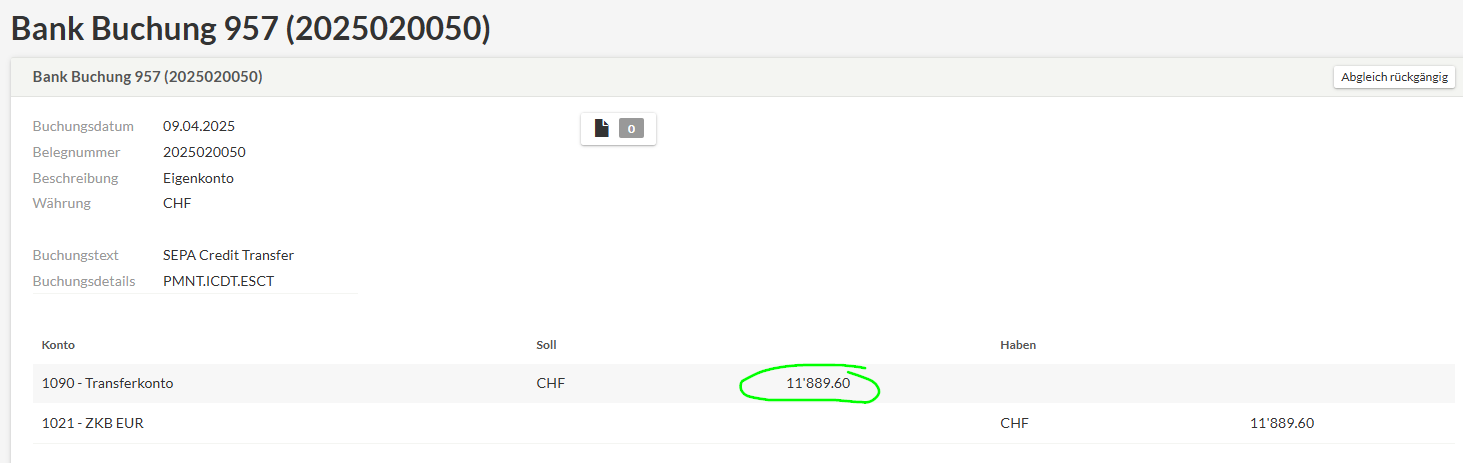
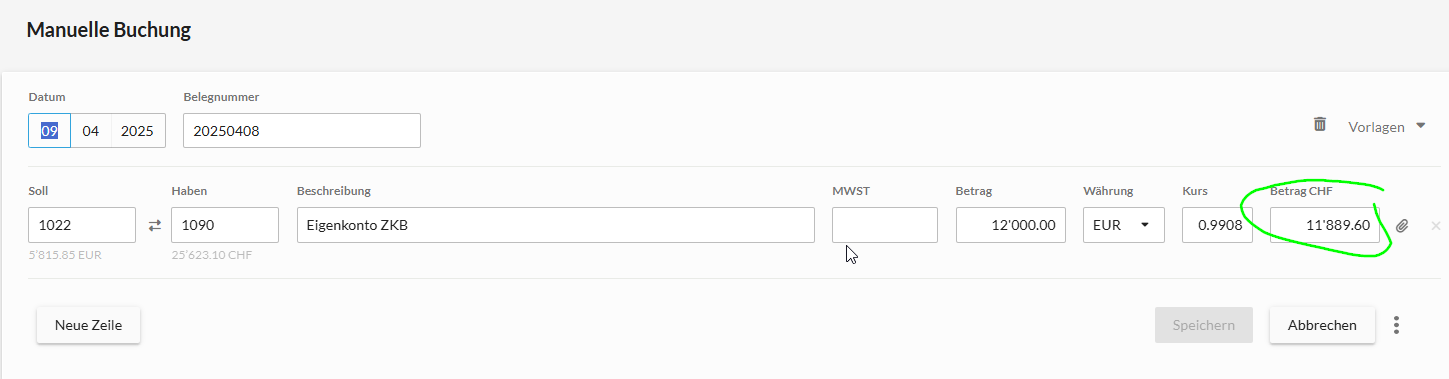
- The FX transactions in bexio are booked against 1090, as manual transactions
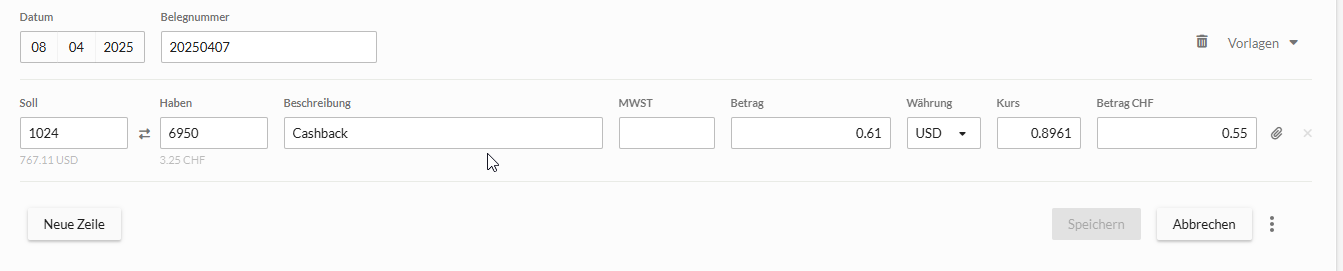
- The Cashbacks, you book as a manual booking:
- the transfer from ZKB own account: book against 1090. Look up the FX of the ZKB transaction to make sure the 1090 balances out.
- for each account, download the statement as a PDF
-
in bexio, reconile the statements with the bexio account balance
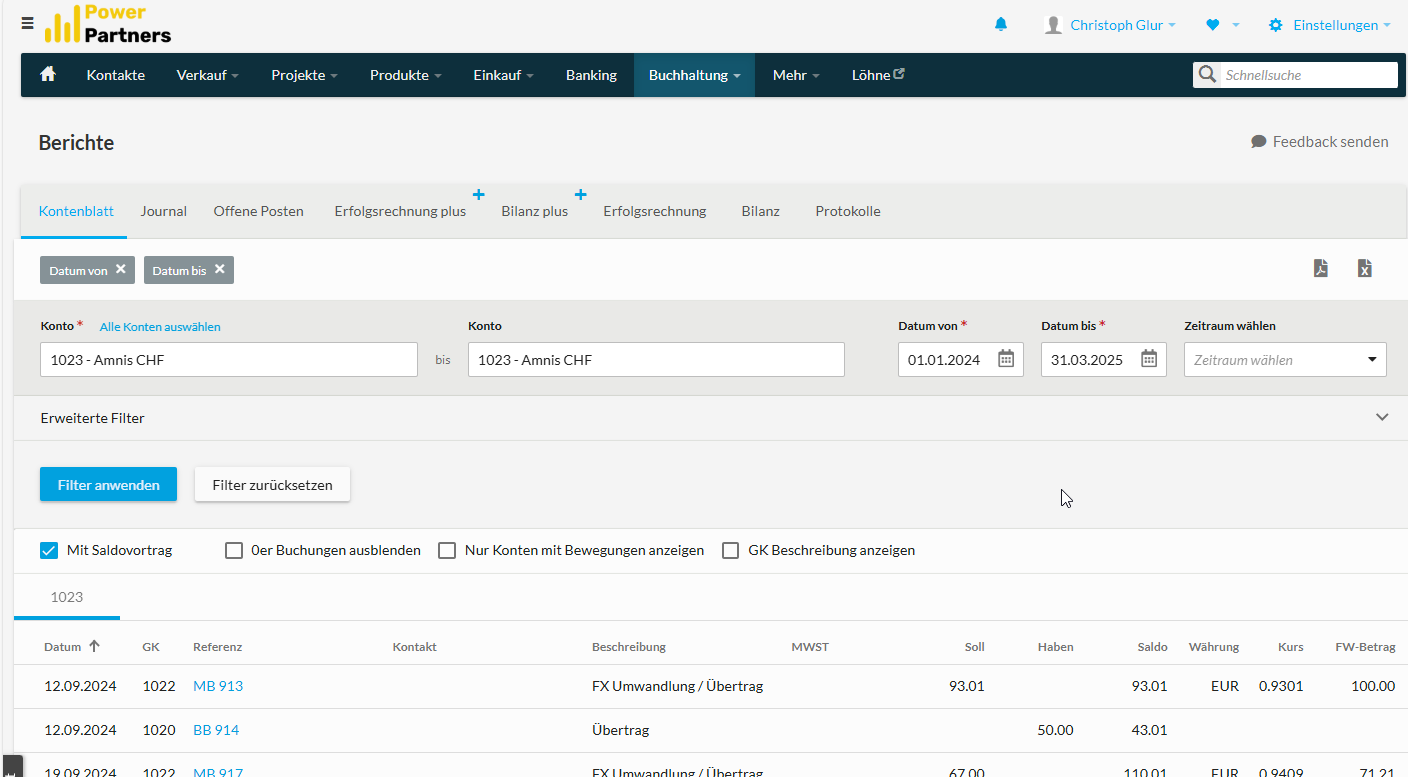
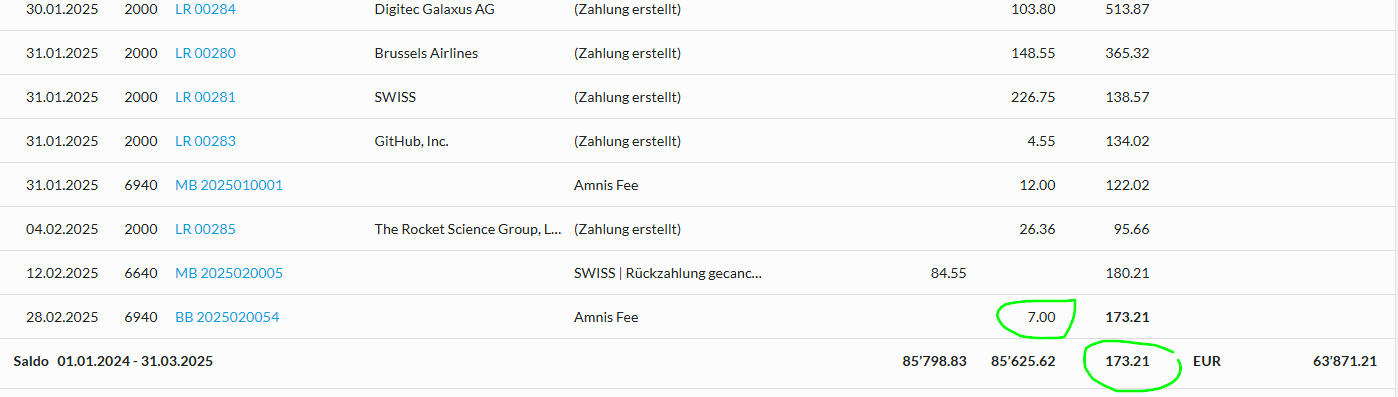
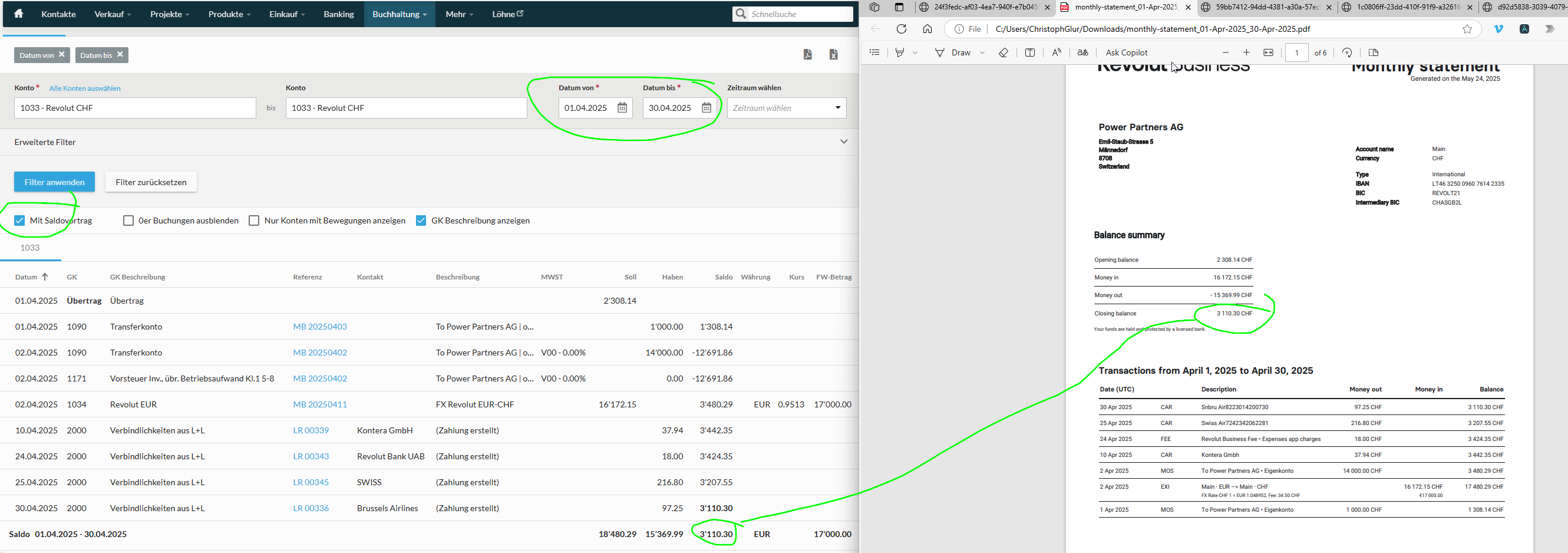
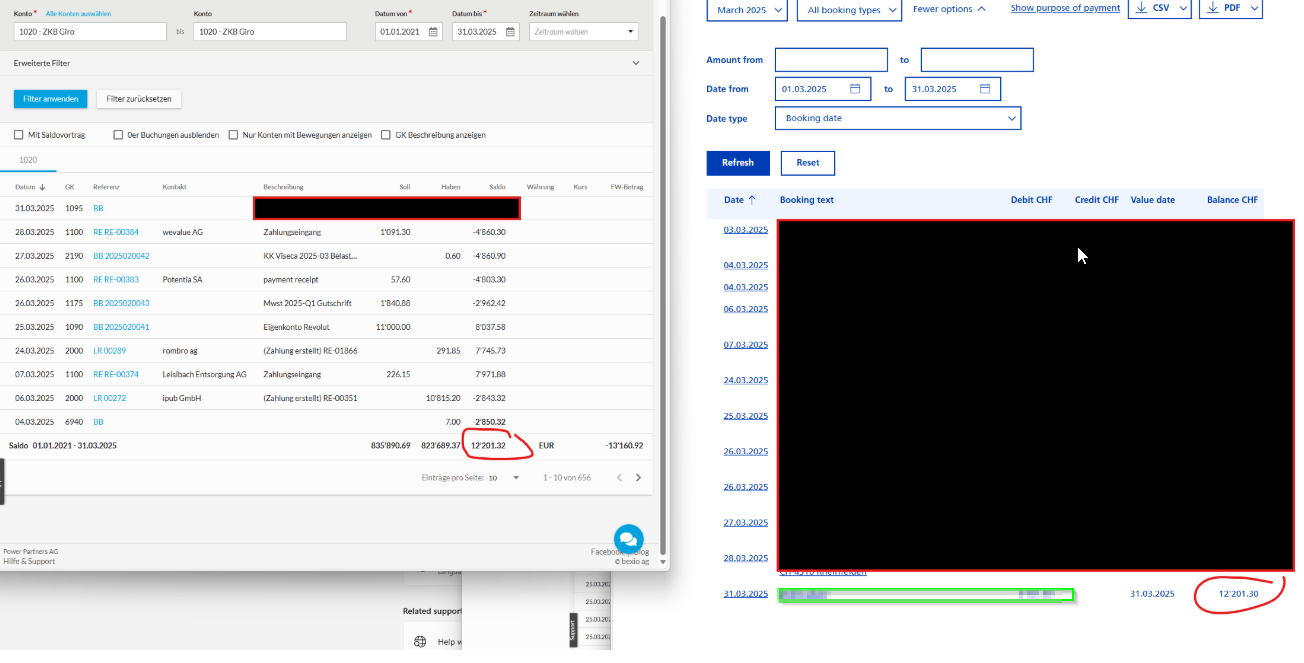
- For each account, check ending balance by comparing the Kontenblatt in bexio with the statement's balance
- for CHF Accounts, select 1. of month to last of month in bexio
- for FX Accounts, select 1.1. of year to end of last of month. This allows you to compare against value in foreign currency
- for REVOLUT and AMNIS, compare PDF statement
- for ZKB, compare with balance in e-banking
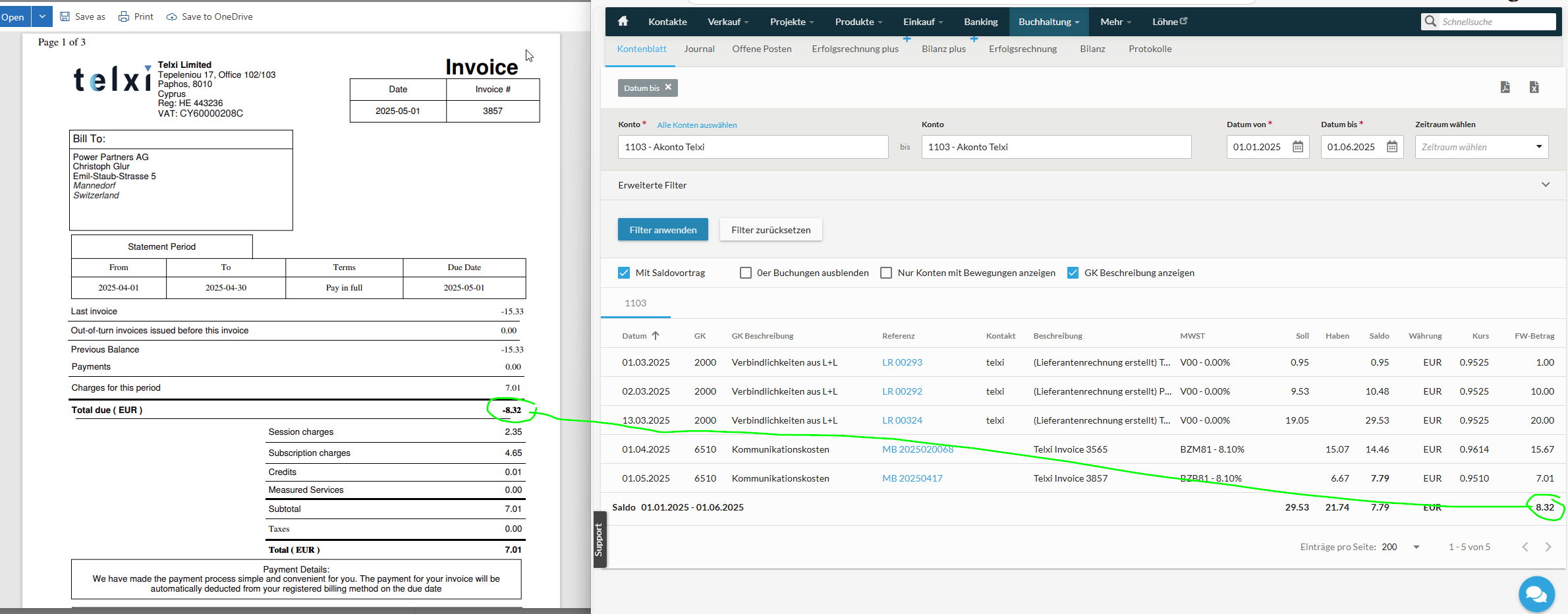
- for Telxi we reconcile the balance:
VAT (MwSt)
General
Vorsteuer vs. Bezugssteuer
-
BZx: Bezugssteuer, Dienstleistungen aus dem Ausland
-
Vx: Vorsteuer
Marge vs. Betrieb
-
xM: M = Marge, d.h. bezogenen Dienstleistungen, die die Top Line, also die Marge betreffen, also alles was auf 3xxx Kontos gebucht wird
-
xB: B = Betrieb, d.h. alles, was für den Betrieb notwendig ist, also was auf 4xxx Kontos gebucht wird
Specifics
-
AirBnb: V00
-
Cloudflare: BZB
-
Google Ads: BZB
-
Banken (e.g. Kontoführungsgebühr): V00
-
Freshworks: VB
-
pax8: BZM
Post Condition:
- the end balance is the same
- all the bookings are the same