Daily Bank Reconciliation
Background Info
The bookkeeper tracks incoming and outgoing payments to make sure the information in our booking system (bexio) is accurate and timely.
There are three types of transactions:
-
payments that come from purchase invoices
-
payments that come from standing orders, without a purchase invoice, such as
- credit card payment
- bank fees
- rent
- debt repayment
-
cash inflows that come from paid client invoices
Revolut
Revolut does not have an automatic interface with bexio. However, we do not have any sales invoices that run through Revolut. Else, we would have to use a process that is similar to BV.
Process Details
- Owner: bookkeeper
- Participants: none
- Frequency: Daily
- Trigger: Date
- Input: bank transactions
- Output: booking in bexio
- Involved Systems: Mailbox, bexio
Pre-Condition
- none
Process ZH
ZKB
ZKB
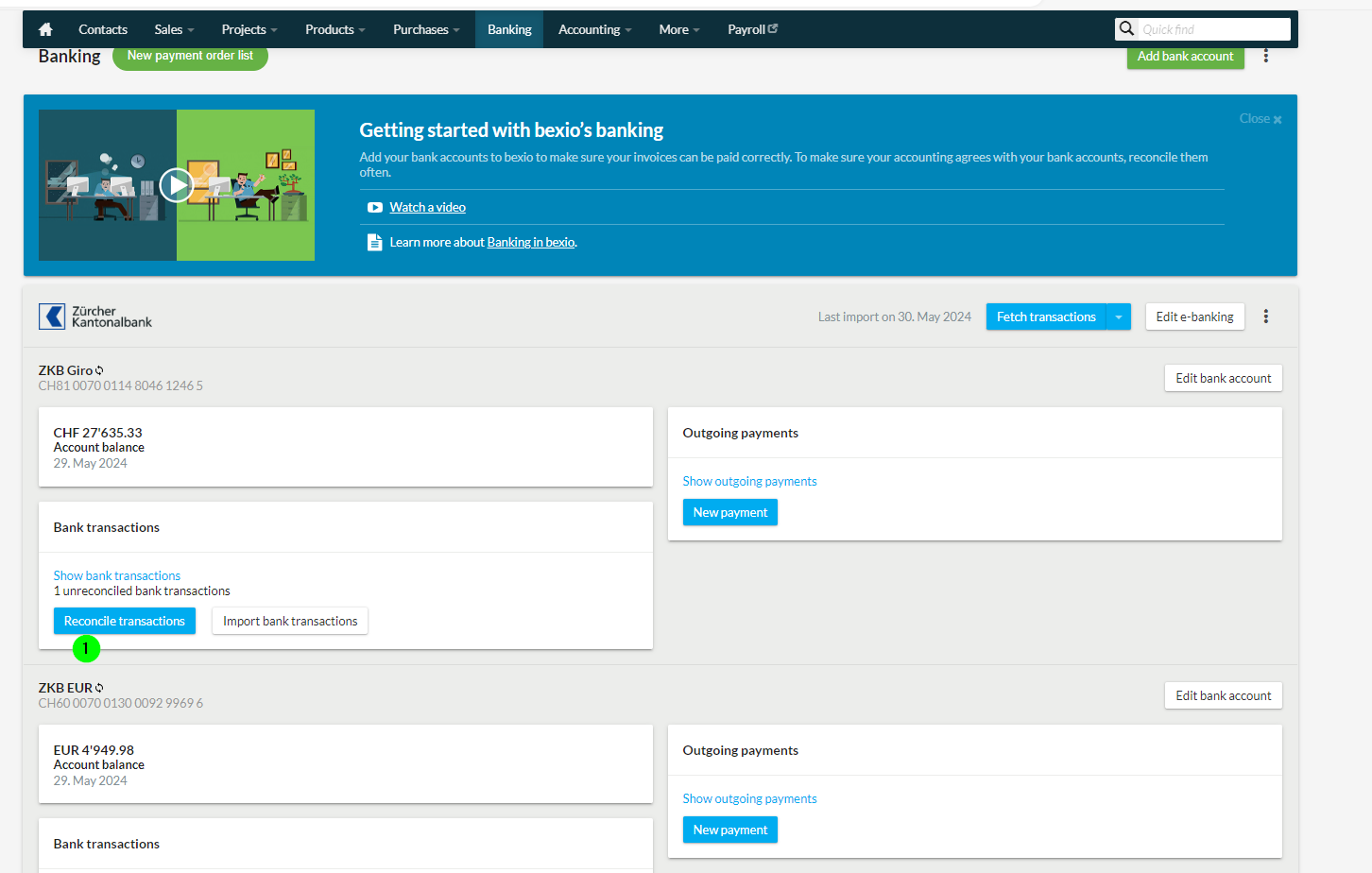
bexio has a direct interface to ZKB. This will sync daily, in the background / automatically. You don't need to fetch the transactions anymore.
-
When a payment shows in Bexio banking, click on "Reconcile
-
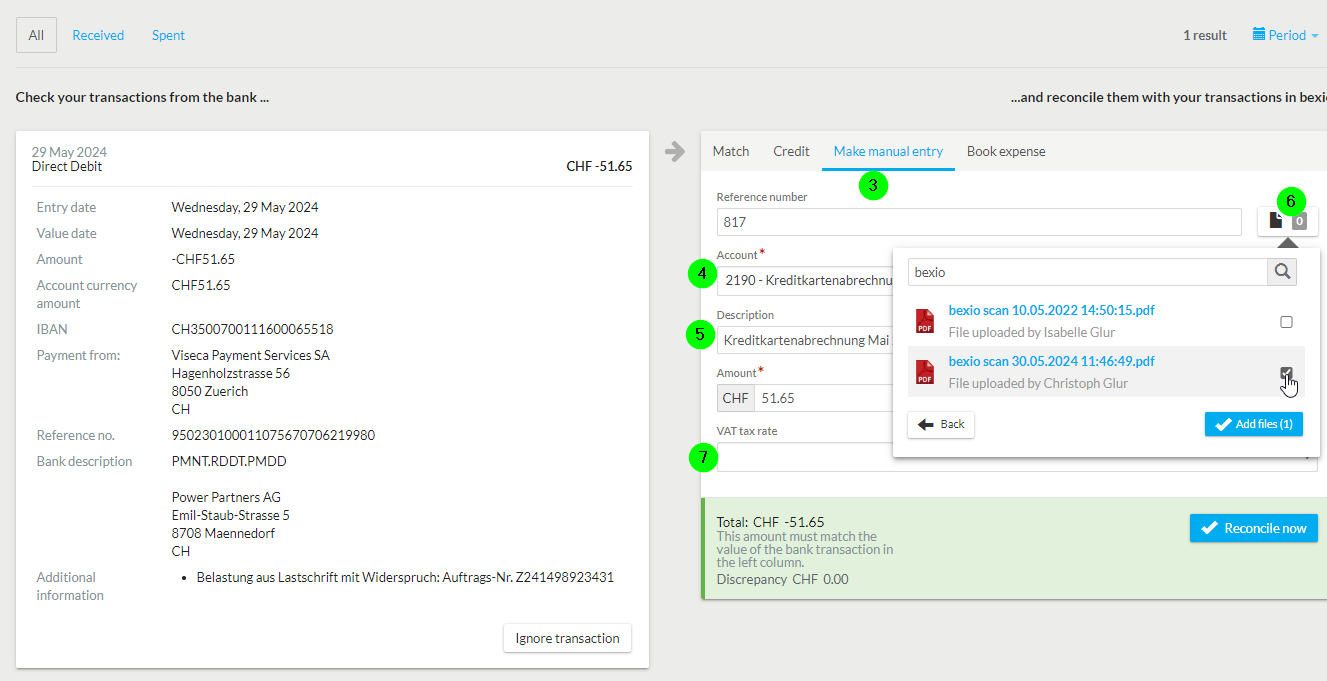
If the payment relates to a purchase invoice, match it directly
-
Else select
Make manual entry -
Enter the respective account
-
Add a description
-
Upload the scan and select it in the attachments
-
verify VAT (registered per account), for CC, you can leave it empty
-
click on "Reconcile now"
-
If available, put the paper invoice into the folder AG
Specific Instructions Regular Bank Payments without Purchase Invoice
| Bank Description | Account | Receipt? | Name | Description Manual Entry | VAT |
|---|---|---|---|---|---|
| Gebühr Kontoführung | 6940 | No | Bankspesen | Gebühr Kontoführung | No |
| Miete Büro | 6000 | No | Miete - Nebenkosten | Miete 2024-04 (Note: paid in advance) | VM81 |
| Visa ZKB (Viseca Credit Card) | 2190 | Yes | Belastung aus Lastschrift mit Widerspruch: Auftrags-Nr. Z240873085027 | Credit Card Visa 2024-03 | No |
| Belastungen Dauerauftrag: Auftrags-Nr. Z241838788624 Rückzahlung Kredit von Power Partners AG an ipub GmbH | 2400 | No | Rückzahlung Darlehen | Rückzahlung Darlehen | No |
| Salary | 1095 | No | Lohn Transferkonto | Salär Jules 2024-10 | No |
| MwSt | 1175 | No | Abrechnungskonto MwSt | Gutschrift MwSt | No |
| AXA | 2270 | No | Axa berufliche Vorsorge | Axa berufliche Vorsorge | No |
FX ZKB.EUR -> ZKB.CHF
-
Ignore the automatic bank reconciliation
-
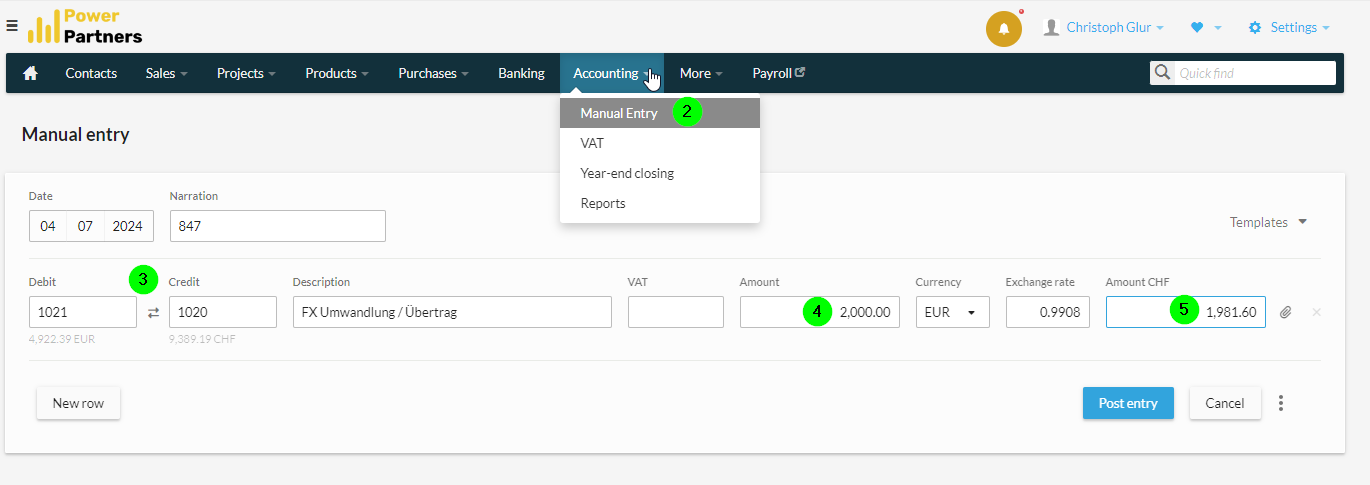
Go to
Accounting > Manual Entry -
Enter the accounts
-
enter the EUR amount
-
enter the CHF amount (or the exchange rate)
Process WF
-
Log into Fintro
-
Check which incoming payments have come in and note the invoice reference
-
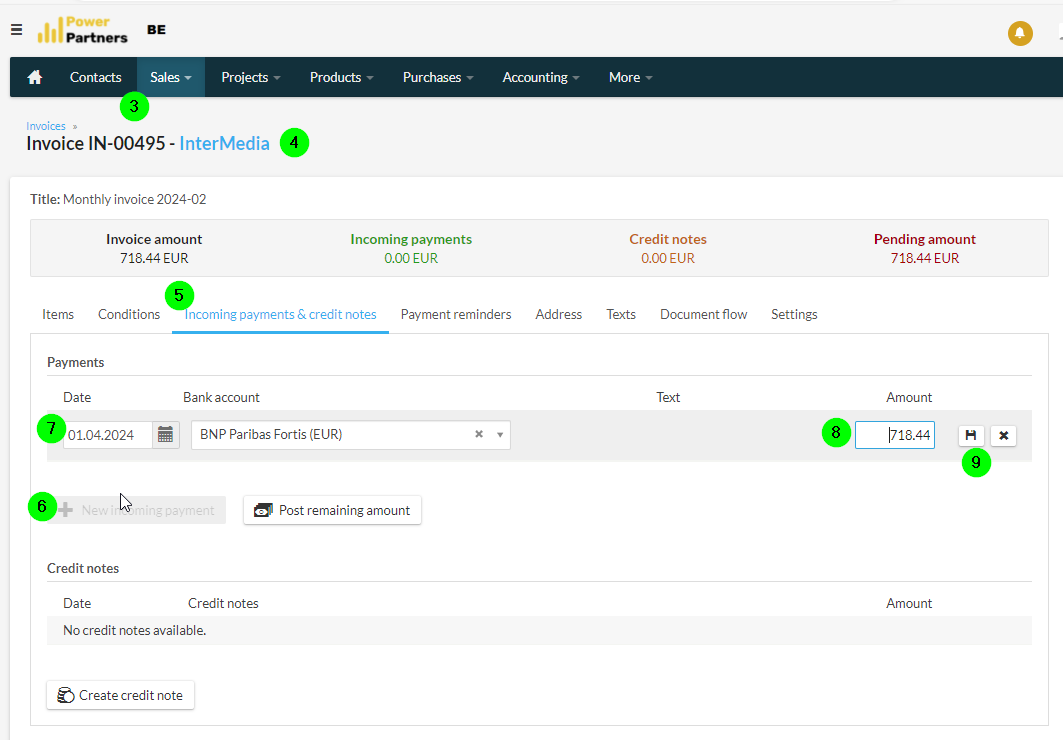
Log into bexio and go to
Sales > Invoices -
For each incoming payment, find the corresponding sales invoice by reference or by client name
-
Go to
Incoming payments & credit notes -
Click on
New incoming payment -
Enter the
Date -
Enter the
Amount -
Click Save
Special Cases
-
Some counterparties (e.g. Sonical), pay multiple invoices with a single payment. In this case, you need to check if the sum matches, und split the amounts.
-
The client pays only a partial amount:
- Go to the account-manager to discuss the situation. Did the client make an error? Is he not happy and only paid partially to make a statement? Did he forget to pay the VAT? etc.
- If the client made an error, you can send the invoice again. Bexio will show the open amount (TODO: check if this is true).