Monthly Project Invoicing Overview
The Monthly Project Invoicing process creates client invoices based on the following information:
-
fixed price orders that have been completed during the period
-
license costs
graph LR


    MTT[<h3>1.1 monhtly-timelog-review</h3><br>activity: trigger monthly timelogs<br>role: scrum-master<br>input: planio timelogs<br>output: PDFs]

    MTR[<h3>1.2 monhtly-timelog-review</h3><br>activity: check monthly timelogs<br>role: project-manager, account-manager<br>input: PDfs]

    LIP[<h3>2. license-invoice-preparation</h3><br>owner: license-manager<br>input: pax8 license csv<br>output: License Dashboard]

    MCI[<h3>3. client-invoice-creation</h3><br>owner: account-manager<br>input 1: PDFs of periodical orders<br>input 2: fixed-price orders in planio<br>input 3: License Dashboard<br>output: client invoices in bexio]

    ICI[<h3>4. intra-company-invoicing</h3><br>owner: bokkeeper<br>output: invoices in bexio]

    MTT-->MTR-->MTT
    MTR-->MCI
    LIP-->MCI
    MTR-->ICI
    LIP-->ICI

style MTT text-align:left
style MTR text-align:left
style ICI text-align:left
style LIP text-align:left
style MCI text-align:left
Sub-Processes
The process consists of the following sub-processes:
-
- scrum-master triggers timelogs
- project-managers check timelogs so that invoices will be correct
-
license-invoice-preparation: sold-license-manager fetches the sold licenses from pax8 and imports them into Power BI
-
client-invoice-creation: account-managers create sales invoices and send them to the clients
-
intra-company-invoicing: each bookkeeper generates internal invoices to other companies of the group
Client Invoicing Background
Terminology
Client Invoices
- Invoice: We invoice our clients for the work we do for them. This is a client invoice.
- Credit Note
- Payment
General Handling
For a specific Credit Note process, see credit-note
Generally: In Bexio (like in most accounting software), there are three different concepts in the area of client invoices:
-
Invoice
-
Credit Note
-
Payment
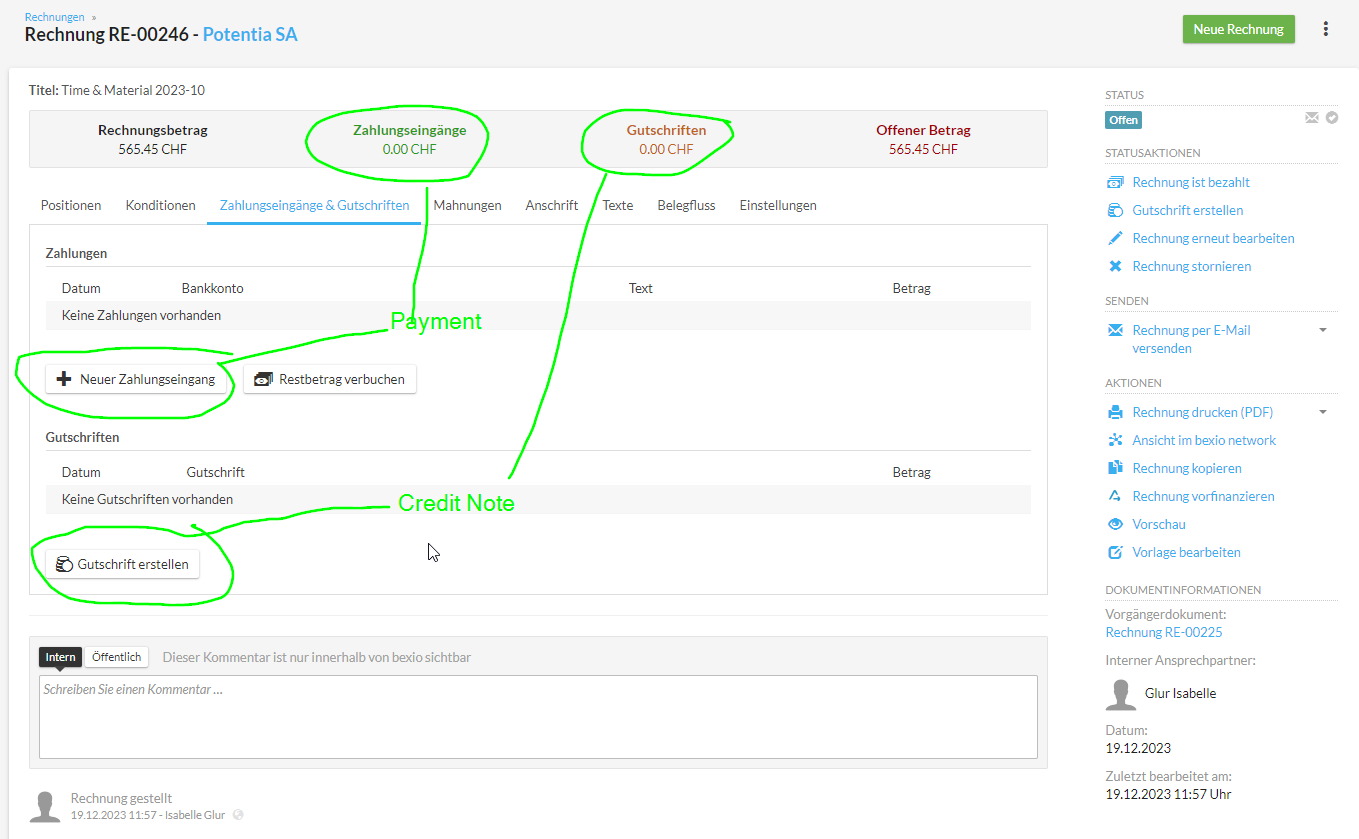
We want to change the invoice amount
-
If our invoice was too high: reduce it with a credit note. The Credit Note amount is the amount that reduces the amount of the original invoice.
-
If our invoice was wrong: Cancel it with a Credit Note over the full amount.
-
Our invoice was too small: Cancel it with a Credit Note and create a new invoice.
The client pays too little
-
Register the payment in Bexio as a Payment (Zahlungseingang) on the invoice
-
Bexio will show you the remaining amount open
-
You can inform the client about the open amount by creating a PDF in Bexio
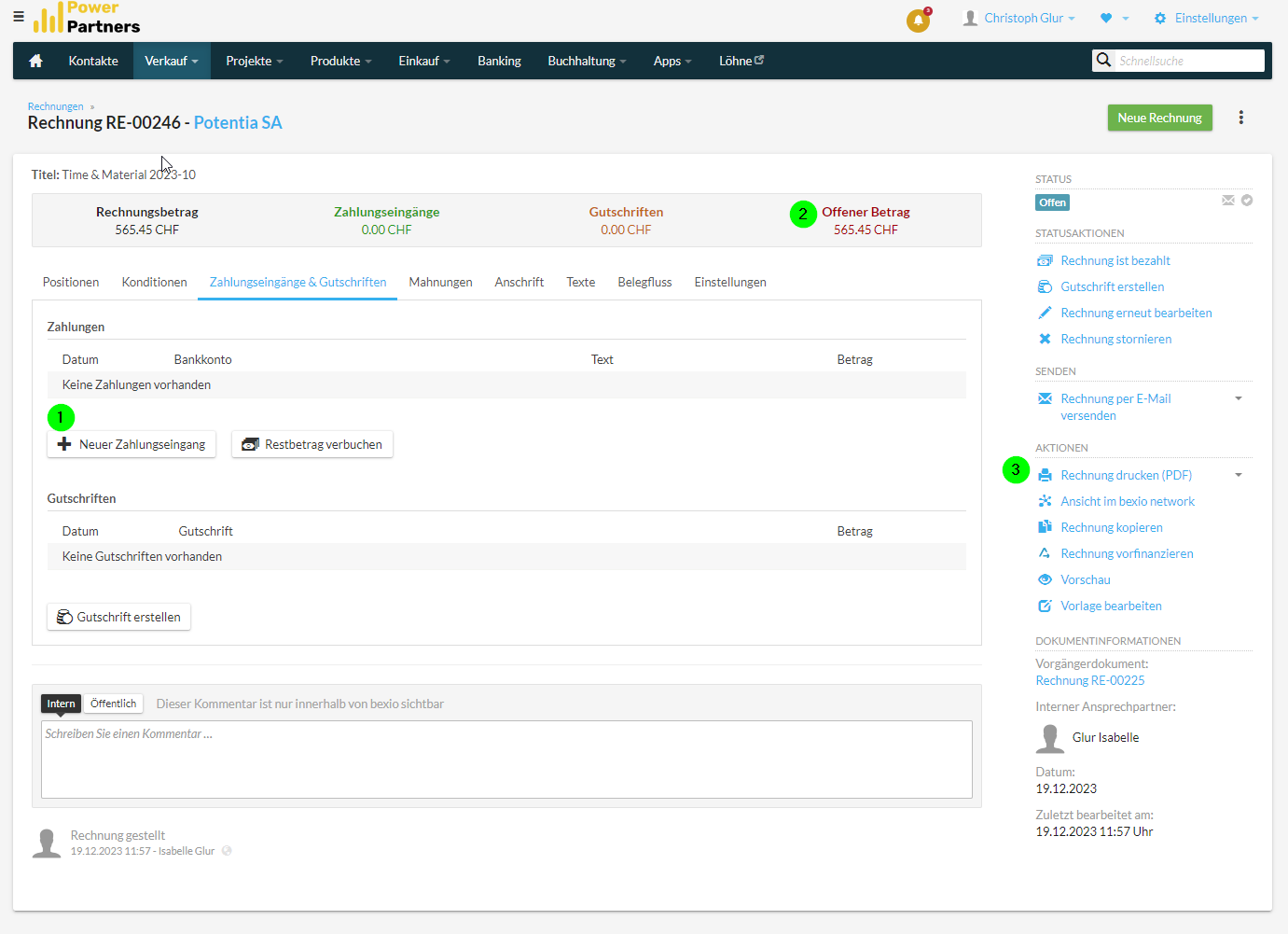
The client pays too much
-
Register the payment in Bexio as a payment on the invoice
-
Bexio will ask you if it should create a Credit Note -> accept
Rules
- we NEVER change an invoice that has been sent out