Odoo
How to inspect Odoo fields
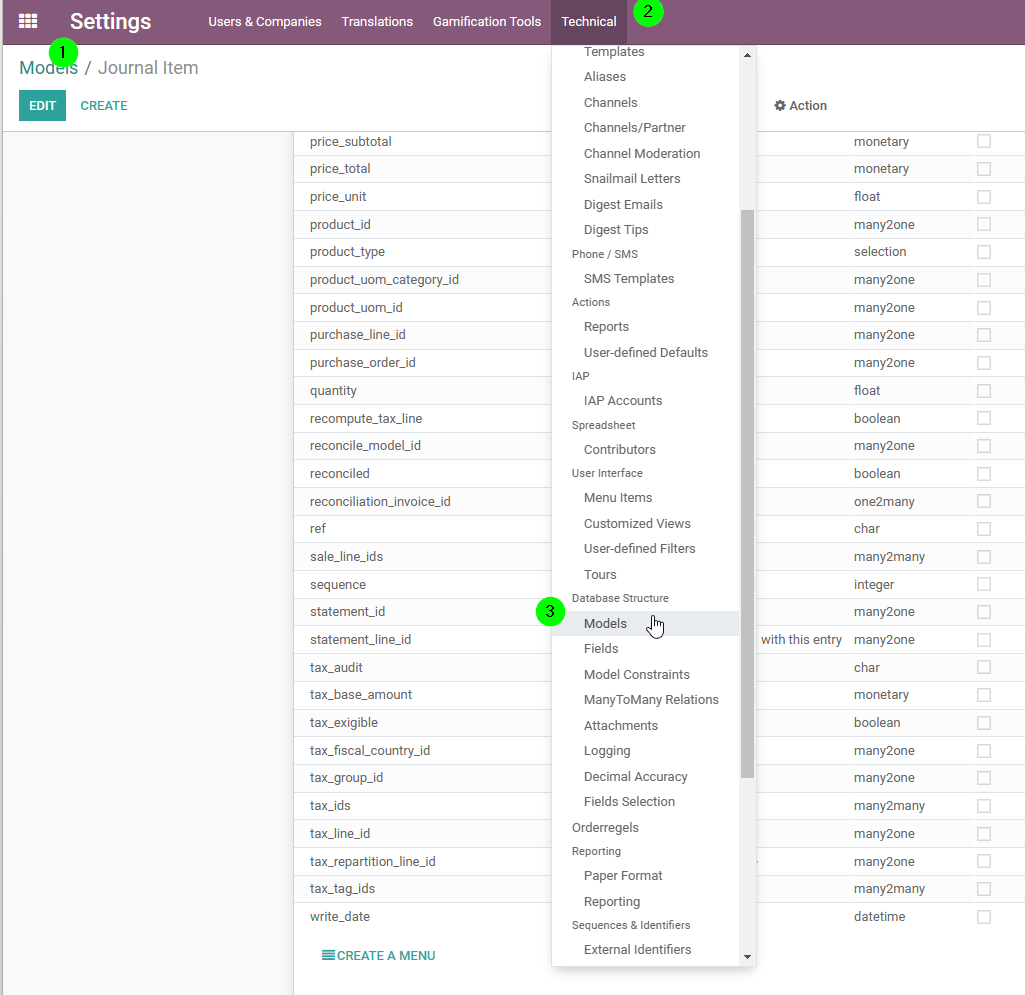
To know the fields of odoo, you need:
- to be in the group "Administration/Settings" (from the user, you can only select one group; rather, go to the group and add your user to the group.)
- go to Technical → Database → Models (in NL: Instellingen > Technisch > Databasestructuur > Modellen)
How to get the Database Name
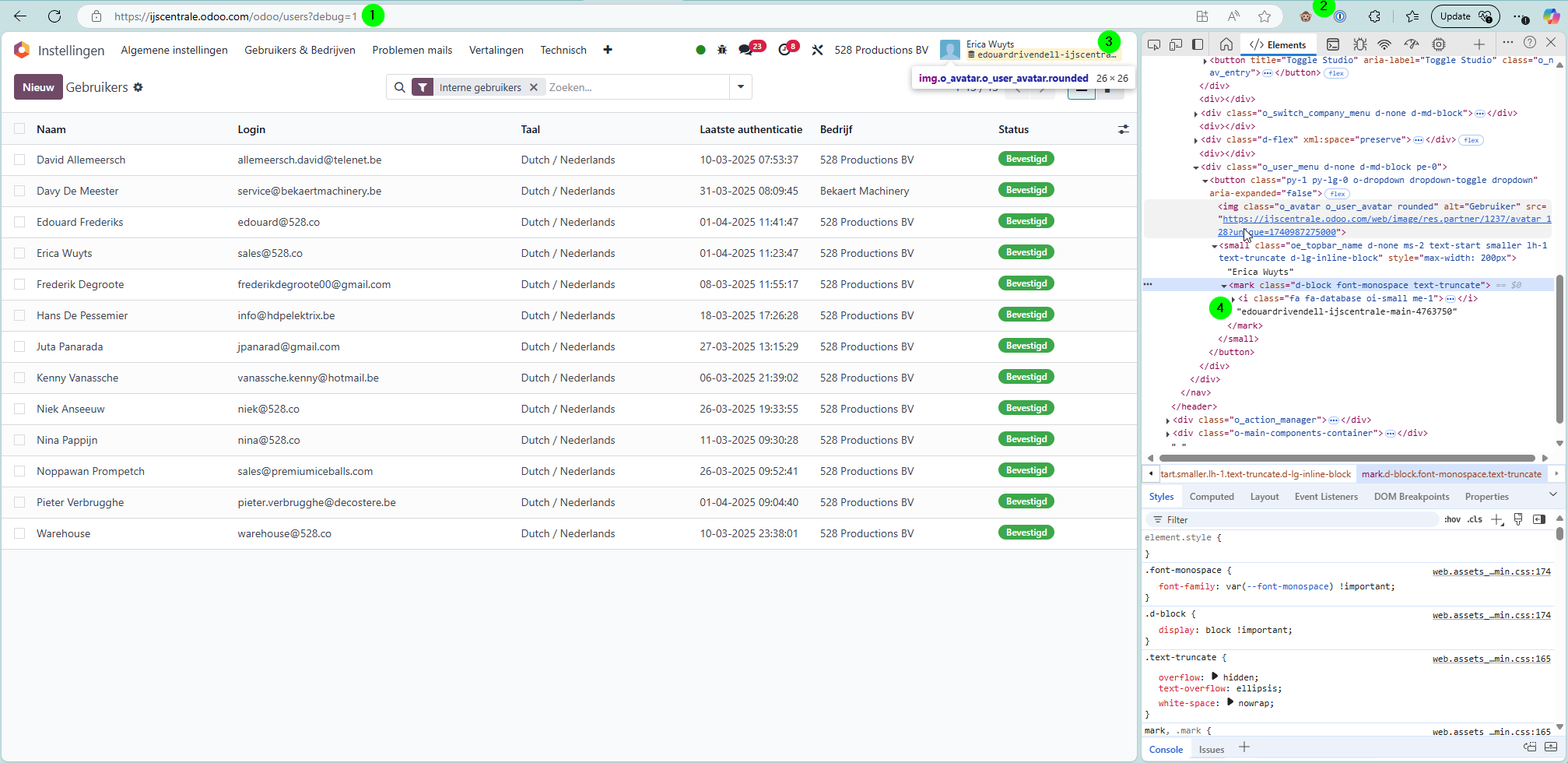
If you have a new client, and need to know the database, you can get it like so:
-
log into Odoo
-
make sure you have the monkey app installed (Odoo Debug Browser Extension)
-
you should see the database top right
-
if the name is too long, you can inspect it from your browser's Developer Tools
How to Connect using the API Key
We can connect either with User and Password, or with User and API key. The API key then simply replaces the password. This also works with our connector