Using Imgur to add/create public images to Power BI reports
Power BI does not support uploading images directly into reports that need to be shared externally. While SharePoint or OneDrive might seem like viable solutions, they come with limitations — including restricted sharing settings and authentication barriers.
To ensure a lightweight, reliable, and user-friendly approach, we use Imgur.
Why Imgur?
- Free to use
- No account login required to view image links
- Allows "hidden" uploads (not publicly browsable)
- Generates a direct public link for each image
- Easy to use for non-technical users
Step-by-Step Guide
1. Create a Free Imgur Account
Visit imgur.com and create a free account. You’ll manage all your uploaded images here.
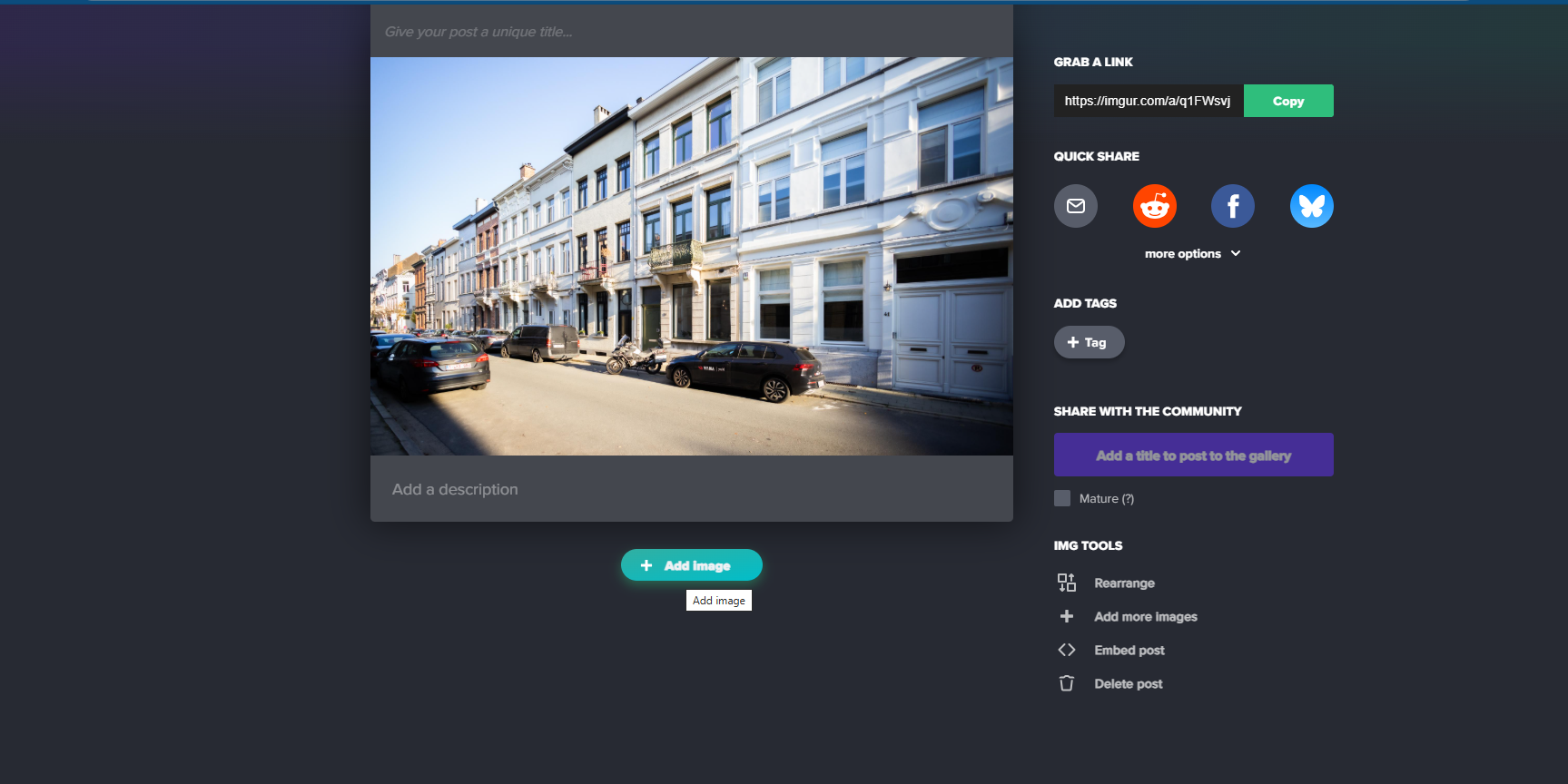
2. Upload an image
- Click on the green “New Post” button.
- Upload your image (drag-and-drop or browse).
- You can optionally keep your post hidden from the public gallery.
- Hit “Skip post title” or simply close the gallery prompt.
📸 Refer to the screenshot below for the upload screen:
3. Open the image in a new tab
Once uploaded:
- Right-click on the image inside the post
- Select “Open image in new tab”
📸 Refer to the screenshot below for the upload screen:
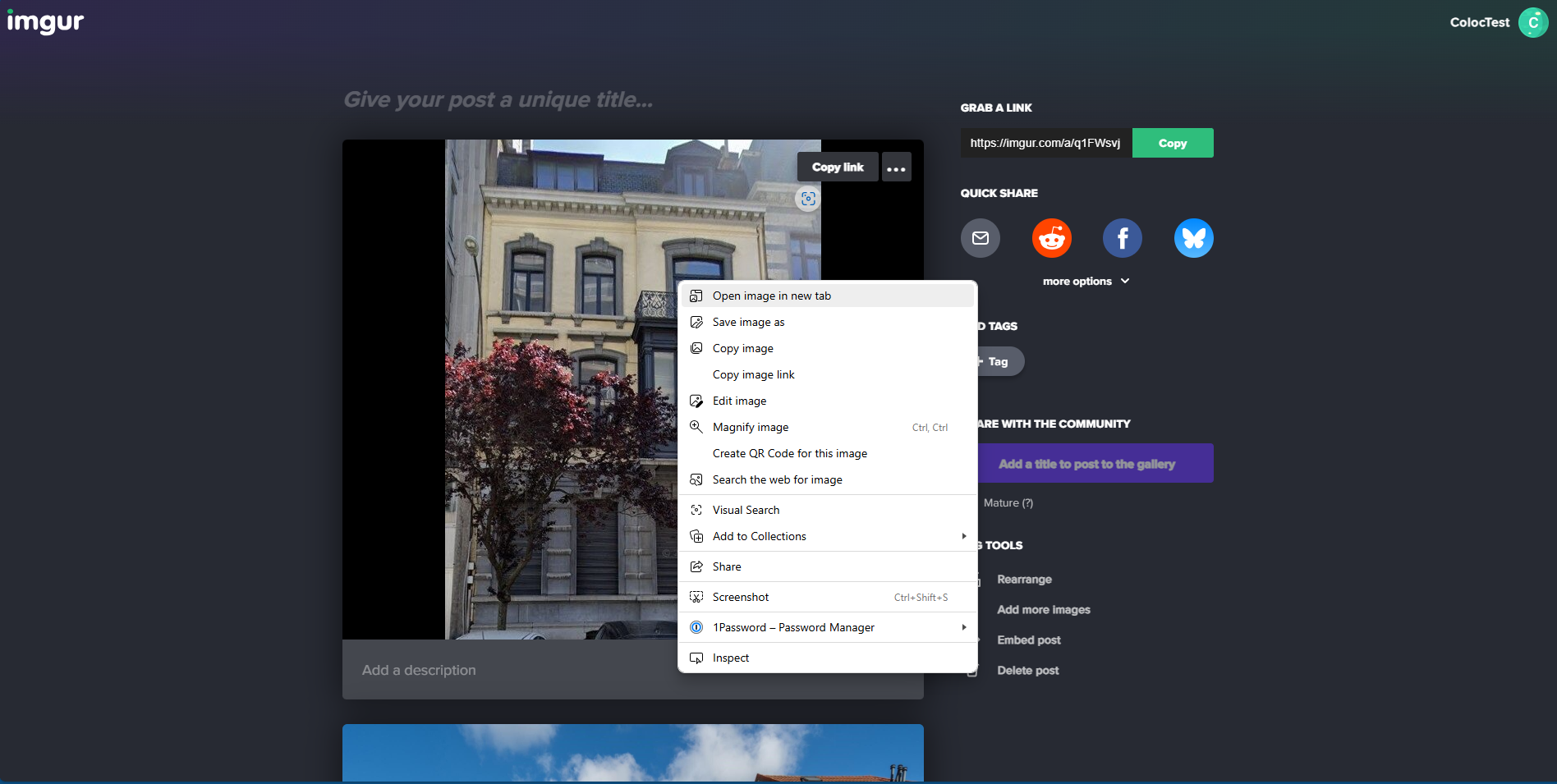
This opens the direct image link, which ends in .jpg, .png, etc.
✅ This is the public-facing image URL you'll use in Power BI.
Example:
4. Copy the Image URL
Right-click the image in the new tab, then select:
“Copy Image Address”
Or copy the URL from the browser address bar.
📸 Example reference:

5. Use in Power BI
In Power BI:
- Create a table or card visual with a column that holds image URLs.
- In the field settings, switch Data Category to Image URL.
Power BI will automatically render the image using the URL!
🔒 Privacy
- Imgur hidden images are not indexed and not discoverable via search.
- However, anyone with the link can view the image.
- Ideal for lightweight team sharing and embedding in public-facing dashboards.
📁 Image management tips
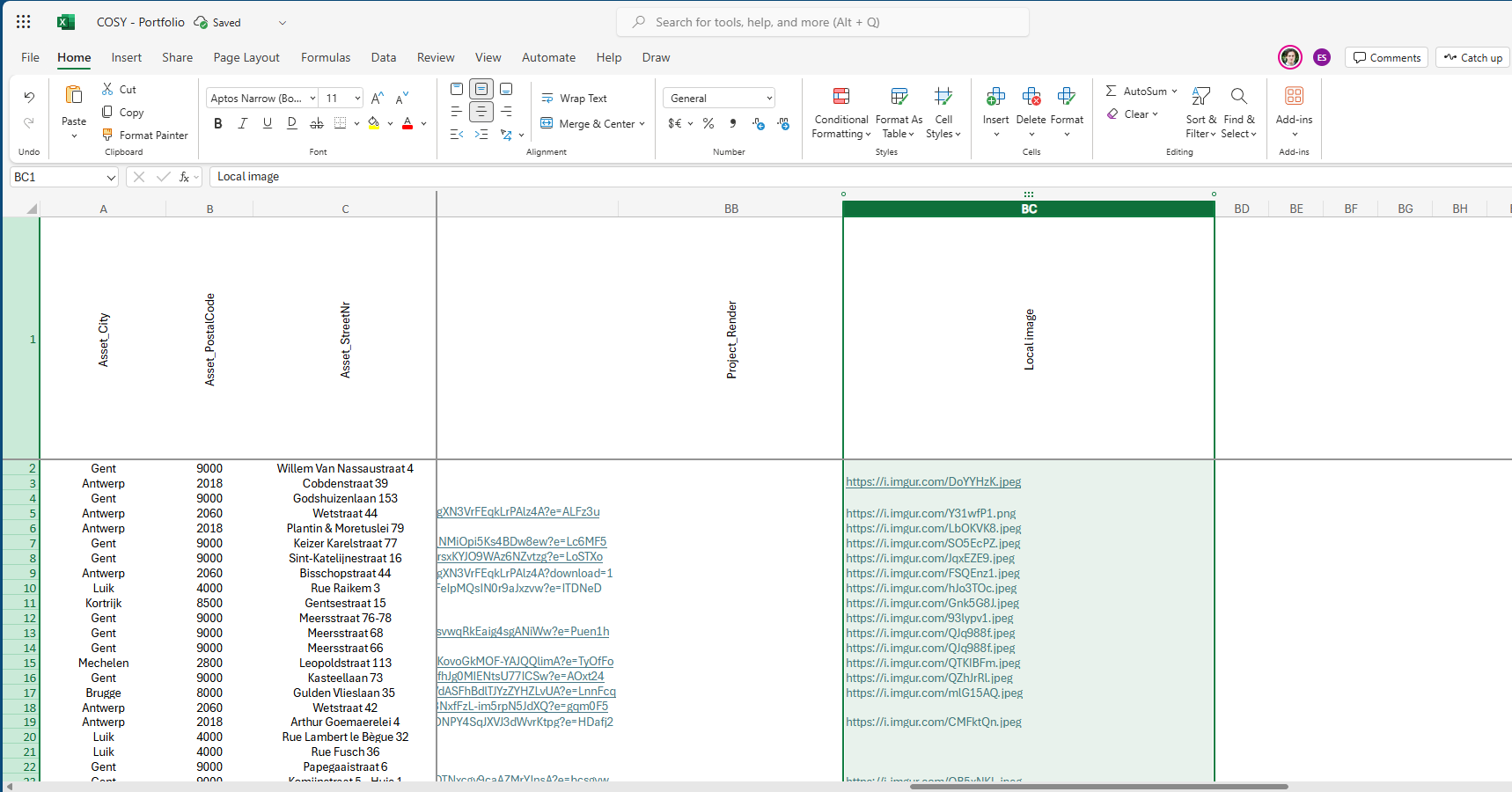
- Group image links in an Excel or SharePoint list with the corresponding metadata (e.g., city, address).
- Add direct image links in a column and load them into Power BI as part of your dataset.
📸 Example:
Summary
| ✅ Feature | Imgur |
|---|---|
| Free & accessible | ✔️ |
| Allows hidden uploads | ✔️ |
| Public image links | ✔️ |
| No login required to view | ✔️ |
| Non-technical friendly | ✔️ |
📂 Concnlusion: Image workflow
- Upload → 2. Open in new tab → 3. Copy link → 4. Paste in Excel → 5. Load to Power BI → 6. Use in visuals