BC API
OData
Extensions
BC is extendable using AL. AL is developed and built in VSC.
For an example, see Finacc BC the financial_accelerator_bc VSC project: Setting up Business Central.
How to include a dependency in an extension
You can see this in action for example with #vdm.
Suppose you want to create an extension for vdm. Suppose that vdm uses
an extension called Van Damme that adds a custom field to the table.
You can see that using the Alt+Ctrl+F1 trick:
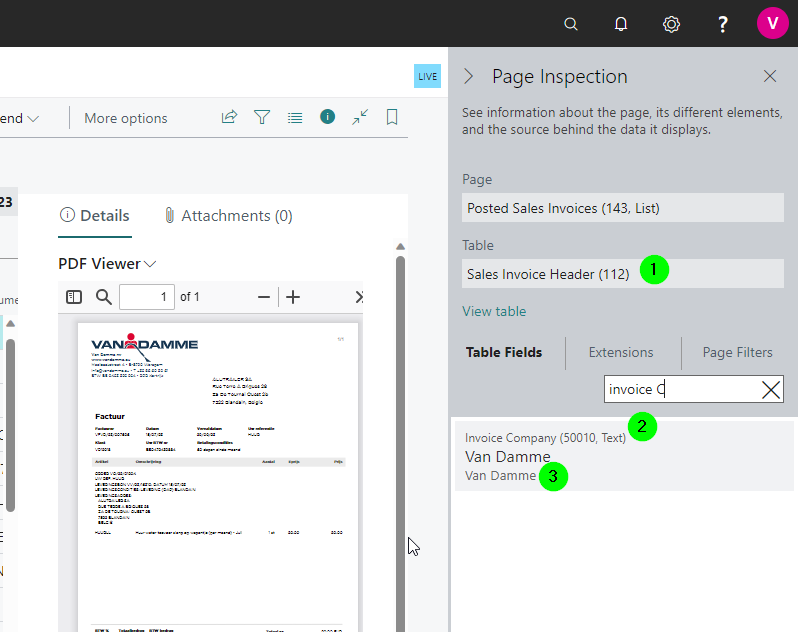
Note the following:
- we want to get the data from table 112,
Sales Invoice Header -
the field has ID
50010, this is a hint that it's a table extension -
we can actually see that the field is from an extension called
Van Damme
To use this field, we need to do the following:
-
we need to create an extension specifically for this client
-
we need to add the
Van Dammeextension as a dependency to our extension -
we need to connect to the development endpoint for that client and download the symbols
Once this is done, we can add the custom fields.
Create Extension
This is just like any extension.
Add Dependency
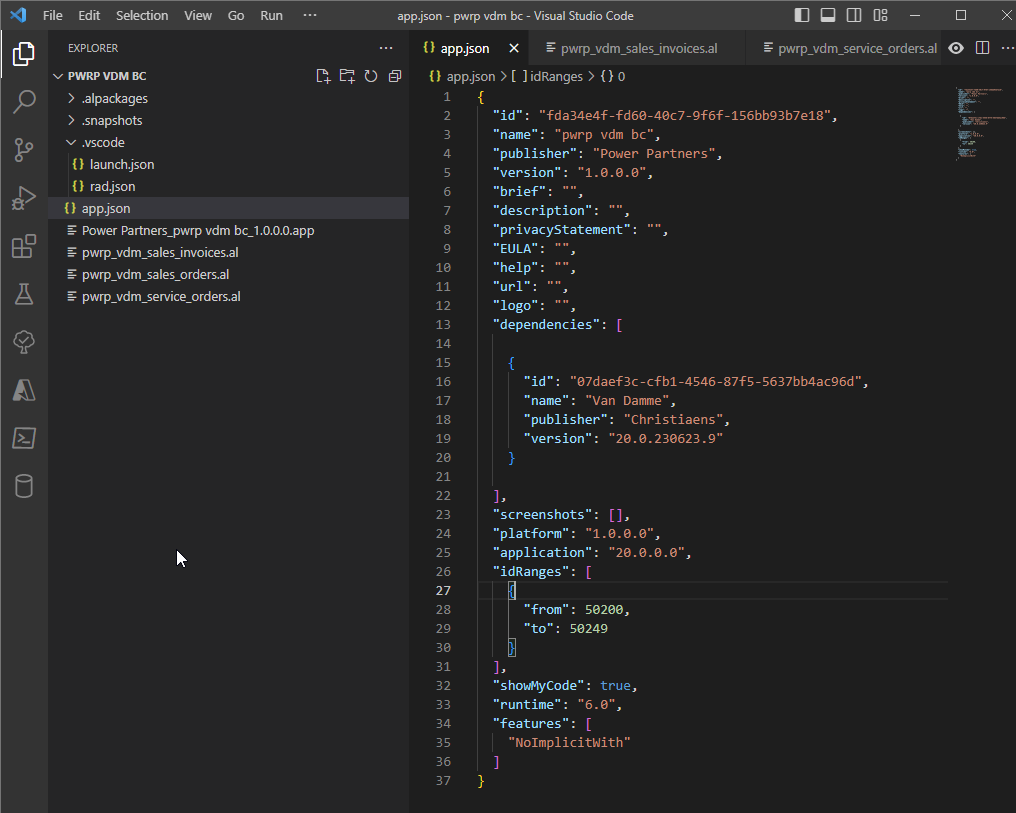
Warning
If you are using a dependency that requires a license, or that itself depends on an extension that requires a license, then you can only use ObjectIDs that are in the range of the licensed package.
For example, Van Damme extension is only allowed to use ObjectIDs between
If you don't respect the licensed ObjectID range, you will get a failure saying that you don't have Execution rights on the respective queries:
You do not have the following permissions on Query ...: Execute.
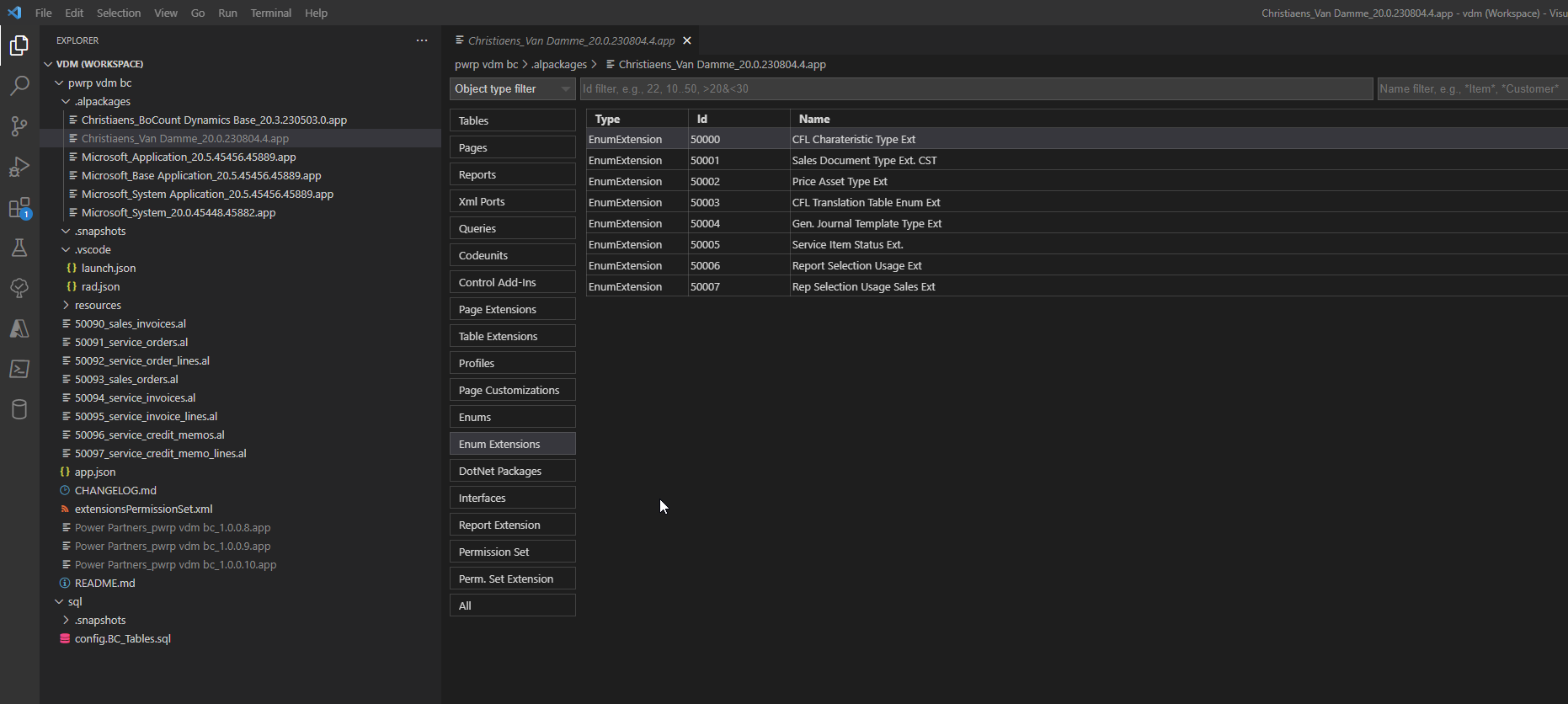
To inspect dependencies:
-
add the relevant environments to
.vscode/launch.json -
run
>AL: Download symbols -
click on the app in
.alpackages -
inspect and search
Download Symbols
To do that, you need to know the development endpoint. You configure it in launch.json:
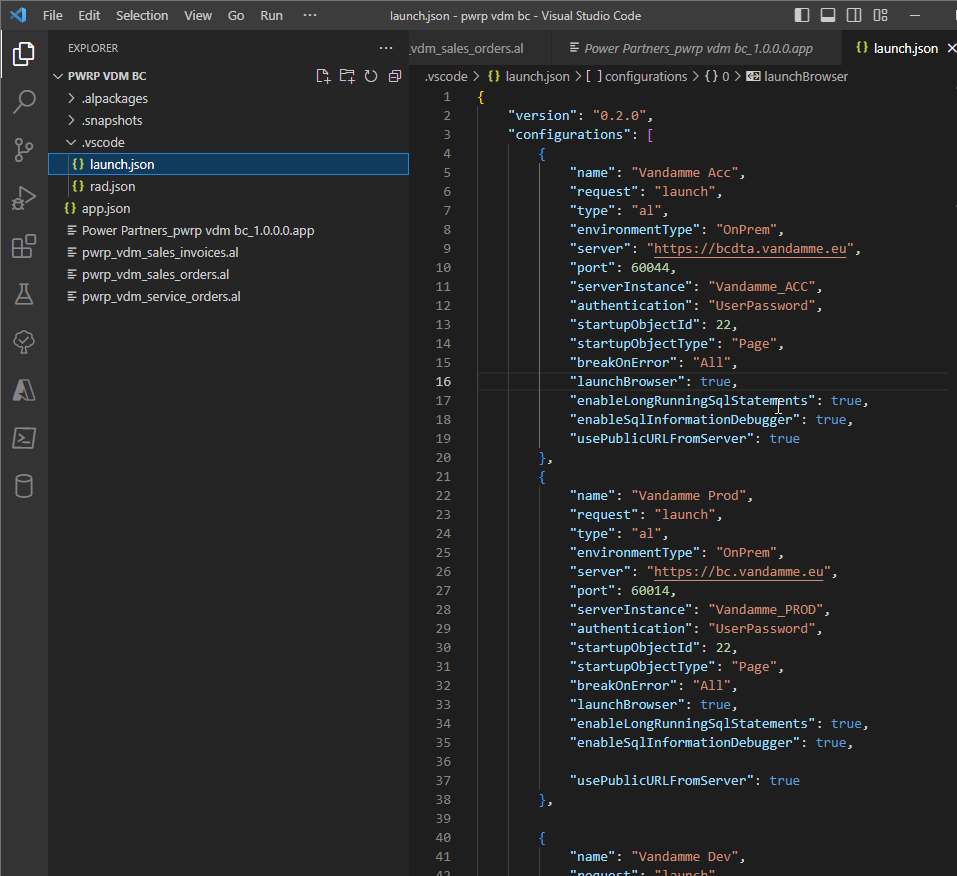
For BC Cloud clients, log in to office.com and go to BC
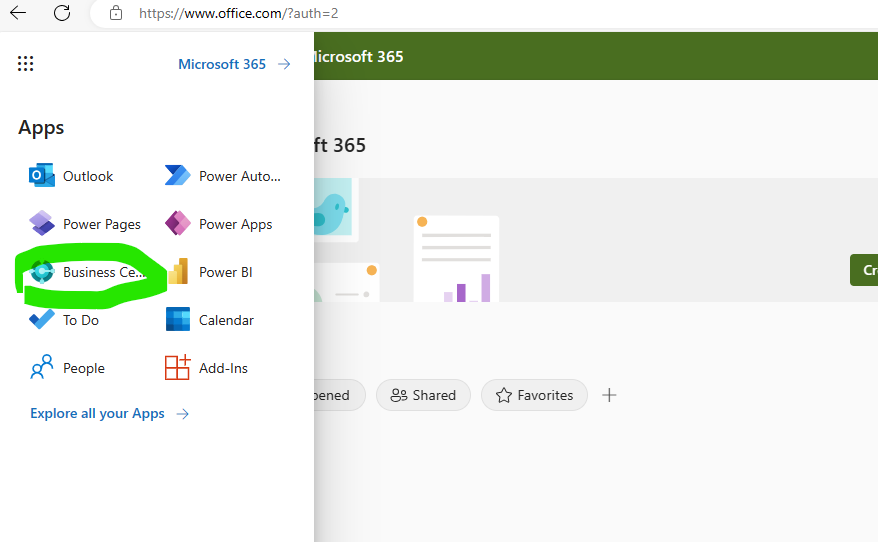
Then show sandbox environment
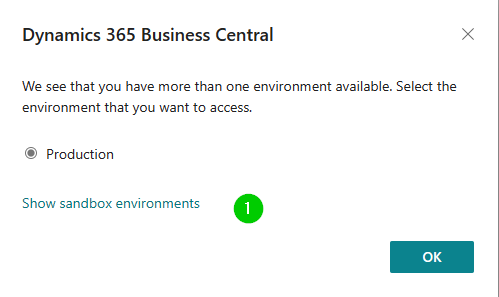
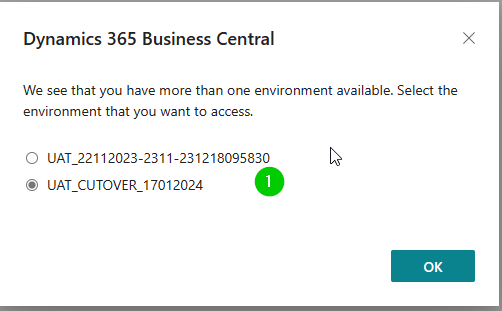
in vscode update the launch.json with the environment name
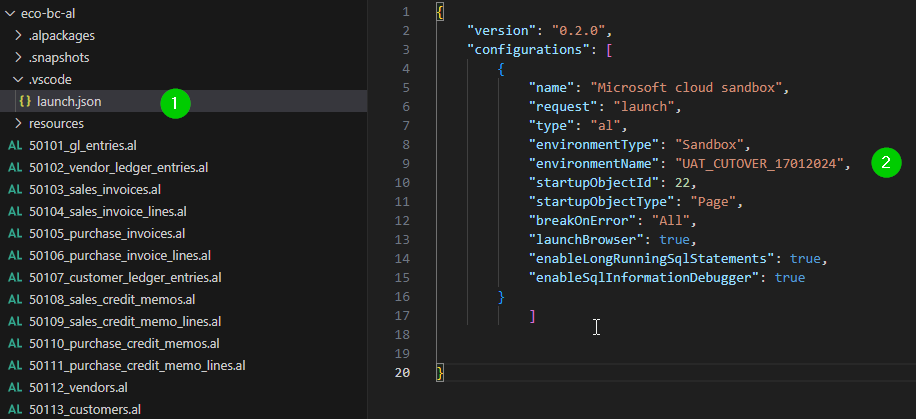
Once configured, run >AL: Download Symbols.
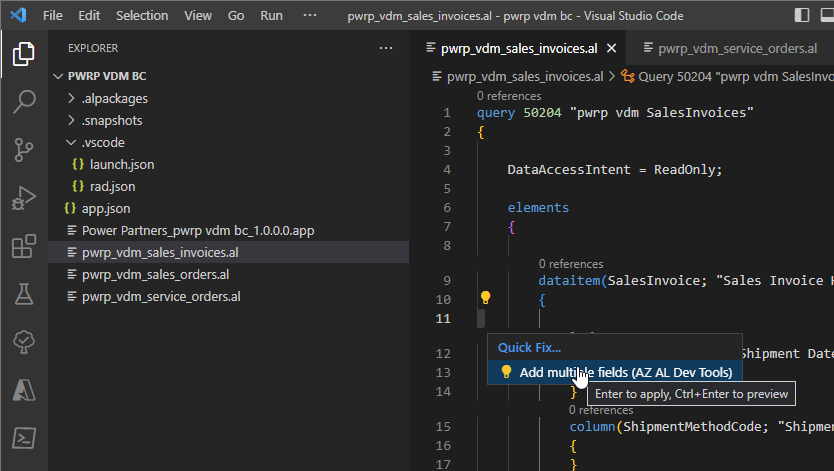
You should then be able to add the custom field using e.g. AZ AL Tools:
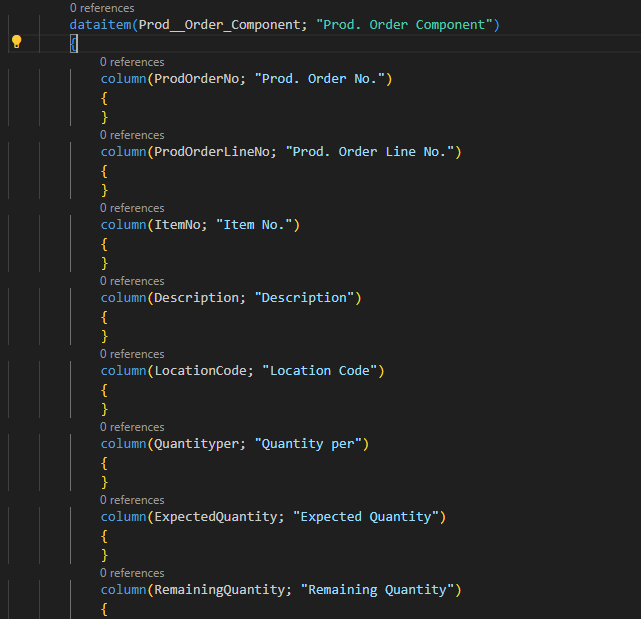
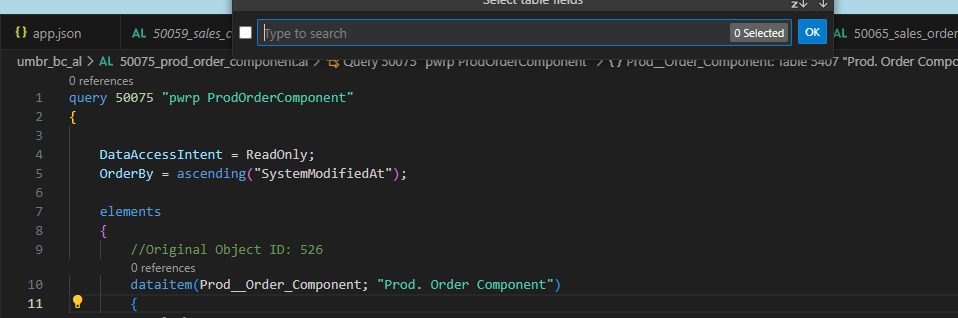
Some tables do not show fields when trying to add with AZ AL Tools, so we need to manually write them. For example Production Order Component table
Columns in Business Central:
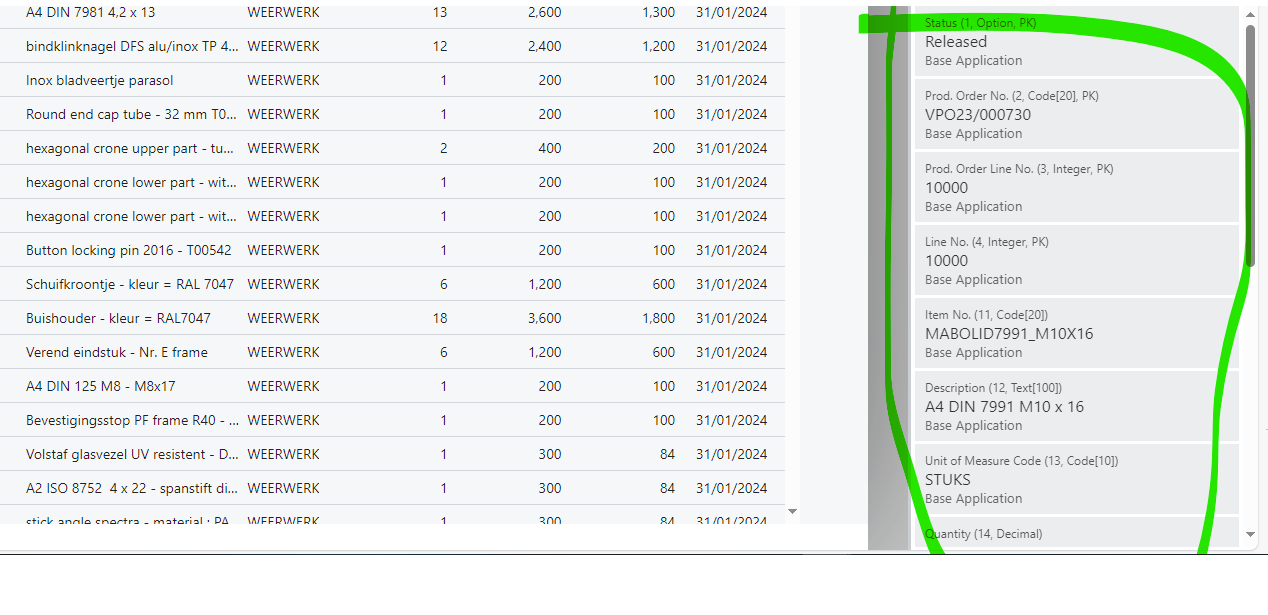 How to write them in vscode: