Client Browser Profile Installation
TODO: We should replace this with the new EDGE Workspaces. They are synced!
Who
Any delivery team member who needs access to a client tenant.
Why
This step allows you:
- to get access to the client tenant in one click
- share the 1pw extension, bookmarks and other settings for a client with team members
- distinguish the client from other clients and separate profiles cleanly among clients
Prerequisites
- Access to 1password
- Access to the client's vault
- 1password desktop app installed on your computer (optional, but makes things easier)
- Edge installed
If you don't have access to 1pw, ask the Security Officer.
Steps
-
in Microsoft Edge, click on the profile icon
-
click on
Manage profile settings -
add profile
-
Add
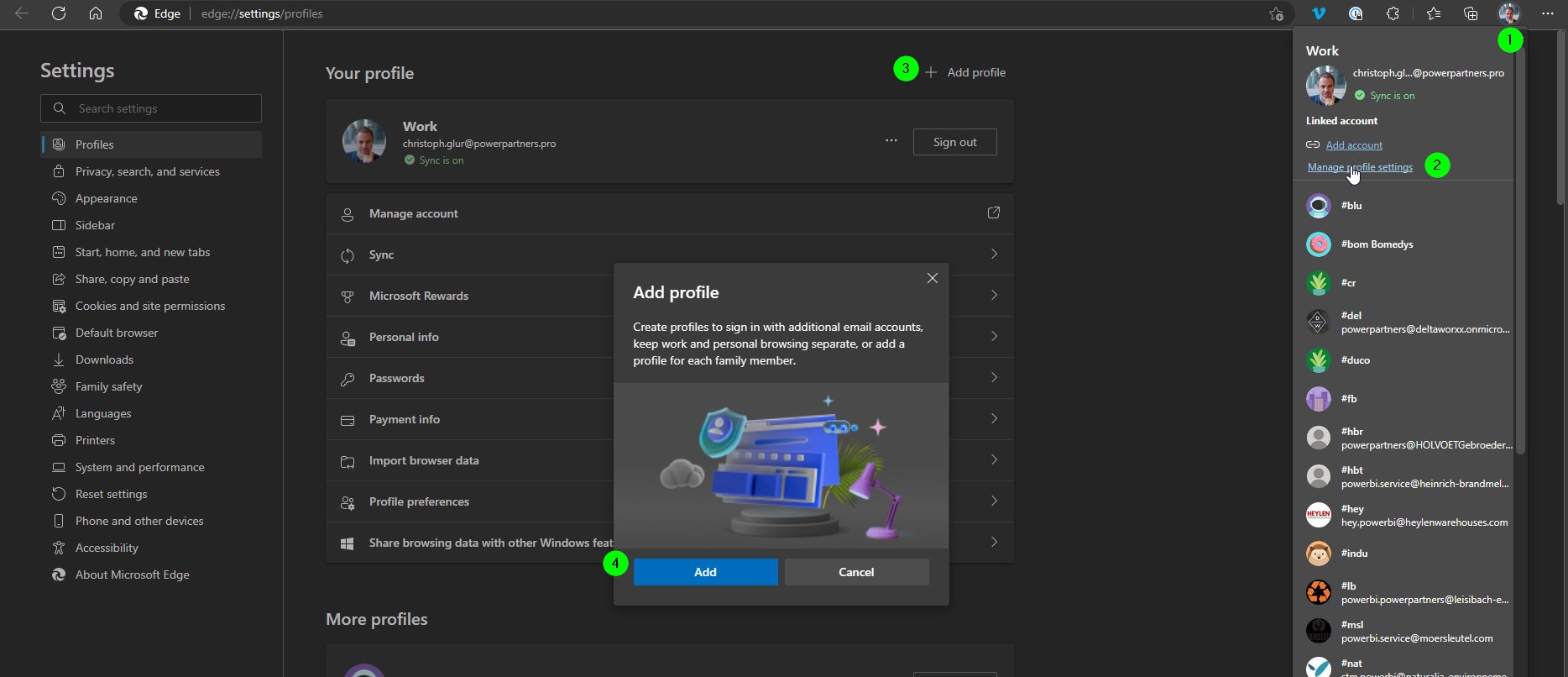
-
Select
Add New Account -
Click on
Sign in to sync data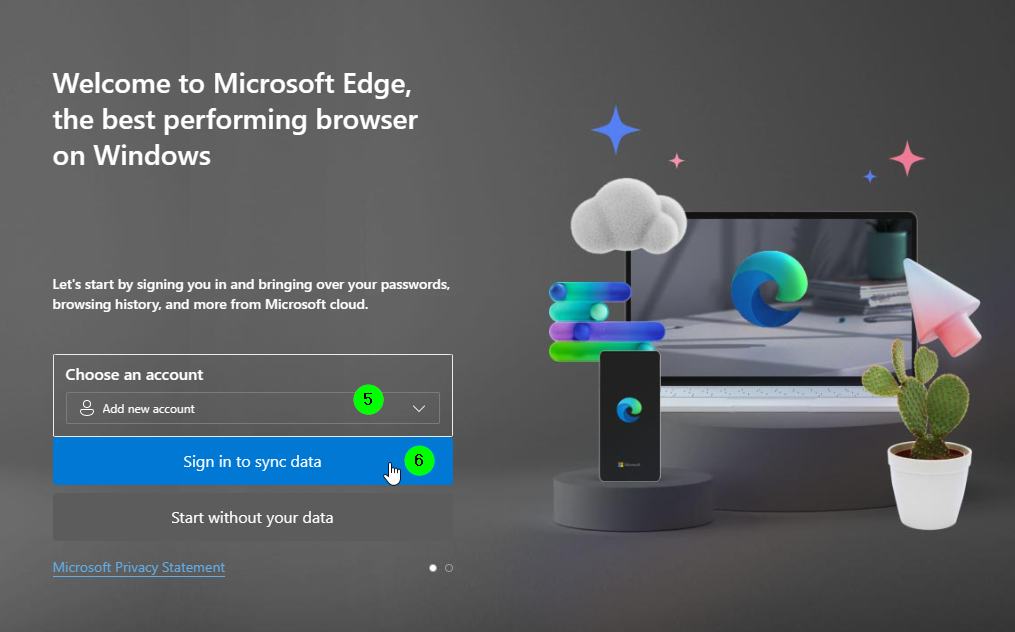
-
In 1password, select the vault of the client
-
Go to the tech user
-
Use the credentials (including the token) to log in
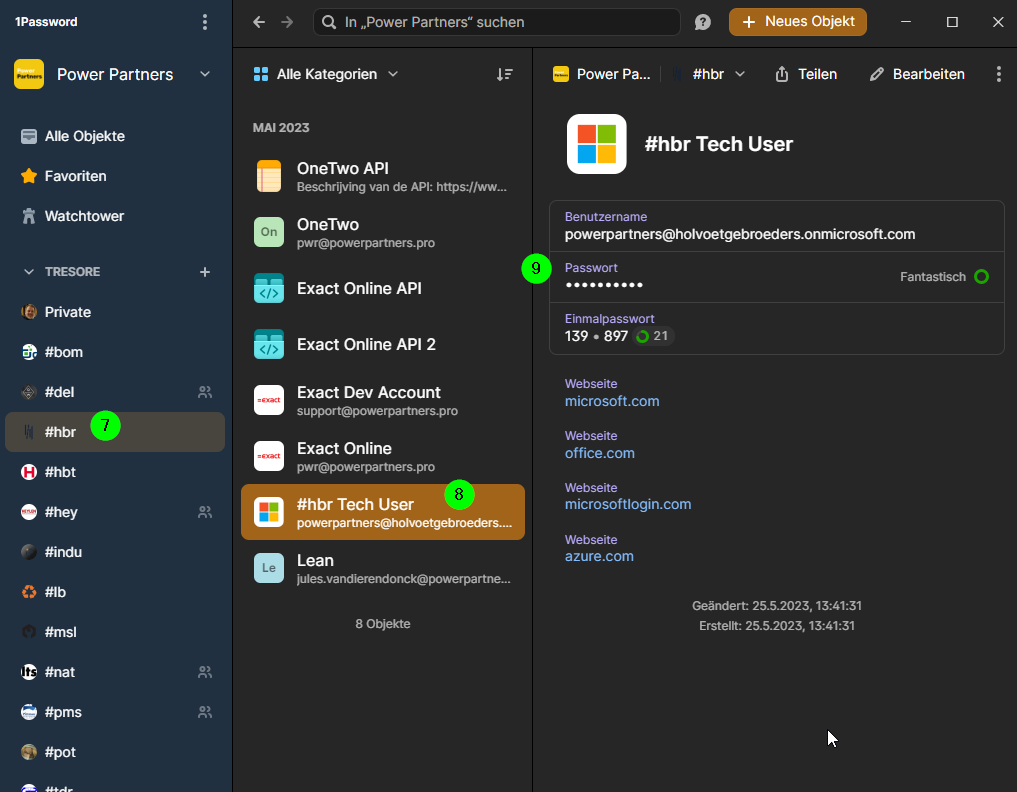
-
In the last step, if the system asks you to add the profile, select
No, sign in to this app only. This will restrict the client account to this browser profile only. It will prevent you from having dozens of client logings configured on your computer that will compete for logins.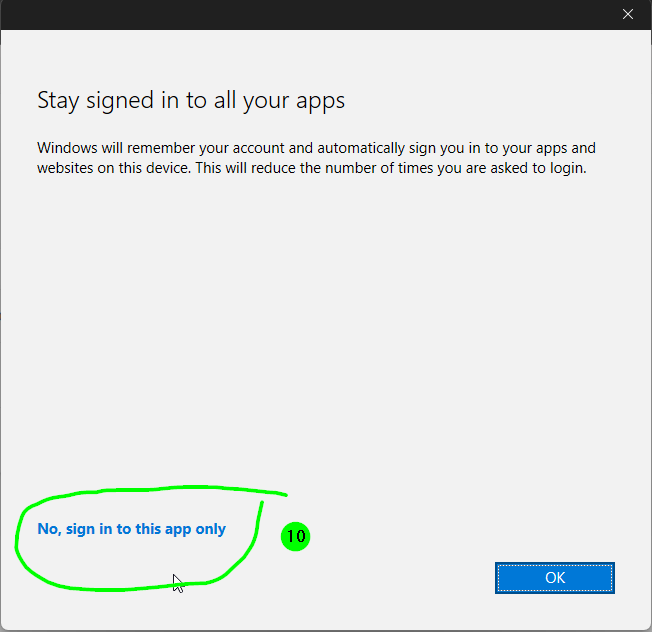
-
Go to profile settings again and give the client profile the name of the client code
#xxx -
Do NOT change the picture, as this will be synced from Microsoft 365
-
Go to
Appearanceand select a color or theme. -
Install the 1pw browser extension (you may get the one from the Chrome store)
-
Log in
-
Select the vault of the client
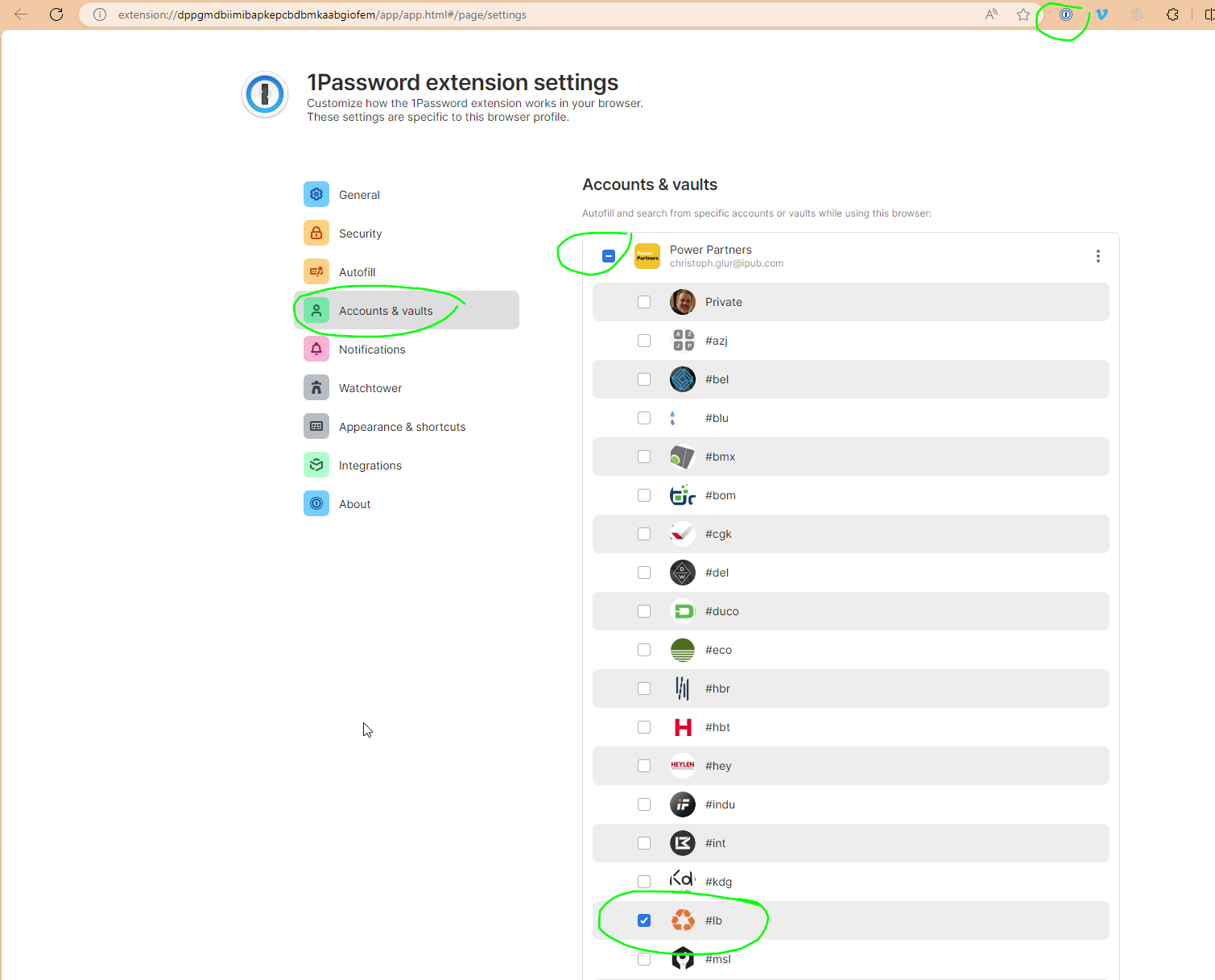
-
make 1pw the default extension
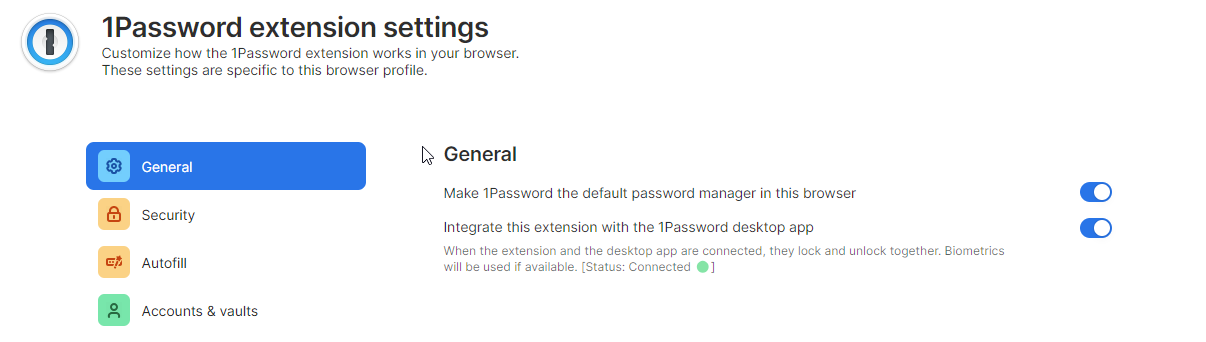
-
pin the extension
TODO: create browser profile per client and install the same theme for each team member
NOTE: Profile name, theme and appearance are currently not synced by Edge.
Checklist
Once you successfully have run through this, you have:
- A browser profile for the client, named with the client code
- The browser profile is synced with your team mates (may not be possible, depending on the client's tenant settings)
- The 1password extension is installed, and you are logged in with your 1password credentials