Pre-requisites
Access to BC
Cloud
We need access to both the BC GUI and the API.
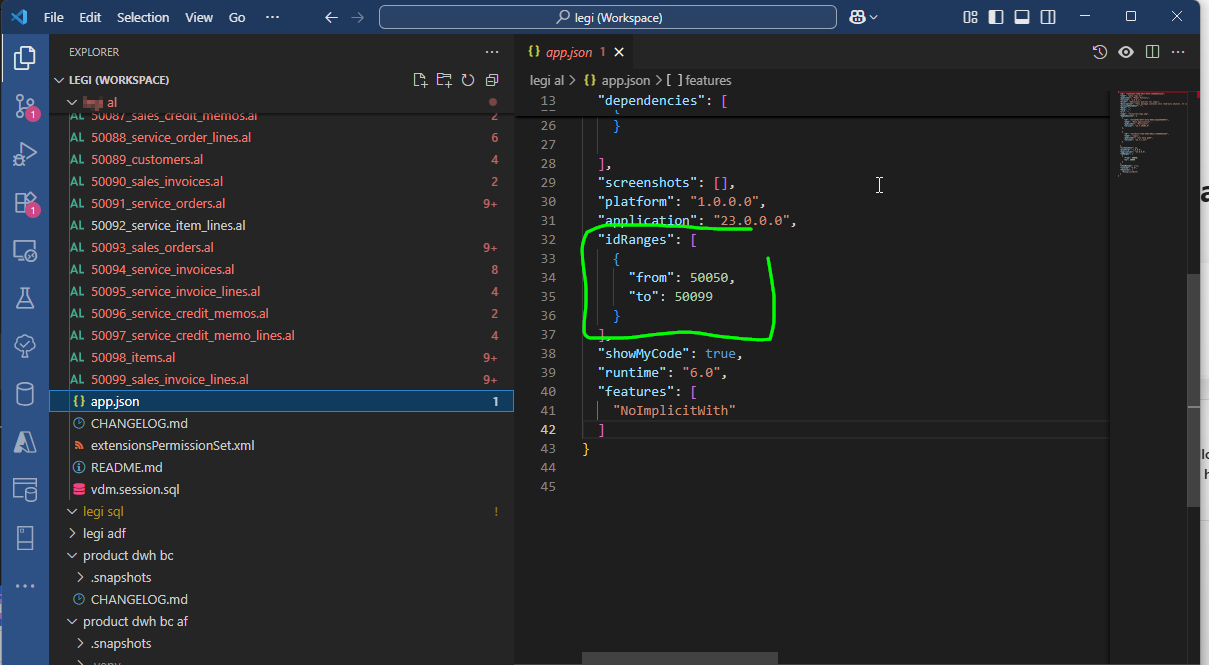
We also need a code range that we have at our disposal. We will create a read-only BC extension with queries, and each query must have a BC code. The codes are typically in the range of 50,000 to 100,000, and the BC partner typically manages the code ranges. We need a maximum of 100 IDs, for example 50,800 - 50,899.
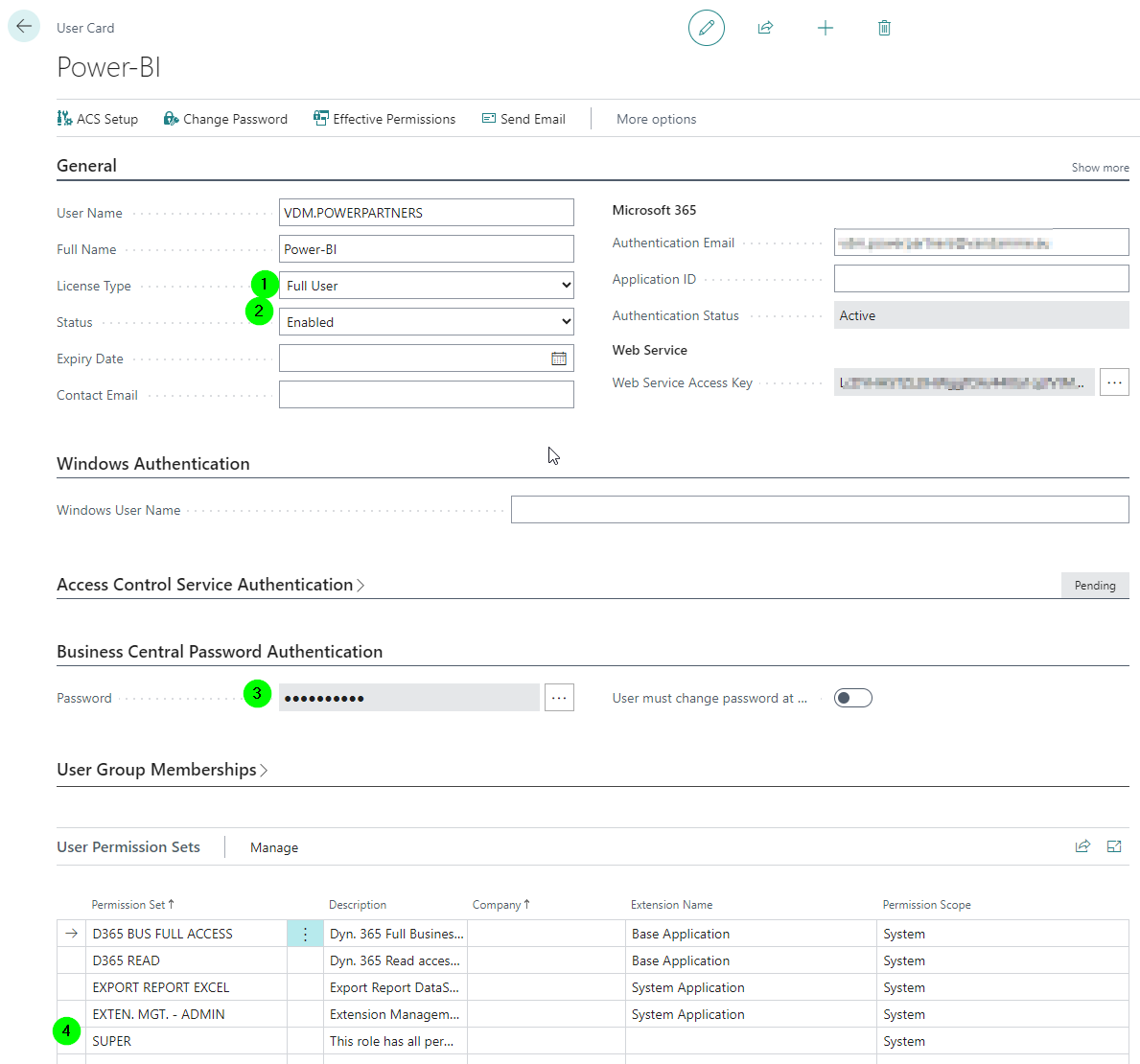
User/GUI
We need at least the Team Member license.
We need at least the following permissions:
 - AUTOMATE ACTION
 - D365 EXTENSION MGT
 - EXCEL EXPORT ACTION
We can start with SUPER permissions, and once API access is working, we can set the permissions to the minimum required.
API
Installation of an Entra ID App with the appropriate permissions:
Dev Endpoint
We should have access to the Development Endpoint so that we can load the symbols/dependencies from your third-party extensions into VSC, as well as deploy our Query Extension in BC.
On Prem
We need access to both the BC GUI and the API.
User/GUI
Typically for on-prem installations, this runs via VPN at dev-time, and for Azure loads via Hybrid Connection Manager.
We need at least the Team Member license.
We need at least the following permissions:
 - AUTOMATE ACTION
 - D365 EXTENSION MGT
 - EXCEL EXPORT ACTION
(I'm not 100% sure if this is also correct for on-prem, but I will check). We can start with SUPER permissions, and once API access is working, we can set the permissions to the minimum required.
API
Typically for on-prem installations, this runs with Basic Authentication, but it depends on your installation.
Dev Endpoint
We should have access to the Development Endpoint so that we can load the symbols/dependencies from your third-party extensions into VSC, as well as deploy our Query Extension in BC.
HCM
This allows us to access the API securely, without VPN and without firewall rules.
Further information is attached (click the link and view the ticket in the browser). FYI: This is our internal documentation.