Azure Functions Tips and Tricks
Azure Function Python Version
When you get this error message in the function invocations:
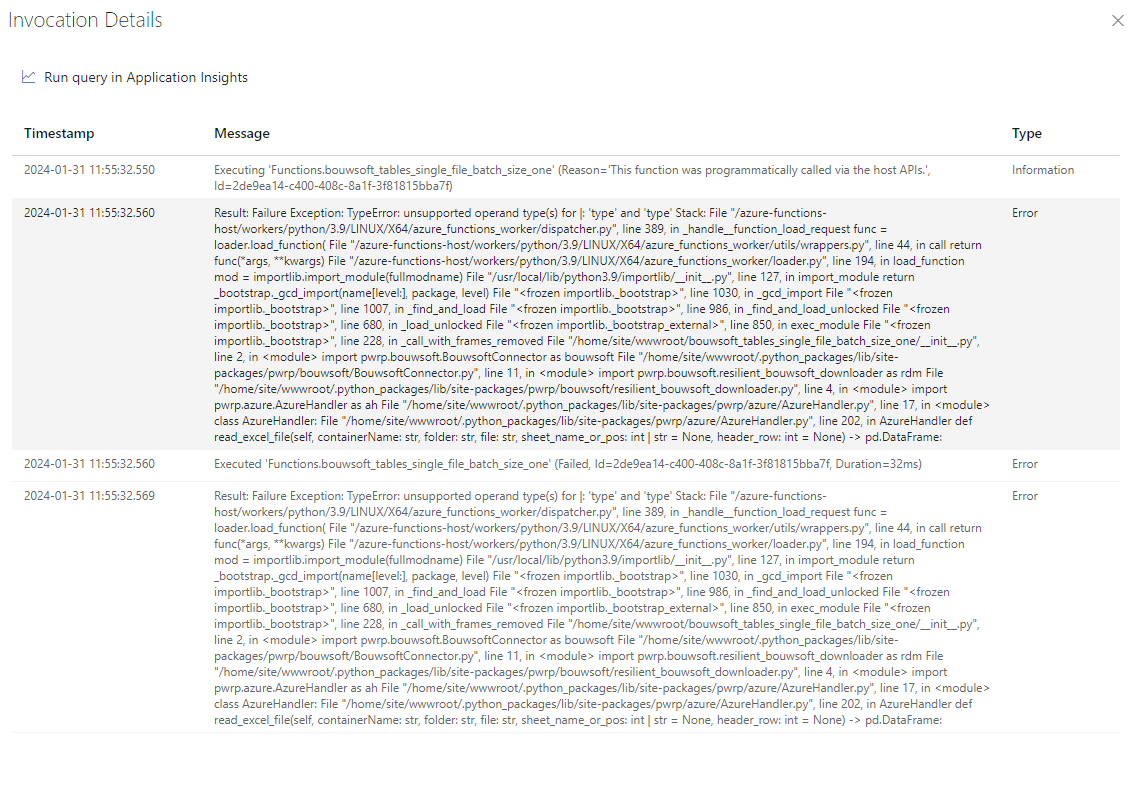
It means the python version was newer when deploying it from vscode. You need to change the version to 3.10 in azure portal Cloud Shell Azure Function - Power Partners Doc (pwrp.pro)
Timeout
The timeout of an azure function depends on the functionTimeout value in the host.json. It applies to all functions in a function app.
However, you can also set it from the Azure portal. Proceed like so:
-
Remove the timeout configuration from host.json
-
For your consumption function apps, add the following environment variable:
AzureFunctionsJobHost__functionTimeout = 00:10:00 -
For your premium function apps, add the following environment variable:
AzureFunctionsJobHost__functionTimeout = 01:00:00
If you remove it from host.json, but do not add it to the environment variables, then the defaults apply. These are, depending on the service plan:
-
Consumption Plan:
- Default Timeout: 5 minutes
- Maximum Timeout: 5 minutes (can be increased up to 10 minutes by setting the
functionTimeoutin the host.json file)
-
Premium Plan:
- Default Timeout: 30 minutes
- Maximum Timeout: Unlimited (can be configured using the
functionTimeoutin the host.json file or theAzureFunctionsJobHost__functionTimeoutapplication setting)
-
Dedicated (App Service) Plan:
- Default Timeout: Unlimited (no timeout by default)
- Maximum Timeout: Unlimited (can be configured using the
functionTimeoutin the host.json file or theAzureFunctionsJobHost__functionTimeoutapplication setting)