Payroll Management
This document contains details for multiple companies:
Background Info
This document outlines the steps we should take to make sure Belgian employees receive their salaries correctly and timely.
Currently we work with Acerta (social office) they will execute the payment we just have to trigger it every month through their portal.
BV
Process Details
- Owner: payroll-manager
- Participants: line-manager
- Frequency: monthly, every 28th day of the month.
Prerequisite
-
Colleague is onboarded (Acerta).
-
line-manager has access to vacation calendar of the employee in Clockodo.
Process
-
Log in to Acerta Portal: use the credentials in 1Password.
-
Access Connect: select the blue button “Acerta Connect”.
-
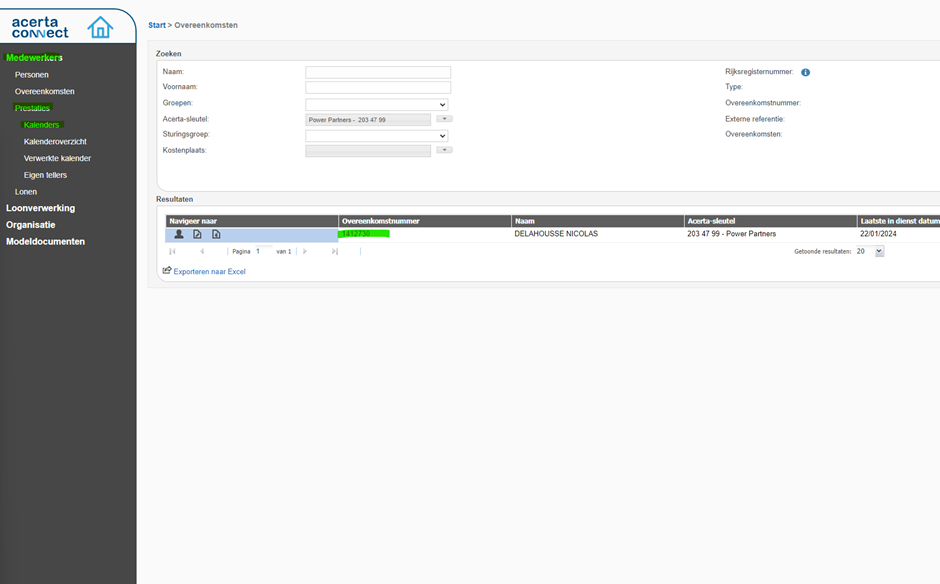
Access the employee calendar: “Medewerkers” > “Prestaties” > “Kalenders” > Select the “Overeenkomstnummer”
-
Submit calendar: Check the vacation days in Clockodo. If employee had vacation this month then select the day and select “230 - wettelijke vakantie”. For all the normal working days select: “100 - gewone prestaties”. Click blue button “Bewaren” (save).
-
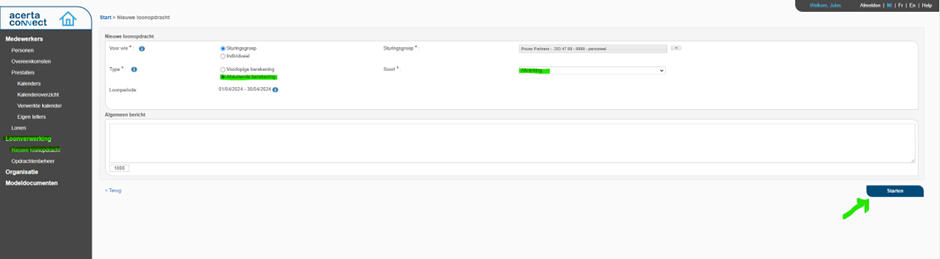
Start salary payment process: after the calendar is registered we now need to initiate the salary payment.
-
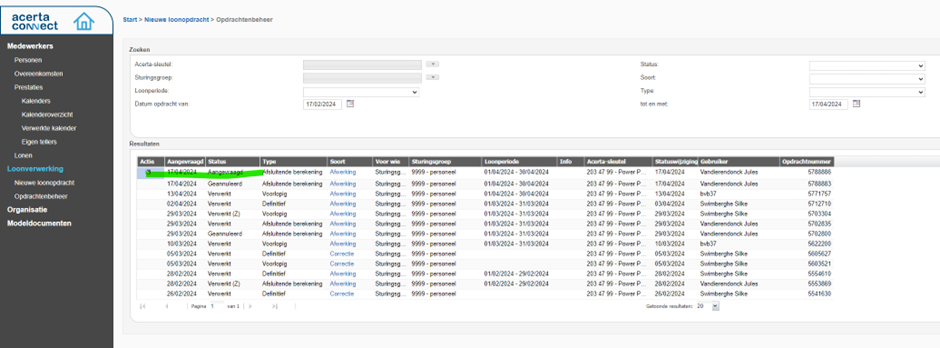
Double check if request went through: you should see your new request appear. Acerta will now do their thing and tomorrow the salary will be transferred.
Checklist
- Calendar has been submitted in Acerta portal.
- Salary request has been submitted.
- Employee has confirmed the vacation request submission via Clockodo’s confirmation message or email.
AG
Process Details
- Owner
- Frequency
- Trigger
Process
Salary Entry
In bexio:
-
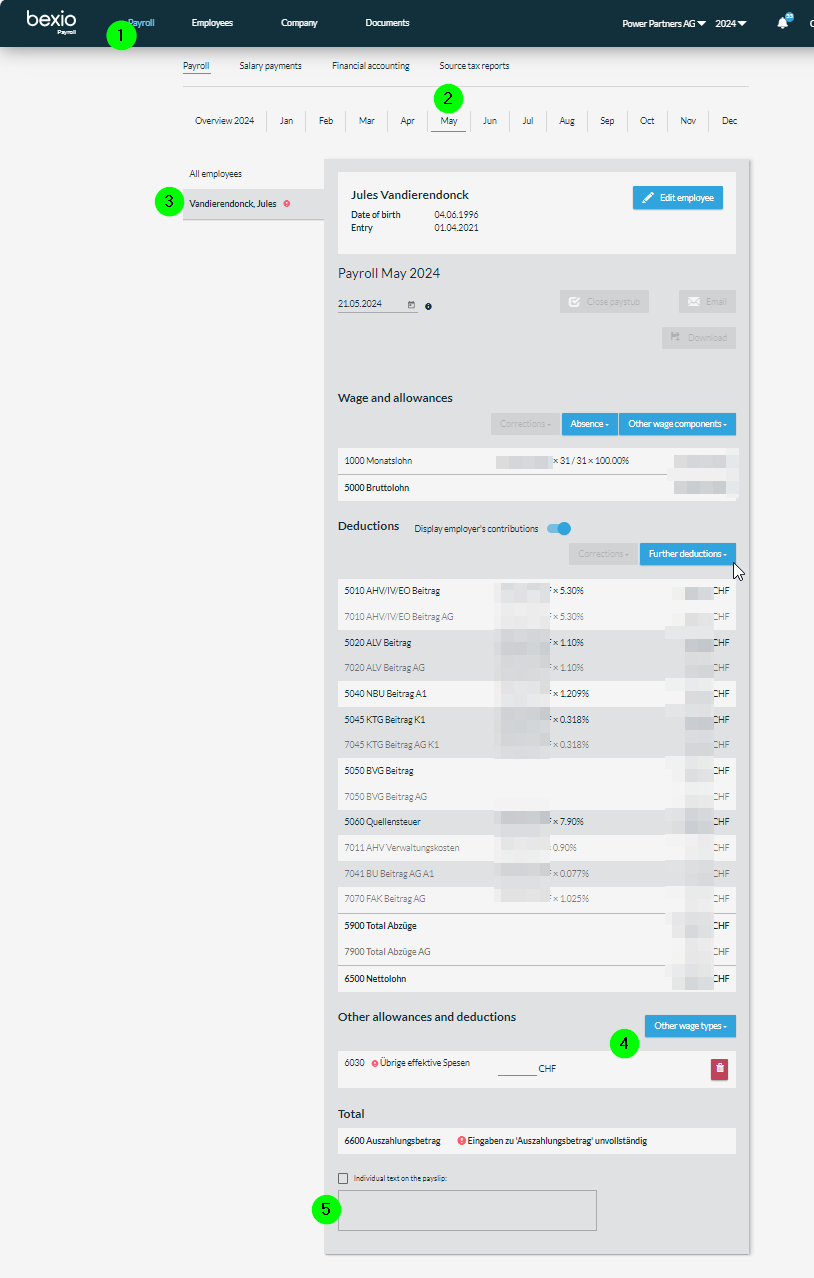
In bexio, go to
Payroll>Payroll -
Go to the right month
-
Go to Employee and add Abwesenheit if applicable
-
In Lohnabrechnung, select the current month
- For each employee, select the employee
- If necessary, add sick days and military
- if necessary, scroll down and add expenses
- add comments for the expenses
- set date to Today (this is the date relevant for corrections, not the payment date)
- Close paystub ("Lohnabrechnung abschliessen")
- Email (NOTE: the password to open the PDF is the AHV number without dots)
- Repeat from step 3 for each employee
Salary Payment
-
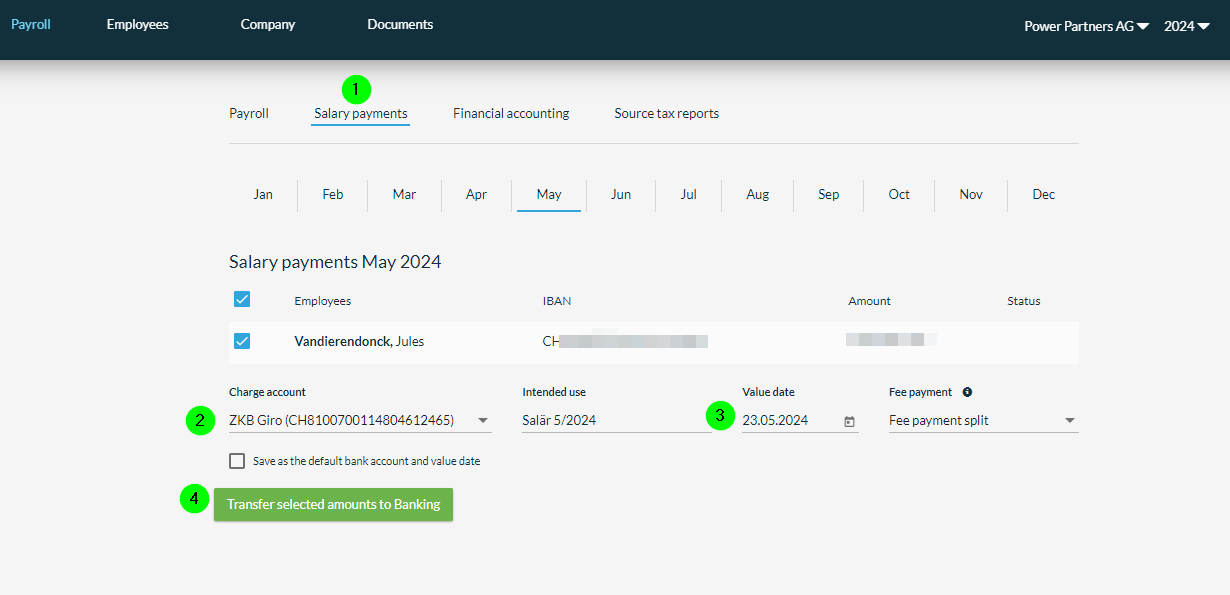
In bexio Payroll, go to
Salary payments(Lohnzahlungen) -
Verify the bank
-
Set the
Value date(normally last working day of each month) -
Click
Transfer selected amounts to Banking
The payments will be picked up by the accounts-payables and sent to ZKB banking.
Salary Accounting
Do this only once all salaries for a month are done! (including hourly)
-
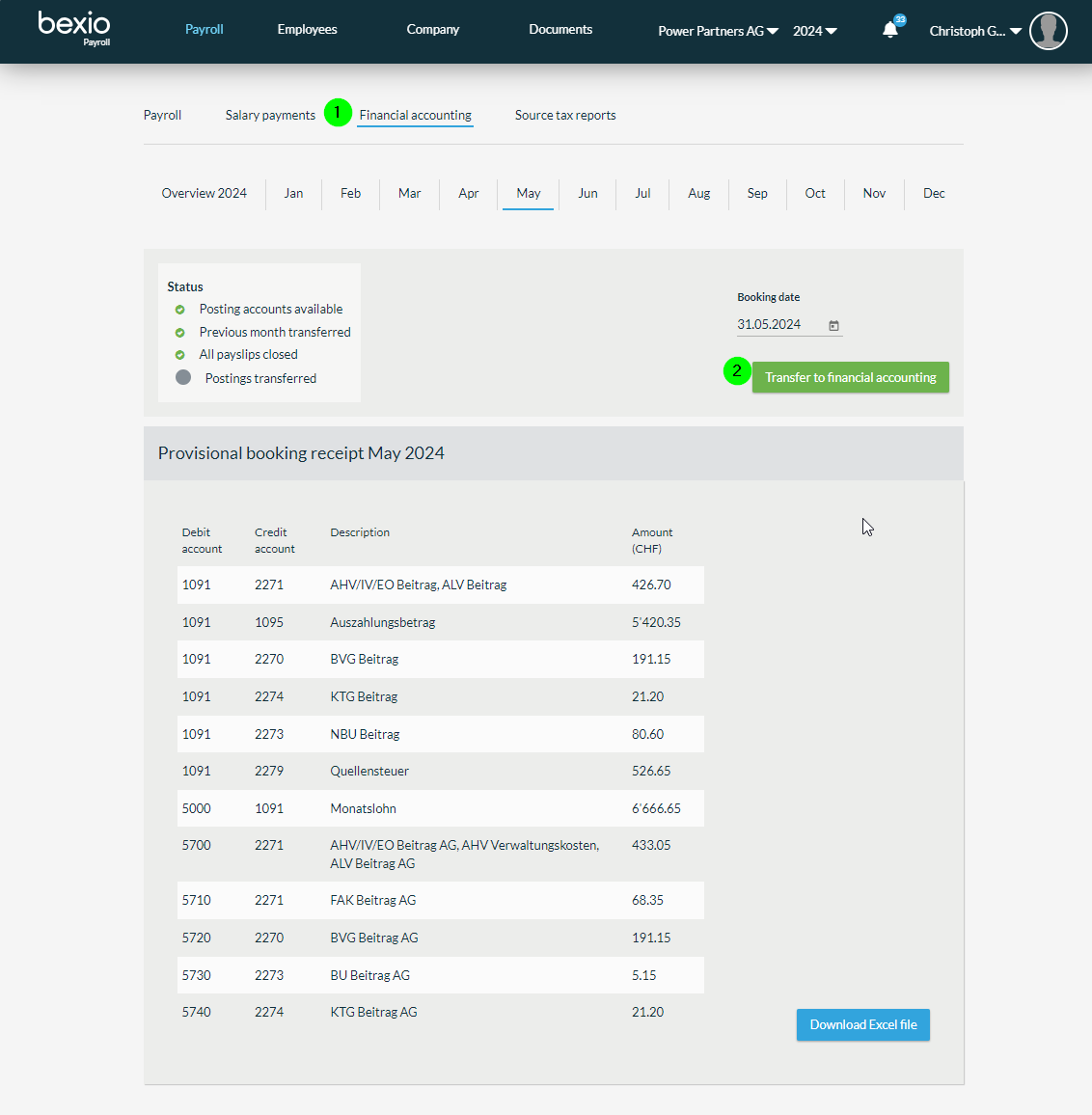
in bexio Payroll, go to
Financial accounting(Finanzbuchhaltung) -
click on
Transfer to financial accounting(In die Finanzbuchhaltung übertragen)
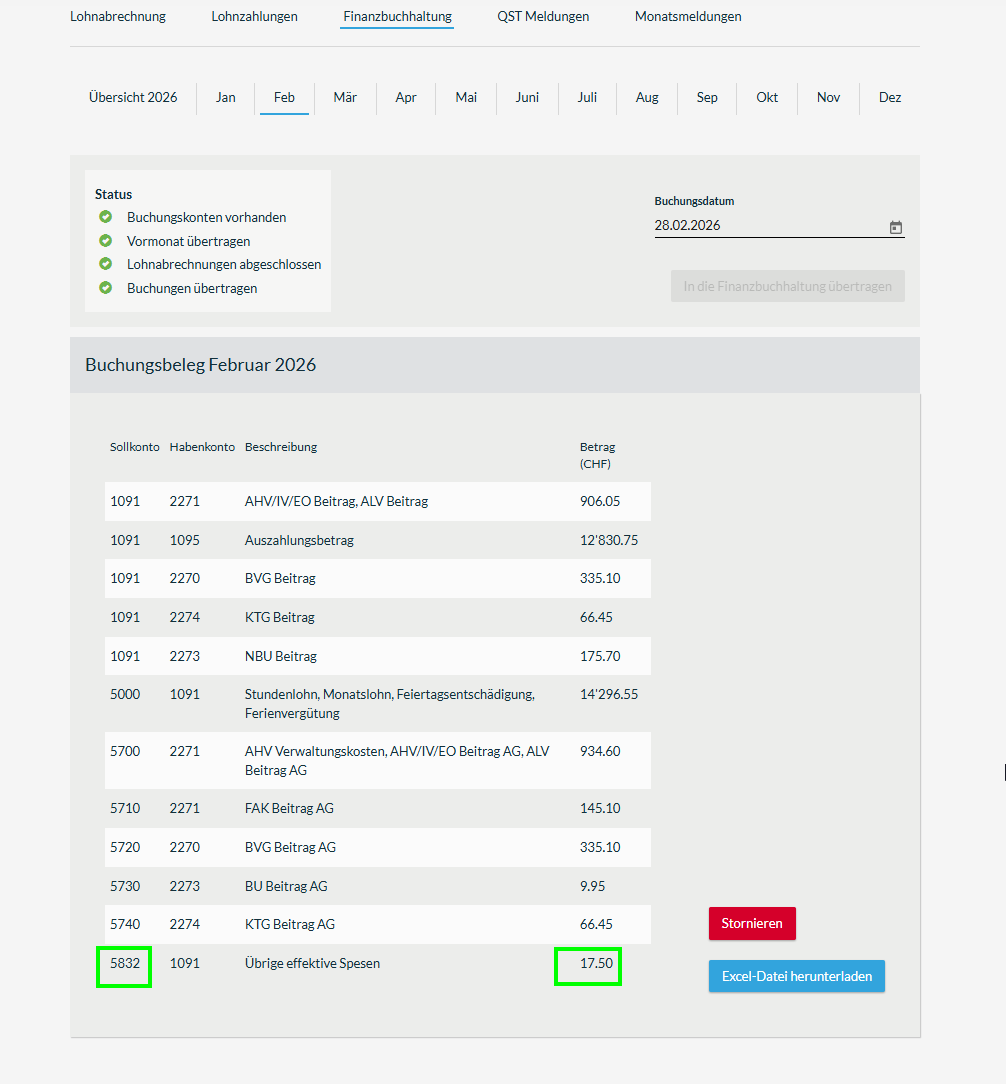
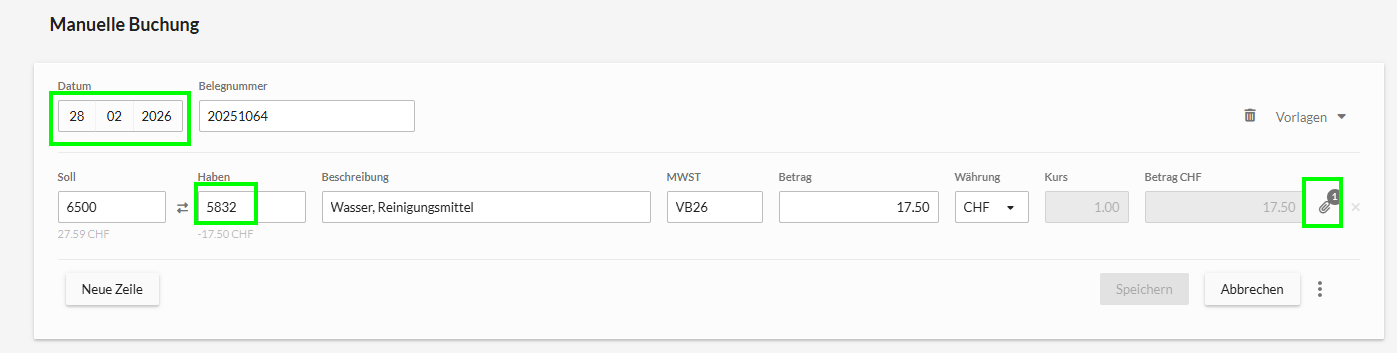
- In case of expenses, create the counter-bookings as manual bookings
Checklist
- All salaries are entered in bexio
- All expenses have been registered
- The Email to the employees have been sent
- The payments are in the pending folder of bexio banking
- The financial accounting bookings have been made
- The expenses are correctly booked