Data Wrangling
We perform most data wrangling in Power Query.
Since M is not the easiest language to maintain and tool support in Power BI is limited, it is essential to keep the structure clean.
A solid Power Query/M setup focuses on:
- Performance: Query folding and step order optimization
- Maintainability: Clear naming and modularization
- Reusability: Parameters, functions, and dataflows
Performance and Query Folding
- Filter and reduce rows as early as possible so that connectors can fold filters back to the source and avoid loading unnecessary data.
- Remove unused columns (use "remove other columns") before merges and heavy calculations to minimize data volume and lower the cost of joins.
- Perform expensive operations (merges on large tables, complex calculated columns, grouping, cross-source joins) as late as possible to keep earlier steps foldable.
Step order and data types
- Set correct data types early, but preferably after row/column reduction, so profiling and previews are accurate without overloading the engine.
- Apply text cleanup (trim, clean, case transforms) only on the columns actually needed to avoid breaking folding and wasting CPU.
Structure, naming, and modularization
- Use a modular approach: split logic into staging queries (raw cleaned data), transformation queries, and final presentation queries, referencing rather than duplicating queries.
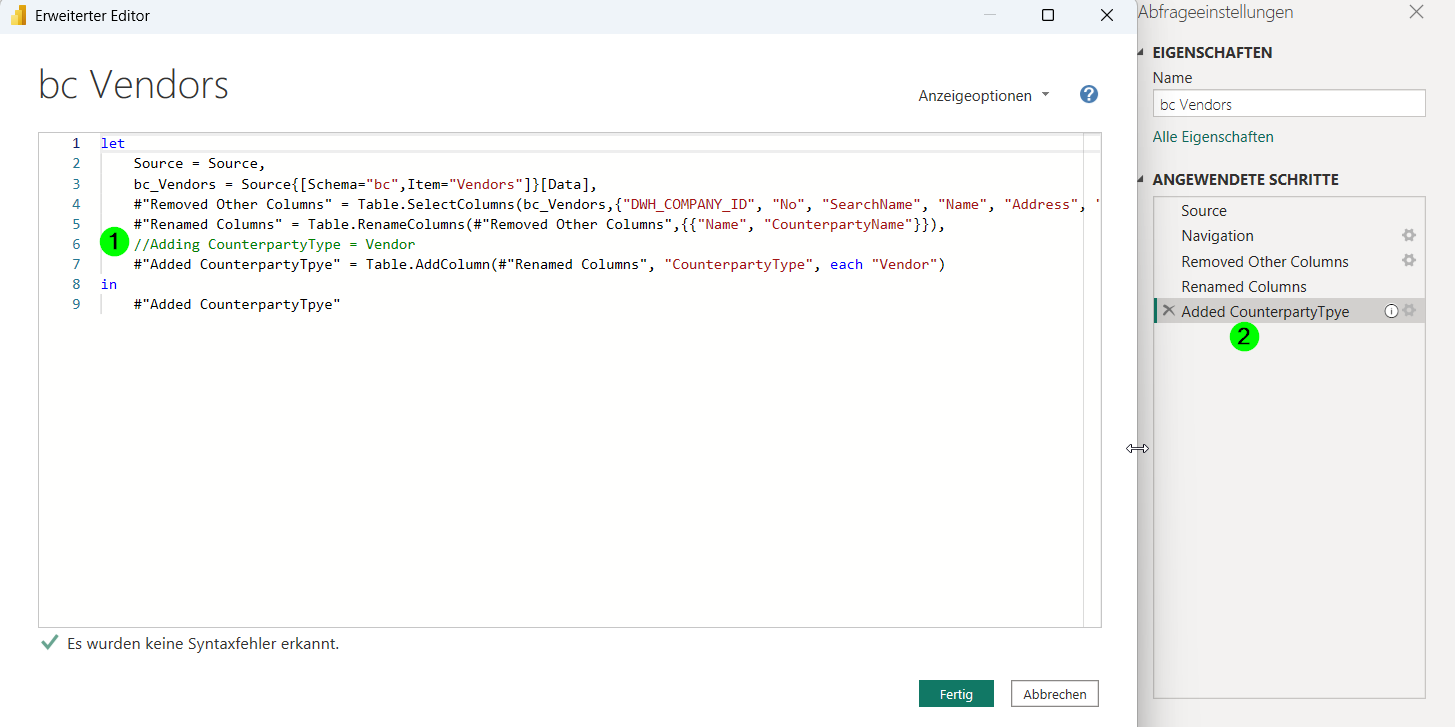
- Give meaningful names to queries, steps, and columns; avoid default names like “Filtered Rows 2” so that M code is readable and maintainable.
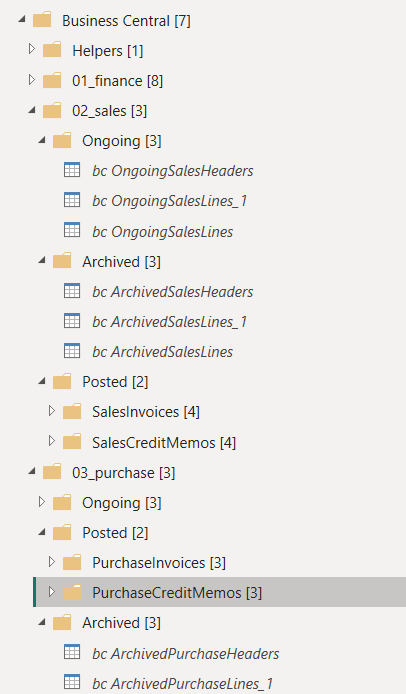
- Group related queries in folders (staging, dim, fact, parameters, lookup) so models stay understandable as they grow.
- Avoid having transformations on your dim and facts, do the transformations rather in the source queries.
Parameters, functions, and reuse
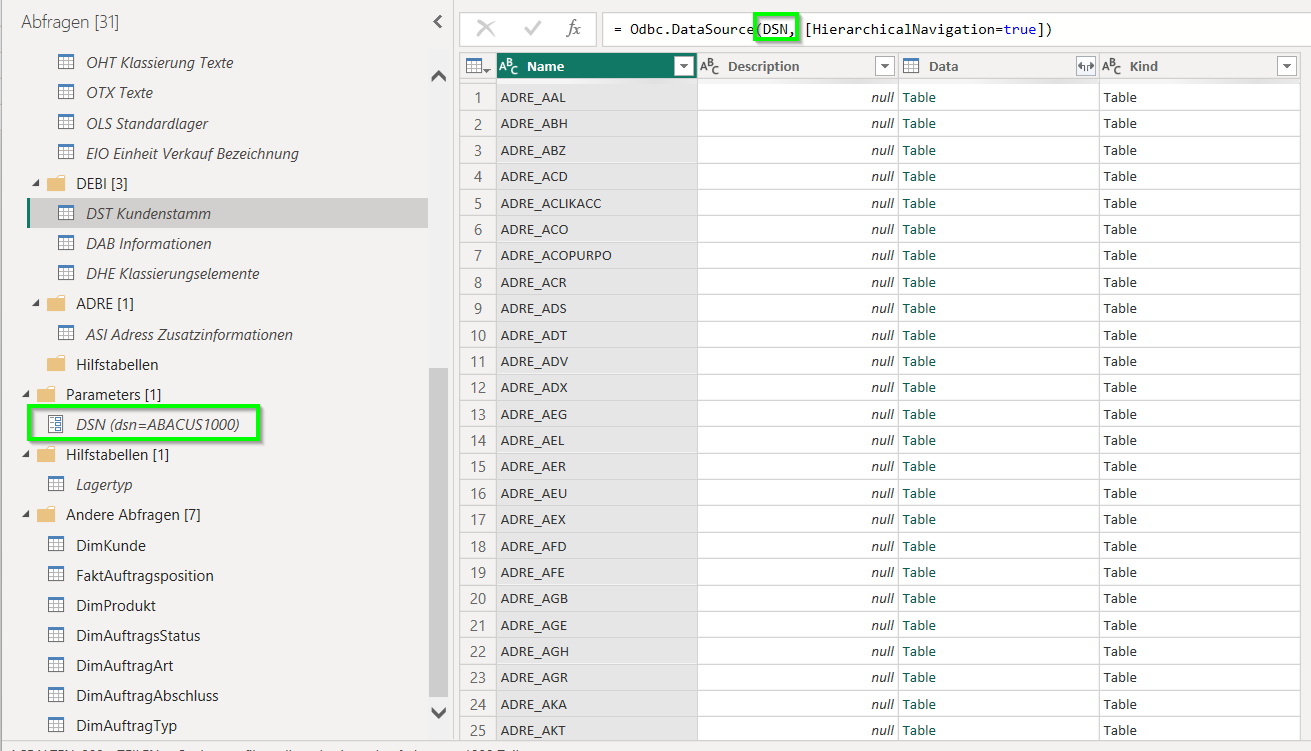
- Use parameters for environment-dependent values (DSNs, server/database names, date ranges, company IDs) to make solutions portable between dev/test/prod.
Development workflow and diagnostics
- Format and comment M code (in Advanced Editor) to aid future debugging, and consider external version control for more complex projects.