App Config (AC)
Tldr
- Naming Convention:
xxx-pwrp-ac - Deployment granularity:
- we typically have a single App Configuration per client
- Typical Pricing Tier: Free
Background
App Configuration is an Azure ressource that allows storing simple and complex configurations for different types of apps.
It includes features such as access control, evnrionment management, and version history.
We use it, for example, to configure the Automation Server.
Usage Best Practice
-
Rule of thumb:
- in AF, when you have few key-value config items, then use environment variable instead
- if you have complex structures, use App Config
-
Even though the App Config contains version history, we recommend to use a JSON file to configure an App
Installation
Create App Config and Import Configuration File
-
In Azure, create a new App Configuration
-
Select the right Pricing Tier (typically Free)
-
Get or create the configuration file of the client, in the client's git repository
-
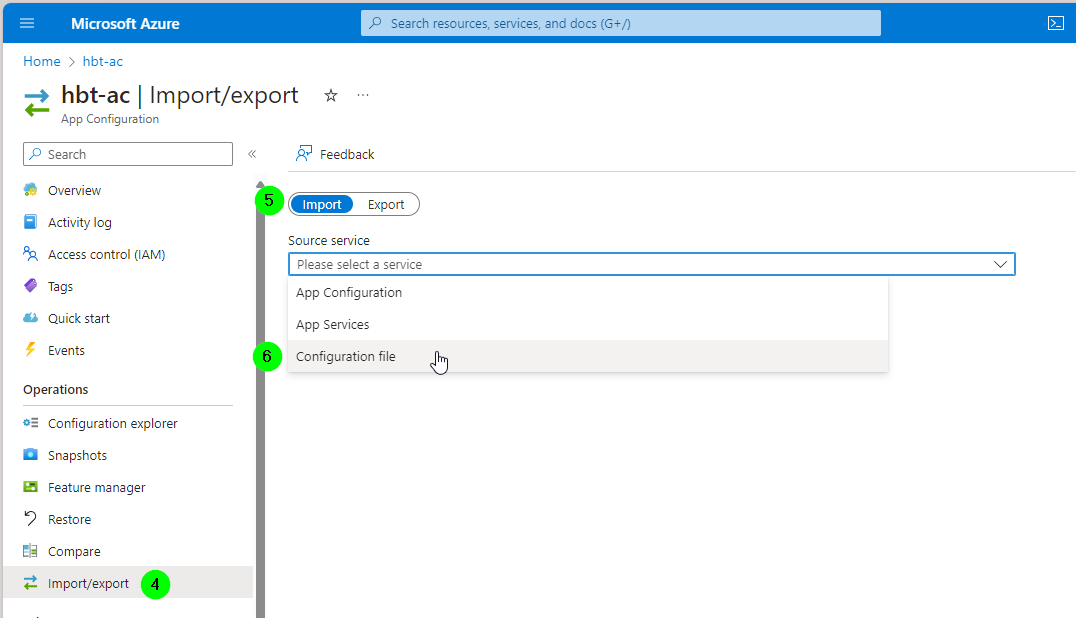
Select "Import/Export"
-
Select "Import"
-
Select "Configuration File"
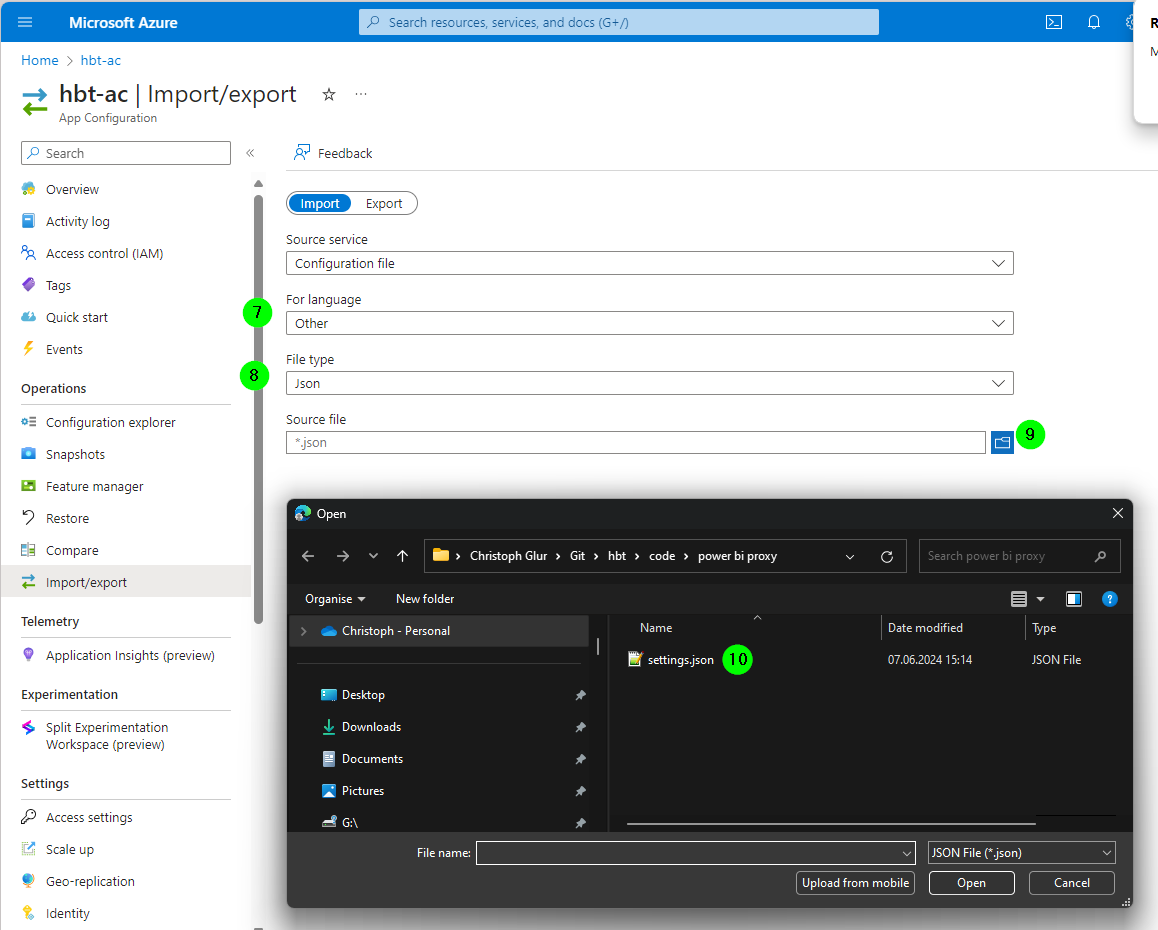
- Select "Other"
- Select File Type = "Json"
- Select Import
- Find the file
Provide Access
There are different ways to provide access.
The easiest is to use access keys.
For example, in the Power BI Proxy, we use it like this:
-
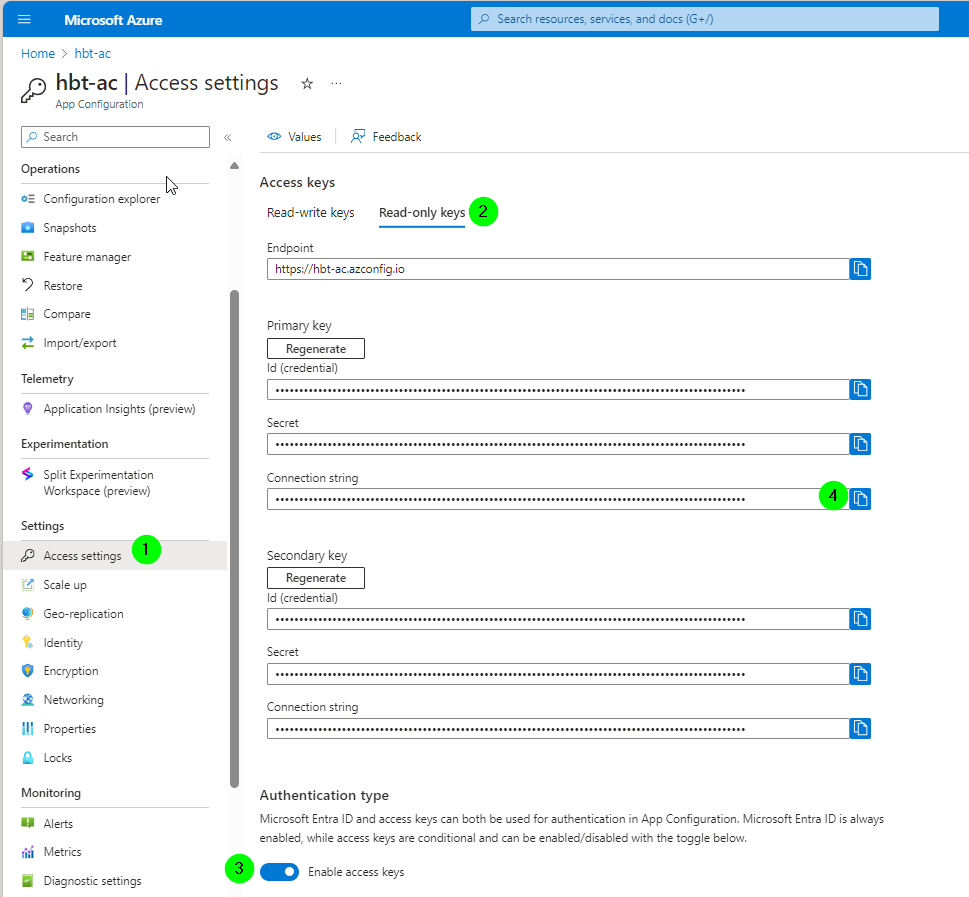
in your App Configuration, go to "Access settings"
-
Open tab "Read-only keys"
-
Make sure access keys are enables
-
copy the connection string
-
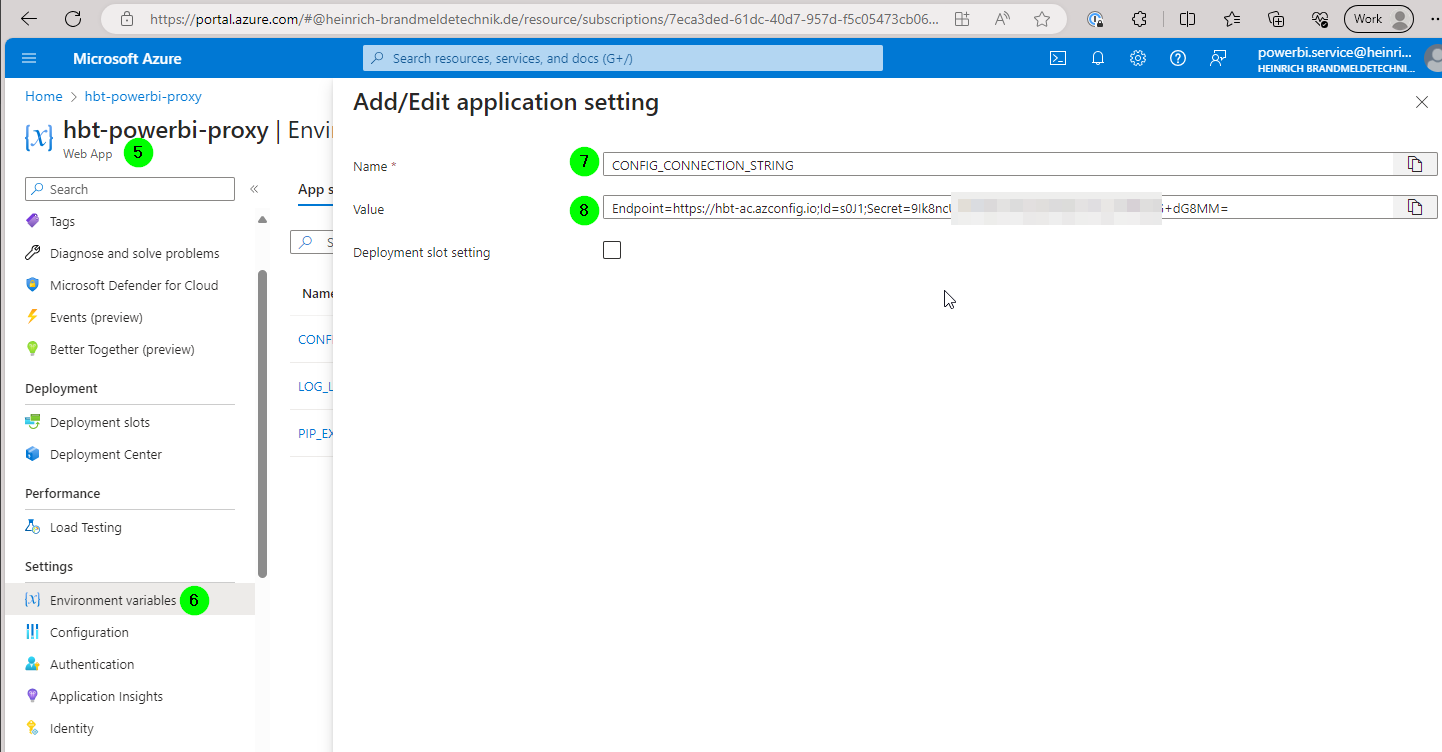
go to the Web App
-
go to Environment Variables
-
add the name
-
add the connection string
-
Apply