Learnings
Operations Cycle
Intro
After completing the BC DWH roll out and the initial Sales Cycle, we proceeded with the Operations Cycle.
Client Project Manager for this cycle was Koen Breems - Operations Manager.
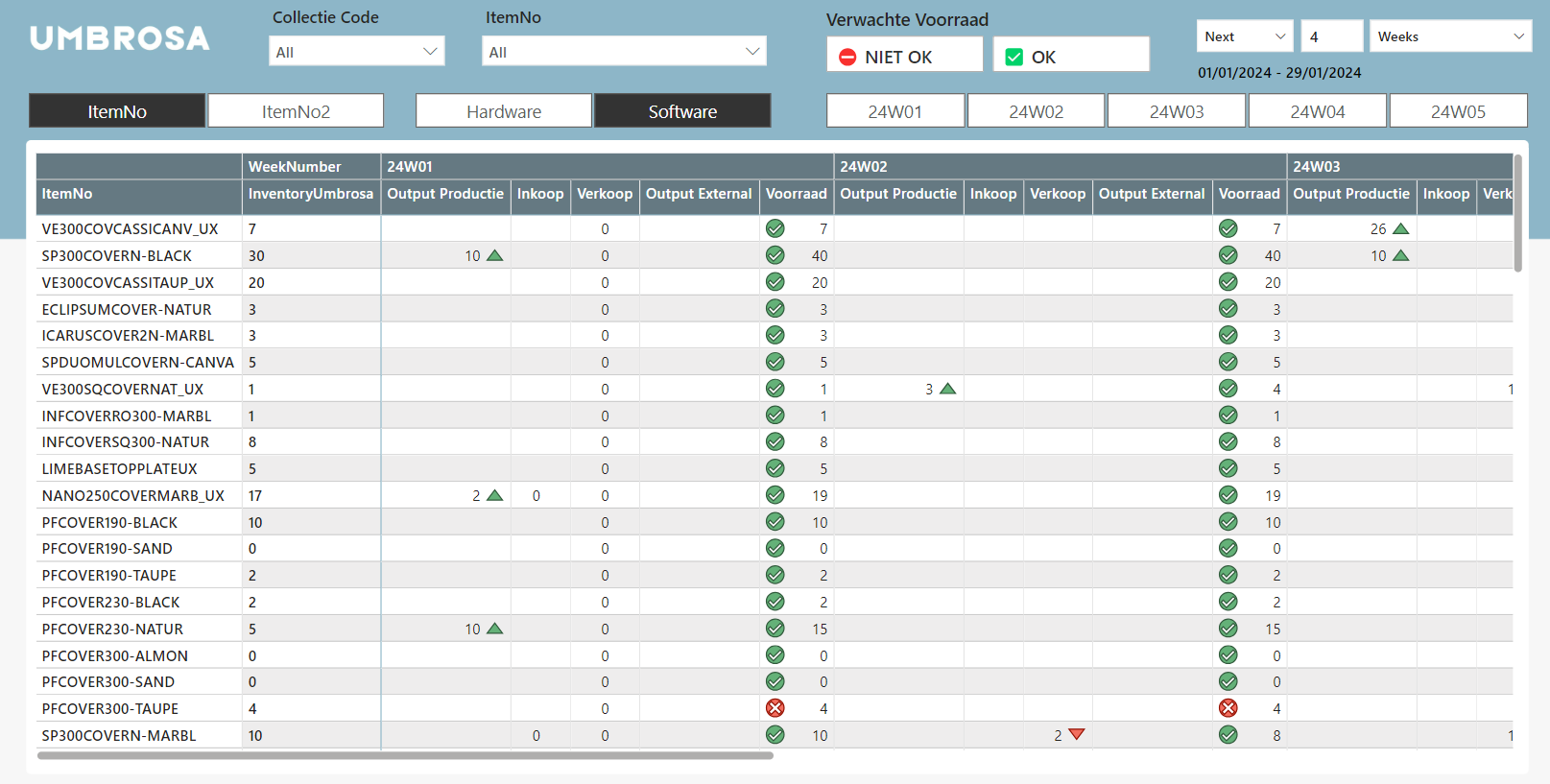
The goal was to plan ahead the Umbrosa Inventory levels taking into account various transactions.
End Goal
The goal was to create a dashboard like the Excel example below.
This allows the operations team to see the evolution of the inventory levels in the future.
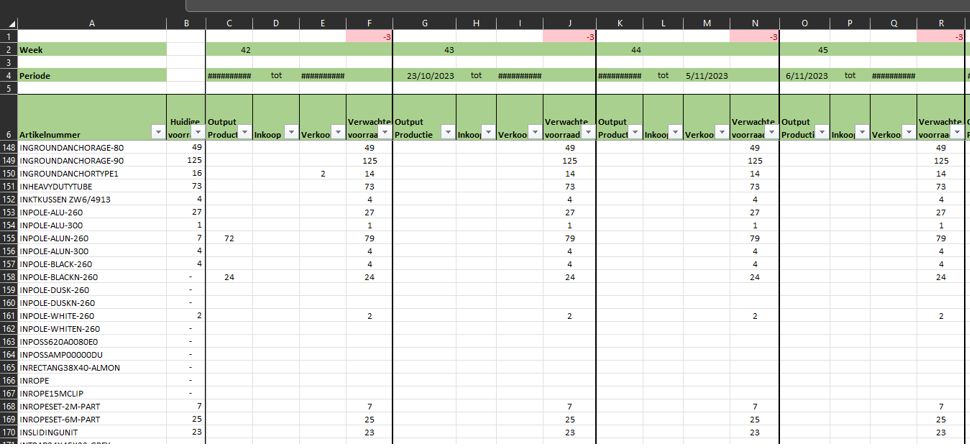
- Column A: List with Items
- Column B: Current Inventory Umbrosa
- Column C: Output Production
- Column D: Purchase Lines
- Column E: Sales
- Extra (not on screenshot): Output External
- Column F: Result Expected Inventory
Formula
F = B + C + D - E
Items and Current Inventory
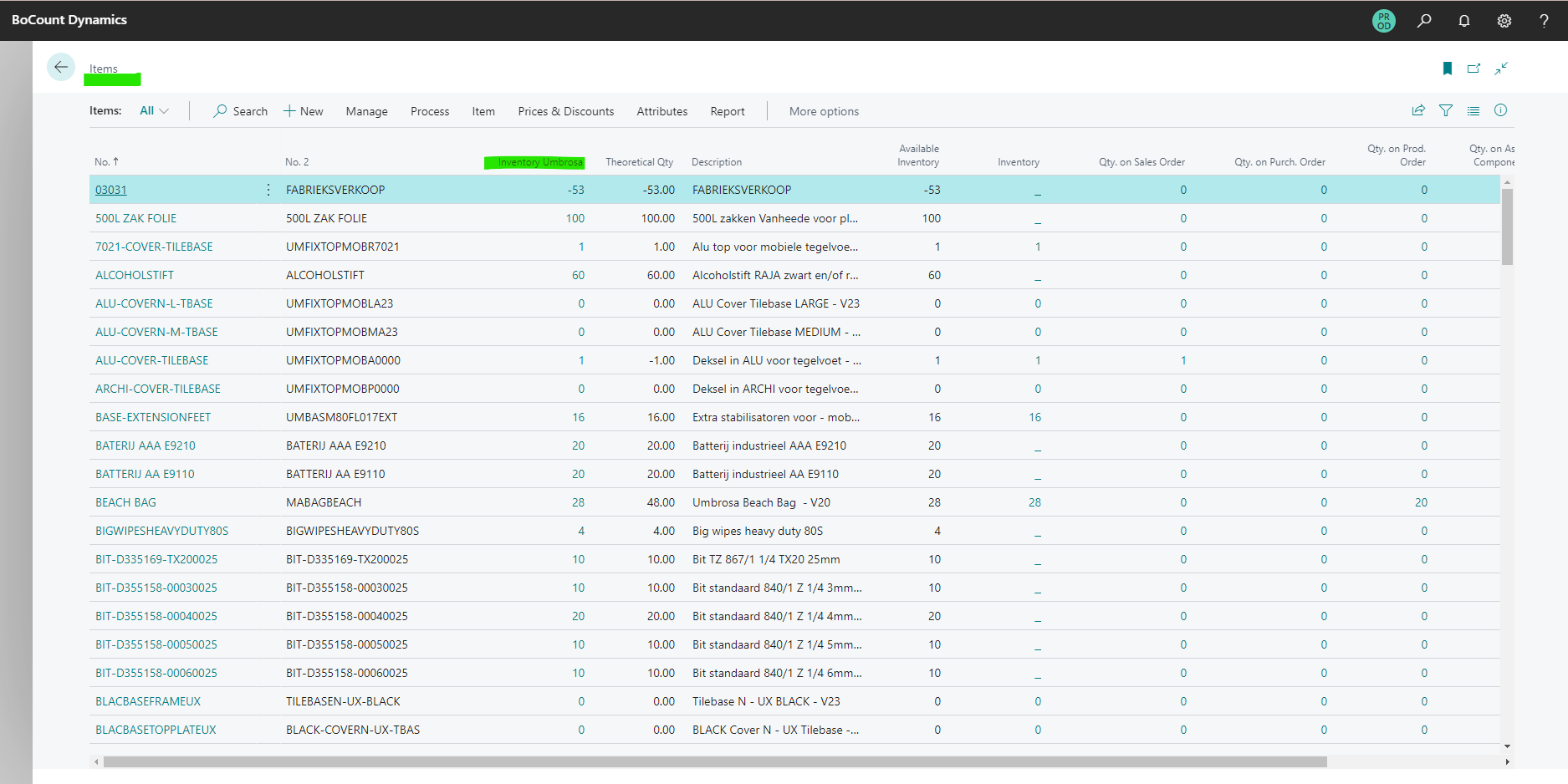
In BC the current inventory you find on the items table.
- "Inventory Umbrosa": will be the starting point of the KPI calculations.
Output Production
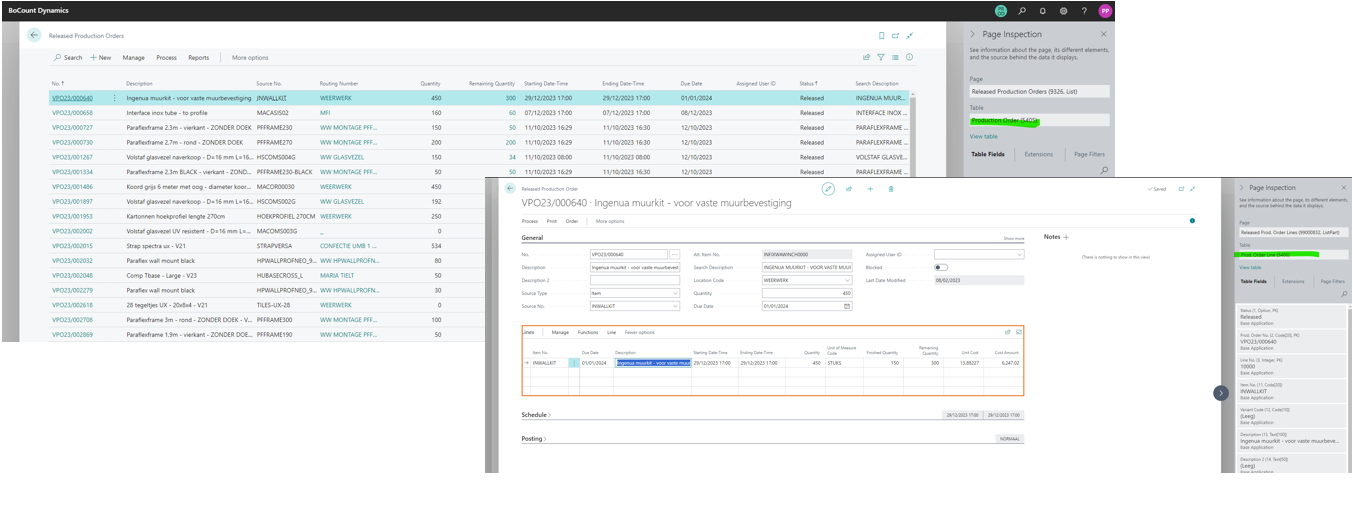
In BC you find these under Production Orderlines (Umbrosa uses the term "VPO").
- "Remainingg Quantity": the qty per itemno that we expect to have as output production.
- "Due Date": the date by which we expect the output to be ready/available.
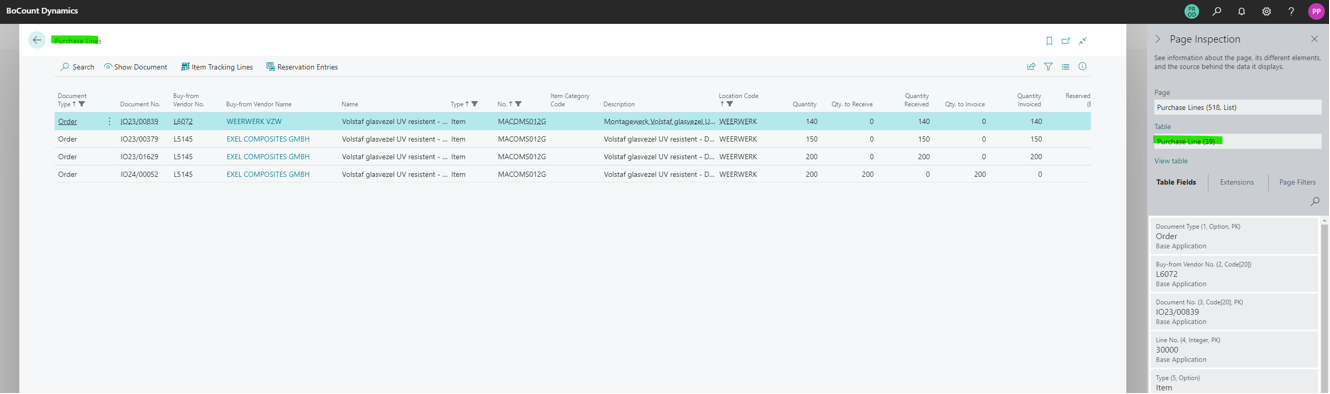
Purchase Lines
Some Items are bought by Umbrosa.
We have to add Purchase lines to see the quantity to receive per item.
- "Qty to receive": we calculate, qty - qty received (do not use the pre-calculated field).
- "Expected receipt date": the date by which we expect the items to be ready/available.
Sales
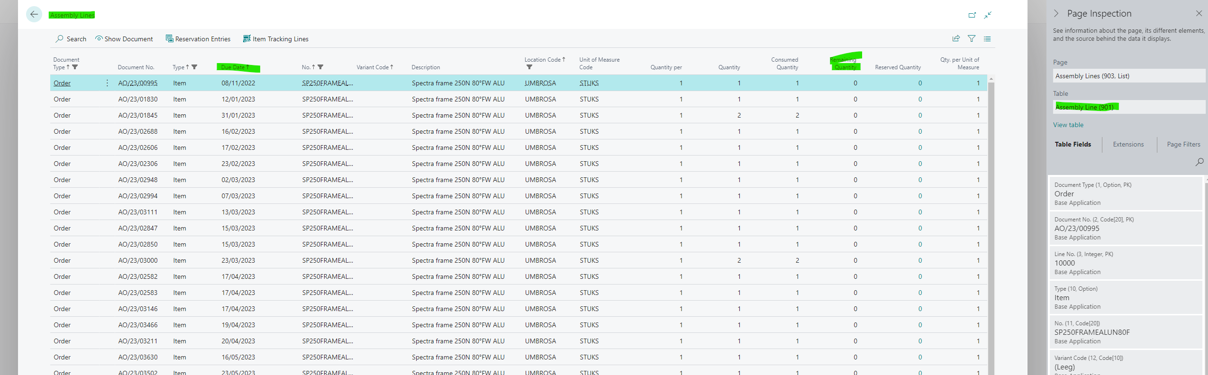
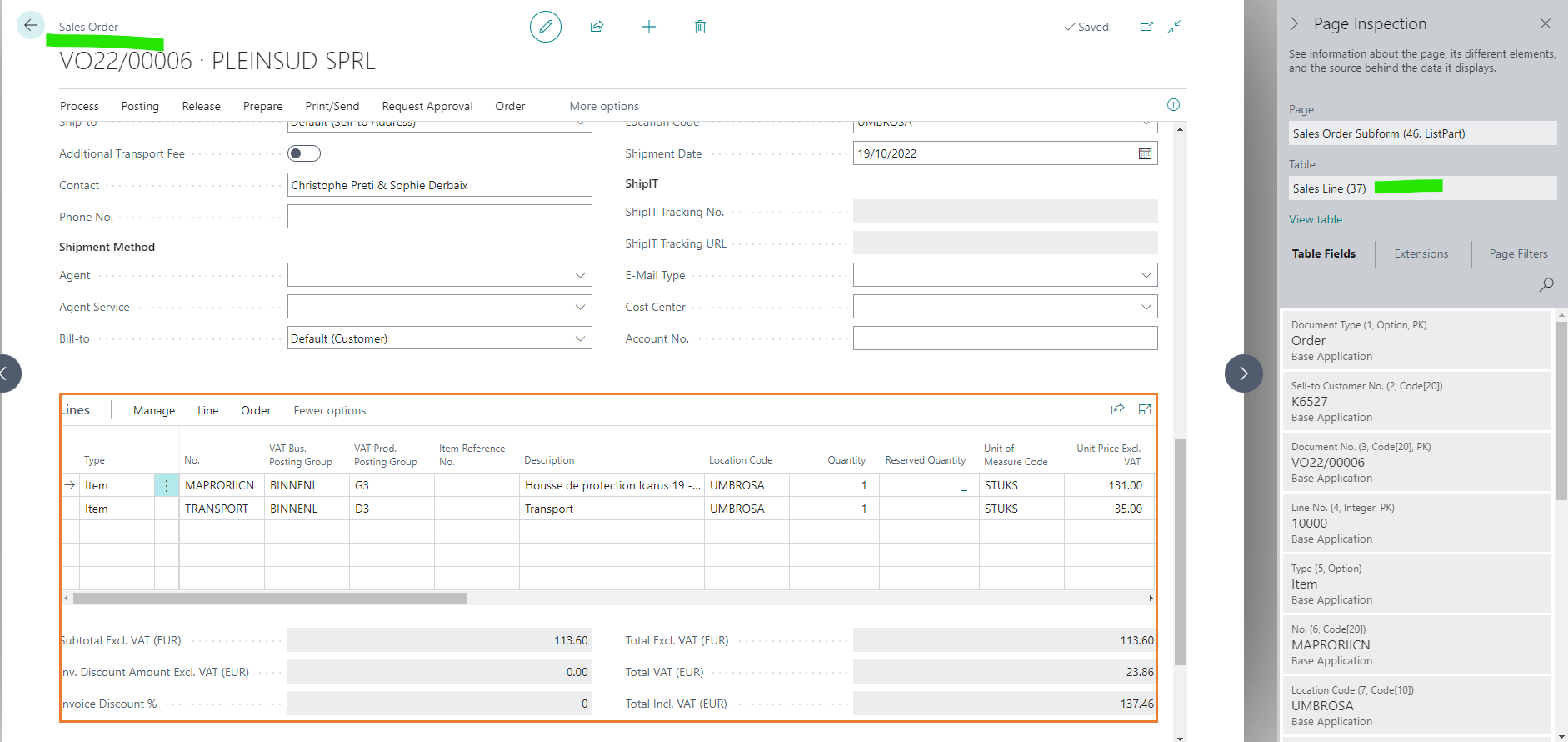
We want to calculate per item the quantity + date that is sold.
There are 2 scenarios:
- If Item is a Set (meaning item has BOM) then use BC_ assembly_lines.
- Else use BC_sales_orderlines.
For both we use the following columns:
- "Remaining Quantity": the qty per itemno that we sold and still need to deliver.
- "Shipment date": the date by which we expect the items to be shipped to the customer.
Extra: transfer orders
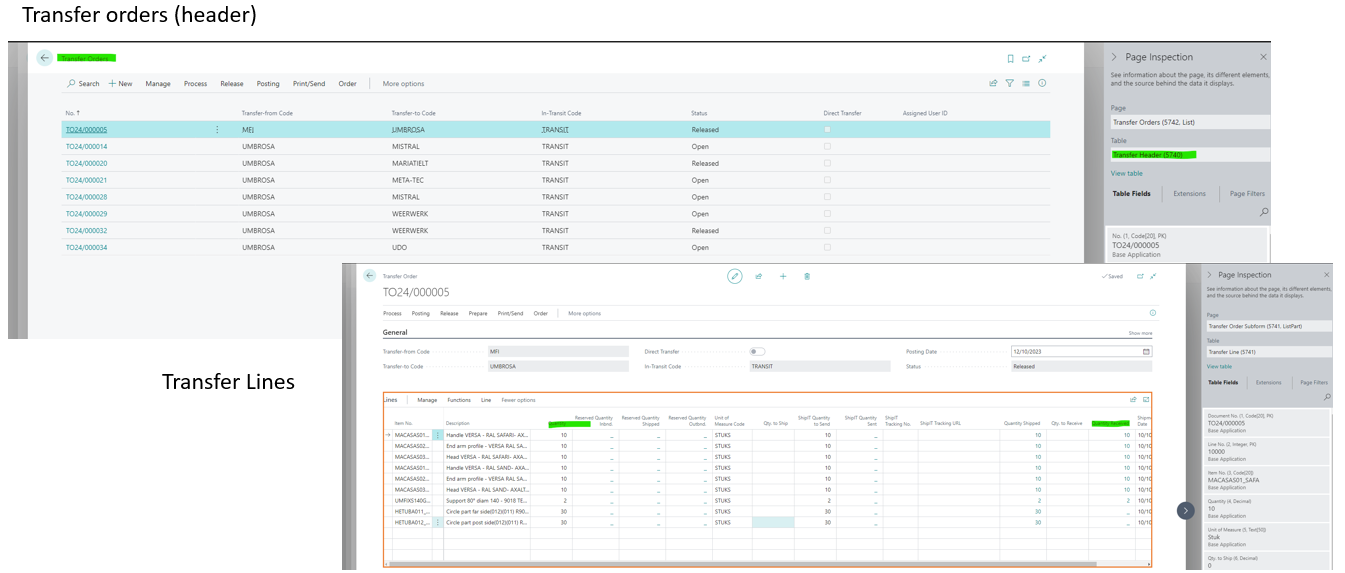
Transfer orders (TO) are used in BC to plan a transfer of goods from one warehouse to the other.
For Umbrosa there are 2 scenerios:
-
Transfer Order with location FROM Umbrosa.
This quantity is added to the column "Sales".
-
Transfer Order with location TO Umbrosa.
This quantity is what we use for the column "output external"
Result