SQL Server
Here, you will be setting up an Azure SQL Server and Database that will host your DWH.
Create SQL Server
Create an sql-server-installation server (if necessary) and database, and the standard logins.
Create Database Schema and Config Tables
In SQL Server (e.g. Azure Data Studio), you need to create the following:
-
a config schema
-
a bc schema
-
config tables
config.BC_Tablesconfig.Src_BC_Companies
You can do this by running the script you'll find here:
You will need to add the entries to the companies table, but we will do that later when the API access is working.
Make the AF Contributor
The Azure Function needs to have the right to change the DTUs of the Azure SQL database.
This is achieved by giving it Contributor rights on the Azure SQL Server.
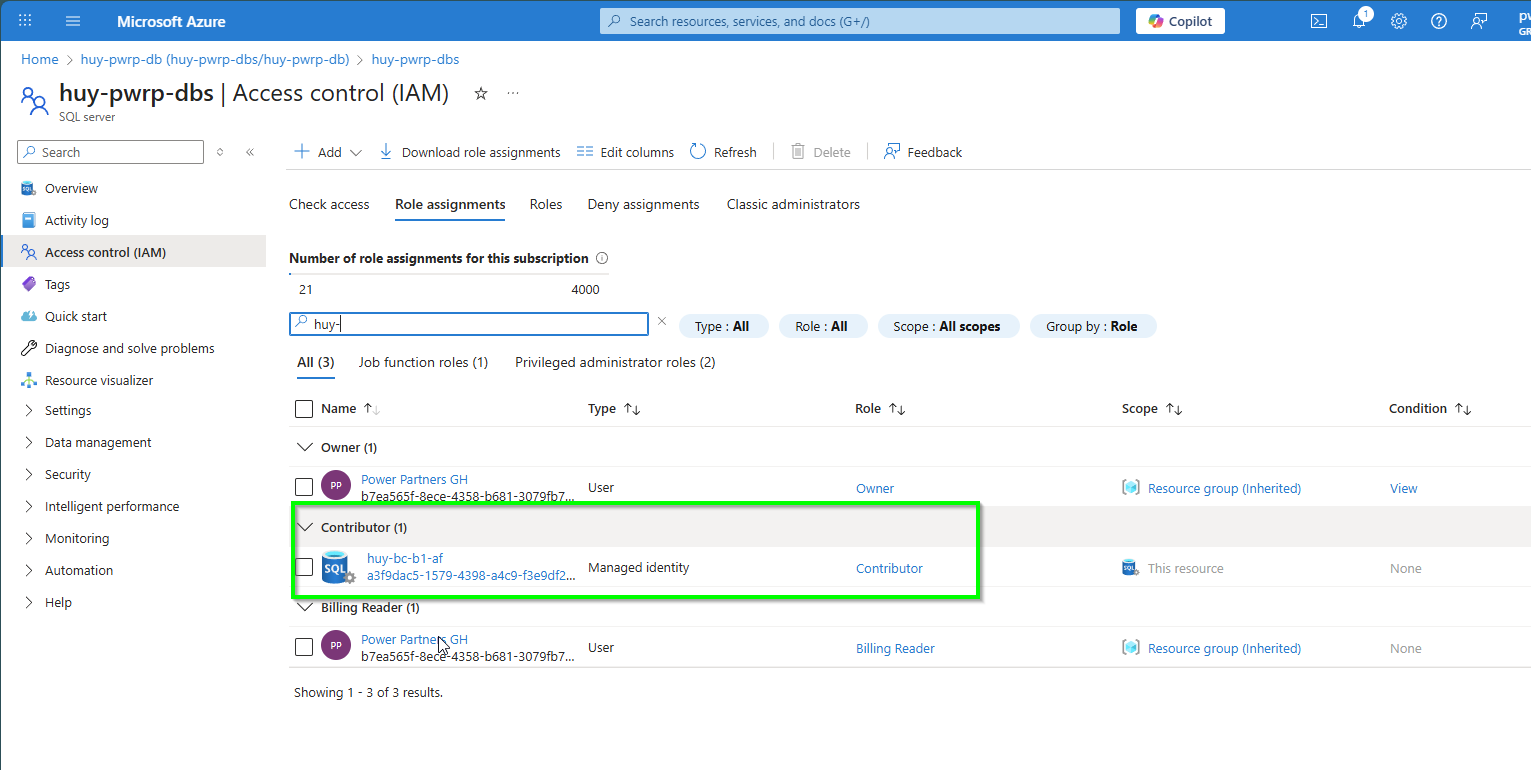
Give the
Check List Schema
- There is an SQL Server
- There is a schema
config - There is a schema
bc - There is a table
BC_Tables - There is a table
Src_BC_Companies - Both tables have data
- The AF identity has Contributor rights on the Azure SQL Server