How to analyse logs of a specific table
Situation: suppose you have an error message in ADF and you would like to analyse the logs of the function execution.
Here's what you need to do:
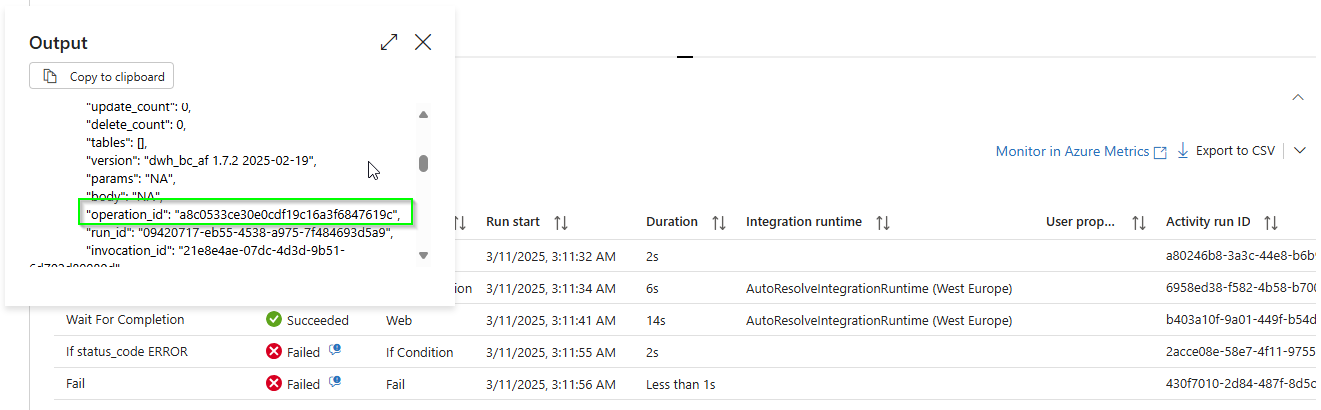
- in ADF, get the operation_id of the function call. For a durable function, this will be in the Wait for Completion activity
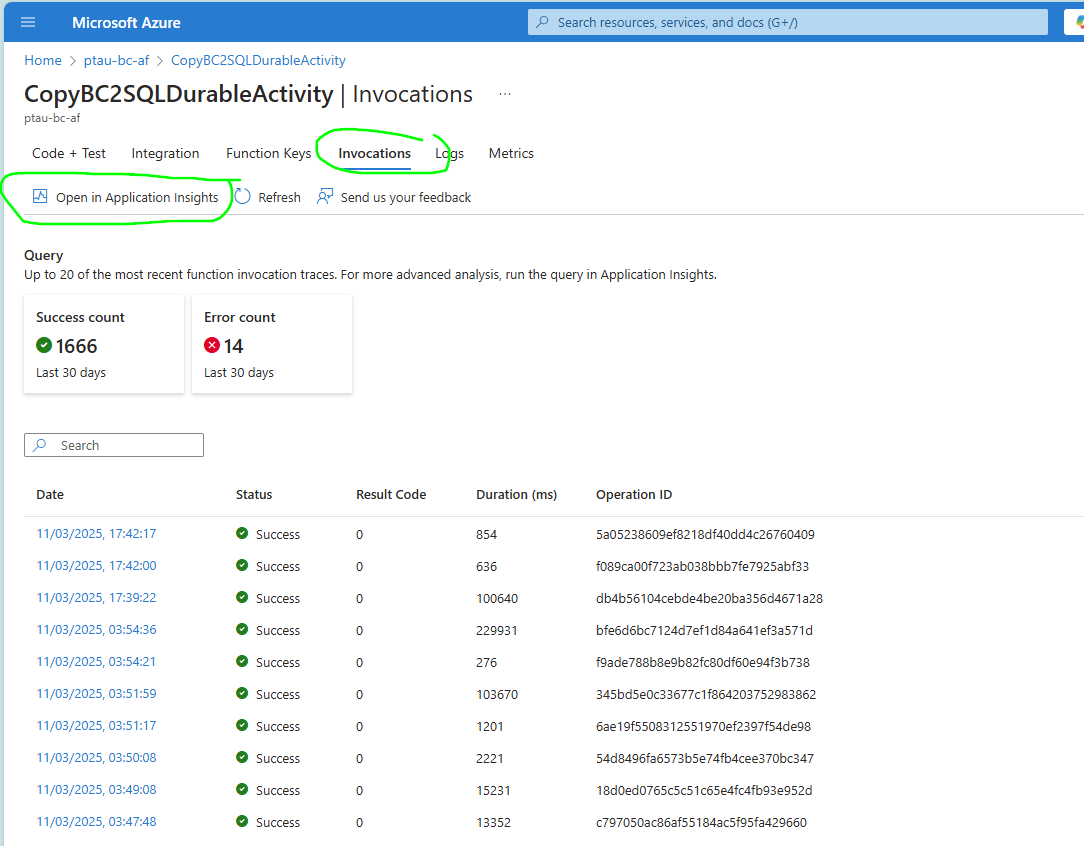
- go to the function > Invocations > Application Insights
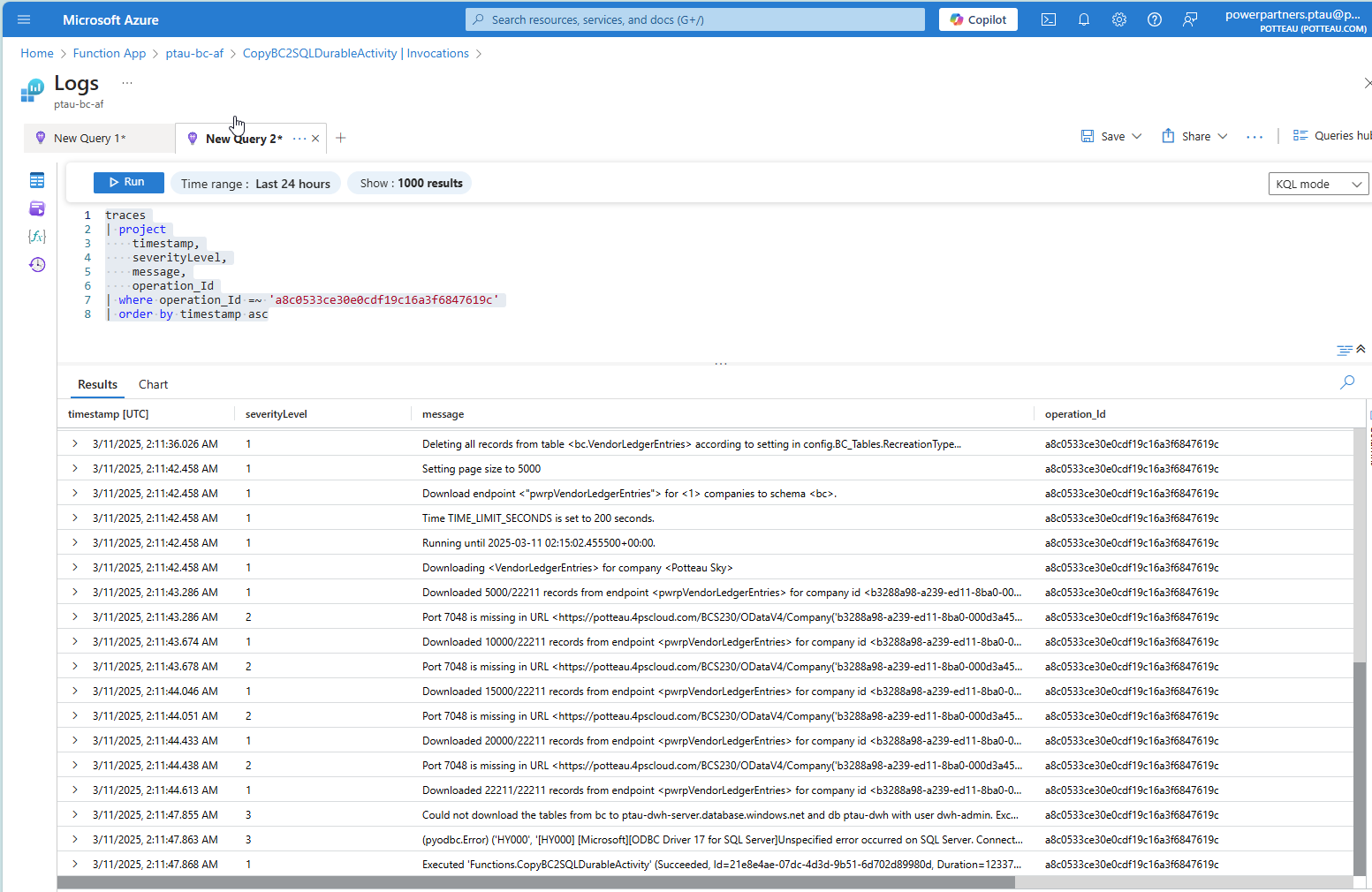
- place a KQL query
   traces
| project
    timestamp,
    severityLevel,
    message,
    operation_Id
| where operation_Id =~ 'a8c0533ce30e0cdf19c16a3f6847619c'
| order by timestamp asc
Alternatively, a useful query is:
   traces
| project
    timestamp,
    severityLevel,
    message,
    operation_Id
| where message contains 'OngoingSalesLines'
| order by timestamp asc
This allows you to find the operation_id for a specific table.
- Run
This will then display the logs: