Clockodo Import
Prerequisites
This functionality is only accessible if you have access to the company management section in Clockodo.
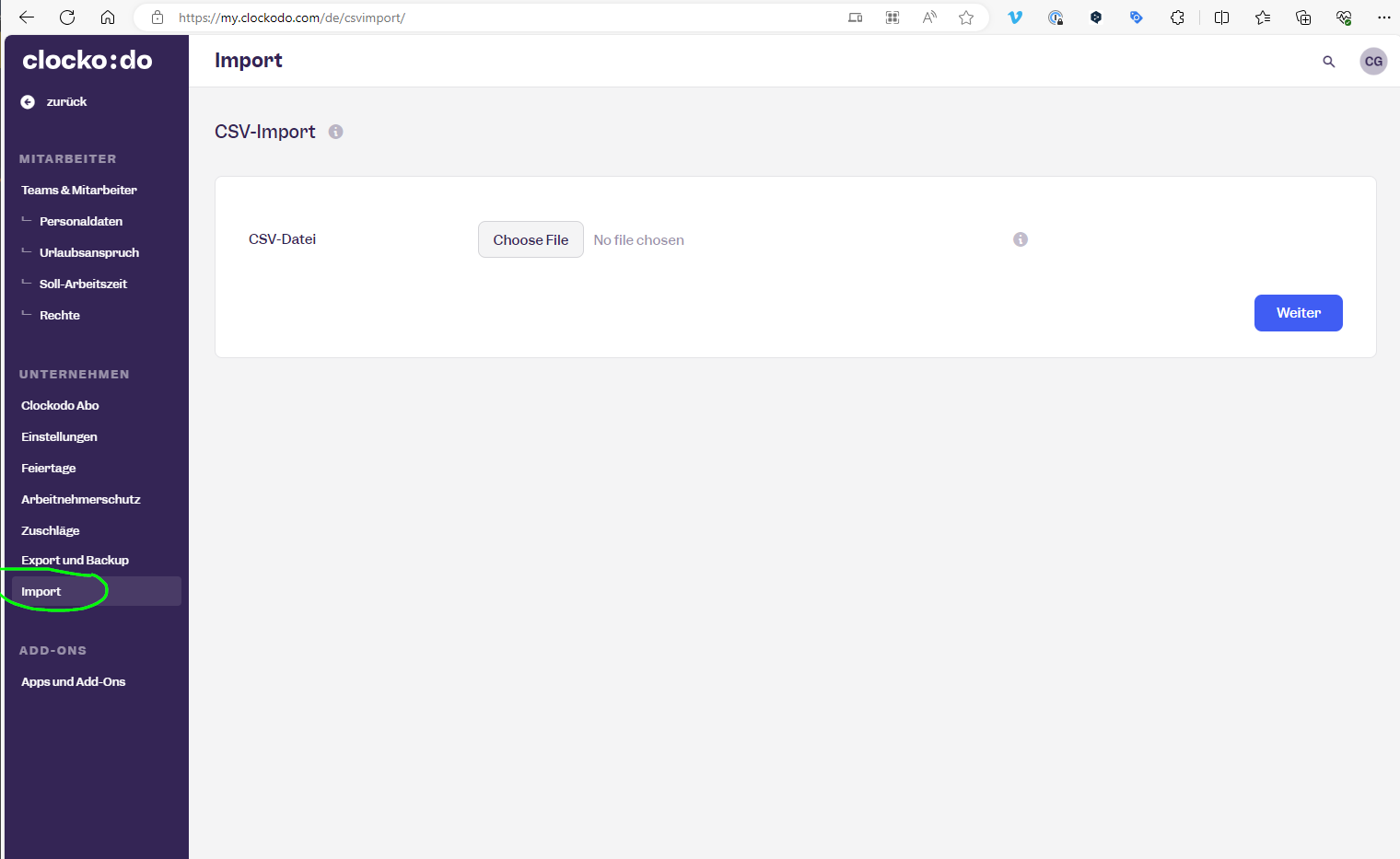
Clockodo has an import functionality, but it's a bit hard to get to work.
You need 3 columns:
- Start DateTime
- End DateTime
- Employee
Format
You need to store it in CSV format, with ISO format datetime, semi-colon separator and UTF-8 encoding.
For example:
Startzeit;Endzeit;Mitarbeiter
2024-01-26T08:00:00Z;2024-01-26T17:36:00Z;Christoph Glur
2024-01-29T08:00:00Z;2024-01-29T17:36:00Z;Christoph Glur
2024-01-30T08:00:00Z;2024-01-30T17:36:00Z;Christoph Glur
2024-01-31T08:00:00Z;2024-01-31T17:36:00Z;Christoph Glur
2024-02-01T08:00:00Z;2024-02-01T17:36:00Z;Christoph Glur
2024-02-02T08:00:00Z;2024-02-02T17:36:00Z;Christoph Glur
2024-02-05T08:00:00Z;2024-02-05T17:36:00Z;Christoph Glur
2024-02-06T08:00:00Z;2024-02-06T17:36:00Z;Christoph Glur
2024-02-07T08:00:00Z;2024-02-07T17:36:00Z;Christoph Glur
2024-02-08T08:00:00Z;2024-02-08T17:36:00Z;Christoph Glur
2024-02-09T08:00:00Z;2024-02-09T17:36:00Z;Christoph Glur
2024-02-12T08:00:00Z;2024-02-12T17:36:00Z;Christoph Glur
2024-02-13T08:00:00Z;2024-02-13T17:36:00Z;Christoph Glur
2024-02-14T08:00:00Z;2024-02-14T17:36:00Z;Christoph Glur
The easiest to get there is:
-
prepare your data in Excel
-
copy paste it from Excel to Notepad++
-
replace Tab with semi-colon (;)
-
save
Import
In Clockodo, you'll find the import here: