Eeg power bi development
To develop Power BI reports, we also need to access the dev server. See 1pw for details.
Once in the dev server, you'll find the git repository content here:
C:\Users\arcade\source\repos\pwrp\eeg\code\power bi
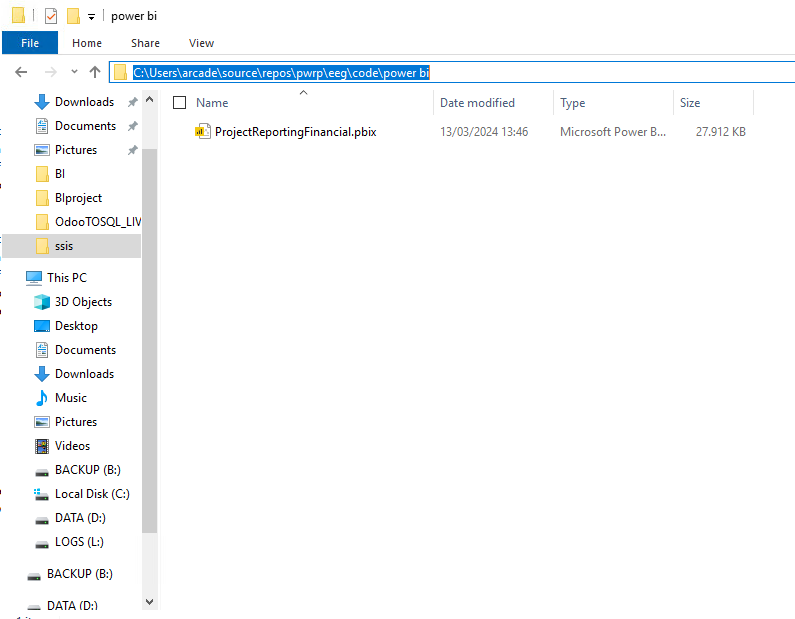
Currently, GitHub Desktop is not installed on the dev server. Instead, use the VS (Visual Studio) integrated git client.
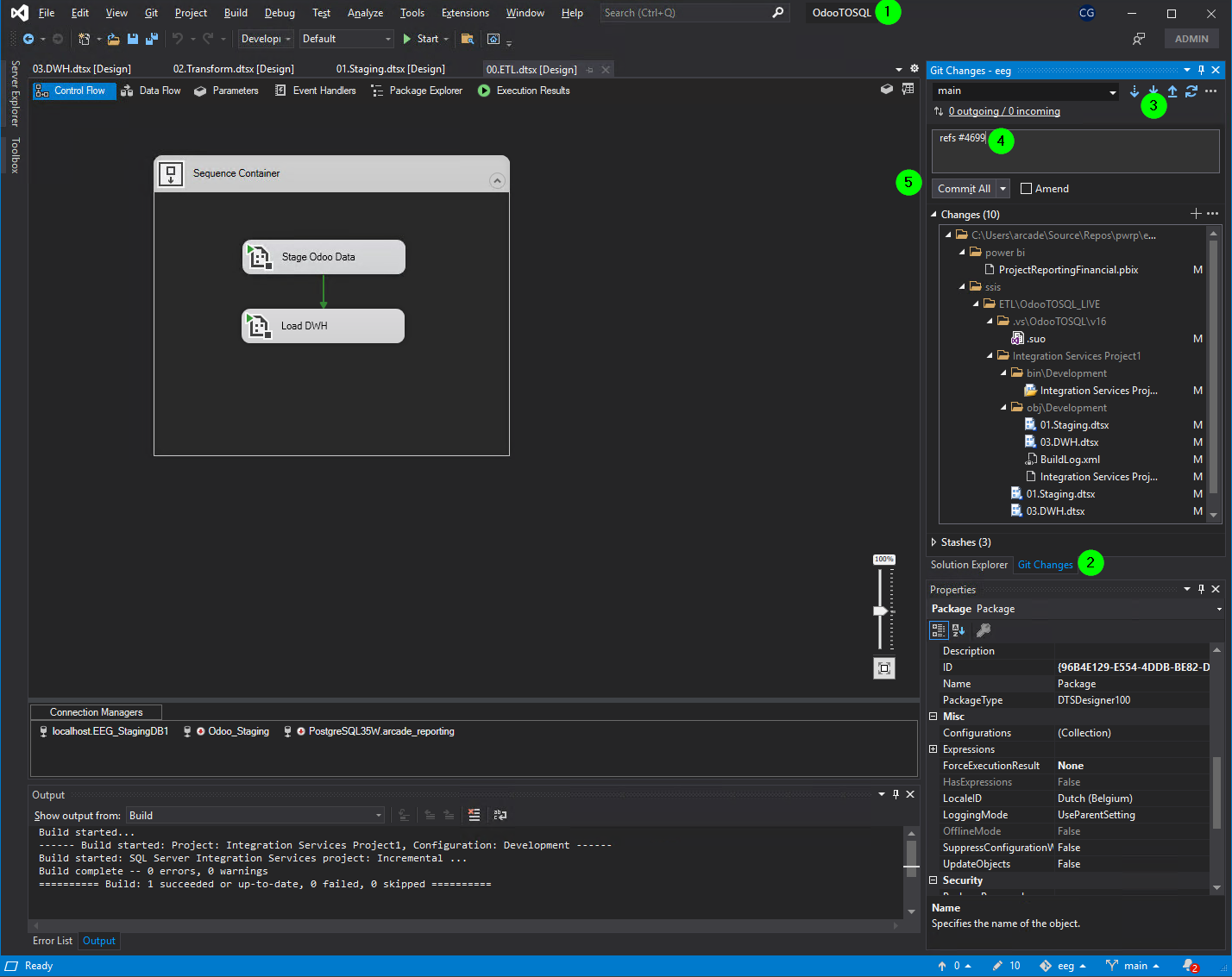
To do so, proceed as follows:
-
open Visual Studio 2019 on the OdooTOSQL project
C:\Users\arcade\source\repos\pwrp\eeg\code\ssis\ETL\OdooTOSQL_LIVE\OdooTOSQL.sln -
Go to the
Git Changeswindow -
Pull
-
Add comments as usual
-
Commit all
-
Push
NOTE: currently, the git client is configured for Christoph. This is a security risk!