Create Alert For when Azure Activity Fails
Still needed?
Not sure that this is still needed, as this is now done with with the Azure Logic App. TODO: remove, or update according to the current setup with the azure logic app.
In Order for us to get the Alert mail once the pipeline fails, we first need to:
-
Create Alert Rule and Alert Action Group (check Azure Function Installation - Power Partners Doc for reference)
-
Once that is created, we need to add monitoring in our Azure Data Factory
Monitoring
In order to receive mail once our pipeline fails, we need to create the rule inside Monitoring section of Azure Data Factory:
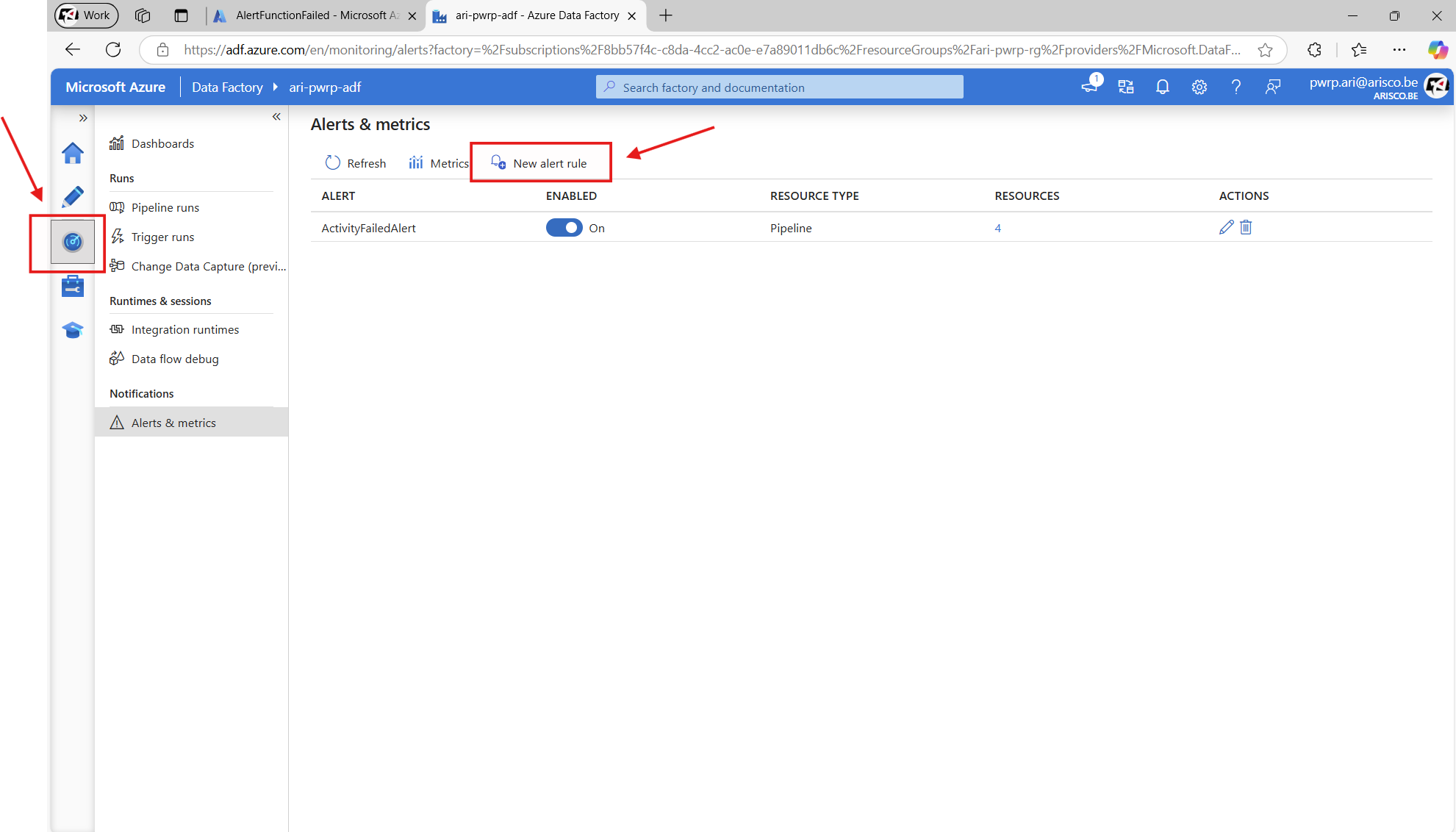
Once that is done, we need to add criteria and configure notification.
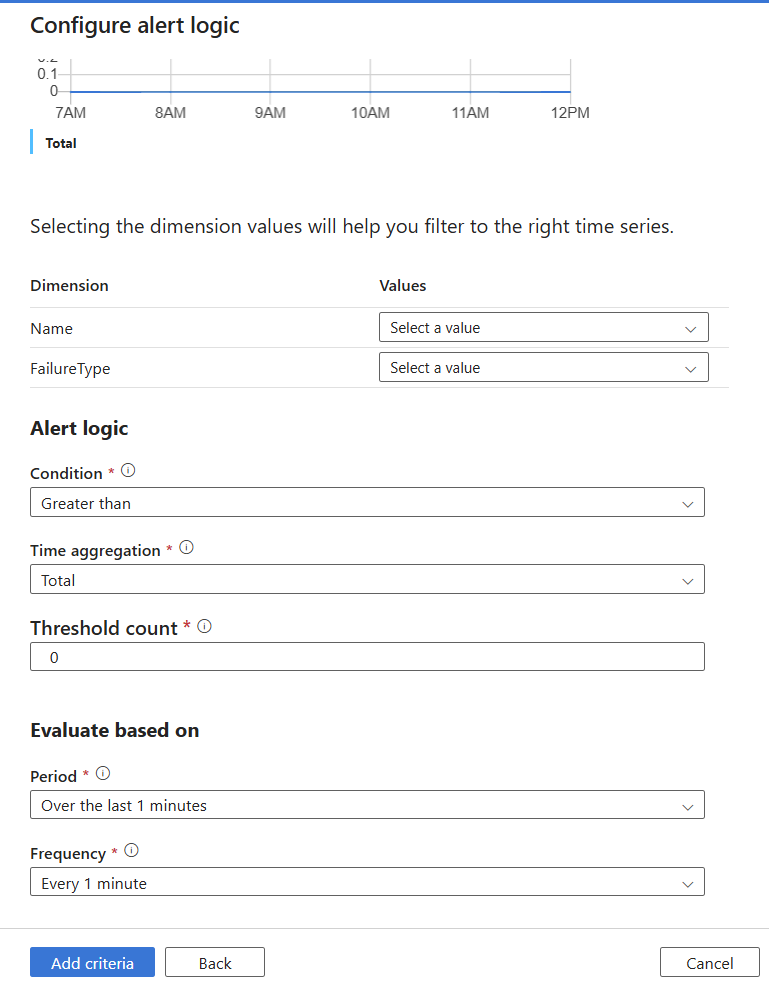
Criteria:
- For Metrics, select: Failed pipeline runs metrics.
- For Dimension configure which of the actions we want to track (typically it is incremental_table, delete_deleted, full_all, single_table - because those are parts of other bigger pipelines)
- For FailureType select all the types
Notification:
- Select the existing ones we created in the first step above
For Period and Frequency:
- select the Hour ones for both options