Deploying Power BI
-
Create a new repository for the client in planio/GitHub if there is none already
-
Save a copy of the "BC_Dataset.pbix" file. Rename it into "xxx_BC_Dataset.pbix", where xxx is the client code.
-
Open the pbix file, go to Power Query and set the parameters:
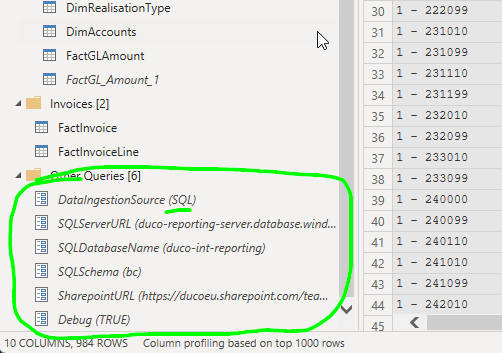
-
Check if access works for all the source queries
-
Apply and check the data
-
Adjust color and logo
-
Deploy to a dedicated workspace
-
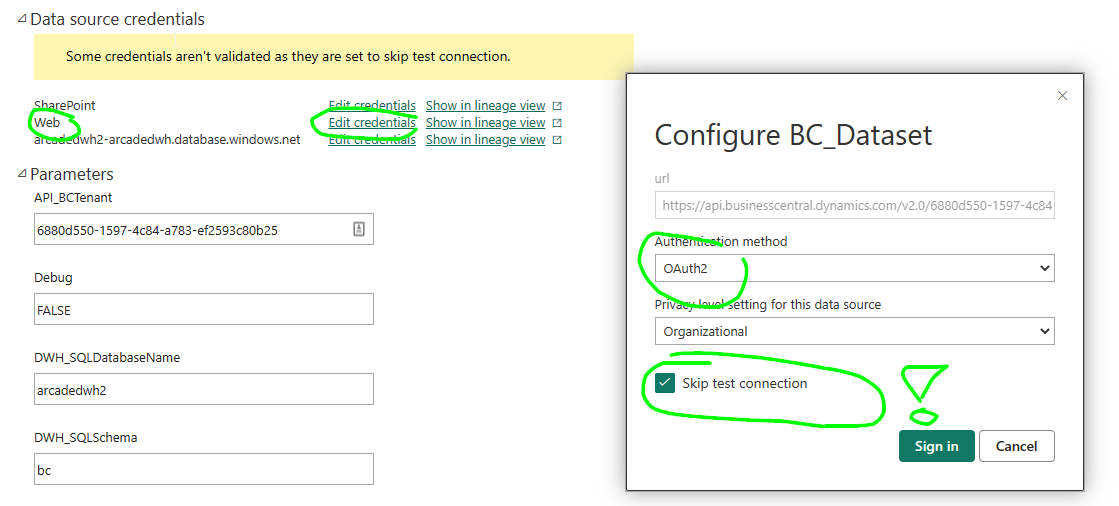
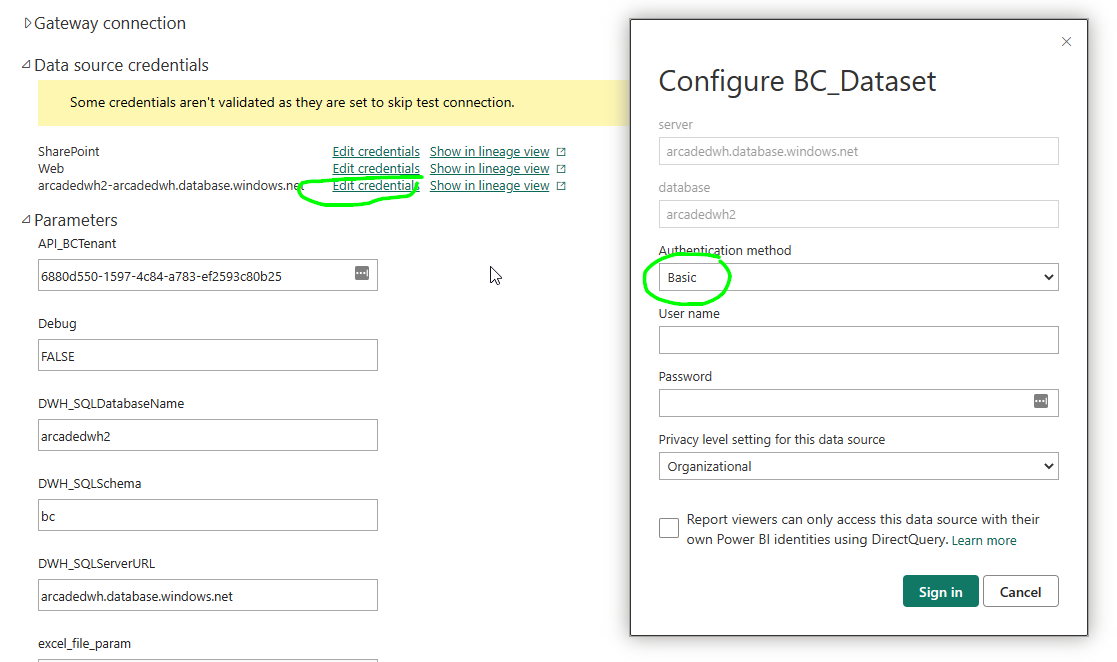
Authenticate
- For API mode, make sure you select "Skip Connection Test"
- For DWH mode, make sure you authenticate using Basic and SQL User / Password
- For API mode, make sure you select "Skip Connection Test"
-
Set mode and debug and other parameters:
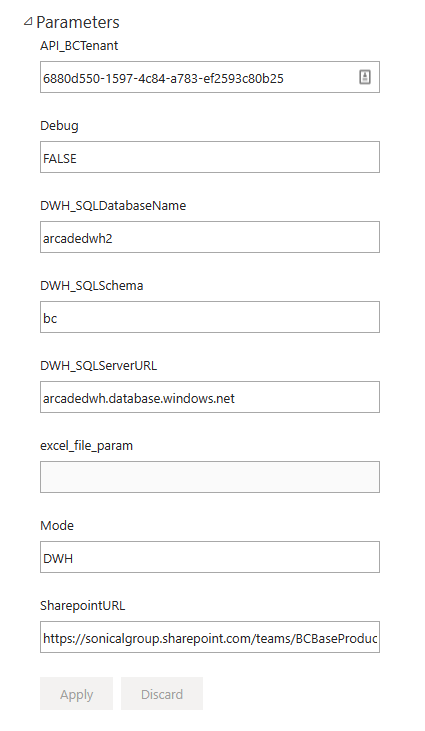
-
Set daily reload
- in case of api mode: early morning, e.g. 6am
- in case of dwh mode: 1h after the load of the af
- in case of dwh-adf mode: 1h after the adf trigger
-
Refresh manually and check that everything works