WordPress Landing Pages
Here are a few things to remember:
Cache Settings
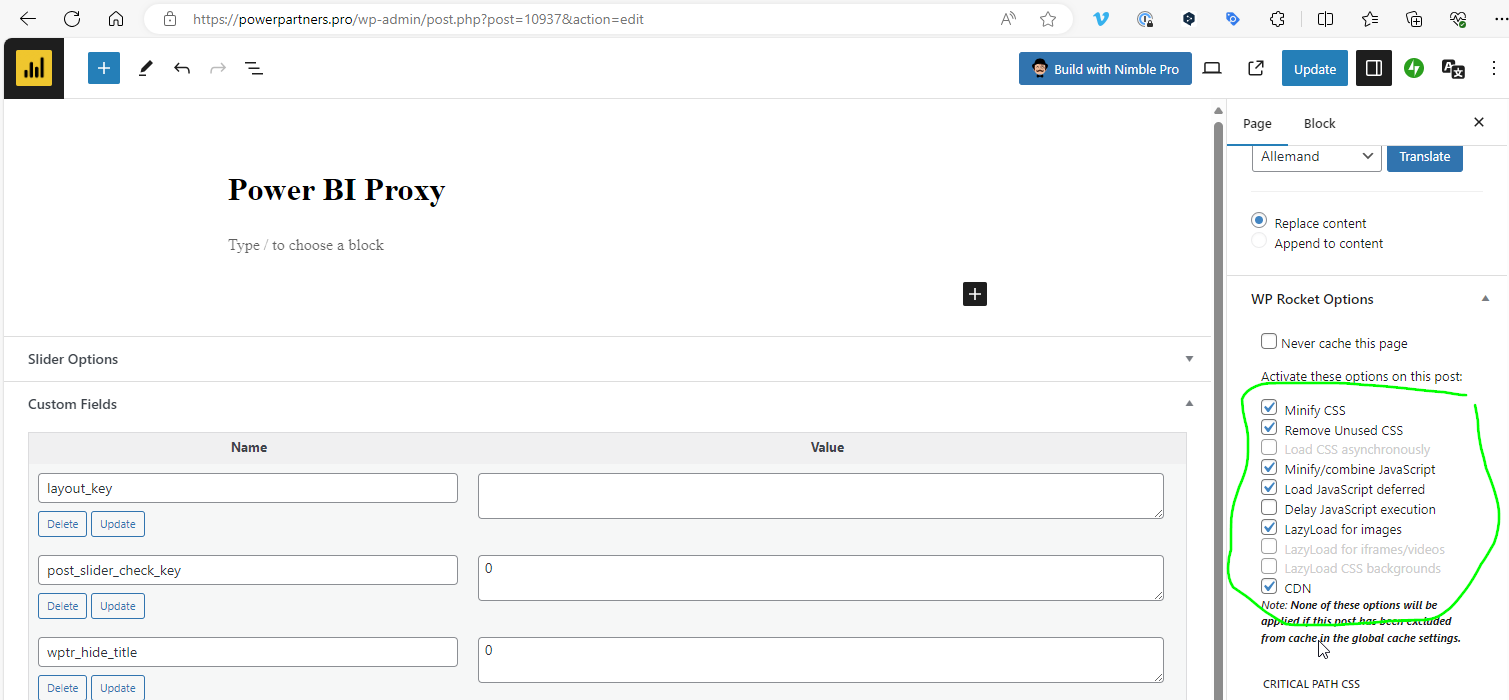
To make re-captcha work, you need to turn of the JS caching for that page:
Performance Settings
The following settings work best:
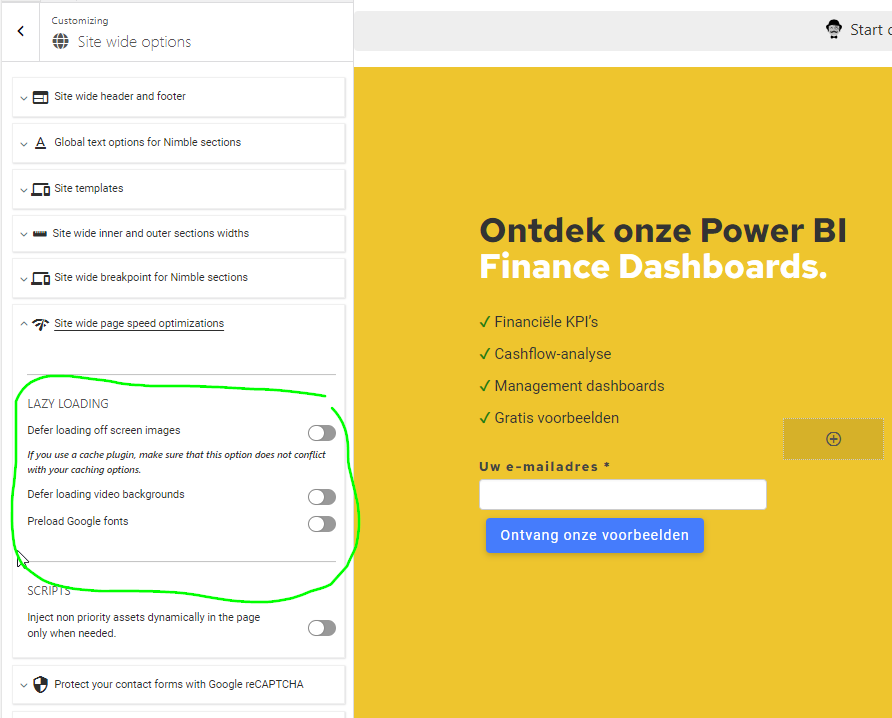
In the Site wide options, we turn off all Lazy Loading (as most of it is done by WP Rocket):
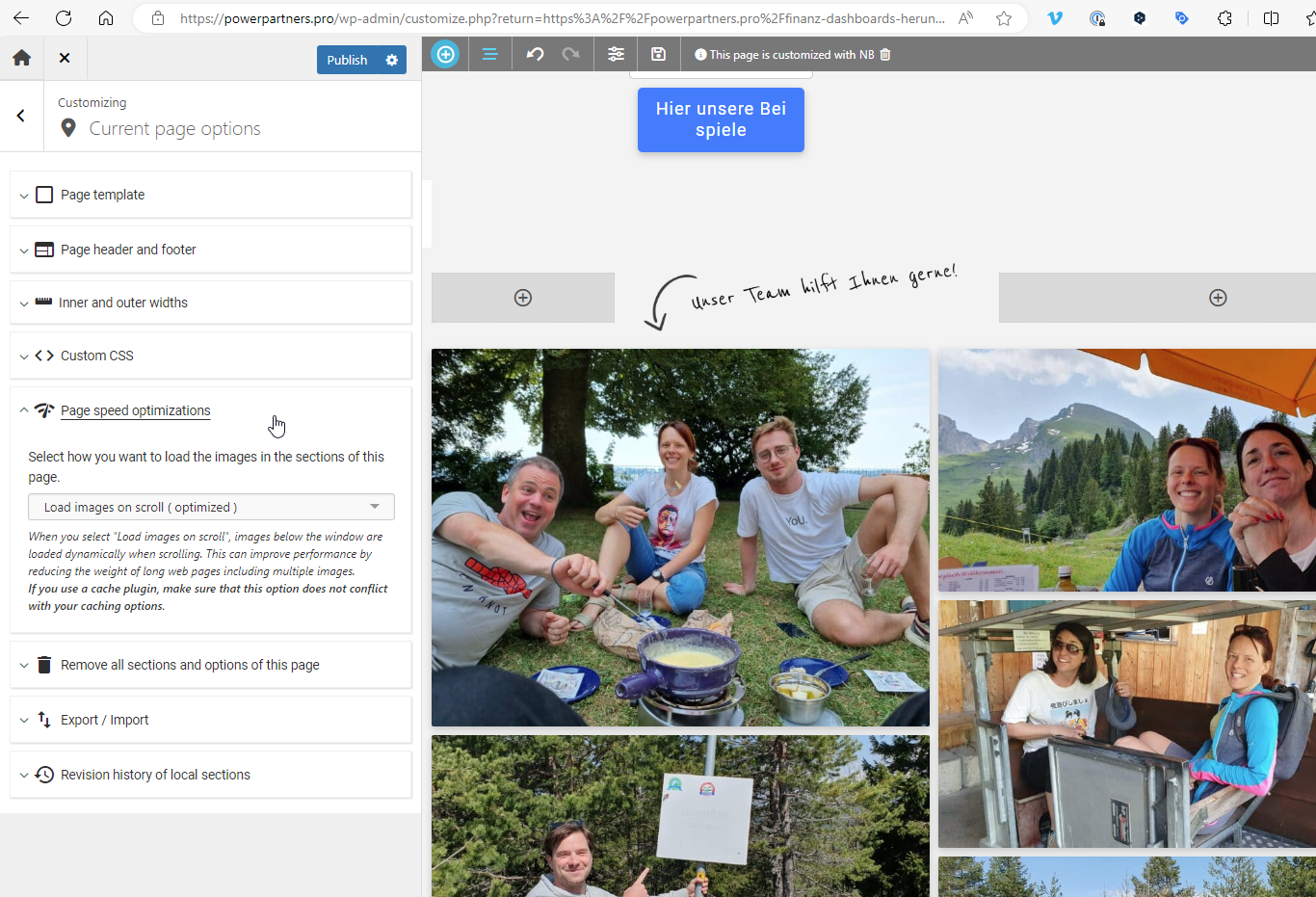
On the site, we enable lazy loading (this is especially helpful for the team pictures):
Team Gallery
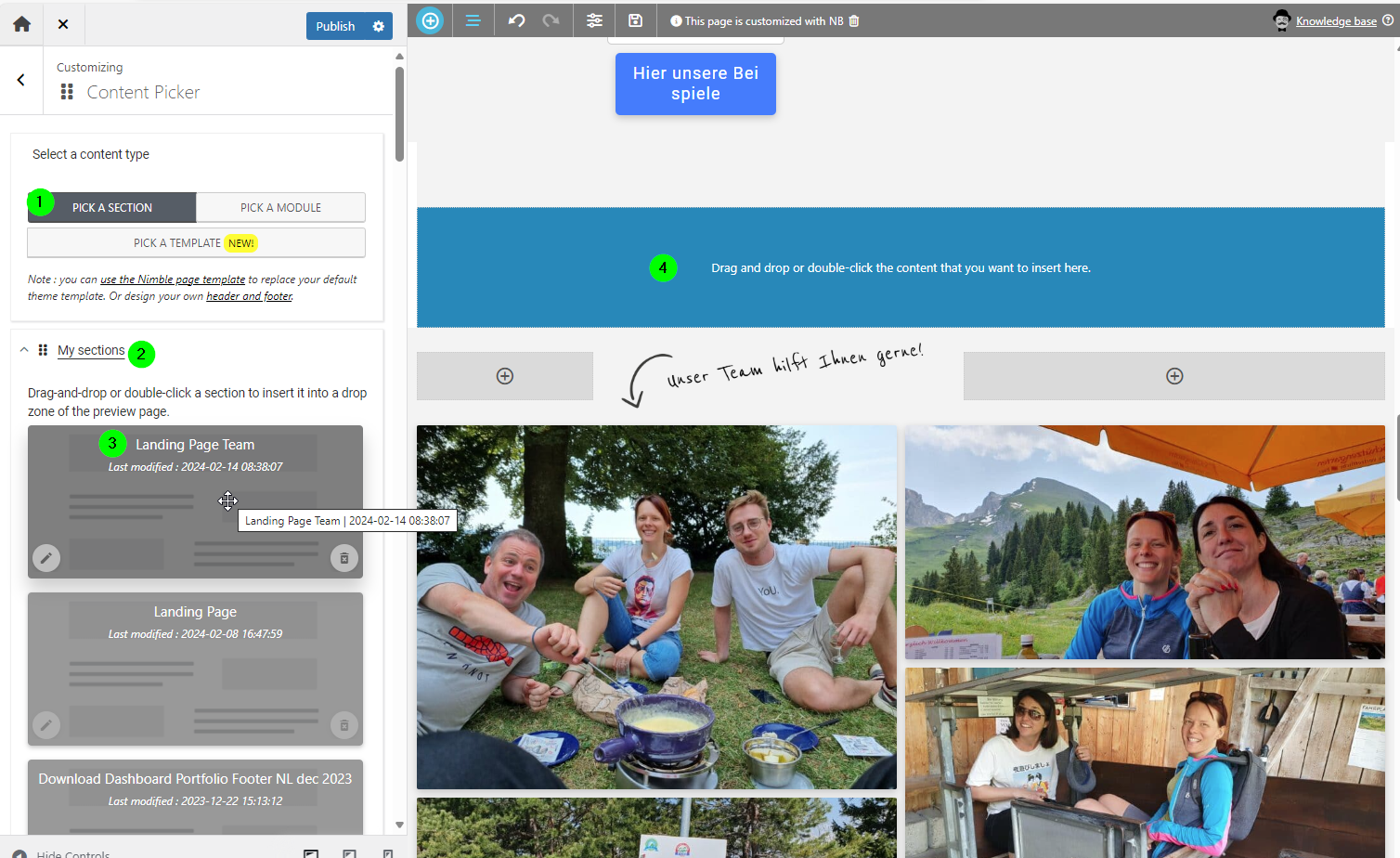
We believe personal images are worth much more than stock images or AI generated ones, so we want to add the team gallery. However, make sure that the image sizes are small. The gallery widget from nimble has a size option. Make sure you set it to 768x0 before adding images:
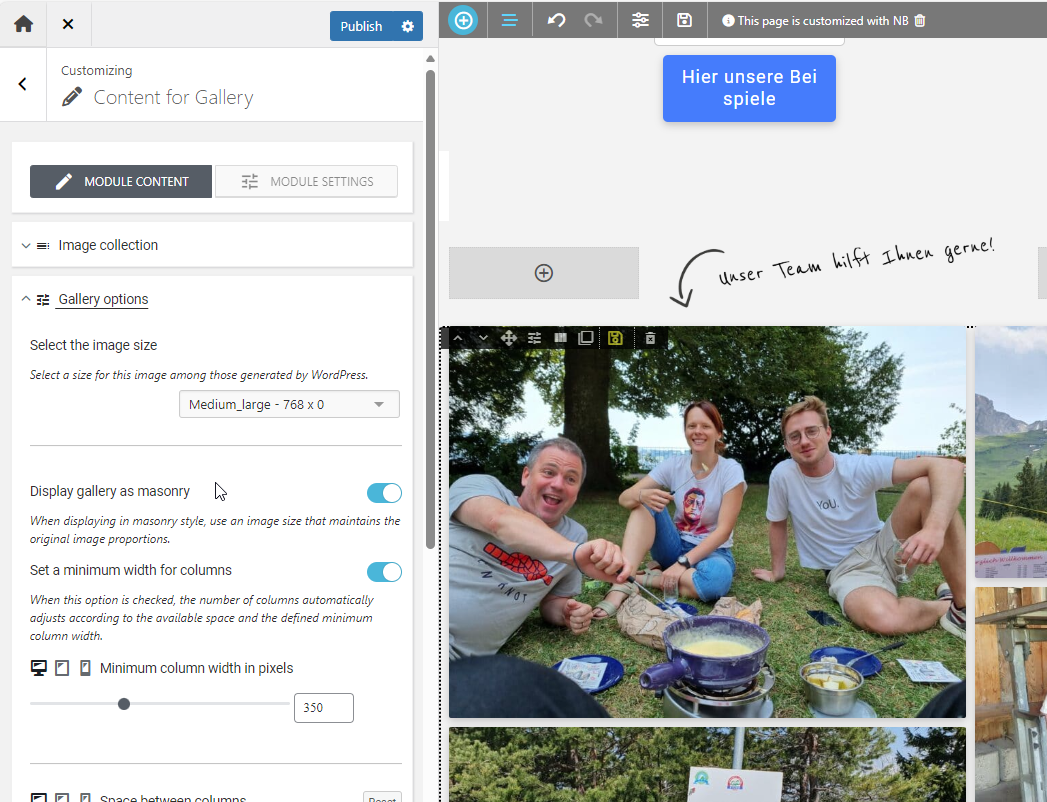
The easiest is to use the saved section:
Captcha
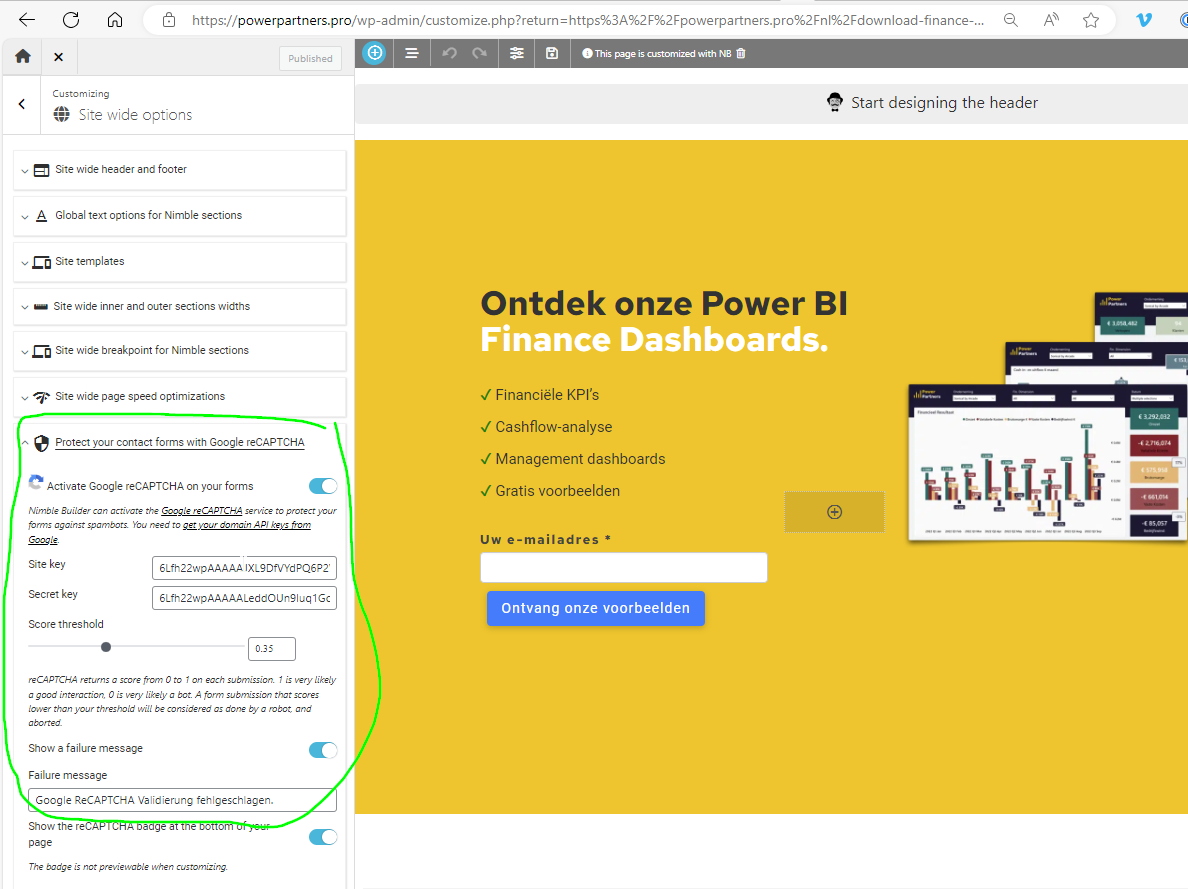
We have spam settings turned on. These are on the Site-Wide Options:
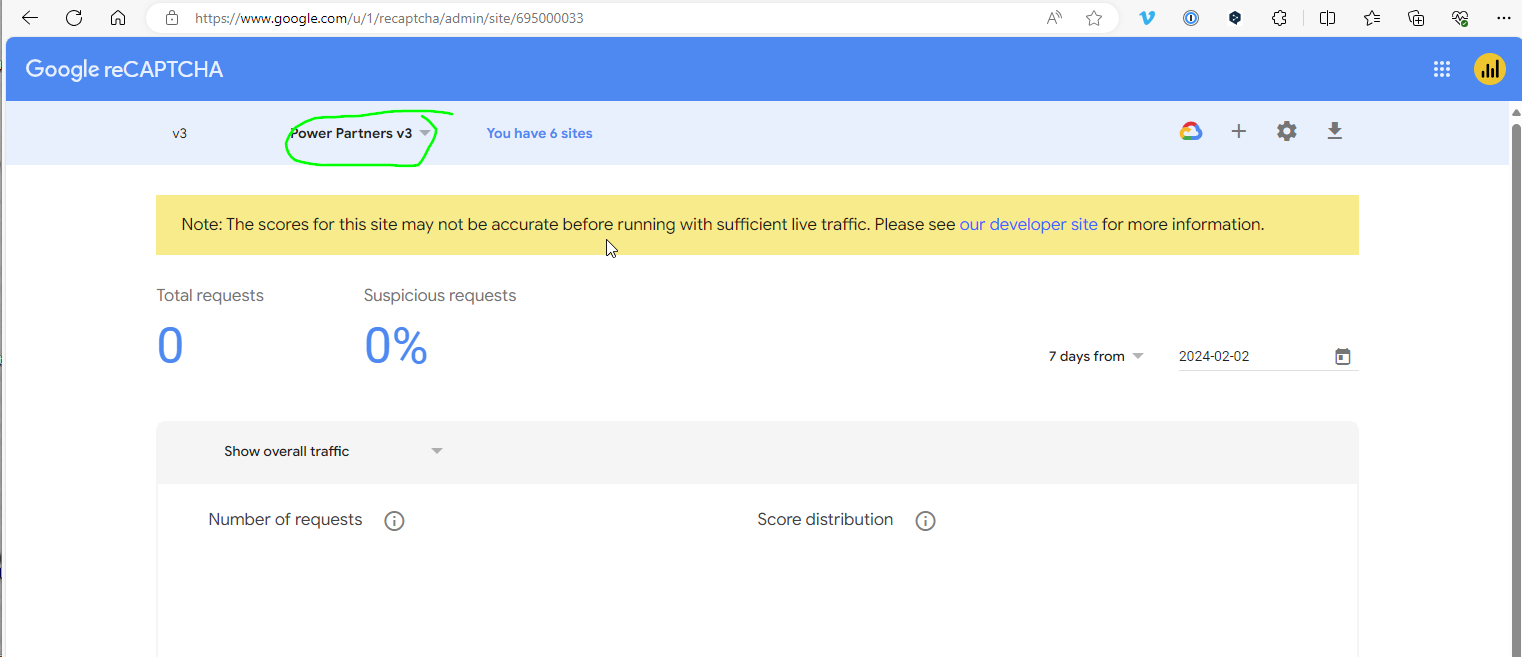
You will find the Settings at google, with powerpartnersswiss@google.com
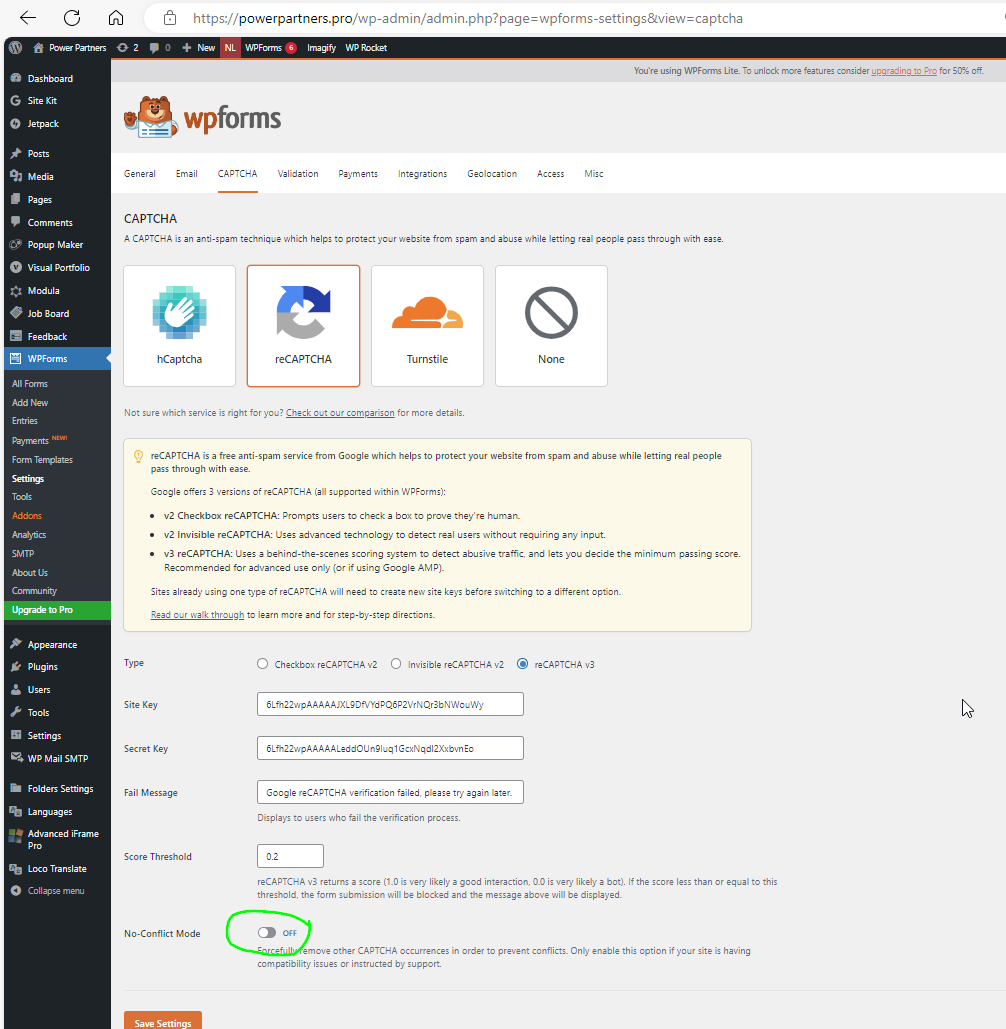
Note also that WP Forms uses captcha as well. In order to avoid conflicts, the setting must be off:
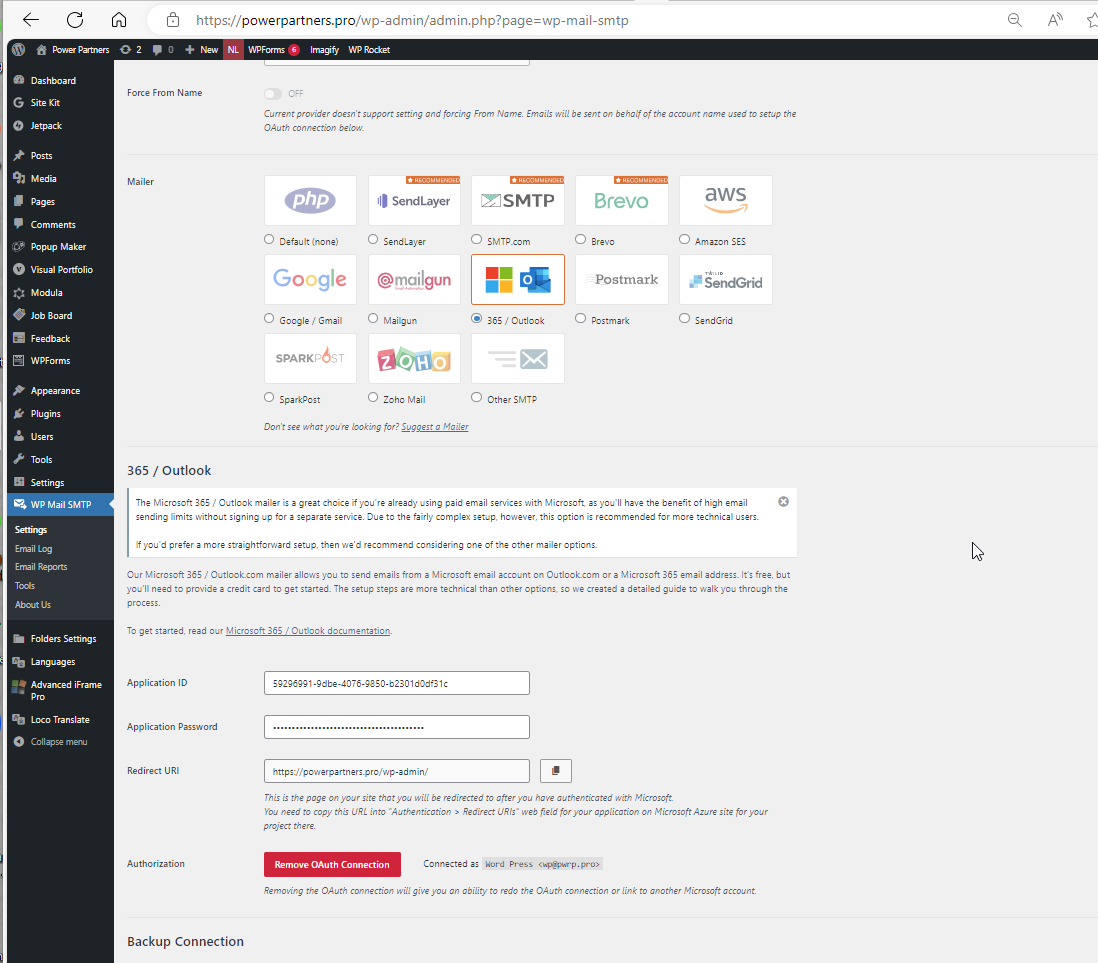
The emails are sent through our Exchange Online. We are integrating it with WP Mail SMTP.
The sender email is wp@pwrp.pro
The recipient should always be the corresponding sales desk: