Python VSC Project Cloning
This guide shows how to start working on a Git project for the first time.
Prerequisites
-
you need to be added to the dev.azure.com py project. This should be done as part of the IT onboarding. In case of doubt, ask the Security Officer
Steps
Clone Repository
-
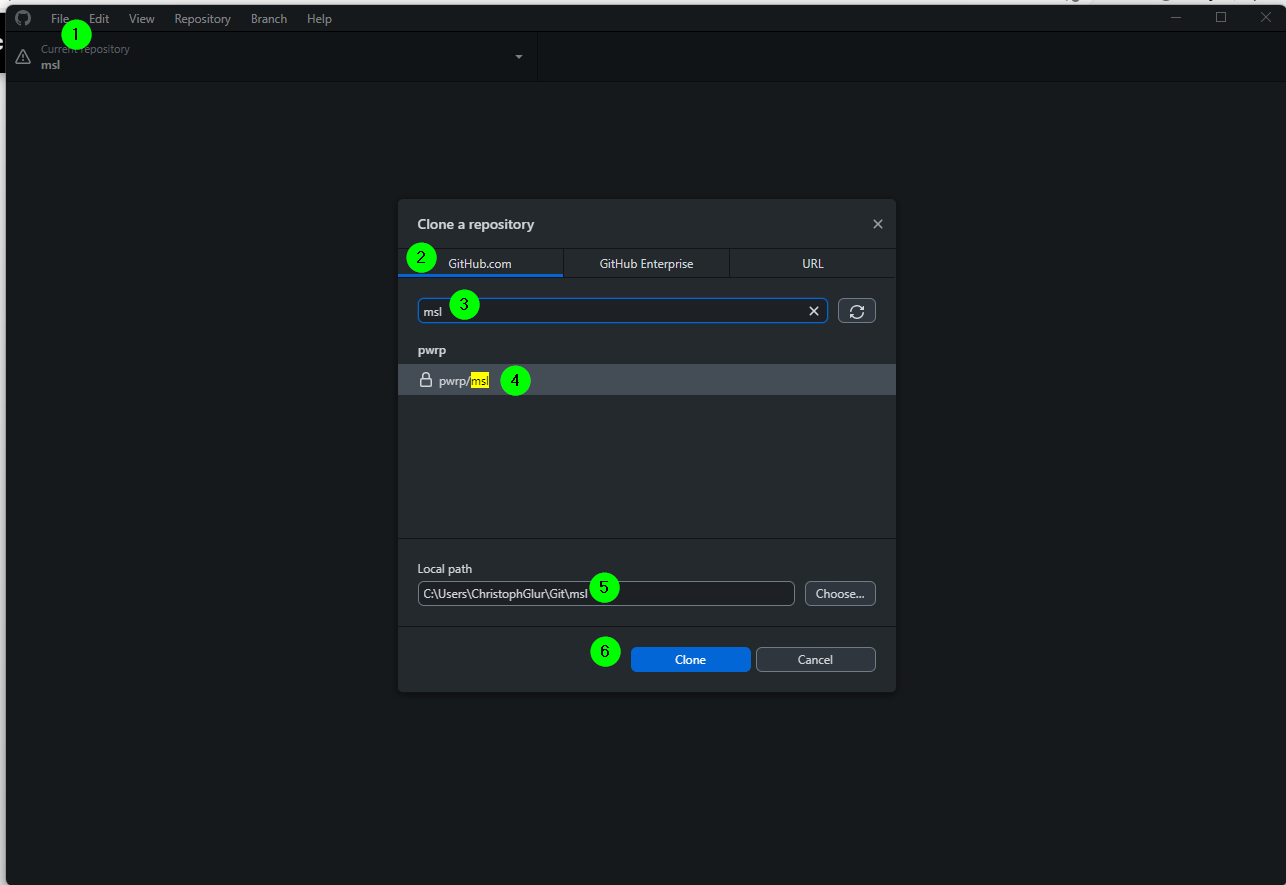
in GitHub Desktop, go to File > Clone
-
select GitHub.com
-
enter the name of the project
-
select the project
-
Leave the local path unchanged
-
Clone
VSC
-
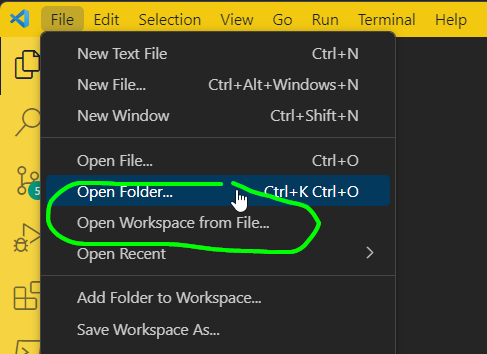
Open the project in VSC (NOTE: there are two modes: Open Folder, Open Workspace from File. If there is a *.code-workspace file in the root folder, then this is the preferable way)
-
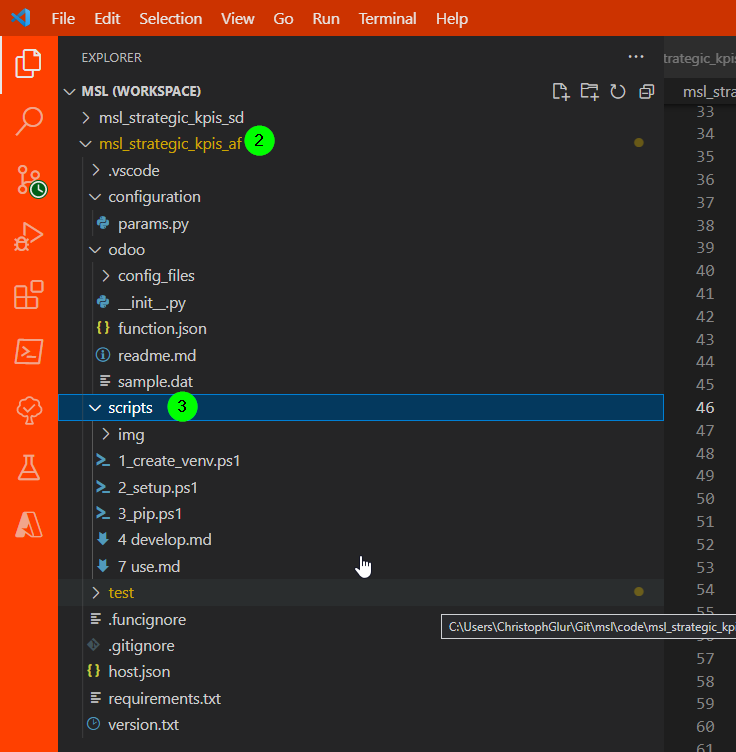
Go to the python project in the WORKSPACE (e.g. *_af)
-
point to the scripts folder
-
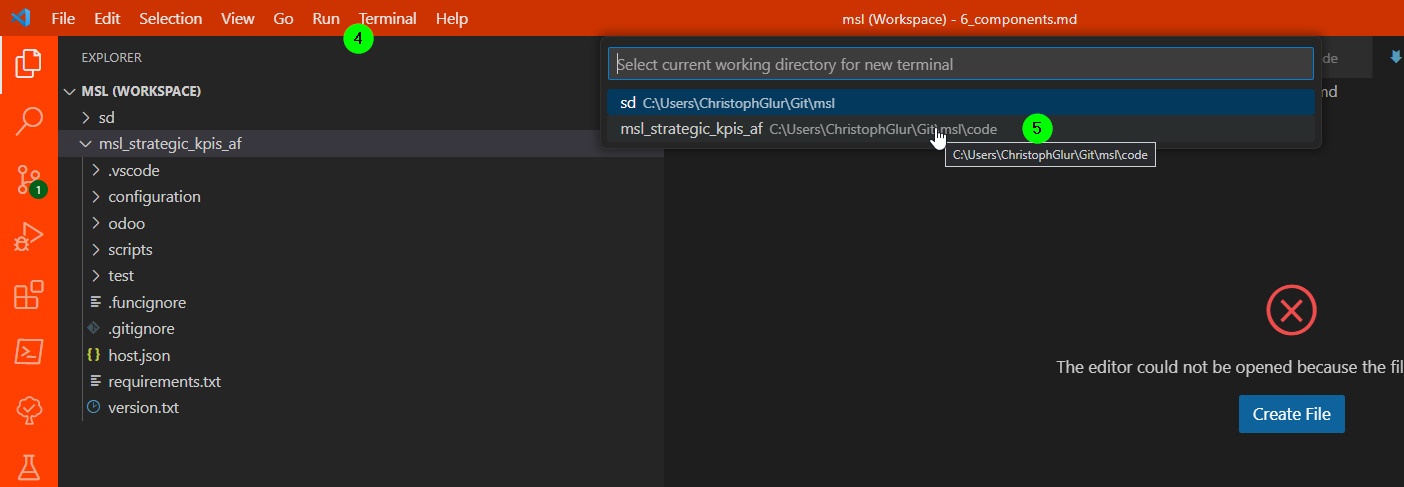
open a Terminal
-
point to the python project
-
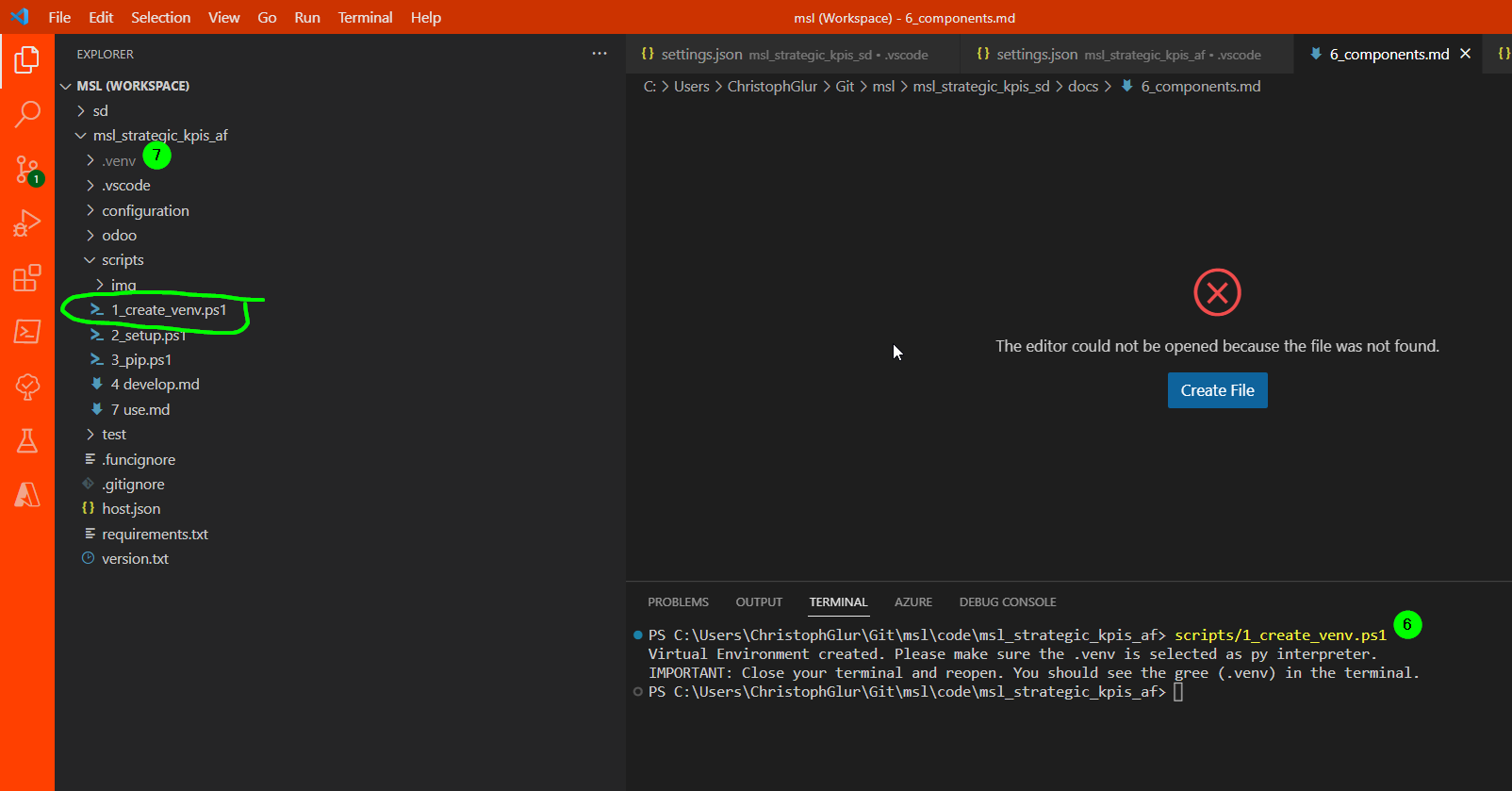
run the first script
-
check that it runs through and creates a .venv folder
-
IMPORTANT: close the terminal and reopen again. You should see a green (.venv) in the terminal. If you get an error that mentions execution policy, proceed as follows:
- Open PowerShell as an admin
-
Run
Set-ExecutionPolicy -ExecutionPolicy Bypass
-
Run the next script
2_setup.ps1 -
Run 3_pip.ps1
- Choose between 3_0_pip_editable.ps1 and 3_1_pip_non_editable.ps1
- 3_0_pip_editable.ps1 is for project development and should be used if a product is not ready to be deployed yet.
- 3_1_pip_non_editable.ps1 is being used if the product is ready for deployment and is within it's final stage for testing as the dependencies are being used from the .venv environment based on their last version they are added there.