Azure Subscription
Tldr
- Naming Convention:
- Tech user: xxx-pwrp@client.com
- Resource group:
xxx-pwrp-rg - Subscription:
xxx-pwrp-pax8
There are two cases:
-
we create the subscription in pax8: see client-delivery-onboarding. In this case, there is no specific action required. We are admin of the subscription and can do what we want.
-
the client or his IT provider have or create the subscription. In this case, we need to make sure we have the right access.
Background
Resource Group (RG)
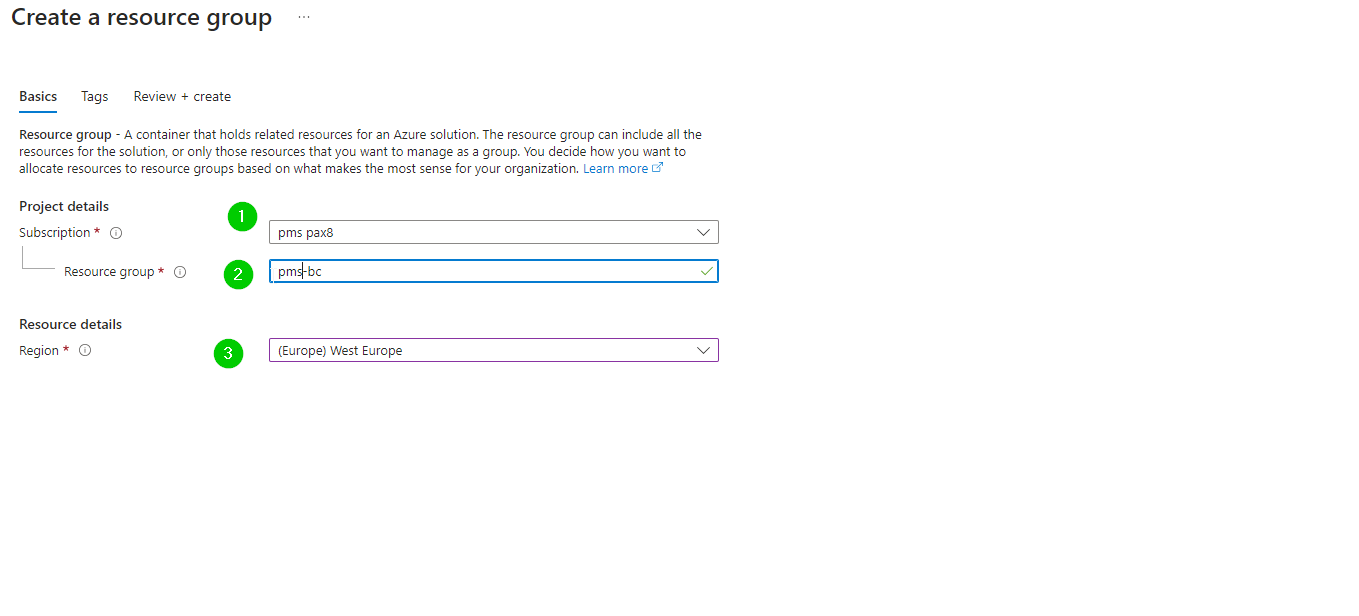
In the client's azure portal, create a resource group.
Our default naming convention is xxx-pwrp-rg, where xxx is a client key consisting of 3 or 4 letters.
Resource Providers
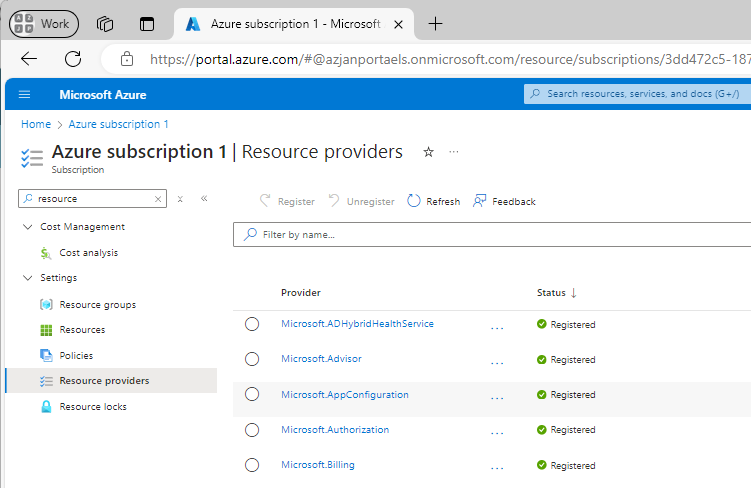
In Azure, resources are provided by so-called resource providers.
You will find them in the subscription:
Resource Providers Typically Needed
- Microsoft.ADHybridHealthService
- Microsoft.Advisor
- Microsoft.AlertsManagement
- Microsoft.App
- Microsoft.Authorization
- Microsoft.ChangeAnalysis
- Microsoft.Consumption
- Microsoft.CostManagement
- Microsoft.DataFactory
- Microsoft.Features
- Microsoft.GuestConfiguration
- Microsoft.KeyVault
- Microsoft.Maintenance
- Microsoft.ManagedIdentity
- Microsoft.MarketplaceNotifications
- Microsoft.MarketplaceOrdering
- Microsoft.OperationalInsights
- Microsoft.PolicyInsights
- Microsoft.Portal
- Microsoft.PowerBIDedicated
- Microsoft.Relay
- Microsoft.ResourceGraph
- Microsoft.ResourceHealth
- Microsoft.ResourceNotifications
- Microsoft.Resources
- Microsoft.Security
- Microsoft.SerialConsole
- Microsoft.Sql
- Microsoft.Storage
- Microsoft.Web
- microsoft.insights
- microsoft.support
- Microsoft.Logic
Request Resource Providers for a Client
-
Write a mail to the tech contact of the client, requesting the resource providers
-
Check if you can install the respective resources
Email Template
Email EN
Dear Client,
Thanks for organizing the access to Azure.
In order to install the Power BI Automation Server, we need to create the following resources in Azure:
- Entra App
- Key Vault
- provide list
In order to do so, we need a resource group with the correct access.
- if needed, create a subscription
- create a resource group called "xxx-pwrp-rg"
- make our user xxx-pwrp-tu@client.com a Contributor on the resource group
Also, we need the following Resource Providers registered on the subscription:
- TODO: add the list of required resource providers.
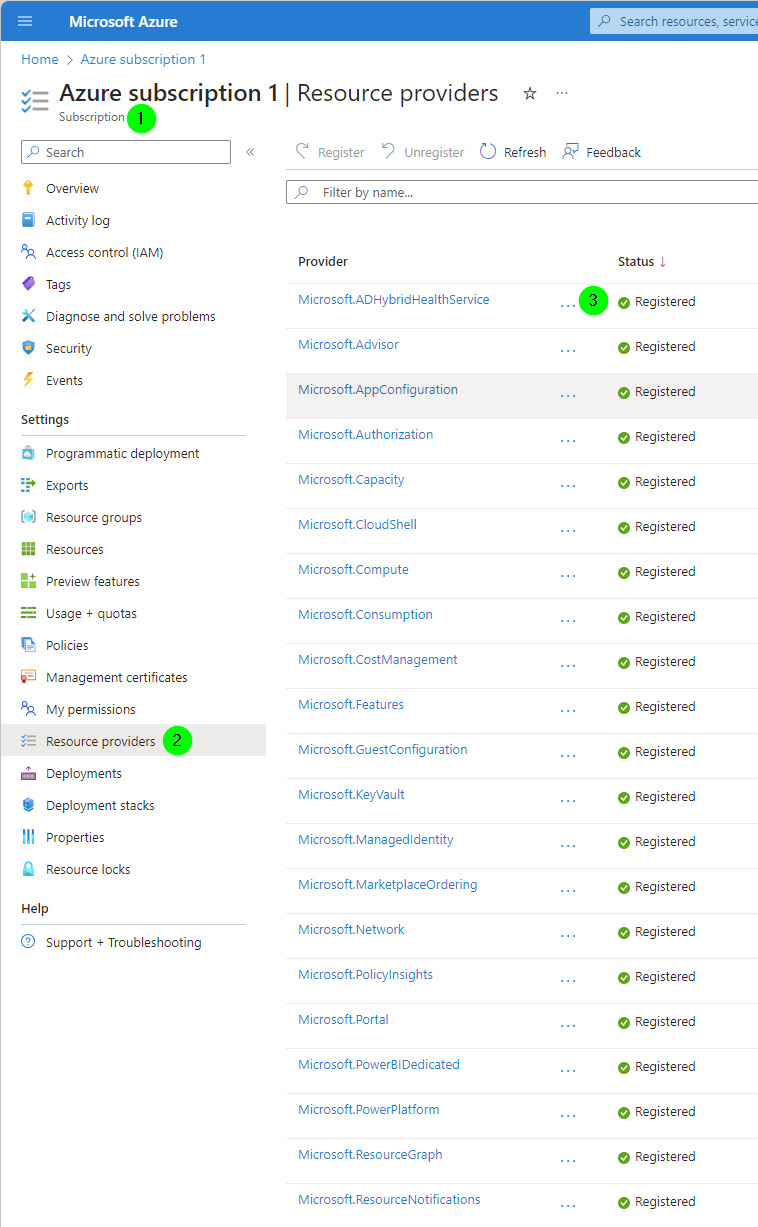
To register them, you need to go to the azure subscription > Resource providers, and then register the providers mentioned above.
If you prefer, I'm happy to set up a quick meeting so I can walk you through the steps. I'm available at these slots:
A.) Monday, 21. August, afteroon
B.) Tuesday, 22. August, between 10:00 and 12:00
Either way: Thank you so much in advance!
Best,
Your Name