Obsidian
Tldr
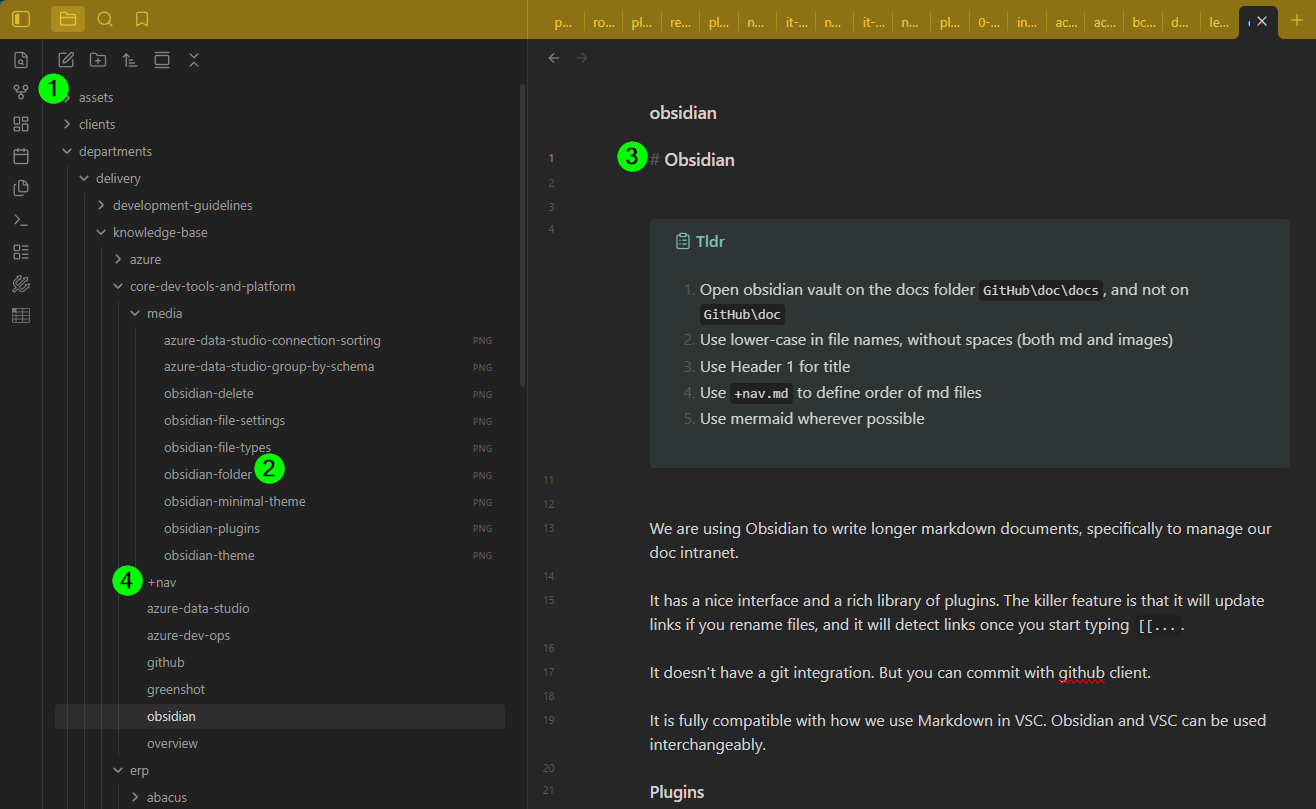
- Open obsidian vault on the docs folder
GitHub\doc\docs, and not onGitHub\doc - Use lower-case in file names, without spaces (both md and images)
- Use Header 1 for title
- Use
+nav.mdto define order of md files - Use mermaid wherever possible
We are using Obsidian to write longer markdown documents, specifically to manage our doc intranet.
It has a nice interface and a rich library of plugins. The killer feature is that it will update links if you rename files, and it will detect links once you start typing [[....
It doesn't have a git integration. But you can commit with github client.
It is fully compatible with how we use Markdown in VSC. Obsidian and VSC can be used interchangeably.
Plugins
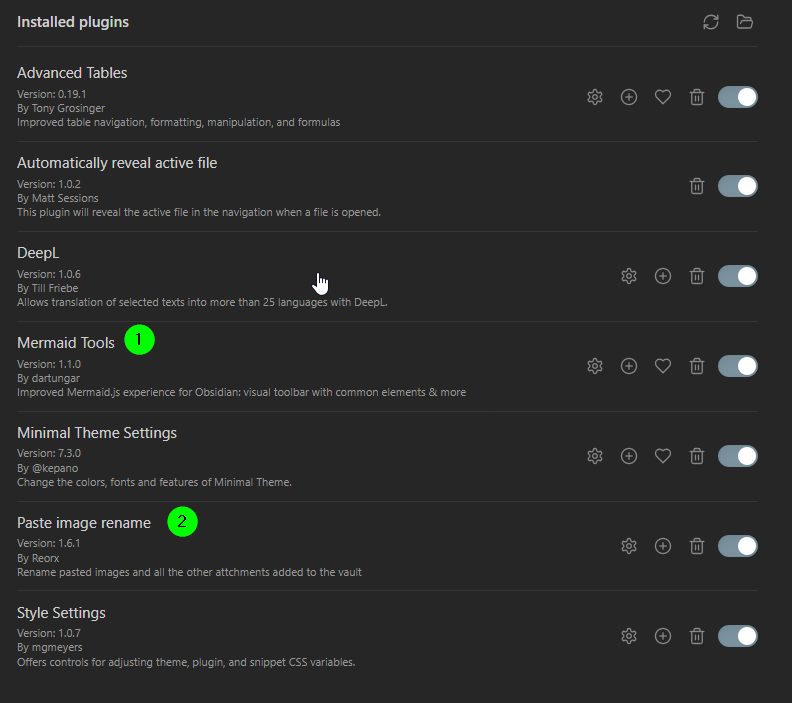
We use the following plugins:
- Advanced Tables
- Mermaid Tools
- Minimal Theme Settings
- Paste image rename
- Style Settings
- Find orphaned files and broken links
-
Mermaid Tools
-
Paste image rename
Theme
We use minimal theme. You have to install the community plugin and then set it here:
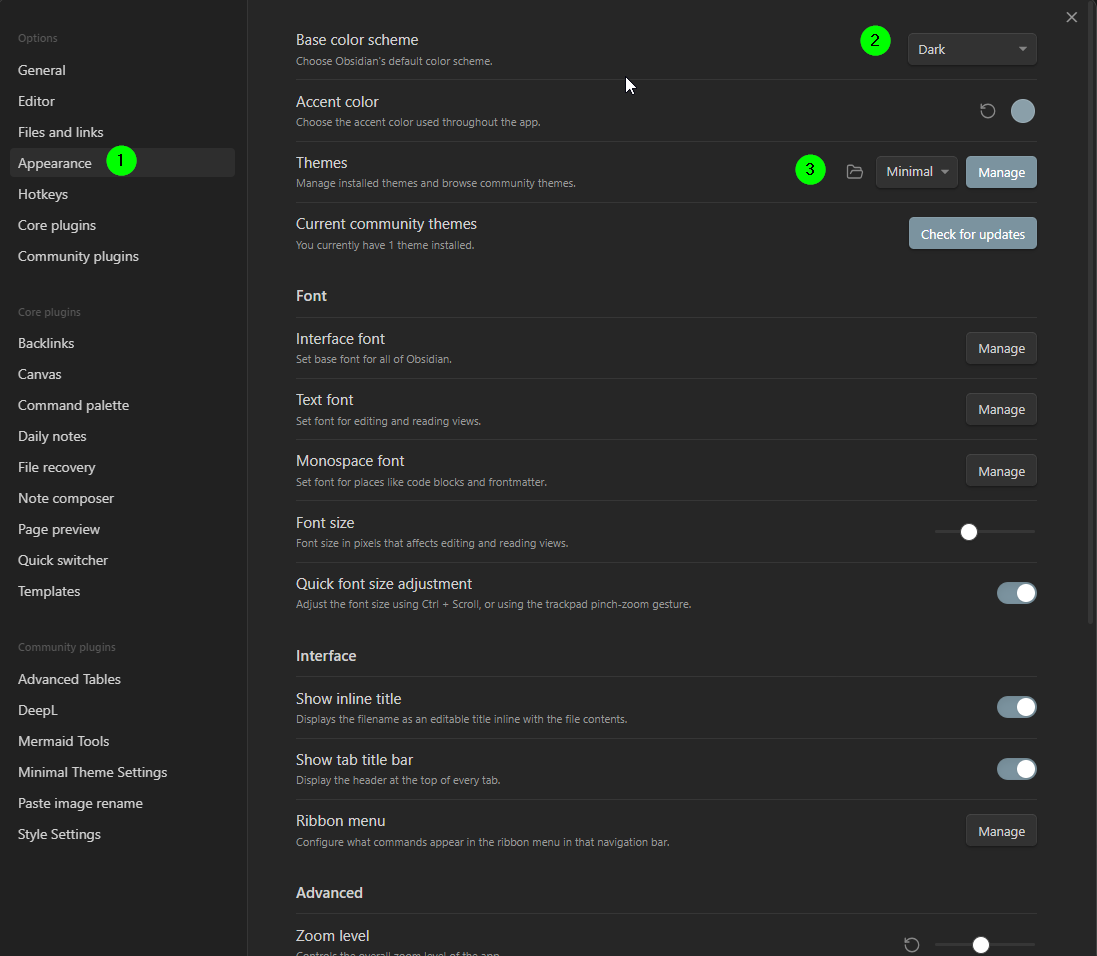
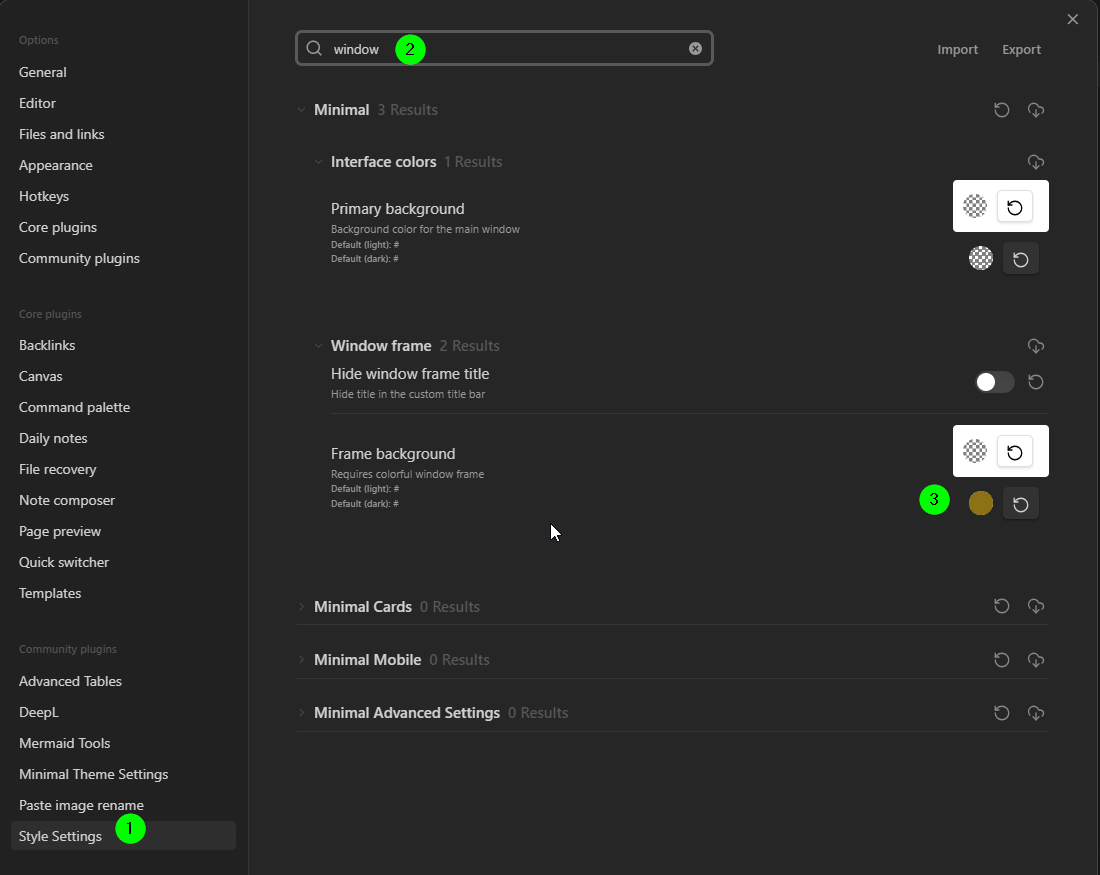
We set a color to the window header, similar to VSC. This is defined here (it's synced via .obsidian folder, you normally don't need to do anything):
Find orphaned files and broken links
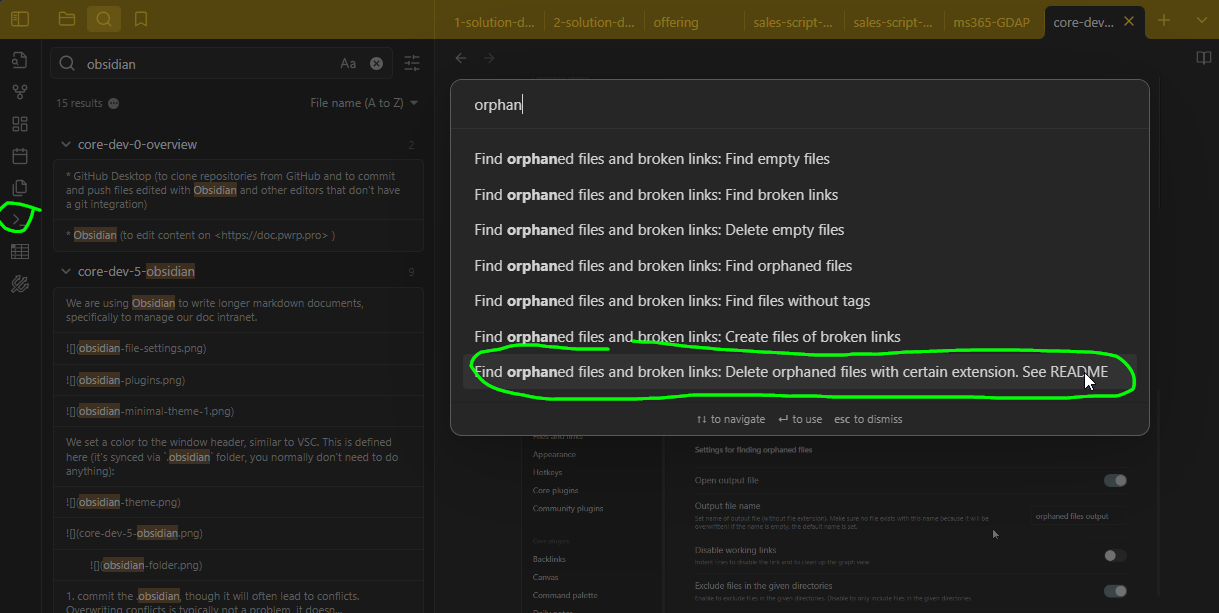
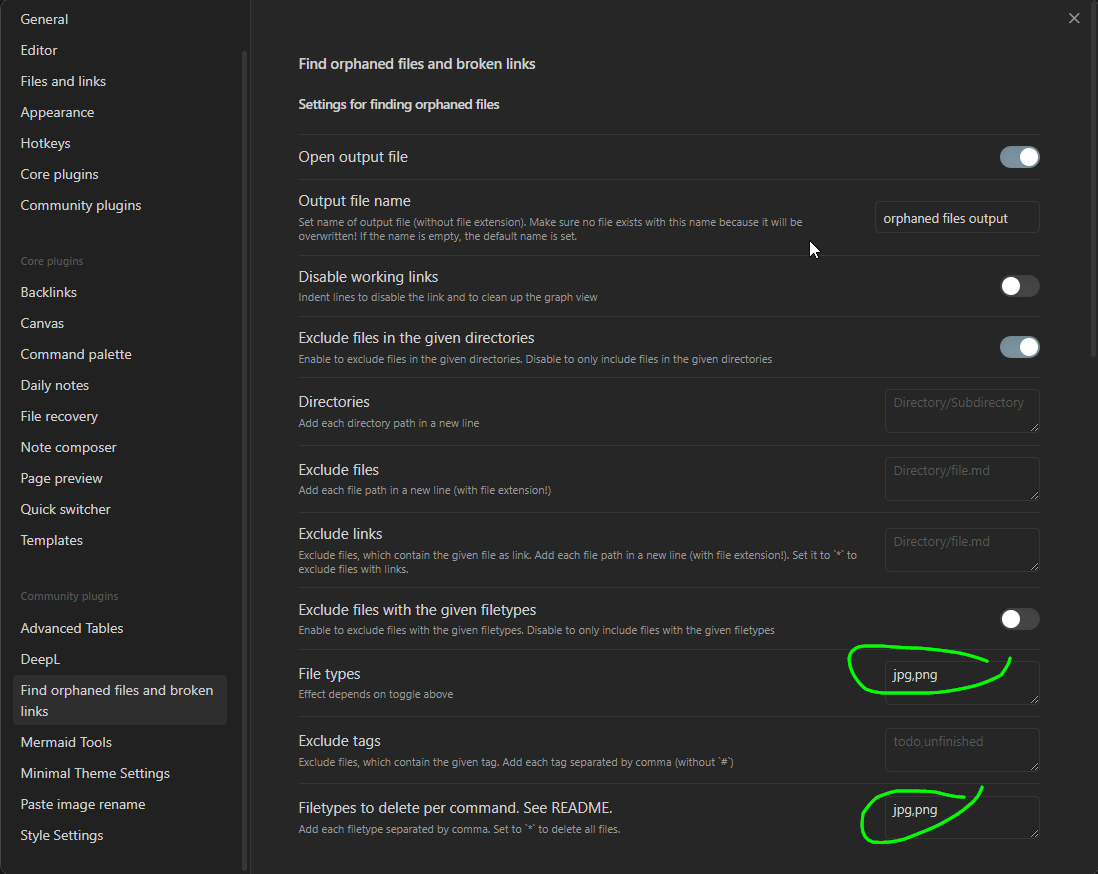
This allows you to find and delete jpg and png images that are not needed anymore.
Configure it like so:
Use it by clicking on "Commands" and then selecting the delete command: